
1. Inleiding
The Paipaitek PC 558 Automatic Cat Anti-Meow Collar is designed to help manage excessive meowing in cats. This device features sound, vibration, and static shock modes, automatically activating upon detecting meows. It is waterproof and rechargeable, offering a humane approach to cat training without the need for a remote control.

Image 1.1: A cat wearing the Paipaitek PC 558 Automatic Anti-Meow Collar. The collar is blue and features a small digital display.
2. Pakketinhoud
Before beginning, please verify that all items listed below are included in your package:
- 1 x Device (Main unit)
- 1 x Nylon Collar (Adjustable strap)
- 2 x Anti-shock Pads
- 4 x Contact Points (Metal prongs)
- 4 x Conductive Silicone Caps (For contact points)
- 1 x USB-laaikabel
- 1 x Test Light (For checking static shock function)
- 1 x Gebruikershandleiding

Image 2.1: All components included in the Paipaitek PC 558 Automatic Anti-Meow Collar package, laid out for inspection.
3. Produk verbyview
Familiarize yourself with the main components and controls of the device:
- Kontakpunte: Metal prongs that deliver static shock.
- Funksiemodus-knoppie: Used to switch between Shock Mode and Warning Mode.
- Sound Mode Button (S): Used to adjust sensitivity and sound detection mode.
- Digitale skerm: Shows current settings.
- Kragskakelaar-knoppie: Skakel die toestel aan of af.
- USB-laaipoort: For recharging the device.

Beeld 3.1: Gedetailleerd view of the Paipaitek PC 558 device, highlighting its contact points, function mode button, sound mode button, digital display, power switch, and USB charging port.
4. Opstelling
4.1 Laai die toestel
- Connect the provided USB charging cable to the USB Charging Port on the device.
- Steek die ander kant van die USB-kabel in 'n standaard USB-kragadapter (nie ingesluit nie) of 'n rekenaar se USB-poort.
- Allow the device to charge fully before first use. The digital display will indicate charging status. A full charge typically provides up to 15 days of use.
4.2 Attaching Contact Points and Silicone Caps
- Select the appropriate length of contact points based on your cat's fur length. Longer points are for thicker fur.
- Screw the chosen contact points into the designated holes on the device.
- For added comfort and to prevent direct skin contact with the metal, place the conductive silicone caps over the contact points.
4.3 Aanpassing van die kraag
Proper fit is crucial for both effectiveness and your cat's comfort and safety.
- Thread the nylon collar strap through the loops on the device.
- Place the collar around your cat's neck. Ensure the device is positioned centrally under the chin or on the side of the neck, with the contact points touching the skin.
- Adjust the collar strap to a snug fit. You should be able to fit one to two fingers comfortably between the collar and your cat's neck. The collar is adjustable from 8 to 23 inches (20.3 to 58.4 cm).
- Trim any excess collar strap if necessary, ensuring the breakaway buckle remains functional.
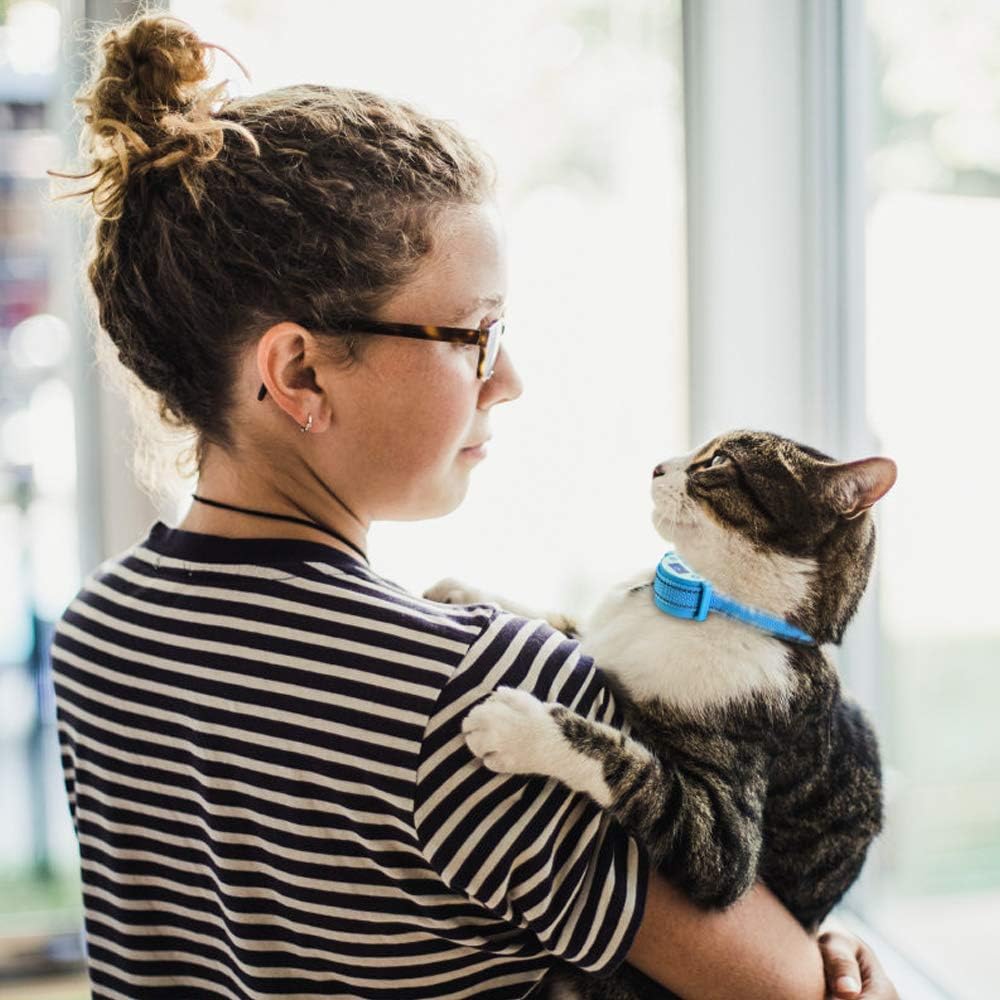
Image 4.1: A cat wearing the collar, demonstrating a proper fit where the device sits comfortably on the neck.

Image 4.2: Illustration of the adjustable nylon collar with reflective strips and a safety breakaway buckle, suitable for various cat sizes.
5. Bedryfsinstruksies
5.1 Krag aan/af
Press and hold the Power Switch Button (refer to Image 3.1) for a few seconds to turn the device on or off. The digital display will illuminate when powered on.
5.2 Selecting Function Modes
The collar offers two primary function modes:
- Skokmodus: Activates sound, vibration, and static shock upon meow detection.
- Waarskuwingsmodus: Activates only sound and vibration upon meow detection, without static shock.
Press the Function Mode Button (refer to Image 3.1) to cycle between these modes. The digital display will show the selected mode.

Image 5.1: Visual representation of the two function modes: Shock Mode (sound + vibration + static shock) and Warning Mode (sound + vibration).
5.3 Adjusting Sound Modes (Sensitivity)
The device features two sound detection modes, which also relate to sensitivity:
- Mode 1 (Pet Short Yelling Setting): Designed for detecting shorter, more frequent meows.
- Mode 2 (Pet Long Yelling Setting): Designed for detecting longer, sustained meows.
Press the Sound Mode Button (S) (refer to Image 3.1) to switch between Mode 1 and Mode 2. Experiment with both settings to find the most effective one for your cat's meowing patterns.

Image 5.2: Illustration of the two sound detection modes, Mode 1 for short meows and Mode 2 for long meows, indicated on the device's display.
6. Safety Information and Important Guidelines
Adherence to these guidelines is essential for your pet's safety and the effective operation of the collar:
- Do not allow your pet to wear the collar for more than 18 hours per day. Prolonged wear can lead to skin irritation.
- Regularly check your pet's neck for any signs of irritation, redness, or sores. If irritation occurs, discontinue use and consult a veterinarian.
- Ensure the collar is fitted correctly, allowing for comfortable movement but snug enough for contact points to function.
- This collar is designed for cats. Do not use it on other animals.
- Hou die toestel weg van kinders.
7. Onderhoud
To ensure the longevity and proper functioning of your Paipaitek PC 558 collar, follow these maintenance tips:
- Skoonmaak: Periodically clean the device and contact points with a soft, damp cloth. Ensure the device is powered off and disconnected from charging before cleaning. Do not use harsh chemicals.
- Batterysorg: Recharge the device when the battery indicator is low. Avoid fully depleting the battery frequently to prolong its lifespan. Store in a cool, dry place when not in use for extended periods.
- Collar Strap: Inspect the nylon collar strap regularly for wear and tear. Replace if damaged.
8. Probleemoplossing
If you encounter issues with your Paipaitek PC 558 collar, refer to the following common problems and solutions:
- Device Not Activating When Cat Meows:
- Ensure the device is powered on and fully charged.
- Check that the contact points are making proper contact with your cat's skin. Adjust collar fit if necessary.
- Try switching between Sound Mode 1 and Mode 2 to see if one is more suitable for your cat's meow frequency.
- The device's sensitivity might need adjustment. - Device Activating Without Cat Meowing:
- This can occur due to other loud noises or vibrations. Try adjusting the sensitivity setting (Sound Mode).
- Ensure the collar is not too loose, which could cause false triggers from movement. - Static Shock Not Working (in Shock Mode):
- Ensure the device is in Shock Mode (Sound + Vibration + Static Shock).
- Use the included Test Light to verify the static shock function. Place the test light over the contact points and observe if it illuminates when the device is triggered.
- Check that the contact points are securely attached and making proper skin contact. - Kort batterylewe:
- Ensure the device is fully charged before each use.
- Battery life can vary based on usage frequency and environmental factors.
9. Spesifikasies
| Modelnommer | PC 558 |
| Produk afmetings | 2.54 x 5.84 x 0.1 cm (Device); 28.35 g (Device weight) |
| Collar Material | Silicone Nylon |
| Collar Adjustment Range | 20.3 - 58.4 cm (8 - 23 duim) |
| Battery Tipe | 1 Litium-ioonbattery (ingesluit) |
| Batterylewe | Up to 15 days (approximate) |
| Waterdig | Ja |

Image 9.1: Visual summary of the device's compact size (1oz weight, 2.3in length, 1.3in width, 1in height) and approximate 15-day battery life.
10. Waarborg en Ondersteuning
Paipaitek products are manufactured with quality and reliability in mind. For warranty information or technical support, please refer to the contact details provided with your purchase documentation or visit the official Paipaitek webwebwerf. Bewaar asseblief u bewys van aankoop vir waarborgeise.