
Inleiding
This manual provides essential information for the safe and efficient operation, installation, and maintenance of your Magic Chef 12-inch Radiant Electric Ceramic Glass Cooktop. Please read all instructions carefully before using the appliance.
The Magic Chef 12-inch cooktop features a Schott-Glass Ceramic panel, two radiant heating elements (1000W and 1600W), and sleek control knobs. Its built-in design integrates seamlessly with countertops.

Figuur 1: Van onder na onder view of the Magic Chef cooktop, illustrating the two radiant heating elements and the overall design.
Belangrike veiligheidsinstruksies
WAARSKUWING: To reduce the risk of fire, electric shock, injury to persons, or damage when using the cooktop, follow basic precautions, including the following:
- Lees alle instruksies voordat u die toestel gebruik.
- Moenie aan warm oppervlaktes raak nie. Gebruik handvatsels of knoppe.
- Moet nooit die kookplaat sonder toesig laat tydens werking nie.
- Verseker behoorlike installasie deur 'n gekwalifiseerde tegnikus.
- Do not store items of interest to children in cabinets above a cooktop.
- Moenie water op vetvure gebruik nie. Smoor vuur of vlam of gebruik droë chemiese of skuim-tipe blusser.
- Dra behoorlike klere. Lospassende of hangende kledingstukke moet nooit gedra word terwyl die toestel gebruik word nie.
- Gebruik slegs droë pothouers. Klam of damp pothouers op warm oppervlaktes kan brandwonde van stoom tot gevolg hê.
- Do not heat unopened food containers. Pressure build-up may cause the container to burst and result in injury.
- Always use the correct pan size. Select cookware with flat bottoms large enough to cover the heating element.
- Maak die kookplaat gereeld skoon om vetopbou te voorkom.
- Ontkoppel krag voor diens.
Opstelling en installasie
This cooktop is designed for drop-in installation into a countertop. Due to the electrical requirements and the nature of built-in appliances, professional installation by a qualified electrician is highly recommended.
Uitpak
- Carefully remove all packaging materials from the cooktop.
- Inspect the cooktop for any shipping damage. Do not install if damaged.
- Maak seker dat alle komponente wat in die paklys gelys word, teenwoordig is.
Countertop Voorbereiding
- A cutout in the countertop is required. Refer to the installation template (if provided with the product) for precise dimensions.
- The cooktop dimensions are approximately 21.5 inches (D) x 12 inches (W) x 2 inches (H). Ensure adequate clearance around the appliance.
Elektriese aansluiting
- This appliance requires a dedicated 120-Volt electrical supply.
- The cooktop includes a corrugated pipe with 3 wires for connection. All wiring must comply with local electrical codes.
- WAARSKUWING: Elektriese installasie moet slegs deur 'n gekwalifiseerde elektrisiën uitgevoer word.
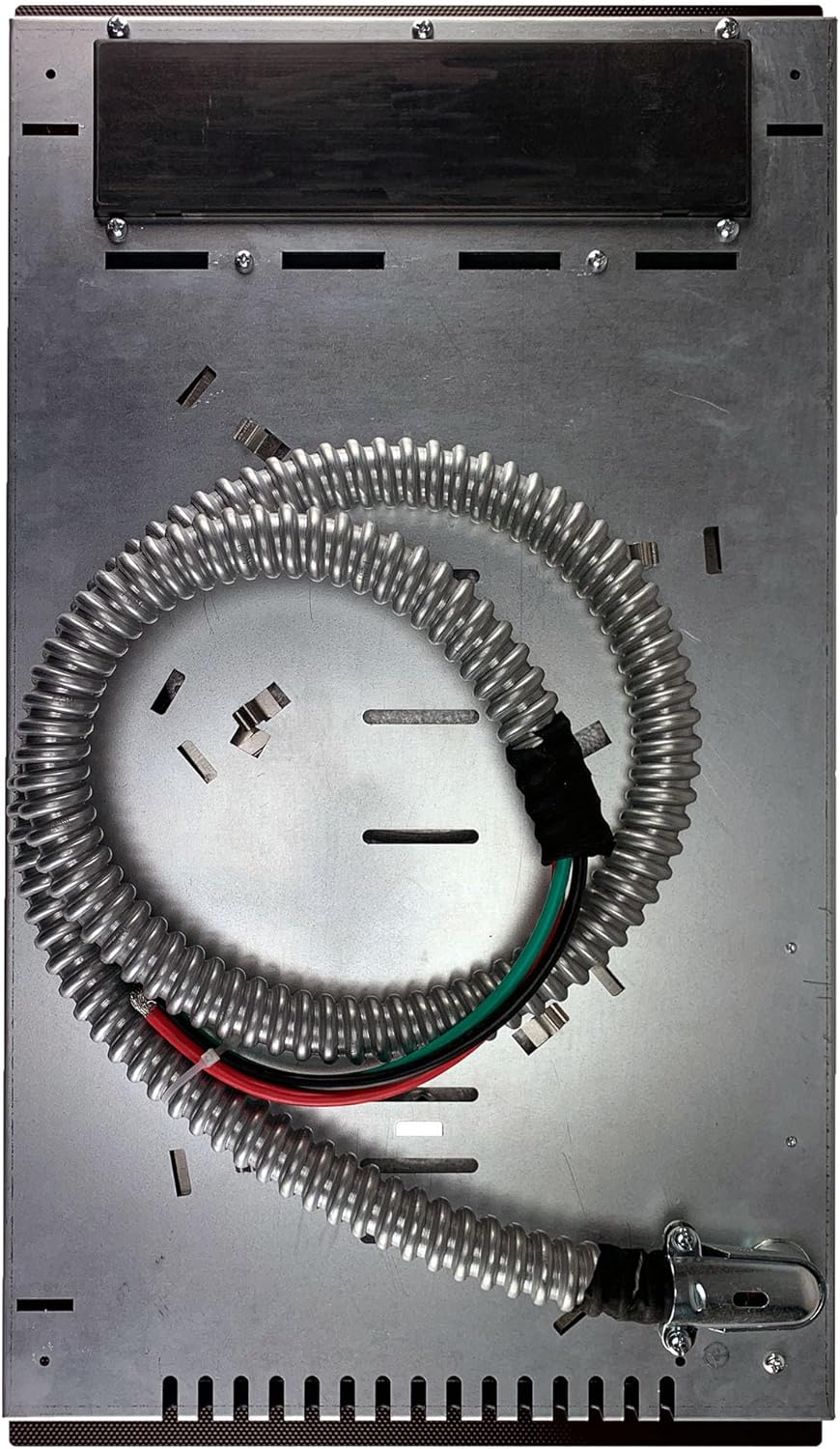
Figuur 2: Onderkant view of the cooktop, illustrating the electrical conduit and wiring for professional installation.
Bedryfsinstruksies
Your Magic Chef cooktop features two radiant heating elements controlled by two stainless steel knobs.

Figuur 3: Hoekig view of the cooktop, highlighting the two heating elements and their corresponding control knobs.
Turning On a Heating Element
- Place appropriate cookware on the desired heating element.
- Locate the control knob corresponding to the element you wish to use. The larger element (1600W) is typically at the front, and the smaller element (1000W) is at the rear.
- Push down and turn the knob clockwise to the desired heat setting. Settings range from LOW to HIGH.
- An indicator light will illuminate to show that the element is active.
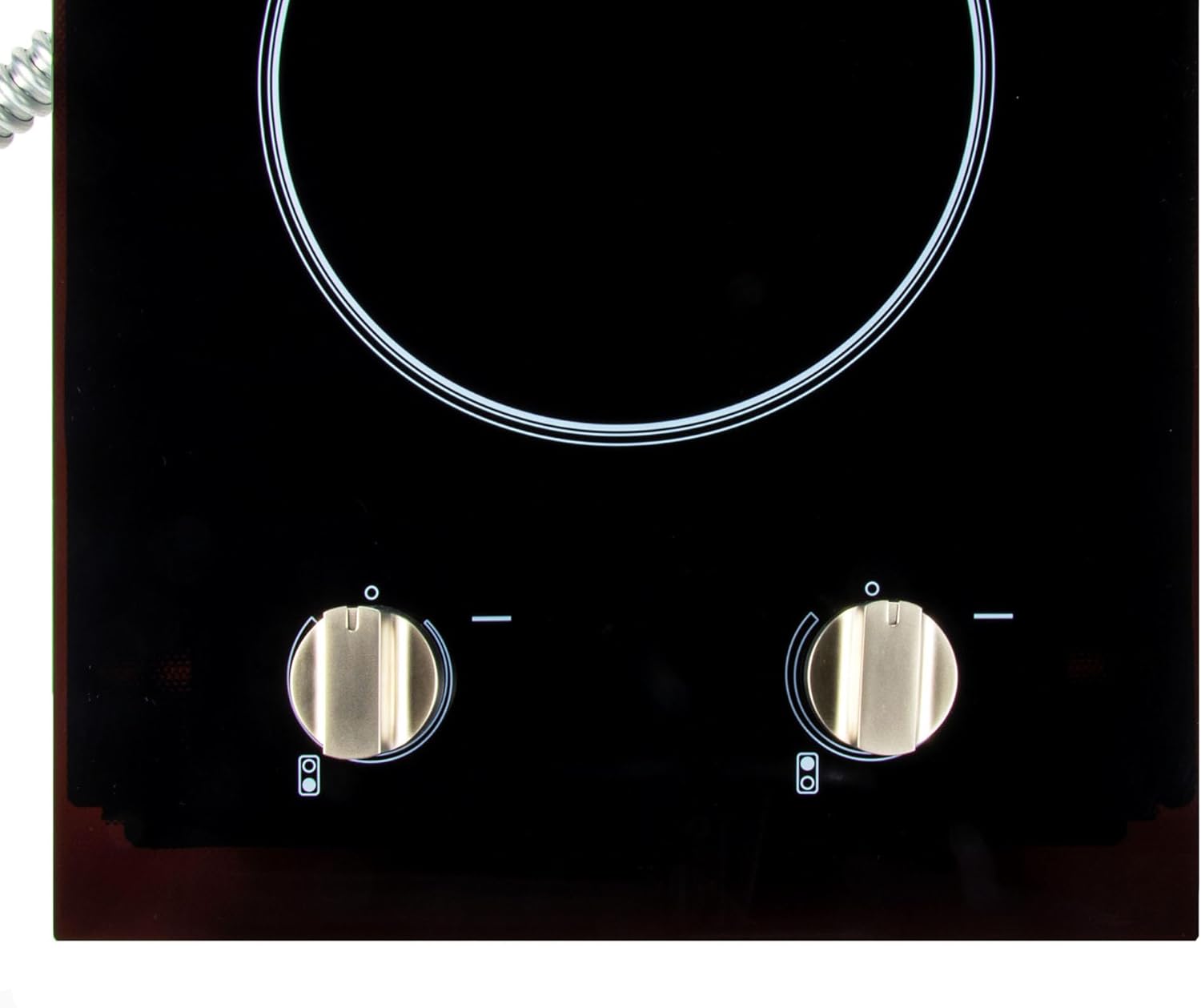
Figuur 4: Close-up of the control knobs, showing the markings for heat settings.
Hitte instellings
- LAAG: Ideal for simmering, melting, or keeping food warm.
- MEDIUM: Suitable for slow boiling, frying, or sautéing.
- HOOG: For rapid boiling, searing, or initial heating.
The cooktop features overheat protection for safety. If an element becomes too hot, it may temporarily cycle off until a safe temperature is restored.
Turning Off a Heating Element
Turn the control knob counter-clockwise back to the "OFF" position. The indicator light will extinguish.
Onderhoud en Skoonmaak
Gereelde skoonmaak en onderhoud sal die lang lewensduur en optimale prestasie van jou kookplaat verseker.
Skoonmaak van die keramiekglasoppervlak
- Laat die kookplaat heeltemal afkoel voordat dit skoongemaak word.
- Use a ceramic cooktop cleaner and a non-abrasive pad or cloth.
- For stubborn stains or burnt-on food, use a razor scraper designed for ceramic glass cooktops, holding it at a 45-degree angle.
- Vee die oppervlak af met 'n skoon, damp cloth to remove any cleaner residue, then dry with a soft, clean cloth.
- Moenie skuurmiddels, skuursponse of harde chemikalieë gebruik nie, aangesien dit die glasoppervlak kan krap of beskadig.
Cleaning Control Knobs
- The control knobs can be pulled straight off for cleaning.
- Wash them with warm, soapy water, rinse, and dry thoroughly.
- Moenie skuur skoonmaakmiddels gebruik nie.
- Ensure knobs are completely dry before replacing them.
Probleemoplossing
Voordat u diens kontak, hersienview die volgende algemene probleme en oplossings:
| Probleem | Moontlike oorsaak | Oplossing |
|---|---|---|
| Kookplaat skakel nie aan nie. | No power supply; circuit breaker tripped; improper wiring. | Check power connection and circuit breaker. Verify wiring by a qualified electrician. |
| Element not heating properly. | Incorrect heat setting; cookware not suitable; element malfunction. | Adjust heat setting. Use flat-bottomed cookware. If issue persists, contact service. |
| Indicator light not illuminating. | Element not active; bulb malfunction. | Ensure element is turned on. If element heats but light doesn't, contact service. |
| Cooktop surface is scratched. | Abrasive cleaners or cookware used; dropped objects. | Use only recommended cleaners and avoid dragging cookware. Scratches are typically cosmetic and not covered by warranty. |
Spesifikasies
- Model: MCSCTE12BG2
- Handelsmerk: Magiese Sjef
- Tipe: Radiant Electric Ceramic Glass Cooktop
- Kleur: Swart
- Aantal verwarmingselemente: 2
- Element 1 (Large): 1600 Watt
- Element 2 (Small): 1000 Watt
- Totale wattage: 2600 Watt
- Voltage: 120 Volt
- Beheer tipe: Knop
- Installasie tipe: Drop-In
- Verwarmer Oppervlak Materiaal: Ceramic Glass (Schott Ceran)
- Produk Afmetings (D x B x H): 21.5" x 12" x 2"
- Item gewig: 14.1 pond
- Spesiale kenmerke: Overheat protection, Indicator lights, Smooth surface for easy cleaning.
Waarborg inligting
This Magic Chef cooktop is covered by a 1-jaar vervaardiger se waarborg vanaf die aankoopdatum. Hierdie waarborg dek defekte in materiaal en vakmanskap onder normale gebruik.
Die waarborg dek nie:
- Damage resulting from accident, misuse, abuse, alteration, or improper installation.
- Cosmetic damage, such as scratches, dents, chips, or other damage to finishes.
- Damage caused by unauthorized service or repairs.
- Normale slytasie.
Behou asseblief jou aankoopbewys vir waarborgeise.
Kliënte ondersteuning
For technical assistance, warranty inquiries, or to order replacement parts, please contact Magic Chef customer service. Refer to the contact information provided with your product packaging or visit the official Magic Chef webwebwerf.
When contacting support, please have your model number (MCSCTE12BG2) and serial number readily available.