
1. Inleiding
Thank you for choosing the Losei D65 Wireless Earbuds. These earbuds are designed to provide a high-quality audio experience with advanced features such as environmental noise canceling (ENC), individual power display, wireless charging, and IPX7 waterproofing. This manual will guide you through the setup, operation, and maintenance of your new earbuds.
2. Wat is in die boks
- Wireless Sport Earbuds (1 Pair)
- Charging Case (1 PC)
- Type-C Charging Cable (1 PC)
- Original Ear Caps (1 Pair)
- Spare Ear Caps (6 Pairs)
- Gebruikershandleiding (Hierdie dokument)
3. Produk verbyview
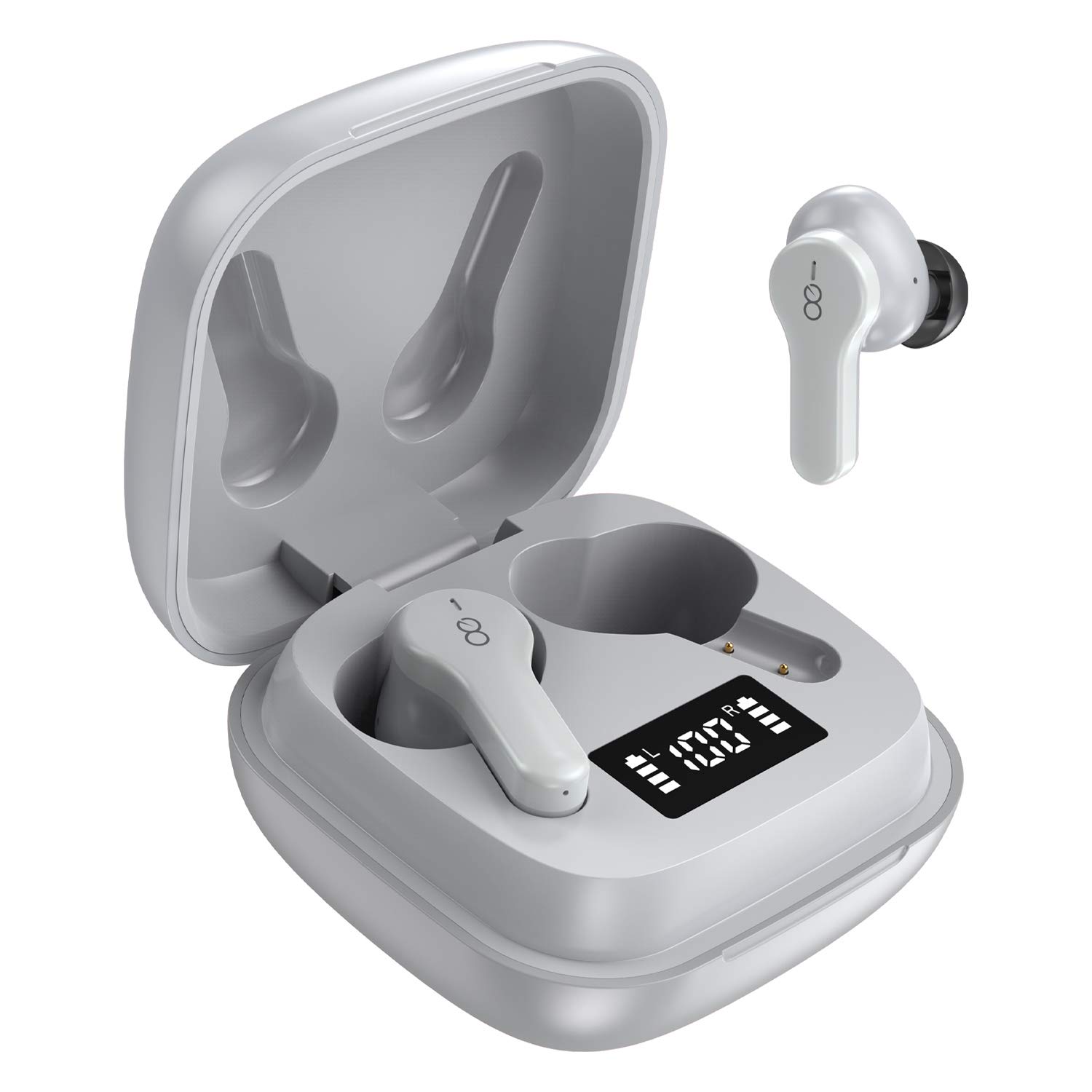
The Losei D65 earbuds feature a compact, in-ear design with touch controls. The accompanying charging case provides portable power and includes a digital display to show battery levels for both the case and individual earbuds.
Sleutel kenmerke:
- Clear Call with 4-Mics Noise Reduction: Built-in 4 microphones with Environmental Noise Canceling (ENC) technology for clear calls.
- Individual Power Display: Digital display on the charging case shows battery percentage vir die omhulsel en laaistatus vir elke oordoppie.
- Wireless Charging & Extended Playtime: Supports wireless charging and provides up to 30 hours of total playtime with the charging case.
- Comfortable Fit & IPX7 Waterproof: Ergonomic design with multiple ear tip sizes and IPX7 water resistance for sports and daily use.
- Auto Pairing & Smart Touch Control: Automatic connection to the last paired device and intuitive touch controls for various functions.
4. Opstelling
4.1 Laai die oordopjes en houer
Laai die oordopjes en die laaikassie volledig voor die eerste gebruik.
- Laai die oordopjes: Place the earbuds into the charging case. The marquee lights on the case will indicate charging. They will stop when fully charged.
- Laai die houer (bedraad): Connect the provided Type-C charging cable to the charging port on the case and to a USB power source. The digital display will show the battery percentage toenameasing. A full charge takes approximately 1.5-2 hours.
- Laai die houer (Draadloos): Place the charging case on a compatible wireless charging pad (not included). The digital display will indicate charging status.
The charging case's digital display shows the battery percentage (1-100%). The individual earbud power consumption indicators show 4 grids, each representing 25% battery.
4.2 Koppeling met jou toestel
The Losei D65 earbuds feature automatic pairing.
- Maak seker dat jou toestel se Bluetooth aangeskakel is.
- Maak die laaikas oop. Die oorfone sal outomaties aanskakel en in paringsmodus gaan.
- On your device, search for Bluetooth devices and select "Losei-D65" from the list.
- Sodra dit gekoppel is, sal jy 'n bevestigingsprompt hoor, en die oorfone sal gereed wees vir gebruik.
The earbuds will automatically reconnect to the last paired device when taken out of the charging case.
5. Bedryfsinstruksies
5.1 Slim aanraakkontroles
The Losei D65 earbuds utilize touch controls for various functions. The sensor area is typically located on the outer surface of each earbud.
- Speel/pouse: Enkele tik op enige van die oordopjes.
- Volgende snit: Dubbeltik op die regteroorfone.
- Vorige snit: Dubbeltik op die linker oordopje.
- Volume op: Tik drie keer op die regteroorfone.
- Volume af: Tik drie keer op die linker oordopje.
- Beantwoord/beëindig oproep: Enkeltik op enige oordopjes tydens 'n inkomende oproep.
- Verwerp oproep: Druk en hou enige oordopjes vir 2 sekondes in tydens 'n inkomende oproep.
- Aktiveer stemassistent: Druk en hou enige oordopjes vir 3 sekondes in (wanneer jy nie aan die oproep is nie).
5.2 Multi-Using Modes
The earbuds support different usage scenarios:
- Mono-modus: Each earbud can be used independently. This is ideal for driving or when you need to be aware of your surroundings. Simply take one earbud out of the case and connect it.
- Deelmodus: You can share one earbud with another person to listen to the same audio content.
- Stereomodus: Use both earbuds together for a full, immersive stereo sound experience.
6. Onderhoud
6.1 Skoonmaak
Gereelde skoonmaak help om klankgehalte en higiëne te handhaaf.
- Gebruik 'n sagte, droë, pluisvrye lap om die oorfone en laaikas af te vee.
- Vir oordoppe, verwyder hulle van die oordopjes en maak skoon met 'n sagte seepoplossing indien nodig, spoel dan deeglik af en droog heeltemal af voordat jy hulle weer vasmaak.
- Moenie skuurmiddels, alkohol of chemiese oplosmiddels gebruik nie.
6.2 Berging
Wanneer dit nie gebruik word nie, bêre die oordopjes in hul laaikassie om hulle te beskerm en gelaai te hou.
- Bêre in 'n koel, droë plek weg van uiterste temperature.
- Vermy langdurige blootstelling aan direkte sonlig.
6.3 Waterbestandheid (IPX7)
The Losei D65 earbuds are IPX7 waterproof, meaning they can withstand immersion in water up to 1 meter for 30 minutes. This makes them suitable for sports and protection against sweat and rain. However, they are not designed for swimming or prolonged submersion. Ensure the earbuds are dry before placing them back in the charging case to prevent damage.
7. Probleemoplossing
If you encounter issues with your Losei D65 earbuds, refer to the following common solutions:
- Oordopjes koppel of verbind nie:
- Maak seker dat beide oordopjes gelaai is.
- Skakel Bluetooth op jou toestel af en skakel dit dan weer aan.
- Forget/delete "Losei-D65" from your device's Bluetooth list and attempt to pair again.
- Place both earbuds back into the charging case, close the lid, wait a few seconds, then open the lid to reset.
- Slegs een oordoppie werk:
- Maak seker dat beide oordopjes gelaai is.
- Place both earbuds back into the charging case, close the lid, wait a few seconds, then open the lid. They should reconnect to each other automatically.
- If the issue persists, try resetting the earbuds as described in the pairing section.
- Swak klankgehalte of lae volume:
- Verstel die volume op beide jou toestel en die oordopjes.
- Ensure the ear tips are properly sealed in your ear canal. Try different sized ear tips for a better fit.
- Maak enige puin van die oordopjes se luidsprekers en oordoppe skoon.
- Maak seker dat daar geen obstruksies tussen jou toestel en die oorfone is nie.
- Laaikas laai nie:
- Kontroleer die laaikabel en kragadapter vir skade.
- Maak seker dat die Tipe-C-kabel stewig aan beide die kas en die kragbron gekoppel is.
- If using wireless charging, ensure the case is correctly positioned on a compatible wireless charging pad.
8. Spesifikasies
| Model Naam | Losei-D65 |
| Verbindingstegnologie | Draadloos (Bluetooth 5.0) |
| Oorplasing | In Oor |
| Geraasbeheer | Sound Isolation, Environmental Noise Canceling (ENC) |
| Waterweerstandvlak | IPX7 (waterdig) |
| Tipe beheer | Raak Beheer |
| Batterylewe (Oorfone) | Tot 5 uur op 'n enkele laai |
| Totale speeltyd (met omhulsel) | Tot 30 uur |
| Laaityd (kas) | Ongeveer. 1.5-2 uur |
| Laai-koppelvlak | Type-C, Wireless Charging |
| Versoenbare toestelle | Most Bluetooth-enabled devices (Android, iOS, PC, etc.) |
| Item gewig | 0.176 onse (per oordoppie) |
| Produk afmetings | 1.18 x 1.54 x 1.85 duim (Laaikas) |
9. Waarborg en Ondersteuning
9.1 Waarborginligting
The Losei D65 Wireless Earbuds come with a 12-maande vervangingswaarborg. Additionally, returns are accepted within 30 days for a full refund. This warranty covers manufacturing defects and ensures customer satisfaction.
9.2 Kliëntediens
For any questions, issues, or support needs, please contact Losei customer service. Quick-response professional customer service is available to assist you.
Please refer to the product packaging or the official Losei webwebwerf vir spesifieke kontakbesonderhede.