
Inleiding
Dankie vir die aankoopasing the eKids Harry Potter Bluetooth Speaker. This portable wireless speaker is designed to provide clear audio from your Bluetooth-enabled devices. This manual provides essential information for setting up, operating, and maintaining your speaker.

Beeld: Voorkant view of the eKids Harry Potter Bluetooth Speaker, featuring the Harry Potter character design.
Veiligheidsinligting
Please read and follow all safety instructions before using this product to prevent injury or damage.
- Do not expose the unit to extreme temperatures, direct sunlight, or moisture.
- Do not immerse the unit in water. This product is not waterproof.
- Gebruik slegs die meegeleverde laaikabel.
- Moenie probeer om die eenheid uitmekaar te haal of te wysig nie.
- Hou buite bereik van klein kinders.
- Gooi batterye behoorlik weg volgens plaaslike regulasies.
Pakketinhoud
Verifieer dat alle items in die pakket teenwoordig is:
- Harry Potter Bluetooth Speaker
- Mikro USB-laaikabel
- Polsband
Produk verbyview
Familiarize yourself with the components of your speaker:

Image: Diagram showing the speaker's dimensions (2.2 inches / 56mm height, 1.8 inches / 46mm width) and labeled parts including the speaker grille, slot to attach wrist strap, port for charging (Micro USB), and Power/Pairing Button.
- Luidsprekerrooster: Located at the top for audio output.
- Power/Pair Button: Controls power and initiates Bluetooth pairing.
- Laaipoort: Micro USB port for connecting the charging cable.
- Wrist Strap Slot: Vir die bevestiging van die ingeslote polsband.
Laai die luidspreker
The speaker is powered by a built-in rechargeable Lithium-Ion battery. Before first use, fully charge the speaker.
- Connect the small end of the Micro USB charging cable to the Charging Port on the speaker.
- Connect the large end of the Micro USB charging cable to a powered USB port (e.g., computer, USB wall adapter).
- The charging indicator light (if present, refer to product for exact location) will illuminate during charging and turn off when fully charged.
- Charging time may vary. Disconnect the cable once charging is complete.
Bluetooth-koppeling
Volg hierdie stappe om jou luidspreker aan 'n Bluetooth-geaktiveerde toestel te koppel:
- Maak seker dat die luidspreker ten volle gelaai is.
- Druk en hou die Krag/paring-knoppie on the speaker until you hear an audible prompt or see an indicator light flashing, indicating it is in pairing mode.
- On your Bluetooth-enabled device (smartphone, tablet, computer, etc.), go to the Bluetooth settings menu.
- Aktiveer Bluetooth en soek vir beskikbare toestelle.
- Select "Harry Potter Speaker" (or similar name) from the list of devices.
- Once paired, you will hear a confirmation tone, and the indicator light will stop flashing.
- The speaker can wirelessly stream audio up to 30 feet from your device.
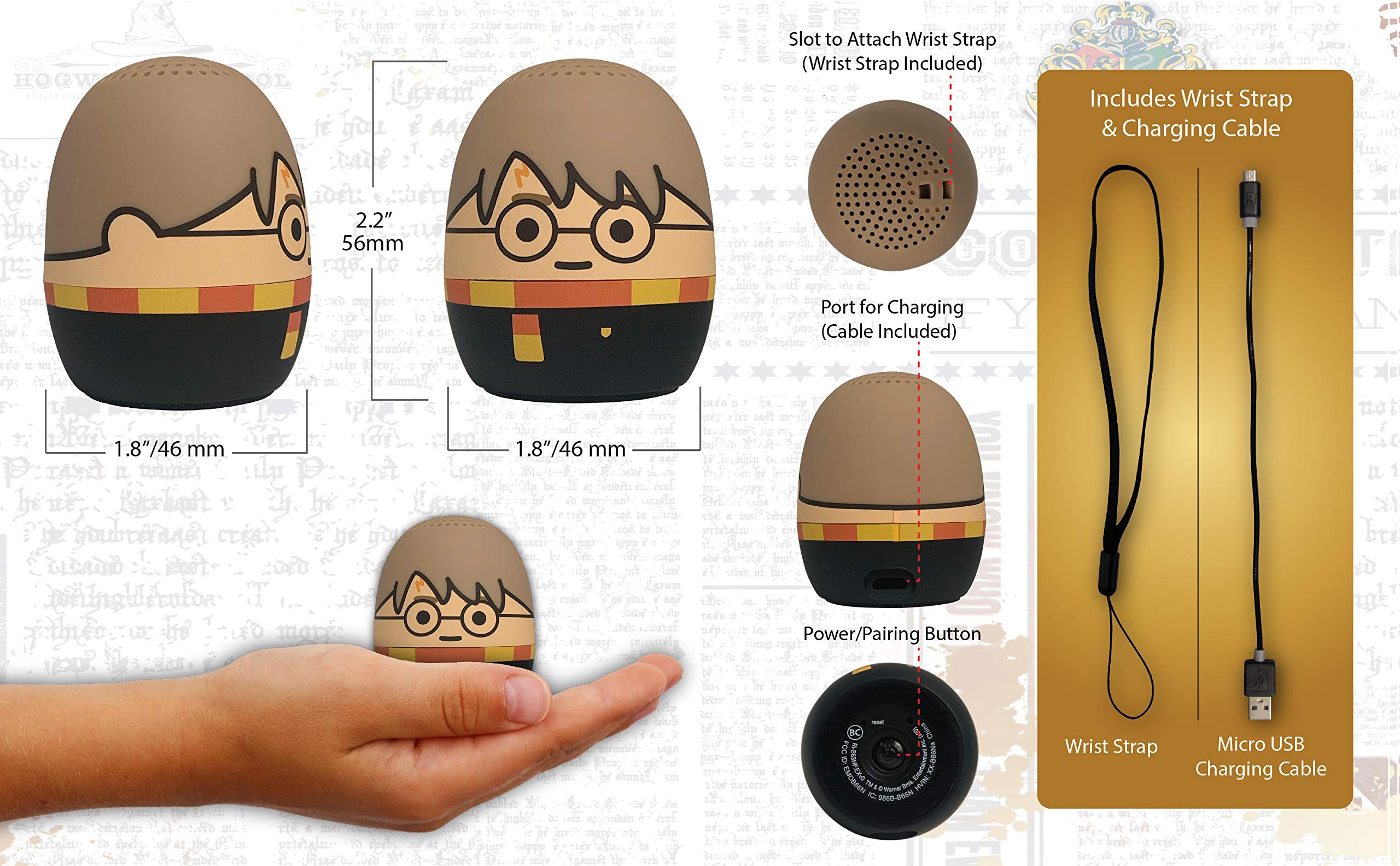
Image: The Harry Potter Bluetooth Speaker shown with icons representing compatible devices: mobile phone, tablet, notebook, PC, smart watch, and game device.
Operasie
After successful pairing, you can begin playing audio:
- Speel oudio: Start playing music or other audio content on your paired device. The sound will be transmitted to the speaker.
- Volumebeheer: Adjust the volume directly from your paired device.
- Krag aan/af: Druk en hou die Krag/paring-knoppie to turn the speaker on or off.
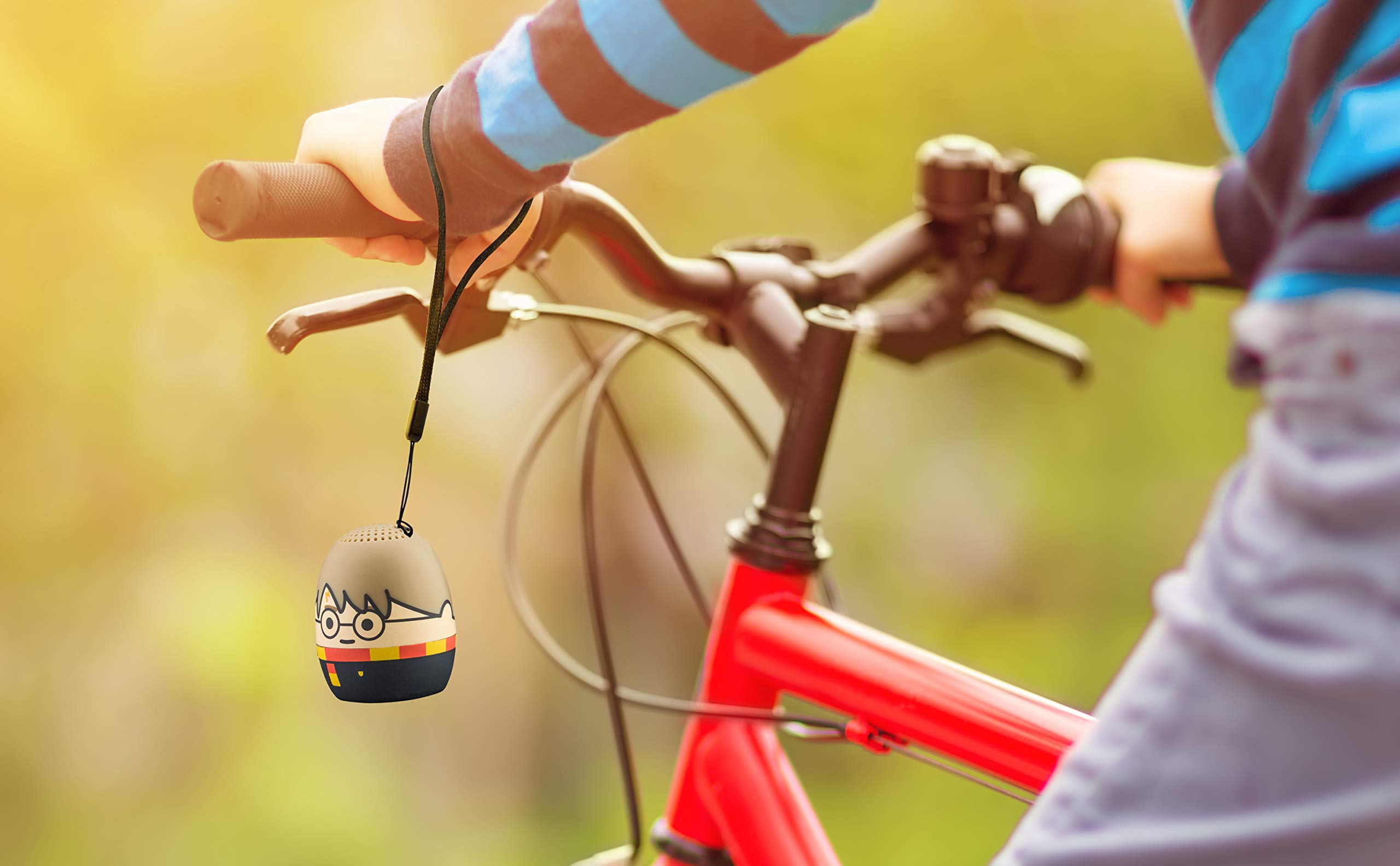
Image: The Harry Potter Bluetooth Speaker, with its wrist strap, attached to the handlebar of a bicycle, demonstrating its portability for outdoor use.
Onderhoud
To ensure the longevity of your speaker, follow these maintenance guidelines:
- Skoonmaak: Wipe the speaker with a soft, dry cloth. Do not use liquid cleaners or abrasive materials.
- Berging: Bêre die luidspreker op 'n koel, droë plek weg van direkte sonlig en uiterste temperature wanneer dit nie vir lang tye gebruik word nie.
- Batterysorg: For optimal battery life, avoid fully discharging the battery frequently. Charge it regularly, even if not used often.
Probleemoplossing
If you encounter issues with your speaker, refer to the following table:
| Probleem | Oplossing |
|---|---|
| Luidspreker skakel nie aan nie. | Ensure the battery is charged. Connect the speaker to a power source using the Micro USB cable. |
| Kan nie met 'n Bluetooth-toestel koppel nie. |
|
| Geen geluid of lae volume nie. |
|
| Swak klank kwaliteit. |
|
Spesifikasies
| Kenmerk | Detail |
|---|---|
| Handelsmerk | eKids |
| Model Naam | Harry Potter |
| Verbindingstegnologie | Bluetooth, USB |
| Luidspreker Maksimum uitsetkrag | 10 Watt |
| Klankuitvoermodus | Stereo |
| Tipe luidspreker | Draagbaar |
| Beheer metode | Knoppie |
| Luidsprekergrootte | 40 millimeter |
| Kragbron | Batteryaangedrewe (1 litiumioonbattery ingesluit) |
| Versoenbare toestelle | Personal Computer, Smartphone, Tablet, Television |
| Is waterdig | ONWAAR |
| UPC | 092298948775 |
| ASIN | B087NFC293 |
Waarborg en Ondersteuning
This product comes with a Limited Warranty. For specific warranty details, please refer to the documentation included with your purchase or contact eKids customer support.
For technical support or further assistance, please visit the eKids official webwebwerf of kontak hul kliëntediensafdeling. Bewaar u aankoopbewys vir waarborgeise.