
CREATE 901ac5f5-3fab-4ab6-92cb-7ef7d8ca7a54
CREATE/COOL DC Tower Fan User Manual
Model: 901ac5f5-3fab-4ab6-92cb-7ef7d8ca7a54
1. Inleiding
Thank you for choosing the CREATE/COOL DC Tower Fan. This bladeless tower fan is designed to provide efficient and quiet air circulation with its advanced DC motor and 9-speed settings. Featuring a sleek design, remote control, and 90-degree oscillation, it offers optimal comfort for any room.
Please read this manual thoroughly before operating the device to ensure safe and proper use. Keep this manual for future reference.
2. Veiligheidsinstruksies
- Ontkoppel altyd die waaier uit die kragtoevoer voordat u skoonmaak of enige onderhoud uitvoer.
- Moenie die waaier met 'n beskadigde koord of prop gebruik nie. Indien die koord of prop beskadig is, kontak gekwalifiseerde dienspersoneel.
- Do not place the fan near water or in excessively humid environments.
- Keep fingers, hair, and loose clothing away from the fan's openings during operation.
- Maak seker dat die waaier op 'n stabiele, plat oppervlak geplaas word om te verhoed dat dit kantel.
- Hierdie toestel is nie bedoel vir gebruik deur persone (insluitend kinders) met verminderde fisiese, sensoriese of geestelike vermoëns, of 'n gebrek aan ervaring en kennis nie, tensy hulle toesig of instruksies oor die gebruik van die toestel gegee is deur 'n persoon wat verantwoordelik is vir hul veiligheid.
- Kinders moet onder toesig wees om te verseker dat hulle nie met die toestel speel nie.
- Do not insert any objects into the fan's openings.
- Moenie die waaier tydens werking bedek nie.
3. Pakketinhoud
Verifieer dat alle items in die pakket teenwoordig is:
- CREATE/COOL DC Tower Fan Unit
- Afstandbeheer
- Kragkabel (geïntegreerd)
- Gebruikershandleiding (hierdie dokument)
4. Opstelling
- Pak die waaier uit: Carefully remove the tower fan and all accessories from the packaging.
- Plasing: Place the fan on a firm, level surface. Ensure there is adequate space around the fan for proper air circulation and oscillation.
- Koppel krag: Insert the power plug into a standard electrical outlet. Ensure the voltage voldoen aan die waaier se vereistes (230V).
- Afstandbeheer battery: The remote control may require batteries (not included). Open the battery compartment and insert the correct type and number of batteries, observing polarity.
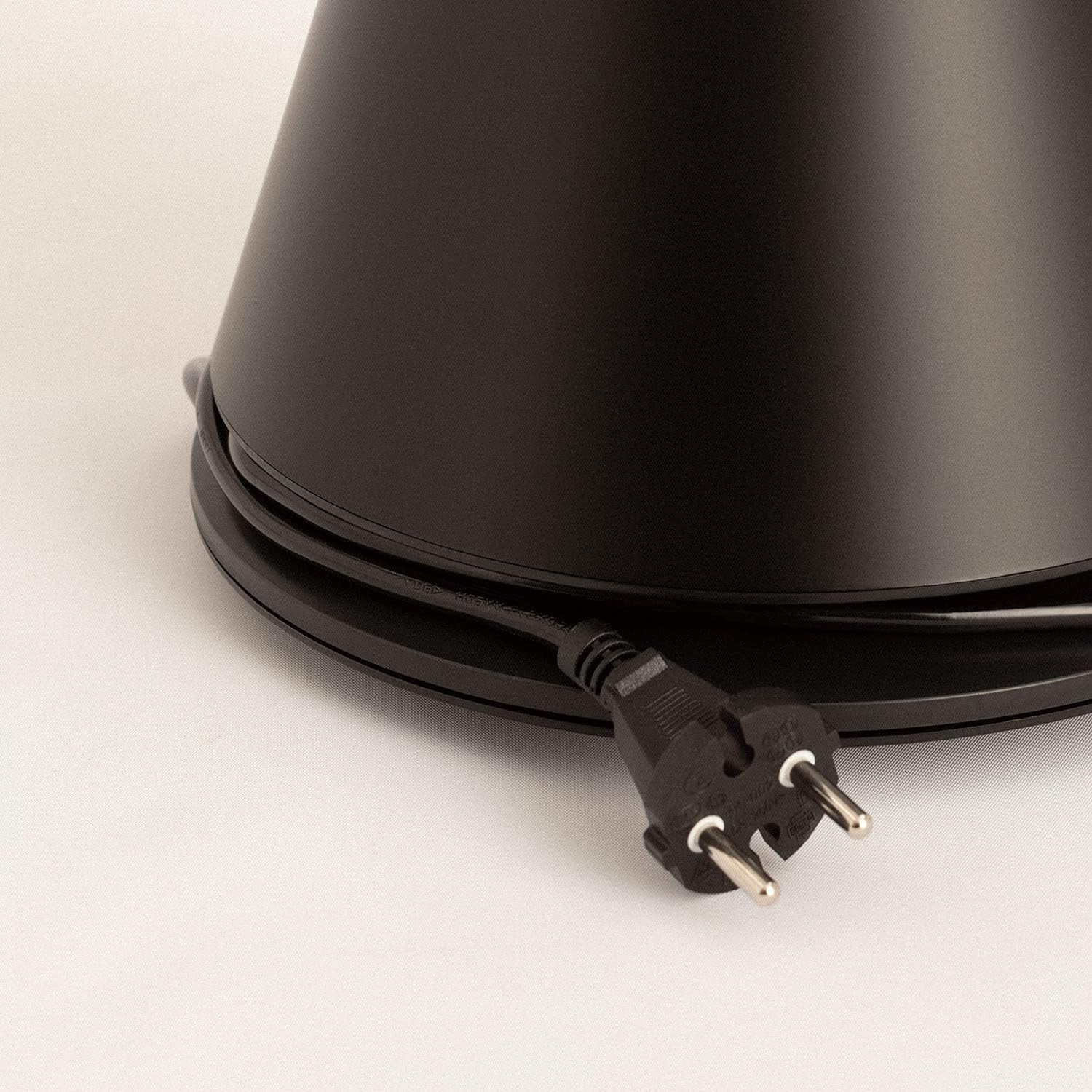
Image: Power cord connected to the fan base.
This image shows the integrated power cord and plug, ready for connection to a wall outlet. The cord is neatly wrapped around the base for storage.
5. Bedryfsinstruksies
Control Panel (Digital Display Touch-System)
The fan features a digital display touch-system on its top, which also serves as the integrated remote control storage. Touch the icons to control the fan.
Afstandbeheer
The magnetic remote control can be stored conveniently on top of the fan. It provides full functionality for operating the fan from a distance.

Image: Remote control for the tower fan.
This image displays the compact remote control with clearly labeled buttons for power, speed adjustment, mode selection, and oscillation control.
Funksies:
- Krag aan/af: Druk die aan / uit-knoppie (⏻) to turn the fan on or off.
- Spoedverstelling: The fan has 9 speed levels. Use the '+' and '-' buttons to increase or decrease the fan speed.
- Windmodusse: Select between 2 wind modes (e.g., Normal, Sleep, Natural - specific modes may vary). Press the mode button to cycle through available modes.
- ossillasie: Druk die ossillasieknoppie (↻) to activate or deactivate the 90-degree oscillation feature, which distributes air evenly across the room.
- Afteller: Set the fan to automatically turn off after a specified period. Refer to the display for timer settings (e.g., 1-12 hours).

Image: Tower fan placed in a bedroom.
This image shows the sleek black tower fan positioned in a modern bedroom, demonstrating its compact footprint and aesthetic integration into a living space.
6. Onderhoud
Gereelde skoonmaak sal help om die waaier se werkverrigting te handhaaf en sy lewensduur te verleng.
- Skoonmaak van die buitekant: Vee die buite-oppervlaktes van die waaier af met 'n sagte, damp lap. Moenie skuur skoonmaakmiddels of oplosmiddels gebruik nie.
- Stofverwydering: Use a vacuum cleaner with a brush attachment or compressed air to remove dust from the air intake and outlet grilles.
- Berging: If storing the fan for an extended period, unplug it, clean it thoroughly, and store it in a cool, dry place, preferably in its original packaging.
- Moenie die waaier in water of enige ander vloeistof dompel nie.
7. Probleemoplossing
| Probleem | Moontlike oorsaak | Oplossing |
|---|---|---|
| Die waaier skakel nie aan nie. | Nie ingeprop nie; Kragtoevoer werk nie; Aan/uit-knoppie nie gedruk nie. | Maak seker dat die waaier stewig in 'n werkende kragpunt ingeprop is. Druk die aan/af-knoppie. |
| Swak lugvloei. | Low speed setting; Air inlets/outlets blocked by dust. | Increase the fan speed. Clean the air inlets and outlets. |
| Die waaier is raserig. | Fan not on a level surface; Internal obstruction; High speed setting. | Place the fan on a flat, stable surface. Check for any obstructions. Reduce fan speed. |
| Afstandbeheer werk nie. | Batterye pap of verkeerd geplaas; Obstruksie tussen afstandbeheerder en waaier. | Replace batteries, ensuring correct polarity. Remove any obstructions. Ensure remote is pointed at the fan. |
8. Spesifikasies
| Kenmerk | Detail |
|---|---|
| Handelsmerk | SKEP |
| Modelnommer | 901ac5f5-3fab-4ab6-92cb-7ef7d8ca7a54 |
| Produk afmetings | 102 x 23 x 102 cm (approx. 23D x 23W x 102H cm) |
| Gewig | 2.6 kilogram |
| Kleur | Swart |
| Kragbron | Elektries met koord |
| Voltage | 230 Volt |
| Wattage | 26 Watt |
| Geraasvlak | 2 dB (Note: This value seems unusually low based on customer reviews, typical fan noise is higher. Please refer to actual product performance.) |
| Aantal snelhede | 9 |
| Spesiale kenmerke | Oscillating, Lightweight, DC Motor, Timer, Remote Control |
9. Waarborg en Ondersteuning
CREATE products are manufactured to the highest quality standards. For information regarding warranty coverage, please refer to the warranty card included with your purchase or visit the official CREATE webwebwerf.
For technical support, troubleshooting assistance, or spare parts, please contact CREATE customer service. Contact details can typically be found on the product packaging or the official brand webwebwerf.
Webwebwerf: CREATE Official Store