
1. Inleiding
This manual provides detailed instructions for the safe and effective use of your Elecom LBT-TWS05BK True Wireless Bluetooth Earphones. Please read this manual thoroughly before using the product and retain it for future reference.
The Elecom LBT-TWS05BK earphones are designed for stable connectivity, superior comfort, and high usability, delivering rich audio performance. They feature an ergonomic design, advanced communication technology, and convenient smart features.
2. Veiligheidsinligting
Om veilige werking te verseker en skade te voorkom, neem asseblief die volgende voorsorgmaatreëls in ag:
- Moenie die oorfone of laaikas aan uiterste temperature, humiditeit of vloeistowwe blootstel nie.
- Vermy om die toestel te laat val of aan sterk impakte te onderwerp.
- Moenie probeer om die produk uitmekaar te haal of te wysig nie. Dit sal die waarborg ongeldig maak.
- Hou buite bereik van kinders en troeteldiere.
- Luister teen matige volumevlakke om gehoorskade te voorkom.
- Be aware of your surroundings when using the earphones, especially in traffic or dangerous situations.
3. Pakketinhoud
Verifieer dat alle items in u produkpakket teenwoordig is:
- Elecom LBT-TWS05BK True Wireless Bluetooth Earphones (Left and Right)
- Laaikas
- USB Charging Cable (Type-A to Type-C)
- Ear Caps (XS, S, M, L sizes; M size pre-installed)
- Instruksie Handleiding
4. Produk verbyview
Familiarize yourself with the components of your Elecom LBT-TWS05BK earphones.

Beeld: Nabyskoot view of the Elecom LBT-TWS05BK true wireless earbuds, showcasing their sleek black design and the ELECOM branding.

Image: The Elecom LBT-TWS05BK earbuds placed inside their compact charging case, ready for storage or charging.
The earphones feature a compact design with a 6.0mm diameter external magnetic dynamic driver for clear sound. The charging case is designed for single-handed operation with a push-button lid.
5. Opstelling
5.1. Laai die oorfone en houer
- Connect the supplied USB Type-A to Type-C cable to the charging case's USB Type-C port and a USB power source.
- The LED indicators on the charging case will show the charging status. Four LEDs indicate a full charge.
- Plaas die oorfone in die laaikas. Hulle sal outomaties begin laai.
- A 15-minute charge provides approximately 1 hour of music playback. A full charge of the earphones allows for about 5 hours of continuous music playback or 4.5 hours of talk time. The charging case can recharge the earphones up to 2.5 times, providing a total of about 17.5 hours of use.
5.2. Aanvanklike paring
The Elecom LBT-TWS05BK supports auto-pairing and Google Fast Pair for compatible Android devices.

Image: An illustration demonstrating the Google Fast Pair feature, where simply opening the charging case near a compatible smartphone prompts a pairing notification. Also shows the one-push open mechanism of the case.
- Maak seker dat jou slimfoon se Bluetooth geaktiveer is.
- Maak die laaikas oop. Die oorfone sal outomaties in paringsmodus gaan.
- For Android devices with Google Fast Pair, a notification will appear on your screen. Tap to connect.
- For other devices, go to your device's Bluetooth settings and select "LBT-TWS05BK" from the list of available devices.
- Once paired, the earphones will automatically connect to the last paired device when removed from the case.
5.3. Pas die oordopjes aan
The earphones feature an ergonomic design for optimal fit and stability.
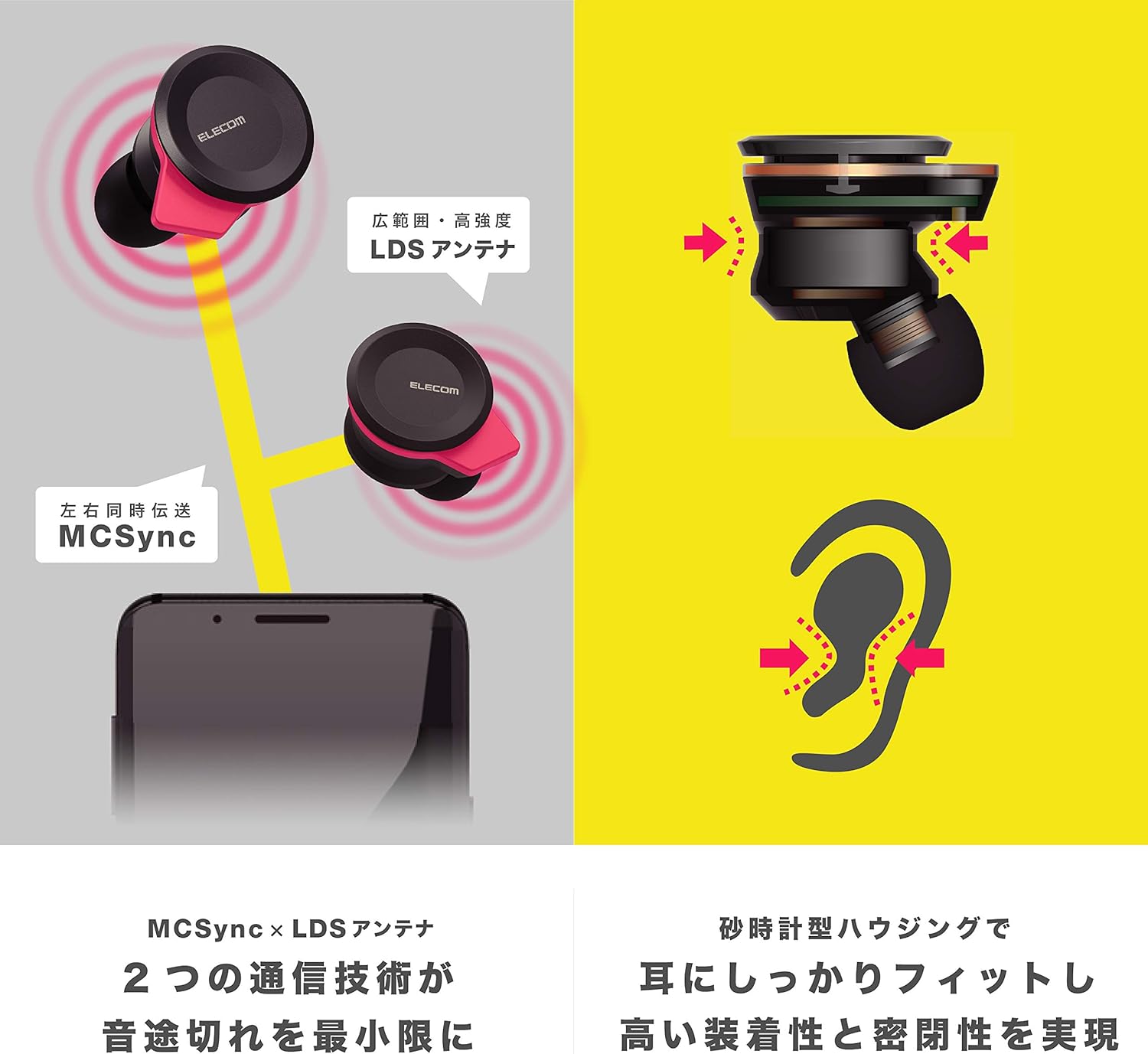
Image: An illustration showing the ergonomic hourglass shape of the earbud designed to fit securely in the ear, alongside a diagram explaining the MCSync and LDS antenna technologies for stable communication.
- Select the ear caps that provide the best seal and comfort from the four included sizes (XS, S, M, L). The M size is pre-installed.
- Plaas die oorknoppie liggies in jou oorkanaal.
- Adjust the earbud so that the hourglass shape is firmly seated between your ear tragus and anti-tragus for a stable fit.
6. Bedryfsinstruksies
The Elecom LBT-TWS05BK earphones offer various functions for audio playback, calls, and smart assistant interaction.
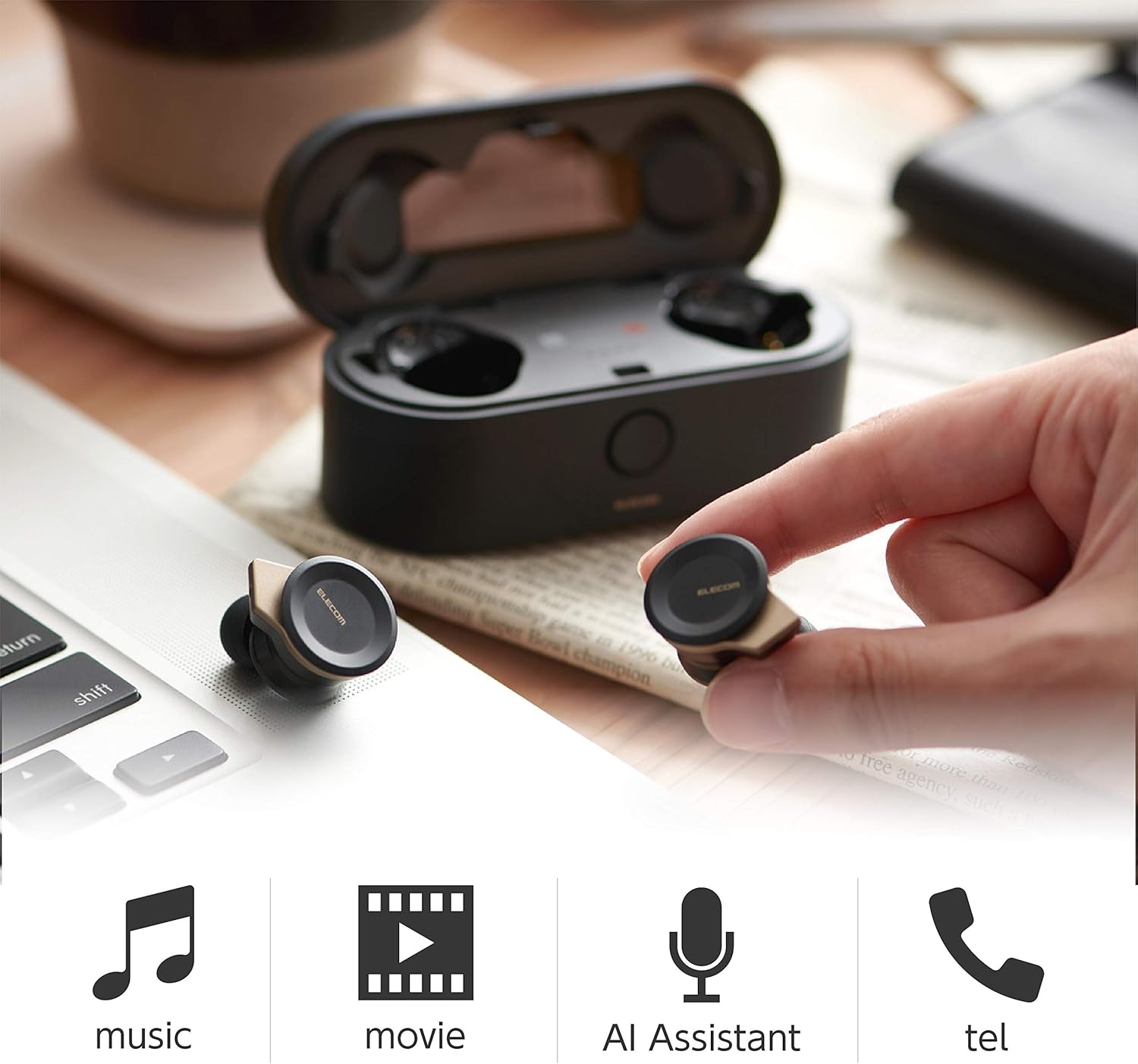
Image: The Elecom LBT-TWS05BK earbuds displayed with icons representing their versatile uses: music playback, movie watching, AI assistant activation, and phone calls.
6.1. Skakel aan/af
- Krag aan: Verwyder die oorfone uit die laaikas. Hulle sal outomaties aanskakel.
- Skakel af: Plaas die oorfone terug in die laaikas. Hulle sal outomaties afskakel.
6.2. Musiekweergawe
Use the buttons on the earphones to control music playback (specific button functions may vary, refer to quick start guide for exact mapping):
- Speel/pouse: Druk een keer op enige oordopje.
- Volgende snit: Dubbeldruk op die regter oordopje.
- Vorige snit: Dubbeldruk op die linker oordopje.
- Volumebeheer: Adjust via your connected device or voice assistant.
6.3. Oproephantering
The right earbud supports calls and voice AI functions.
- Beantwoord/beëindig oproep: Single press on the right earbud.
- Verwerp oproep: Hou die regter oordopjie vir 2 sekondes ingedruk.
6.4. Voice AI Activation
Compatible with voice AI assistants like Siri and Google Assistant.
- Activate Voice AI: Triple press on the right earbud.
6.5. External Sound Capture Function
This function allows you to hear surrounding sounds while wearing the earphones.
- Aktiveer/Deaktiveer: Druk die linker oordop vir 2 sekondes ingedruk.
7. Onderhoud
Behoorlike onderhoud verseker die lang lewensduur en prestasie van jou oorfone.
- Skoonmaak: Gebruik 'n sagte, droë lap om die oorfone en laaikas skoon te maak. Moenie skuurmiddels of oplosmiddels gebruik nie.
- Oorkappies: Remove and clean ear caps regularly with water and mild soap. Ensure they are completely dry before reattaching.
- Berging: Wanneer dit nie gebruik word nie, bêre die oorfone in hul laaikassie om hulle teen stof en skade te beskerm.
- Batterysorg: Vermy om die battery gereeld heeltemal te ontlaai. Laai gereeld om die battery se gesondheid te handhaaf.
8. Probleemoplossing
If you encounter issues with your Elecom LBT-TWS05BK earphones, refer to the following common solutions:
- Geen klank-/verbindingsprobleme nie:
- Maak seker dat oorfone gelaai en aangeskakel is.
- Kyk of Bluetooth op u toestel geaktiveer is.
- Try re-pairing the earphones with your device.
- Ensure earphones are within the 10m transmission distance.
- Oorfone laai nie:
- Verifieer dat die laaikabel stewig aan beide die kas en die kragbron gekoppel is.
- Check if the charging case has sufficient battery.
- Ensure the earphones are correctly seated in the charging case.
- Swak klankgehalte:
- Ensure ear caps provide a good seal in your ear.
- Maak enige puin van die oordopjes se spuitstukke skoon.
- Beweeg nader aan jou gekoppelde toestel om seinsterkte te verbeter.
- Voice AI/Calls Not Working on Left Earbud:
- Note that calls and voice AI functions are only compatible with the right earbud.
9. Spesifikasies
| Kenmerk | Spesifikasie |
|---|---|
| Modelnommer | LBT-TWS05BK |
| Kommunikasiemetode | Bluetooth Standaard Weergawe 5.0 |
| Uitset | Bluetooth-kragklas 1 |
| Maksimum transmissieafstand | Ongeveer 10m |
| Frekwensieband | 2.4 GHz |
| Modulasie metode | FHSS (Frekwensie Hopping Spread Spectrum) |
| Ondersteunde Bluetooth Profiles | A2DP, AVRCP, HFP, HSP |
| A2DP Compatible Codec | SBC, AAC |
| A2DP Compatible Content Protection | SCMS-T |
| Maximum Registration Capacity | 8 toestelle |
| Multipoint (Simultaneous Standby) | Nie versoenbaar nie |
| Tipe bestuurder | 6.0mm diameter external magnetic dynamic driver (ETEMDriver) |
| Kommunikasie Tegnologie | MCSync (MultiCast Synchronization), LDS Antenna |
| Mikrofoon | High-quality MEMS microphone with HDVoice |
| Deurlopende praattyd | Ongeveer. 4.5 uur |
| Continuous Music Playback Time | Ongeveer. 5 uur |
| Total Playback Time (with charging case) | Ongeveer. 17.5 uur |
| Laaipoort | USB Tipe-C |
| Vinnige laai | 15 min charge for 1 hour playback |
| Gewig | 61 gram (totale pakketgewig) |
| Materiaal | Plastiek |
| Waterweerstandvlak | Waterbestand |
| Versoenbare toestelle | Smartphones, Tablets, iOS Devices, Android Devices |
10. Waarborg en Ondersteuning
For warranty information and customer support, please refer to the official ELECOM webwebwerf of kontak jou plaaslike kleinhandelaar. Bewaar jou bewys van aankoop vir waarborgeise.