
Inleiding
This manual provides comprehensive instructions for the safe and efficient use of your TUINYO TP19 Bluetooth Wireless Over-Ear Headphones. Please read this manual thoroughly before operating the device and retain it for future reference.

Image: TUINYO TP19 Bluetooth Wireless Over-Ear Headphones, showcasing the sleek design in black and blue.
Veiligheidsinligting
- Vermy langdurige blootstelling aan hoë volume vlakke om gehoorskade te voorkom.
- Do not use headphones while driving, cycling, or in situations where inability to hear ambient sounds could be dangerous.
- Hou die toestel weg van water, vog en uiterste temperature.
- Moenie probeer om die oorfone uitmekaar te haal of te wysig nie. Dit kan die waarborg ongeldig maak en skade veroorsaak.
- Clean the headphones with a soft, dry cloth. Avoid using harsh chemicals.
Pakketinhoud
- TUINYO TP19 Bluetooth Wireless Over-Ear Headphones
- Mikro USB-laaikabel
- 3.5 mm oudio kabel
- Beskermende saak
- Gebruikershandleiding (hierdie dokument)

Image: All items included in the TUINYO TP19 headphone package: the headphones, a protective case, a micro USB charging cable, and a 3.5mm audio cable.
Produk verbyview
The TUINYO TP19 headphones feature a comfortable over-ear design with soft memory-protein earmuffs and an adjustable stainless steel headband for a perfect fit. Controls are intuitively placed on the earcup.

Beeld: Gedetailleerd view of the headphone's ergonomic features: leather-padded headband, adjustable headband mechanism, soft memory-protein earmuffs, and the equalizer (EQ) button.
Sleutel kenmerke:
- High Fidelity Stereo Sound: Powered by 40mm neodymium drivers for immersive audio.
- Gerieflike ontwerp: Memory-protein ear cushions and adjustable headband for extended wear.
- Dubbele modus: Ondersteun beide draadlose Bluetooth en bedrade 3.5 mm-klankverbindings.
- Lang batterylewe: Tot 40 uur speeltyd op 'n enkele laai.
- Ingeboude mikrofoon: For hands-free calls and voice commands.
- Opvoubare ontwerp: Vir maklike draagbaarheid en berging.
Opstelling
1. Laai die oorfone
- Connect the micro USB charging cable to the charging port on the headphones.
- Koppel die ander kant van die kabel aan 'n USB-kragadapter (nie ingesluit nie) of 'n rekenaar se USB-poort.
- The LED indicator will show charging status (typically red while charging, off or blue when fully charged).
- A full charge takes approximately 2-2.5 hours and provides up to 40 hours of music playtime.

Image: Graphic illustrating the impressive battery duration, highlighting up to 35 hours of battery life and a quick charge feature where 15 minutes of charging provides 3 hours of playtime.
2. Skakel aan/af
- Krag aan: Press and hold the Power button (usually the multi-function button) for a few seconds until the LED indicator lights up and you hear a power-on prompt.
- Skakel af: Druk en hou die aan/af-knoppie weer vir 'n paar sekondes totdat die LED-aanwyser afskakel en jy 'n afskakelprompt hoor.
3. Bluetooth-koppeling
- Maak seker dat die oorfone afgeskakel is.
- Druk en hou die aan/af-knoppie vir ongeveer 5-7 sekondes totdat die LED-aanwyser afwisselend rooi en blou flikker, wat paringsmodus aandui.
- Aktiveer Bluetooth op jou toestel (slimfoon, tablet, rekenaar) en soek vir beskikbare toestelle.
- Select "TP 19" from the list of devices.
- Once paired, the LED indicator will flash blue slowly, and you will hear a connection confirmation.
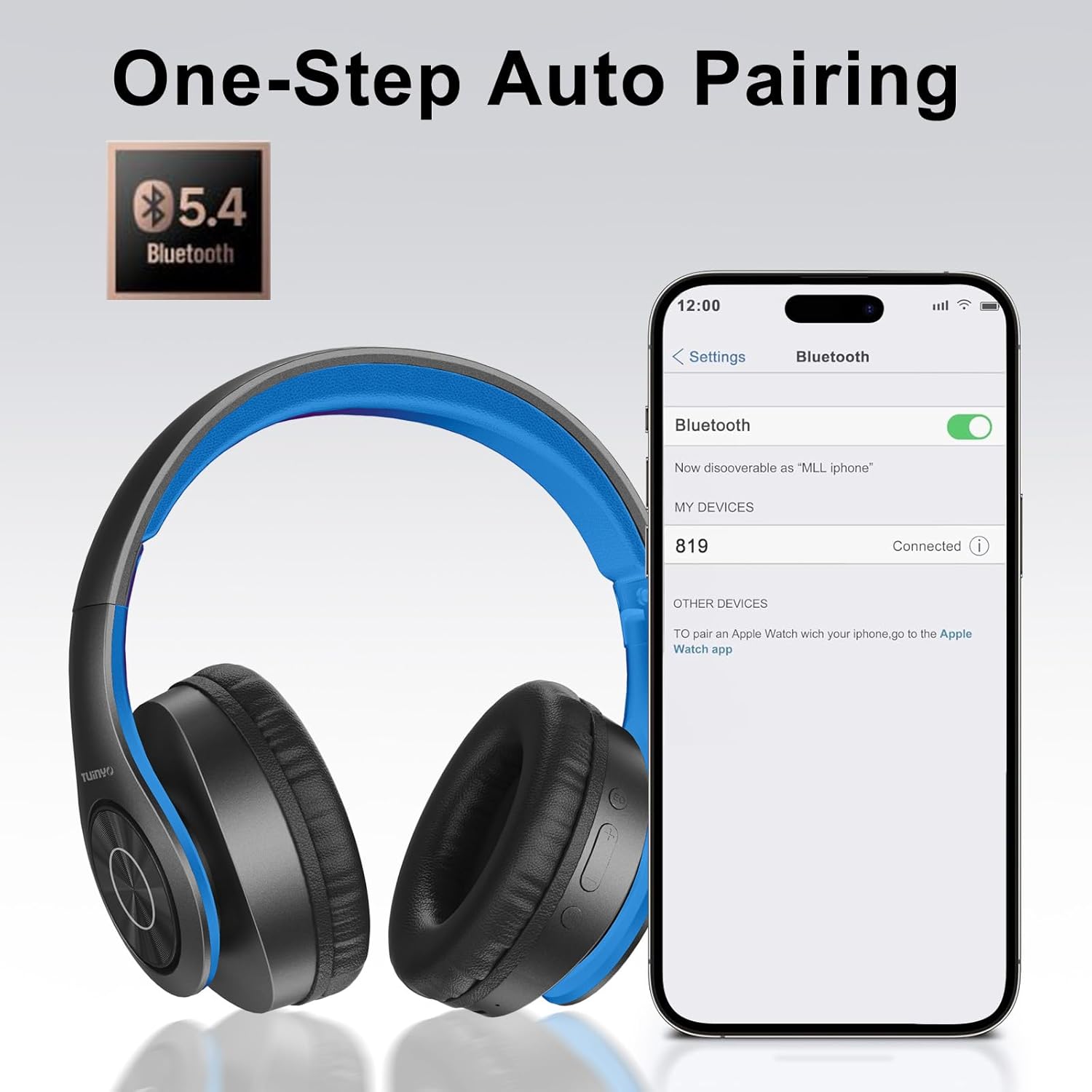
Image: A smartphone screen displaying the Bluetooth settings, showing the "819" (representing the TP19 headphones) successfully connected, illustrating the one-step auto pairing feature.
Video: An official TUINYO video demonstrating the Bluetooth pairing process and showing the headphones in use. This video highlights the ease of connecting the headphones to a device.
Bedryfsinstruksies
1. Wireless Mode
- Speel/pouse: Druk een keer op die Multifunksie-knoppie.
- Volume op: Druk die "+"-knoppie.
- Volume af: Druk die "-" knoppie.
- Volgende snit: Druk en hou die "+" knoppie in.
- Vorige snit: Druk en hou die "-" knoppie in.
2. Bedrade modus
When the battery is low or if you prefer a wired connection, you can use the included 3.5mm audio cable.
- Connect one end of the 3.5mm audio cable to the audio input port on the headphones.
- Connect the other end to your audio device's 3.5mm jack.
- In wired mode, controls on the headphones may be limited, and playback will be controlled by your connected device.
3. Oproepfunksies
- Beantwoord/beëindig oproep: Druk een keer op die Multifunksie-knoppie.
- Verwerp oproep: Druk en hou die multifunksieknoppie vir 2 sekondes in.
- Herbel laaste nommer: Dubbeldruk die multifunksieknoppie.
4. Stemassistent
The headphones support voice-enabled assistants like Siri. Press the Multi-function button twice to activate your device's voice assistant.
5. Sound Effects (EQ Mode)
The headphones feature multiple sound effects (EQ modes) to customize your listening experience. Press the EQ button (often labeled "EQ" or a similar icon) to cycle through available modes such as Normal, Rock, Pop, Classic, Jazz, and Country.
Video: An official TUINYO video showcasing the various sound modes and controls on the headphones, demonstrating how to switch between different equalizer settings.
Onderhoud
- Store the headphones in the protective case when not in use to prevent damage.
- Hou die laaipoort en oudio-aansluiting vry van stof en puin.
- Avoid exposing the headphones to direct sunlight or extreme heat for extended periods.
- Do not use abrasive cleaners or solvents on the headphones.
Probleemoplossing
| Probleem | Oplossing |
|---|---|
| Oorfone sal nie aanskakel nie. | Maak seker dat die oorfone volledig gelaai is. Koppel aan 'n kragbron en probeer weer. |
| Kan nie met toestel koppel nie. |
|
| Geen klank in draadlose modus nie. |
|
| Geen klank in bedrade modus nie. |
|
Spesifikasies
| Kenmerk | Detail |
|---|---|
| Model Naam | TP 19 |
| Verbindingstegnologie | Draadloos (Bluetooth) |
| Draadlose kommunikasietegnologie | Bluetooth 5.1 |
| Bluetooth-reeks | 10 meter |
| Tipe oudiobestuurder | Dinamiese bestuurder |
| Oudiobestuurdergrootte | 40 millimeter |
| Frekwensierespons | 20 KHz |
| Impedansie | 32 ohm |
| Batterylewe | 40 ure |
| Laai tyd | 2.5 ure |
| Koptelefoonaansluiting | 3.5 mm-aansluiting |
| Tipe beheer | Stembeheer, Aanraking |
| Spesiale kenmerk | Opvoubaar |
| Item gewig | 8.9 onse (251 gram) |
| Produk afmetings | 6.85 x 3.9 x 9.72 duim |
| Materiaal | Plastiek |
| Ingesluit komponente | Cable, Protective Case, micro usb cable |
Waarborg en Ondersteuning
By choosing TUINYO, you are covered by a 30-day hassle-free return policy and a one-year warranty. For any inquiries or assistance, please contact our prompt and friendly customer service, available 24/7.
For further support, visit the official TUINYO store: TUINYO Store