
moonka ZN-DP1002
moonka 10.1-inch WiFi Digital Photo Frame User Manual
Model: ZN-DP1002 | Brand: moonka
1. Inleiding
Dankie vir die aankoopasing the moonka 10.1-inch WiFi Digital Photo Frame. This device allows you to easily share and display your precious photos and videos with family and friends, no matter where they are. Featuring a high-resolution touch panel, human sensor, and ample storage, this digital photo frame is designed for convenience and enjoyment. Please read this manual thoroughly before use to ensure proper operation and to maximize your experience.
2. Veiligheidsmaatreëls
- Moenie die toestel aan water of oormatige humiditeit blootstel nie.
- Vermy om die toestel in direkte sonlig of naby hittebronne te plaas.
- Gebruik slegs die meegeleverde kragadapter.
- Moenie probeer om die toestel self uitmekaar te haal of te herstel nie. Kontak kliëntediens vir bystand.
- Hou buite bereik van kinders om ongelukke te voorkom.
- Verseker behoorlike ventilasie rondom die toestel tydens werking.
3. Pakketinhoud
Kontroleer asseblief die pakket vir die volgende items:
- moonka 10.1-inch WiFi Digital Photo Frame
- Kragadapter
- Gebruikershandleiding (hierdie dokument)
- Stand (pre-attached or separate)

Image: The moonka digital photo frame packaging, indicating it's ready for gifting.
4. Produk verbyview
Maak jouself vertroud met die komponente van jou digitale fotoraam.
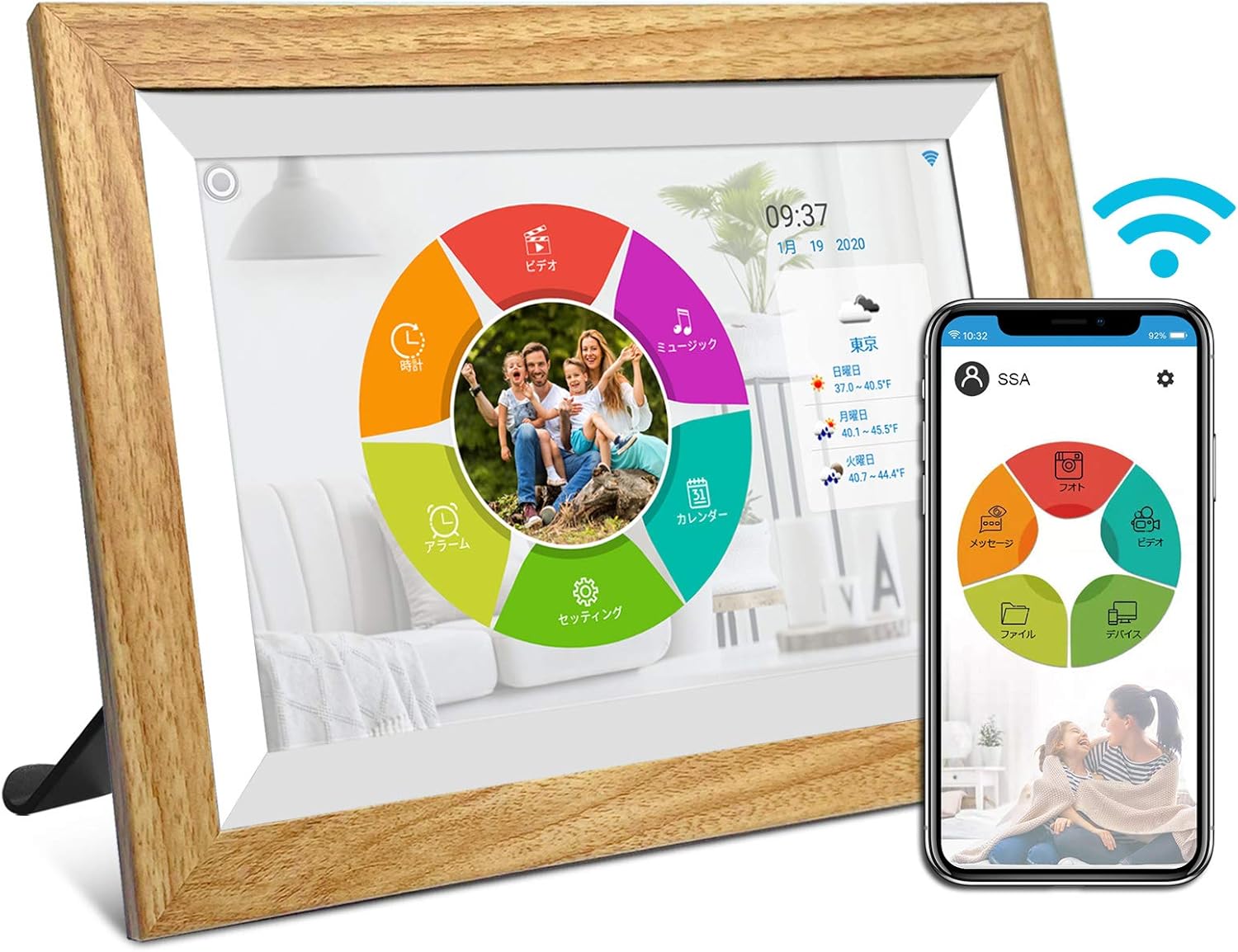
Beeld: Voorkant view of the moonka digital photo frame, showing its 10.1-inch display and a smartphone displaying the companion app interface.

Beeld: Agter view of the moonka digital photo frame, highlighting the Reset button, Type-C port, and Micro SD card slot.
Sleutel kenmerke:
- 10.1-inch IPS Touch Panel: High-resolution (1280x800) display with wide viewing angles for vibrant photo and video playback.
- Wi-Fi konneksie: Seamlessly transfer photos and videos from your smartphone via a dedicated app.
- Menslike sensor: Automatically turns the frame on when motion is detected, saving energy.
- 32GB interne berging: Ample space to store approximately 20,000 photos or 3,000 15-second videos.
- MicroSD kaart ondersteuning: Expand storage up to 32GB for additional media.
- Outomatiese skermrotasie: Photos and videos adjust automatically to horizontal or vertical orientation.
- Multimedia-afspeel: Supports photo slideshows, video playback, and music playback.
- Bykomende funksies: Includes clock, calendar, and weather display.

Image: Visual representation of the frame's features including WiFi, human sensor, touch panel, 32GB memory, IPS wide viewing angle, auto-correction, photo, music, video, clock, calendar, and weather functions.
5. Opstelling
5.1 Aanvanklike aanskakeling
- Connect the power adapter to the DC IN port on the back of the frame.
- Steek die kragadapter in 'n muuraansluiting.
- The frame will automatically power on. Follow the on-screen instructions for initial setup.
5.2 Netwerkverbinding (Wi-Fi)
- On the frame's screen, navigate to Instellings.
- Kies Wi-Fi en skakel dit aan.
- Kies jou verlangde Wi-Fi-netwerk uit die lys.
- Enter the Wi-Fi password using the on-screen keyboard and tap Koppel.
- Once connected, a Wi-Fi icon will appear on the status bar.
5.3 App-installasie en -paring
To share photos and videos from your smartphone, download the dedicated "SSA WiFi Frame" app.
- Download the "SSA WiFi Frame" app from the Google Play Store (for Android) or Apple App Store (for iOS).
- Maak die toepassing oop en skep 'n rekening.
- On your digital photo frame, go to Instellings > Toestelinligting to find your unique pairing code.
- In the app, enter this pairing code to connect your smartphone to the photo frame.
- Once paired, you can easily send photos and videos to the frame from anywhere.
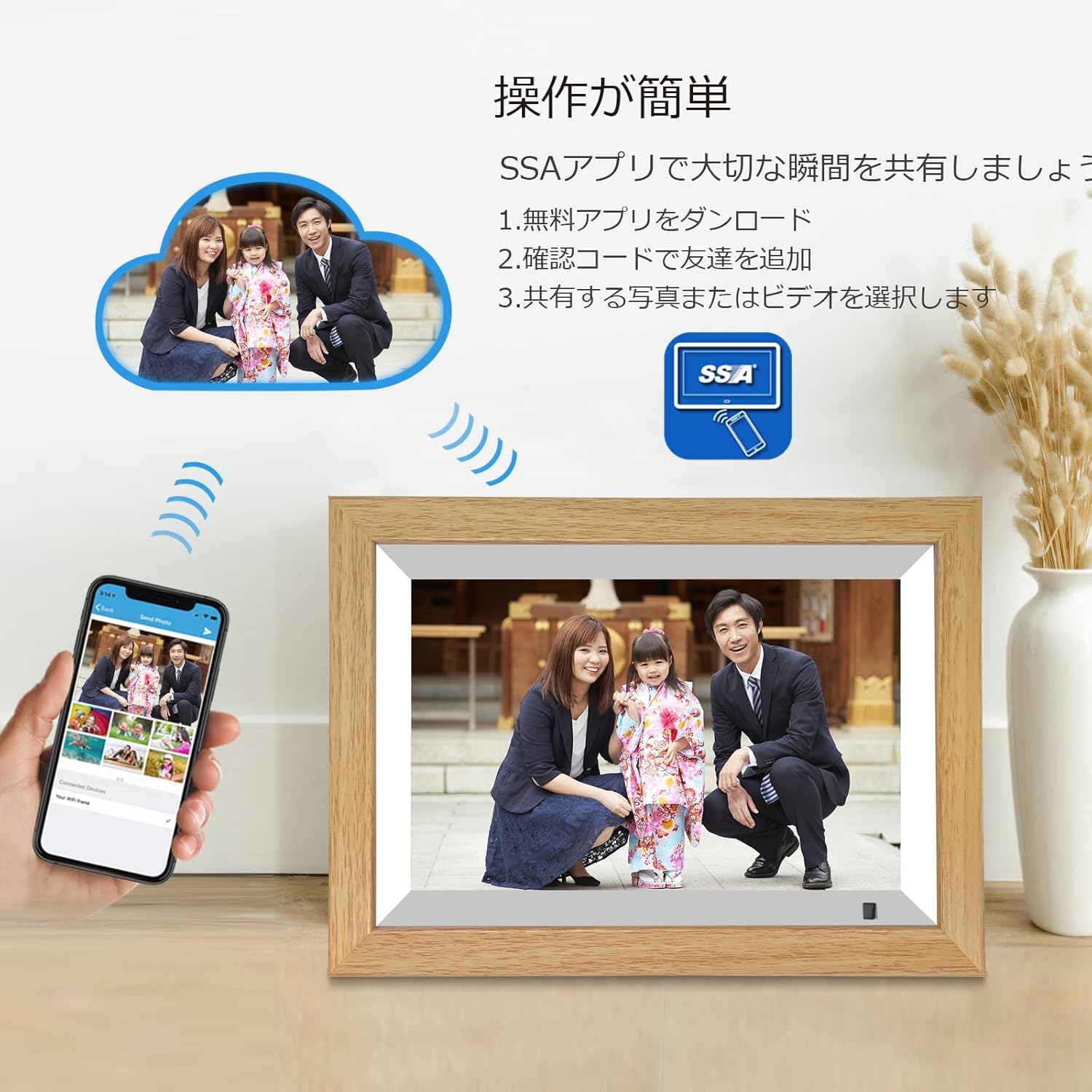
Image: A visual guide demonstrating the simple steps to share photos and videos using the SSA app, including downloading the app, adding friends via a confirmation code, and selecting media to share.

Image: The digital photo frame displaying a family photo, with a smartphone showing the SSA app interface. Below, icons for Google Play and the App Store indicate where to download the "SSA WiFi Frame" app.
6. Bedryfsinstruksies
6.1 Touch Panel Navigation
The moonka digital photo frame features a responsive touch panel for easy navigation. Tap icons to select, swipe to scroll, and pinch to zoom (where applicable).
6.2 Foto- en videoterugspeel
- Kies uit die hoofkieslys Foto's or Video's to browse your media.
- Tik op a file aan view dit.
- Photos will automatically enter a slideshow mode. You can adjust slideshow settings (interval, transition effects) in the Instellings spyskaart.
- Videos will play automatically.

Image: A family enjoying shared photos on the digital photo frame, emphasizing the ease of instant sharing from anywhere.
6.3 Human Sensor Function
The built-in human sensor detects motion and automatically turns the screen on or off to save power. This feature can be enabled or disabled in Instellings.

Image: A digital photo frame on a shelf, with a human sensor icon and animated figures indicating motion detection, showing the frame activating as a person approaches.
6.4 Outomatiese skermrotasie
The frame automatically adjusts the display orientation (horizontal or vertical) based on how it is positioned. This ensures your photos and videos are always displayed correctly.

Image: Two digital photo frames, one in vertical orientation and one in horizontal, demonstrating the automatic image orientation correction feature.
6.5 Bergingbestuur
The frame comes with 32GB of internal storage. You can also insert a MicroSD card (up to 32GB) into the dedicated slot for additional storage.
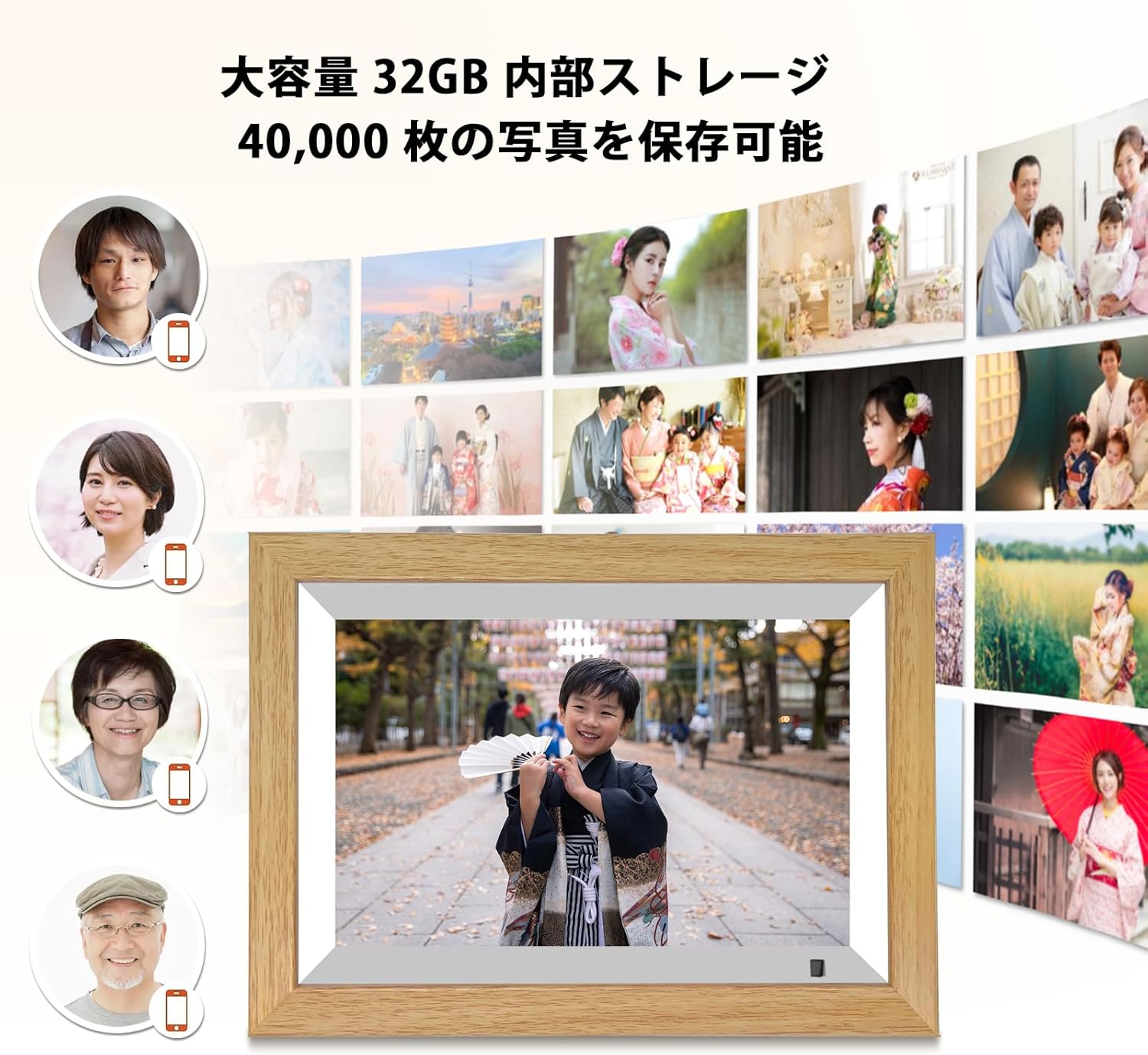
Image: A digital photo frame displaying a child's photo, surrounded by smaller images and icons indicating 32GB large capacity internal storage, capable of saving 40,000 photos.
6.6 Ander funksies
- Musiek speler: Play background music during slideshows or as a standalone feature.
- Klok en kalender: Display current time and date.
- Weer: Get local weather updates (requires internet connection).
7. Onderhoud
- Skoonmaak: Use a soft, dry cloth to clean the screen and frame. Do not use liquid cleaners or abrasive materials.
- Berging: When not in use for extended periods, store the frame in a cool, dry place.
- Sagteware-opdaterings: Periodically check for firmware updates in the Instellings menu to ensure optimal performance and new features.
8. Probleemoplossing
| Probleem | Moontlike oorsaak | Oplossing |
|---|---|---|
| Raam skakel nie aan nie. | Kragadapter nie gekoppel of foutief. | Ensure power adapter is securely connected to the frame and wall outlet. Try a different outlet. |
| Kan nie aan Wi-Fi koppel nie. | Verkeerde wagwoord, swak sein of netwerkprobleem. | Dubbelkontroleer die Wi-Fi-wagwoord. Beweeg die raam nader aan die router. Herbegin die router en raam. |
| Foto's/video's word nie vertoon nie. | Ongesteun file formaat, korrup files, or storage issue. | Verseker files are in supported formats (e.g., JPEG for photos, MP4 for videos). Try re-uploading files. Check storage space. |
| Human sensor not working. | Sensor disabled or obstructed. | Check sensor settings in the menu. Ensure nothing is blocking the sensor. |
| Screen freezes or becomes unresponsive. | Tydelike sagtewarefout. | Press the Reset button on the back of the frame (use a thin object like a paperclip). |
9. Spesifikasies
| Kenmerk | Detail |
|---|---|
| Handelsmerk | moonka |
| Modelnommer | ZN-DP1002 |
| Skerm grootte | 10.1 duim |
| Resolusie | 1280 800 x XNUMX (HD) |
| Tipe vertoon | IPS raakpaneel |
| Interne berging | 32 GB |
| Eksterne berging | MicroSD-kaart (tot 32 GB) |
| Konnektiwiteit | Wi-Fi |
| Spesiale kenmerke | Human Sensor, Auto-Rotation, Music Playback, Clock, Calendar, Weather |
| Produk afmetings | Approx. 4 x 3 x 2.51 cm (950g) |
10. Waarborg en Ondersteuning
This moonka digital photo frame comes with a 1 jaar waarborg from the date of purchase. If you encounter any issues with the product, please contact our customer service center. We offer prompt phone support to resolve product problems quickly, avoiding delays often associated with email or message responses.
Within the 1-year warranty period, we offer exchange or refund for product quality defects. Please note that this warranty does not cover defects caused by customer misuse or accidental damage.
Kontakinligting:
Verwys asseblief na die kontakbesonderhede wat op die produkverpakking of ons amptelike website for the most up-to-date customer service information.
Vir meer inligting, besoek die moonka Brand Store.
Ask a question about this manual
Ask about setup, troubleshooting, compatibility, parts, safety, or missing instructions. Manuals+ will review the question and use this page’s manual context to help answer it.