1. Inleiding
This manual provides detailed instructions for the installation, operation, and maintenance of your Anlapus 1080p HD-TVI Surveillance Camera. Please read this manual thoroughly before using the product to ensure proper function and safety.
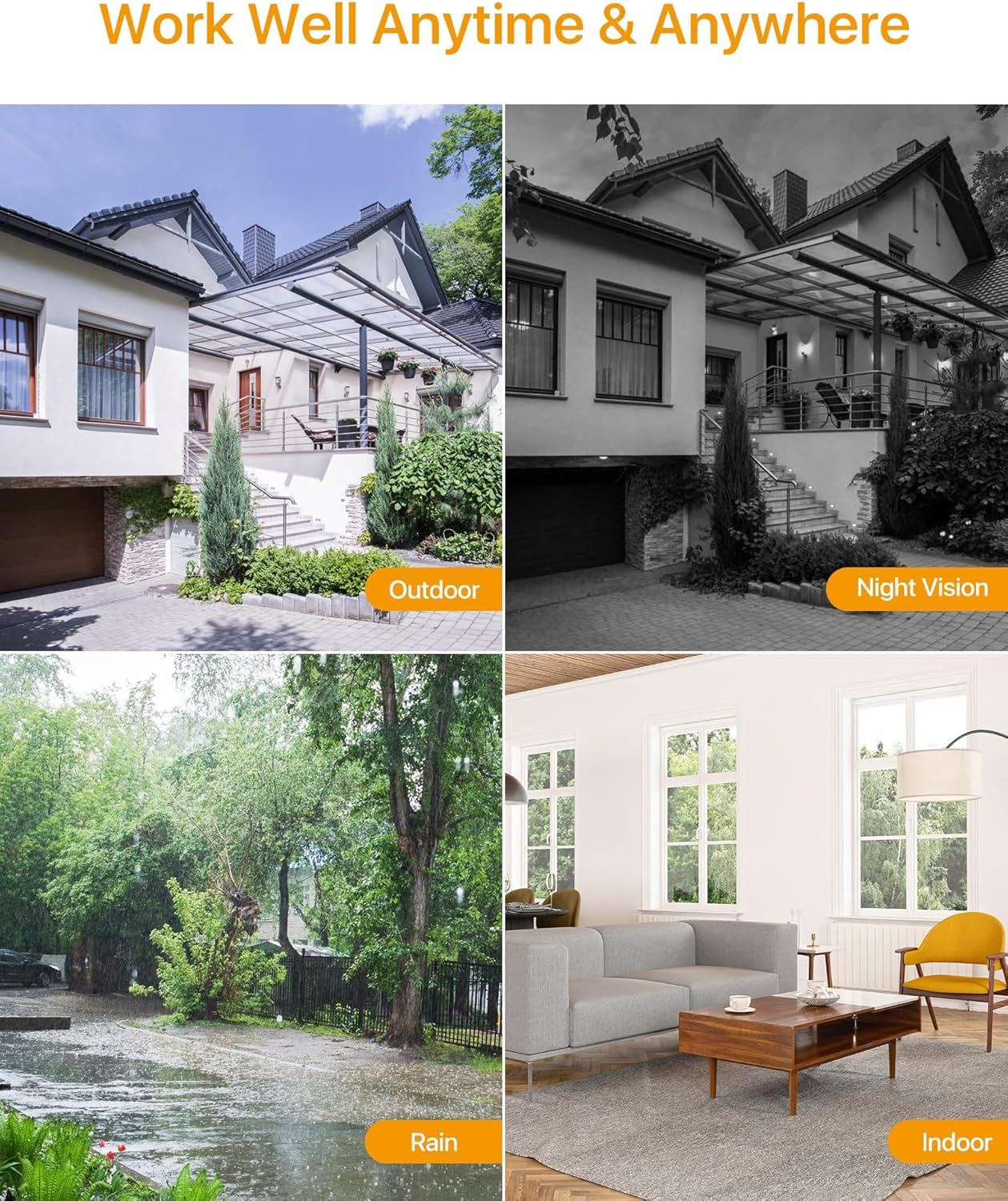
The Anlapus HD-TVI camera is designed for both indoor and outdoor surveillance, offering high-definition video quality and robust performance in various environmental conditions.
2. Pakketinhoud
Verifieer dat al die items wat hieronder gelys word in u pakket ingesluit is. Indien enige items ontbreek of beskadig is, kontak asseblief kliëntediens.
- 4 x Anlapus 1080p HD-TVI Cameras
- 4 x BNC Video Cables
- 1 x Kragtoevoer
- 1 x 1-to-4 Power Splitter Cable
- 4 x Waarskuwingsplakkers
- 4 x Mounting Screw Bags (including screws and wall plugs)
- 4 x Mounting Hole Templates
- 1 x Vinnige Begingids
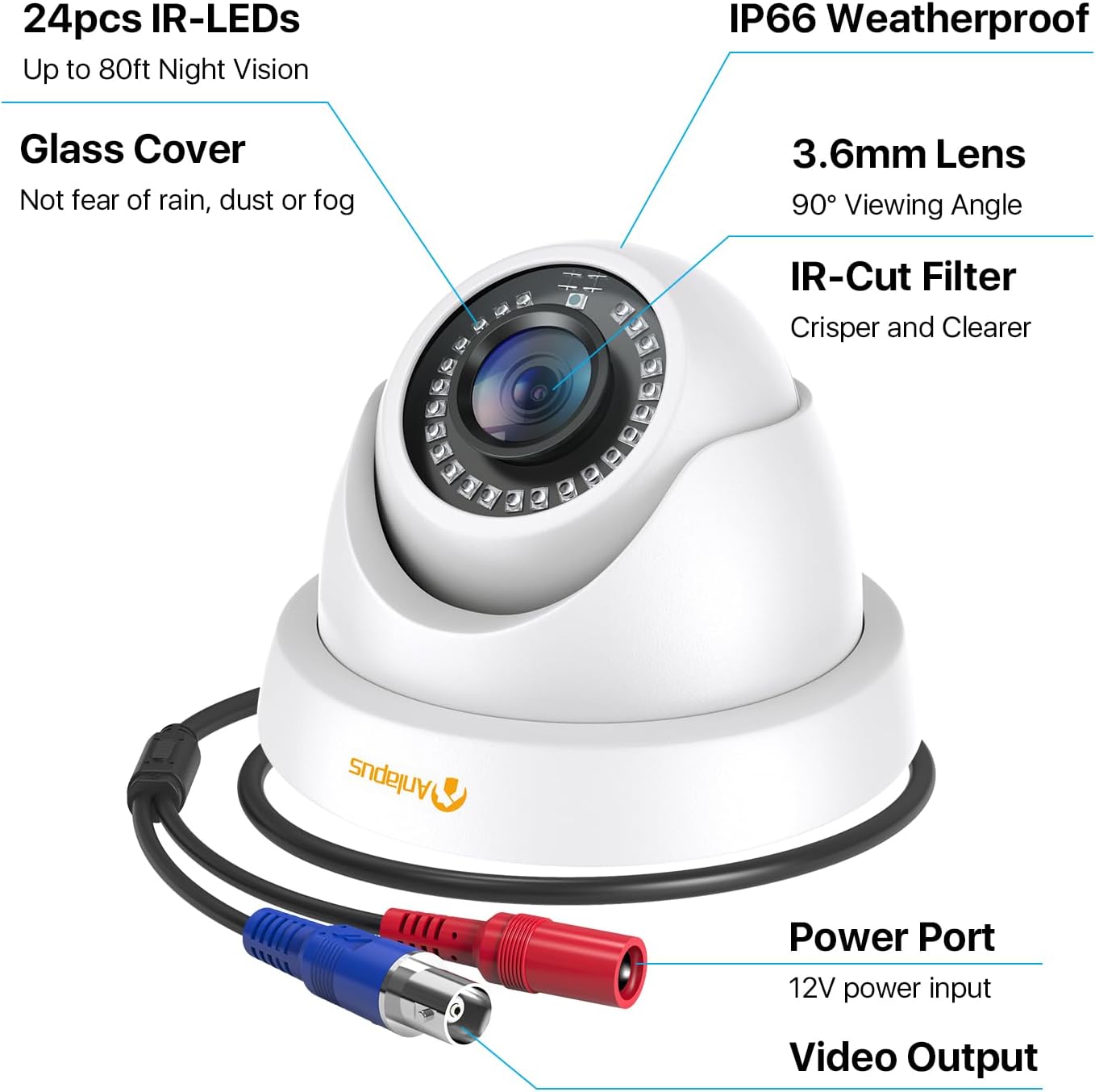
3. Produkkenmerke
- 1080p HD-resolusie: Verskaf duidelike en gedetailleerde video footage (1920x1080 pixels).
- Wyd Viewhoek: Equipped with a 3.6mm lens, offering a 90-degree field of view.
- HD-TVI Compatibility: Designed to work with HD-TVI DVRs. Ensure your DVR supports HD-TVI technology.
- Gevorderde Nagvisie: Features 24 IR-Cut LEDs for up to 24 meters (80 feet) of clear black and white night vision.
- IP66 Weerbestande Gradering: Robust metal housing ensures protection against dust and water, suitable for both indoor and outdoor use in various weather conditions.
- Buigsame montering: Features a 3-axis adjustable bracket for ceiling or wall mounting, allowing 360-degree horizontal and 180-degree vertical adjustment.




4. Opstelling en installering
4.1 Kontrolelys voor die installasie
- Ensure your DVR is compatible with HD-TVI cameras.
- Plan the camera placement to cover desired surveillance areas.
- Ensure power outlets are accessible for the camera power supply.
- Gather necessary tools: drill, screwdriver, ladder (if mounting high).
4.2 Montering van die kamera
- Select a suitable mounting location (wall or ceiling) that provides the desired viewing angle and is within reach of the BNC cable and power supply.
- Use the provided mounting hole template to mark the drill points on the surface.
- Boor vlieëniergate op die gemerkte posisies.
- Insert the wall plugs into the drilled holes (if mounting on masonry or drywall).
- Bevestig die kamerabasis aan die oppervlak met die meegeleverde skroewe.
- Adjust the camera angle using the 3-axis bracket. The bracket allows for 360-degree horizontal rotation and 180-degree vertical tilt. Tighten the adjustment screws once the desired angle is achieved.
4.3 Koppel die kamera
Refer to the connection diagram below for proper wiring.
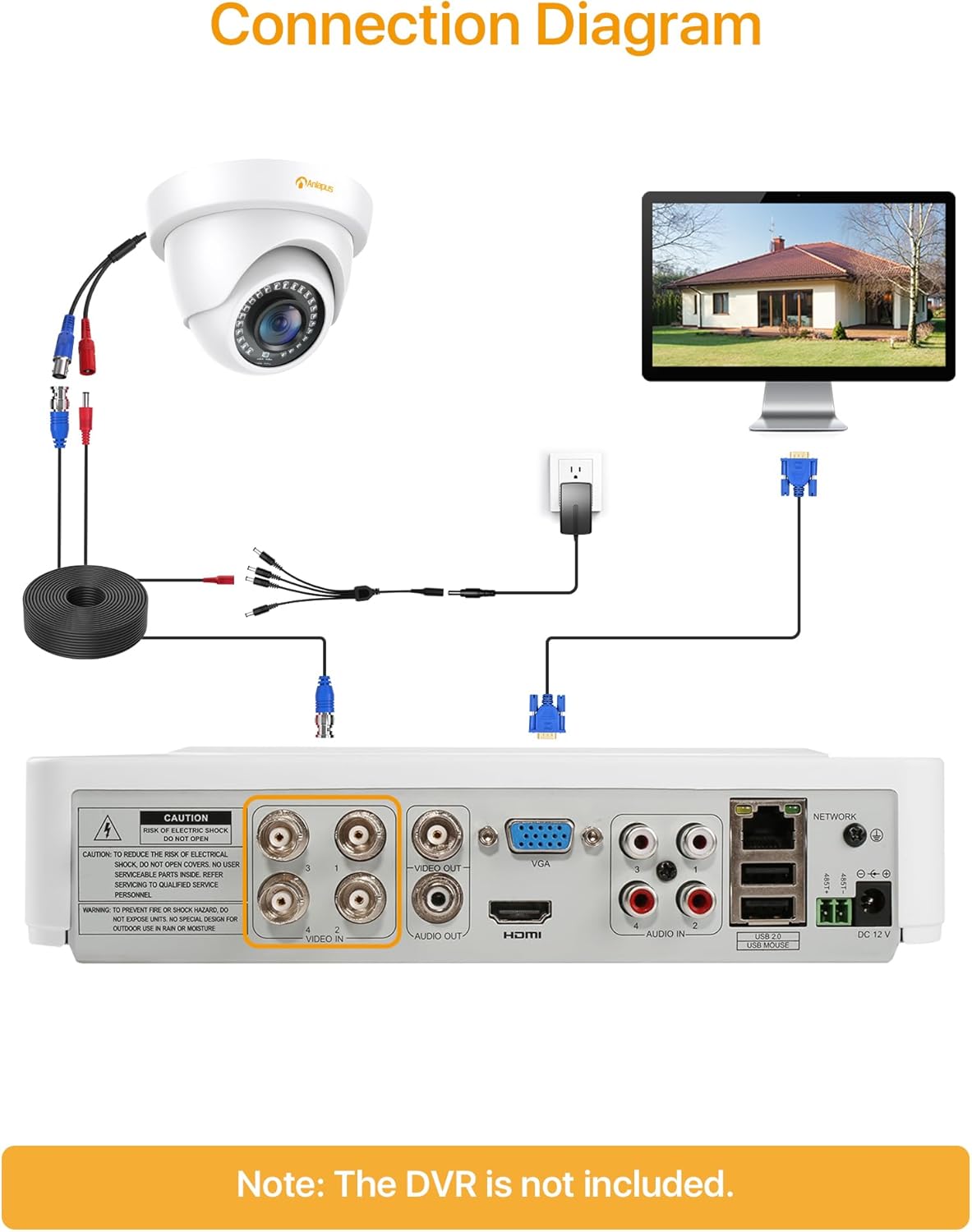
- Connect one end of the BNC video cable to the video output port of the camera.
- Connect the other end of the BNC video cable to a "VIDEO IN" port on your HD-TVI DVR.
- Connect the camera's power input to one of the outputs on the 1-to-4 power splitter cable.
- Connect the power supply to the 1-to-4 power splitter cable.
- Plug the power supply into a standard electrical outlet.
- Repeat these steps for all cameras.
Belangrik: Maak seker dat alle verbindings veilig is voordat die stelsel aangeskakel word.
5. Bedryfsinstruksies
Once the cameras are properly installed and connected to your HD-TVI DVR, refer to your DVR's instruction manual for specific operating procedures, including:
- Viewin lewende footage van die kameras af.
- Recording and playback of video.
- Configuring motion detection and alerts.
- Accessing the system remotely via mobile app or web koppelvlak.
- Adjusting camera settings (if supported by your DVR).
The Anlapus camera provides a continuous video feed to the DVR. Its night vision capabilities activate automatically in low-light conditions.
6. Onderhoud
- Skoonmaak: Maak die kameralens en behuising gereeld skoon met 'n sagte, damp lap. Vermy skuurmiddels of oplosmiddels.
- Kabel inspeksie: Kontroleer gereeld alle kabels vir tekens van slytasie, skade of los verbindings.
- Firmware -opdaterings: While the camera itself does not typically require firmware updates, ensure your DVR's firmware is up-to-date for optimal performance and compatibility.
- Omgewingsbeskerming: Although the camera is IP66 weatherproof, extreme weather conditions (e.g., heavy snow, ice) may temporarily affect performance. Ensure the camera is securely mounted to withstand strong winds.
7. Probleemoplossing
| Probleem | Moontlike oorsaak | Oplossing |
|---|---|---|
| No image on DVR screen |
|
|
| Poor image quality / blurry video |
|
|
| Nagvisie werk nie |
|
|
If you encounter issues not covered here, please contact Anlapus customer support.
8. Spesifikasies
| Modelnommer | AJ-A4K-202T4-WPES |
| Video-resolusie | 1080p (1920 x 1080 piksels) |
| Lens | 3.6 mm |
| Viewing Hoek | 90 grade |
| Nagsigreeks | Tot 24 meter (80 voet) |
| IR LEDs | 24 pcs IR-Cut LEDs |
| Weerbestande gradering | IP66 |
| Materiaal | Metaal |
| Verbindingstegnologie | Bedraad (BNC) |
| Krag Invoer | 12 Volt |
| Kragverbruik | 12 Watt |
| Afmetings (L x B x H) | 42.9 x 27 x 8.71 cm |
| Gewig | 2.61 kilograms (for the package) |
| Aanbevole gebruik | Toesig |
| Versoenbare toestelle | Digitale video-opnemer (DVR) |
9. Waarborg en Ondersteuning
Anlapus products are designed for reliability and performance. For warranty information and technical support, please refer to the warranty card included in your package or visit the official Anlapus webwebwerf.
If you require assistance with installation, troubleshooting, or have any questions regarding your Anlapus surveillance camera, please contact our customer support team. Contact details can typically be found on the Anlapus brand store page or in the quick start guide.