
1. Inleiding
Thank you for choosing the Awei A831BL Bluetooth In-Ear Headset. This manual provides essential information for the safe and efficient use of your device. Please read it carefully before use and retain it for future reference.
The Awei A831BL is a wireless in-ear headset designed for mobile phone use, offering up to 8 hours of continuous talk and music playback. It features pure, high-quality bass sound and is suitable for various activities.
2. Pakketinhoud
Kontroleer asseblief die pakket vir die volgende items:
- Awei A831BL Bluetooth In-Ear Headset
- USB-laaikabel
- Oorpunte (verskeie groottes)
- Gebruikershandleiding
3. Produk verbyview
Familiarize yourself with the components of your Awei A831BL headset.
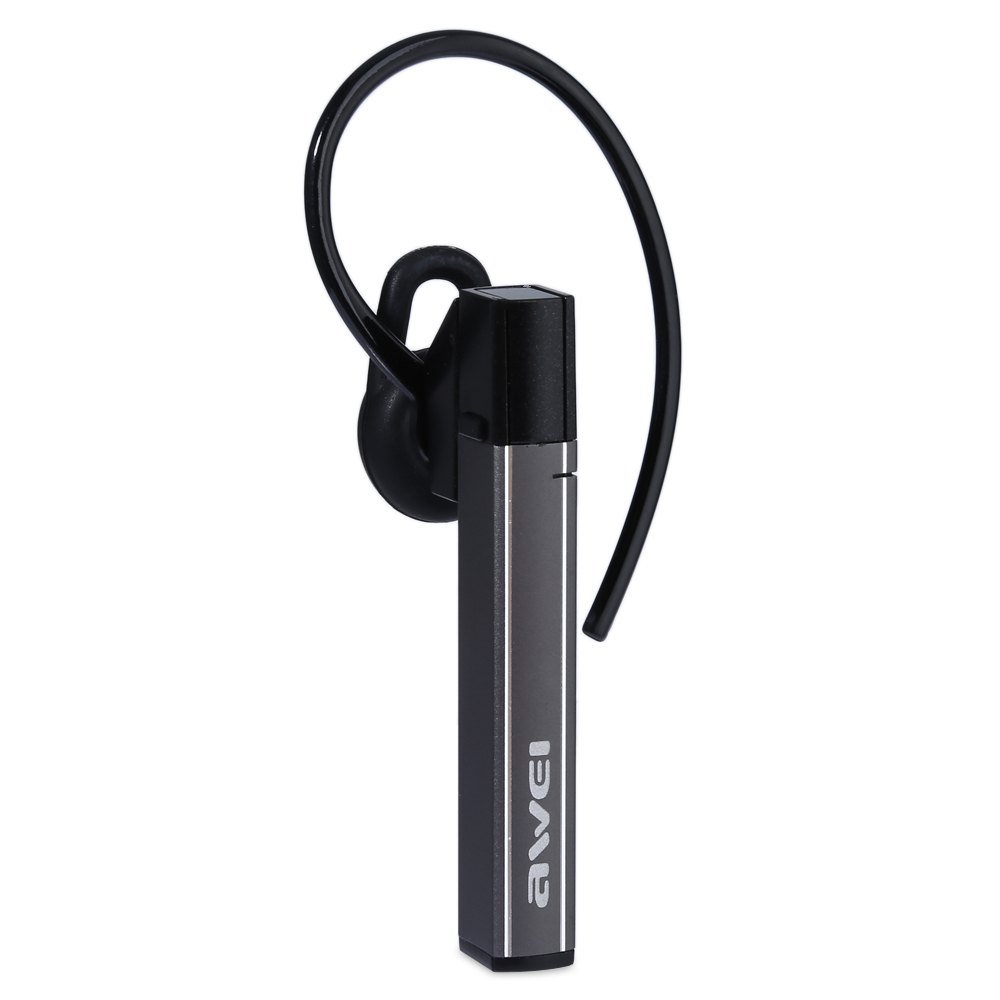
Image: The Awei A831BL Bluetooth In-Ear Headset in grey, showing the earbud design and inline controls.
The headset features an ergonomic in-ear design for comfortable wear, especially during activities. It includes an integrated microphone for hands-free calls and inline controls for managing audio and calls.
4. Opstelling
4.1 Laai die oorfone
- Koppel die USB-laaikabel aan die laaipoort op die oorfone.
- Koppel die ander kant van die USB-kabel aan 'n USB-kragadapter (nie ingesluit nie) of 'n rekenaar se USB-poort.
- The indicator light will illuminate (e.g., red) during charging.
- Once fully charged, the indicator light will change (e.g., turn blue or turn off).
A full charge provides up to 8 hours of talk or music playback time.
4.2 Bluetooth -koppeling
- Maak seker dat die oorfone volledig gelaai en afgeskakel is.
- Press and hold the Multi-function button (usually the center button on the inline control) for approximately 5-7 seconds until the indicator light flashes red and blue alternately, indicating pairing mode.
- On your mobile phone or Bluetooth-enabled device, enable Bluetooth and search for available devices.
- Select "Awei A831BL" from the list of found devices.
- Indien gevra word vir 'n wagwoord, voer "0000" (vier nulle) in.
- Once successfully paired, the indicator light will flash blue slowly, and you may hear a confirmation tone.
Die oorfone sal outomaties probeer om weer aan die laaste gekoppelde toestel te koppel wanneer dit aangeskakel word.
5. Bedryfsinstruksies
5.1 Krag aan/af
- Krag aan: Press and hold the Multi-function button for about 3 seconds until the blue indicator light flashes.
- Skakel af: Press and hold the Multi-function button for about 3-4 seconds until the red indicator light flashes briefly and then turns off.
5.2 Musiekweergawe
- Speel/pouse: Druk een keer op die Multifunksie-knoppie.
- Volume op: Druk die '+'-knoppie.
- Volume af: Druk die '-' knoppie.
- Volgende snit: Druk en hou die '+'-knoppie in.
- Vorige snit: Druk en hou die '-' knoppie in.
5.3 Oproepbestuur
- Beantwoord oproep: Press the Multi-function button once when a call comes in.
- Beëindig oproep: Druk die multifunksieknoppie een keer tydens 'n oproep.
- Verwerp oproep: Press and hold the Multi-function button for about 2 seconds when a call comes in.
- Herbel laaste nommer: Dubbeldruk die multifunksieknoppie.
The integrated microphone allows for clear hands-free communication.
6. Onderhoud
- Maak die oorfone gereeld skoon met 'n sagte, droë lap.
- Vermy die blootstelling van die oorfone aan uiterste temperature, humiditeit of korrosiewe stowwe.
- Do not attempt to disassemble or modify the headset, as this will void the warranty and may cause damage.
- Berg die headset op 'n koel, droë plek wanneer dit nie gebruik word nie.
7. Probleemoplossing
| Probleem | Oplossing |
|---|---|
| Die oorfone skakel nie aan nie. | Ensure the headset is fully charged. Connect it to a power source and try again. |
| Kan nie met 'n toestel koppel nie. | Ensure the headset is in pairing mode (flashing red and blue). Turn off and on your device's Bluetooth. Move closer to the device. Clear previous Bluetooth connections on your device. |
| Geen geluid of lae volume nie. | Kontroleer die volumevlakke op beide die oorfone en jou gekoppelde toestel. Maak seker dat die oorfone behoorlik gekoppel is. |
| Swak oproepkwaliteit. | Ensure the microphone is not obstructed. Move to an area with less interference. Check your phone's signal strength. |
8. Spesifikasies
| Kenmerk | Detail |
|---|---|
| Handelsmerk | Awei |
| Modelnommer | A831BL |
| Kleur | Grys |
| Verbindingstegnologie | Draadloos (Bluetooth) |
| Headset tipe | In-Oor |
| Mikrofoon | Ja |
| Geraasonderdrukking | Nee |
| Batterylewe | Up to 8 hours (talk/music) |
| Klankkenmerke | Pure, high-quality bass sound |
| Materiaal | Plastiek |
| Versoenbare toestelle | Selfone |
9. Waarborg en Ondersteuning
Awei products are designed and manufactured to the highest quality standards. For warranty information and customer support, please refer to the warranty card included in your package or contact your local retailer. Keep your purchase receipt as proof of purchase.
For further assistance, please visit the official Awei webwebwerf of kontak hul kliëntediensafdeling.