
Inleiding
Thank you for choosing the GENBOLT GB209H 2.4/5GHz Dual-Band Wi-Fi Outdoor Security Camera. This manual provides essential information for the proper installation, operation, and maintenance of your security camera. Please read these instructions carefully before use and retain them for future reference.
The GB209H camera is designed for outdoor surveillance, offering advanced features such as AI human detection, smart color night vision, two-way audio communication, and flexible storage options including microSD card and cloud services. Its dual-band Wi-Fi connectivity ensures stable and reliable performance.
Pakketinhoud
Before installation, please verify that all items listed below are included in your package:
- GENBOLT GB209H Security Camera
- Kragadapter (DC 12V/1A)
- Netwerk kabel
- Waterdigte dop
- Mounting Screws and Hex Key
- Gebruikershandleiding

Image: Contents of the GENBOLT GB209H security camera package, including the camera, power adapter, network cable, waterproof cap, screws, and user manual.
Produk verbyview
Familiarize yourself with the components of your GENBOLT GB209H camera:

Image: Diagram showing the various parts of the GENBOLT GB209H camera, including the 2.4/5GHz Wi-Fi antennas, bracket, metal aluminum case, white LEDs, 2MP HD lens, infrared LEDs, motion sensor, external SD card slot, speaker, reset button, LAN/PoE port, and power port.
- Dubbele antennas: For enhanced 2.4GHz and 5GHz Wi-Fi signal reception.
- 2MP HD Lens: Captures clear 1080p video.
- Infrared & White LEDs: Provide night vision and smart color night vision capabilities.
- Bewegingsensor: Detects movement for alerts and recording.
- External SD Card Slot: Supports up to 128GB MicroSD card for local storage.
- Luidspreker en mikrofoon: Maak tweerigting-klankkommunikasie moontlik.
- LAN/PoE Port: For wired network connection and Power over Ethernet (PoE) functionality.
- Herstel-knoppie: Word gebruik om fabrieksinstellings te herstel.
Opstelling
1. Aandryf van die kamera
Connect the camera to the provided DC 12V/1A power adapter. Alternatively, if using a PoE switch or NVR, connect a standard Ethernet cable to the LAN/PoE port. The camera supports IEEE802.3af PoE for simplified wiring.
2. Netwerkverbinding
The GB209H supports both 2.4GHz and 5GHz Wi-Fi. For initial setup, it is recommended to connect the camera to your router via the Ethernet cable. Once connected, you can configure Wi-Fi settings through the mobile application.

Image: Illustration showing the coverage difference between 5GHz Wi-Fi for high-speed, strong network connection and 2.4GHz Wi-Fi for longer-range transmission.
3. Mobile Application Installation
Download the official GENBOLT mobile application from your device's app store (iOS or Android). Follow the in-app instructions to add your camera to your account. Detailed instructions and the app can be found on the GENBOLT webwebwerf: www.genbolt.com.
4. Installasie van MicroSD-kaart
The camera supports up to a 128GB MicroSD card for local video storage. To install, carefully open the external SD card slot cover, insert the MicroSD card with the contacts facing down, and close the cover securely to maintain IP66 weather resistance.
Beeld: Nabyskoot view of the external SD card slot on the GENBOLT GB209H camera, demonstrating how to easily insert a MicroSD card without disassembling the camera.
Bedryfsinstruksies
1. Leef View en Opname
Access live video streams through the GENBOLT app. You can manually initiate recordings or configure automatic recording based on motion detection. The camera records in 1080p high definition.
2. AI Human Detection
The camera utilizes AI human detection technology to accurately identify human shapes, significantly reducing false alarms triggered by animals, vehicles, or environmental factors like snow and rain. When a human is detected, the camera can automatically track their movement within the surveillance area.

Image: A person carrying wood is highlighted by a yellow box, demonstrating the AI human detection feature. A dog is also visible in the foreground, illustrating how the system differentiates between humans and other moving objects, reducing false alarms from snow, rain, insects, fog, or car lights.
3. Smart Color Night Vision
The camera features smart color night vision. In low-light conditions, it can automatically switch to color mode when motion is detected, providing clearer and more detailed nighttime footage. The three high-brightness LEDs can be programmed to activate based on a schedule or motion trigger.

Image: A split image comparing day vision (left, full color) and night vision (right, black and white infrared) with a 'Smart Mode' option checked, indicating the camera's ability to switch between modes for optimal clarity.
4. Two-Way Audio & Deterrence
With a built-in microphone and speaker, the camera supports two-way audio, allowing you to communicate with visitors or deter intruders remotely via the app. You can also customize siren sounds (e.g., dog barking) to activate upon motion detection, providing an active deterrent.
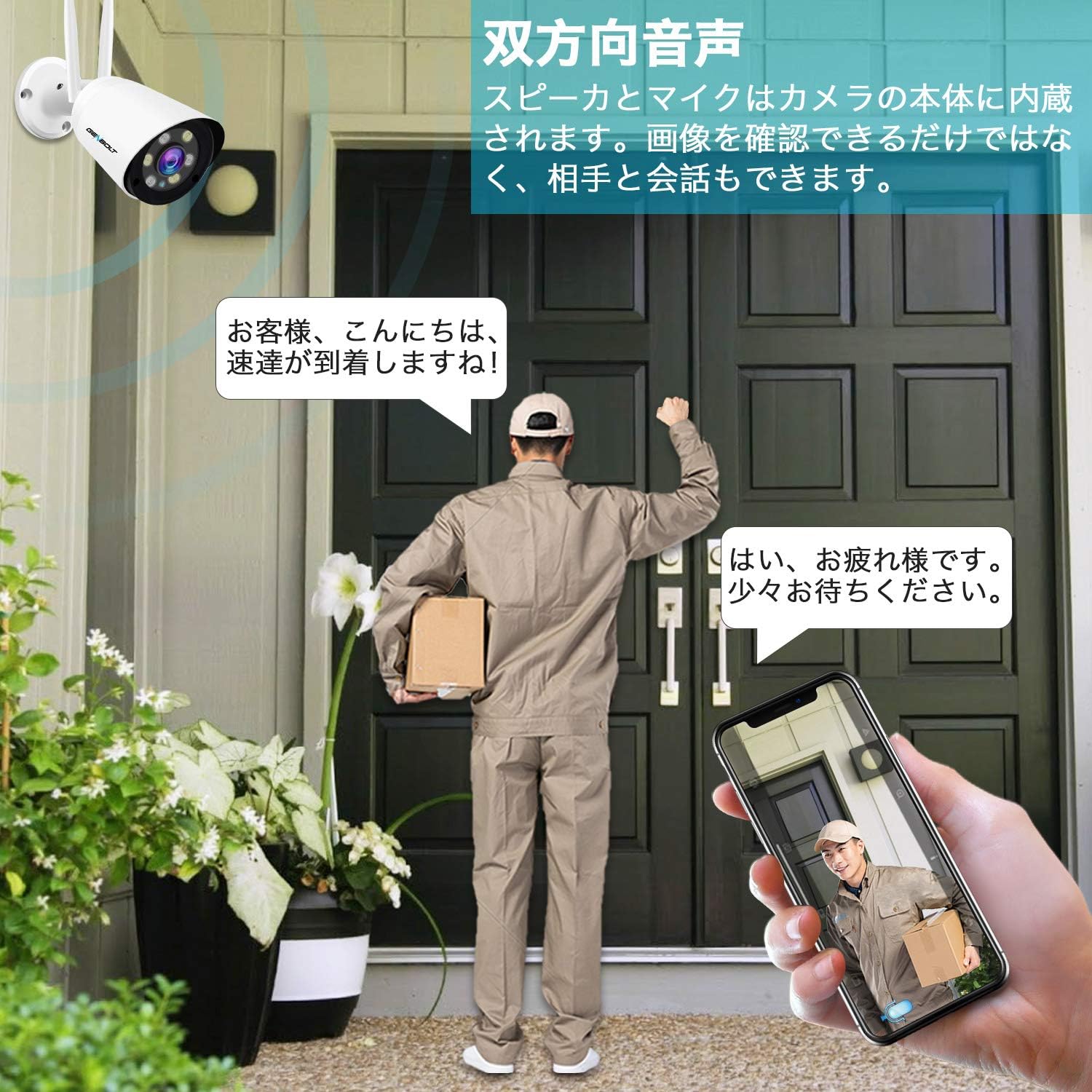
Image: An illustration depicting a security camera shining a bright light on an intruder at night, with a speech bubble saying "Stop, who is it?" and text indicating that siren alarms prevent crime. This demonstrates the active light and sound deterrence feature.
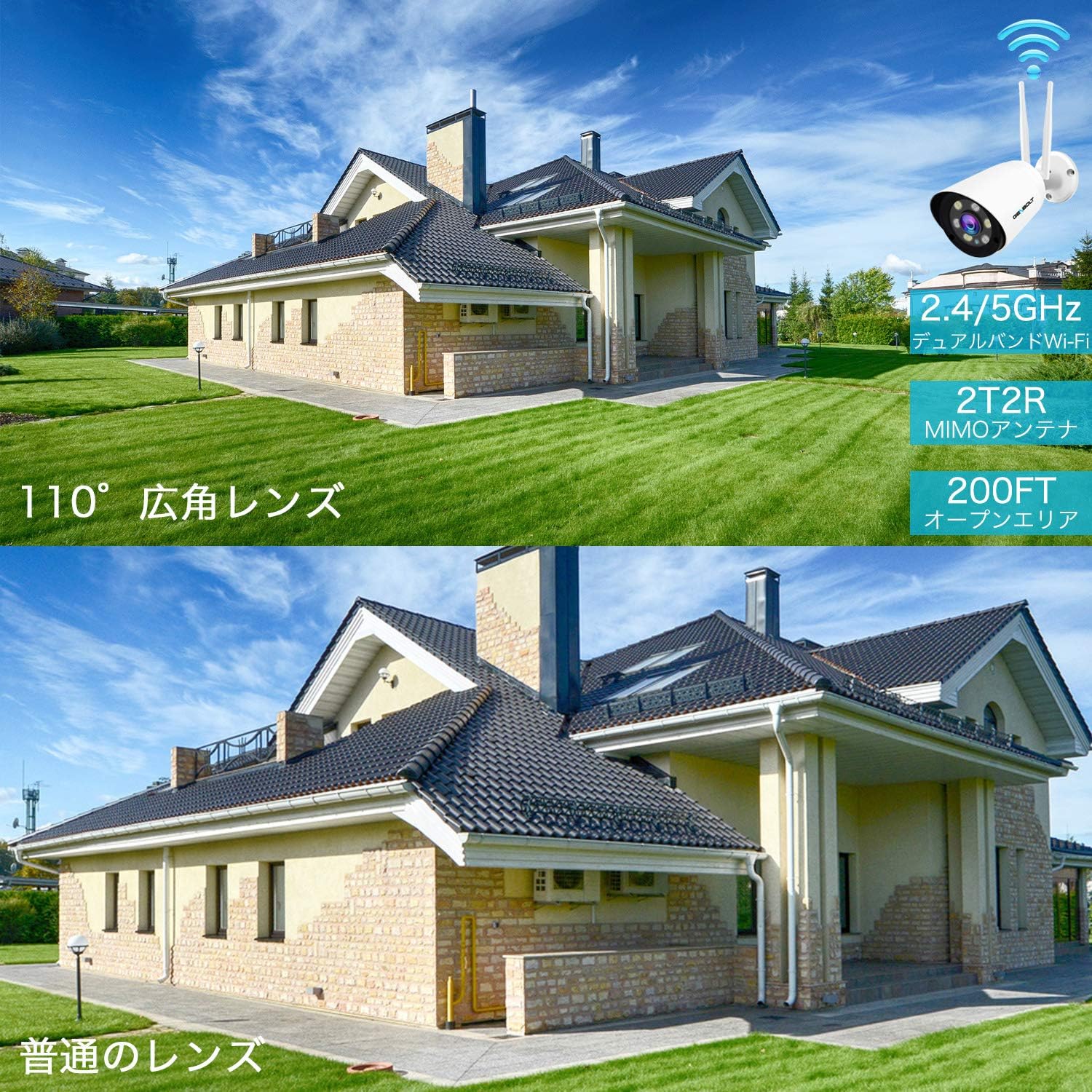
Image: A delivery person stands at a door while a user communicates via a smartphone app, showcasing the two-way audio feature of the camera. The phone screen displays the live camera feed.
5. Cloud Storage and Playback
In addition to local MicroSD card storage, the camera offers cloud storage with a 7-day free trial. Cloud storage provides unlimited capacity, data security, and allows you to view recordings even if the camera goes offline. Playback of recorded events is easily accessible through the mobile app.

Image: An icon representing cloud storage with text "Cloud Storage 7-day free trial" next to a smartphone displaying a list of recorded video events with playback options, illustrating the cloud storage and easy app playback features.
6. Customizable Detection Zones and Schedules
You can define specific detection zones within the camera's field of view to focus on critical areas and minimize unnecessary alerts. Alarm schedules can also be set via the app to activate or deactivate alerts during specific times or days.

Beeld: 'n Oorhoofse view of a house and driveway with a security camera icon, showing a blue shaded area representing a customizable detection zone. This illustrates how users can define specific areas for motion detection.

Image: A smartphone screen displaying advanced alarm settings, showing a weekly schedule grid where users can set specific times for motion detection and recording to be active or inactive, allowing for customized surveillance.
Kenmerke
- KI menslike opsporing: Advanced algorithms detect human shapes, reducing false alarms from other moving objects.
- Slim dop: Automatically follows human movement within the surveillance area.
- 1080P High Resolution: Vang duidelike en gedetailleerde video footage.
- 110° Ultrawye Hoek: Provides extensive coverage, equivalent to multiple standard cameras.
- Slim Kleur Nagvisie: Automatically switches to color mode in darkness upon motion detection using high-brightness LEDs.
- Sound & Light Deterrence: Activates bright LEDs and customizable siren alarms (e.g., dog barking) to deter intruders.
- Tweerigting-klank: Ingeboude mikrofoon en luidspreker vir kommunikasie intyds.
- Dual-Band Wi-Fi (2.4/5GHz): Supports both frequency bands for flexible and stable wireless connectivity.
- PoE (Power over Ethernet) Support: Simplifies installation by delivering power and data through a single Ethernet cable.
- MicroSD-kaartberging: Supports up to 128GB for local recording with intelligent compression and overwrite function.
- Wolkberging: Offers a 7-day free trial with unlimited capacity and secure data backup.
- IP66 Weerbestand: Duursame ontwerp vir buiteluggebruik in verskillende weersomstandighede.
- Veelgebruikerdeling: Allows multiple users to access and monitor the camera feed.
Onderhoud
- Gereelde skoonmaak: Maak die kameralens en behuising gereeld skoon met 'n sagte, damp lap om duidelike beeldkwaliteit te verseker. Vermy skuurmiddels.
- Firmware -opdaterings: Check the GENBOLT website or app for available firmware updates to ensure optimal performance and security.
- Netwerkstabiliteit: Ensure your Wi-Fi network is stable and has sufficient bandwidth for continuous video streaming and recording.
- SD-kaartbestuur: If using a MicroSD card, regularly check its status via the app. The camera supports an overwrite function, but periodic review of important footage word aanbeveel.
- Kragverbinding: Verify that the power connection is secure and free from damage.
Probleemoplossing
- Kamera vanlyn: Check power supply and network connection. Ensure Wi-Fi signal strength is adequate. Try restarting the camera and your router.
- Swak beeldkwaliteit: Clean the camera lens. Ensure there are no obstructions in the field of view. Check network bandwidth.
- Vals alarms: Adjust AI human detection sensitivity settings in the app. Define specific detection zones to exclude irrelevant areas.
- Geen oudio nie: Verify microphone and speaker settings in the app. Ensure there are no physical obstructions.
- SD-kaart neem nie op nie: Check if the MicroSD card is properly inserted and formatted. Ensure it is not full (if overwrite is disabled).
- Cannot Connect to 5GHz Wi-Fi: Ensure your router supports 5GHz and the camera is within range. Some older routers may have compatibility issues.
Spesifikasies
| Model Naam | GB209H |
| Handelsmerk | GENBOLT |
| Effektiewe video-resolusie | 1080 pixels |
| Veld van View | 110 grade |
| Nagsigreeks | 30 XNUMX meter |
| Verbindingstegnologie | Wireless (2.4GHz/5GHz Wi-Fi), Wired (LAN/PoE) |
| Waterweerstand | IP66 |
| Krag | DC 12V, 3W (PoE supported) |
| MicroSD-kaartondersteuning | Tot 128GB |
| Produkafmetings (LxBxH) | 18 x 6 x 6 cm |
| Produk Gewig | 650 g |
Waarborg en Ondersteuning
GENBOLT provides comprehensive support for its products:
- Waarborgtydperk: The surveillance camera comes with a 2-year service warranty.
- Produkvervanging: Within 1 year, if an individual product is found to be defective, a replacement will be promptly provided.
- Geld-terugwaarborg: 'n 30-dae geldterugwaarborg word aangebied.
- Tegniese ondersteuning: Lewenslange tegniese ondersteuning is beskikbaar.
- Kontak: For any issues or further assistance, please feel free to contact GENBOLT support.
For detailed instructions and application downloads, please visit the official GENBOLT webwebwerf: www.genbolt.com.
Video Demonstrasie
Kyk na hierdie video vir 'n vinnige oorsigview of the camera's key features, including night vision, alarm functions, motion detection, and dual-band Wi-Fi capabilities.
Video: 'n Kort voorprogramview demonstrating the GENBOLT GB209H camera's night vision, active alarm, motion detection, and dual-band Wi-Fi features.