
Cecotec 05606
Cecotec Big Dry 4000 Expert Dehumidifier User Manual
Model: 05606
1. Inleiding
Dankie vir die aankoopasing the Cecotec Big Dry 4000 Expert Dehumidifier. This manual provides important information for the proper use, maintenance, and troubleshooting of your appliance. Please read it thoroughly before operation and keep it for future reference.
Veiligheidsinligting
- Plaas die ontvochtiger altyd op 'n plat, stabiele oppervlak.
- Verseker behoorlike ventilasie rondom die eenheid. Moenie luginlate of -uitlate blokkeer nie.
- Moenie die eenheid naby water of in uitermatig nat omgewings gebruik nie.
- Ontkoppel die eenheid voordat u skoonmaak of enige onderhoud uitvoer.
- Hou buite bereik van kinders en troeteldiere.
- Moenie voorwerpe in die luggate steek nie.
- Gebruik slegs die gespesifiseerde kragtoevoer.
2. Produkkomponente
Familiarize yourself with the main parts of your Cecotec Big Dry 4000 Expert Dehumidifier.

Figuur 2.1: Voorkant view of the Cecotec Big Dry 4000 Expert Dehumidifier. This image shows the overall design of the dehumidifier, highlighting its compact and modern appearance with the Cecotec logo visible.

Figuur 2.2: Kant view of the dehumidifier with the removable water tank. The image clearly indicates the location and design of the 2.5-liter water collection tank, which slides out for easy emptying.

Figuur 2.3: Close-up of the top control panel. This view displays the LED screen showing humidity and temperature, along with touch controls for Timer, Setting, and Power functions.

Figuur 2.4: Top view showing the air outlet. This image illustrates the dehumidifier's top grille where dry air is expelled, with visual cues of air circulation.
Sleutelkomponente:
- Beheerpaneel: LED display for humidity and temperature, touch buttons for various functions.
- Lug inlaat/uitlaat: Located on the back and top for air circulation.
- Watertenk: Verwyderbare 2.5-liter-tenk vir die versameling van kondenswater.
- Wiele: Vir maklike draagbaarheid.
- Lugfilter: Located at the air inlet, requires regular cleaning.
3. Opstelling
- Uitpak: Verwyder die ontvochtiger versigtig uit sy verpakking. Bewaar verpakkingsmateriaal vir toekomstige berging of vervoer.
- Plasing:
- Place the unit on a firm, level surface in the area where dehumidification is desired.
- Maak seker dat daar ten minste 20 cm (8 duim) oop spasie rondom alle kante van die eenheid is vir behoorlike lugvloei.
- Vermy die plasing van die eenheid naby hittebronne, direkte sonlig of in gebiede met oormatige stof.
- Kragverbinding: Steek die kragkabel in 'n geaarde elektriese aansluiting. Maak seker die volume istage stem ooreen met die spesifikasies van die eenheid.
- Aanvanklike kontrole: Before first use, ensure the water tank is correctly inserted and empty.
4. Bedryfsinstruksies
Krag aan/af
- Druk die Krag button (refer to Figure 2.3 for button location) on the control panel to turn the unit ON or OFF. The LED display will illuminate when the unit is on.
Instelling van Gewenste Humiditeit
- Druk die Instelling button (refer to Figure 2.3 for button location) repeatedly to cycle through desired humidity levels (e.g., 40%, 50%, 60%, 70%, 80% or continuous operation). The display will show the selected humidity.
- The unit will automatically operate to maintain the set humidity level.
Timer funksie
- Druk die Afteller button (refer to Figure 2.3 for button location) to set the operating time (e.g., 1-24 hours). The unit will automatically turn off after the set time.
- To cancel the timer, press the Timer button until "00" or "OFF" is displayed.
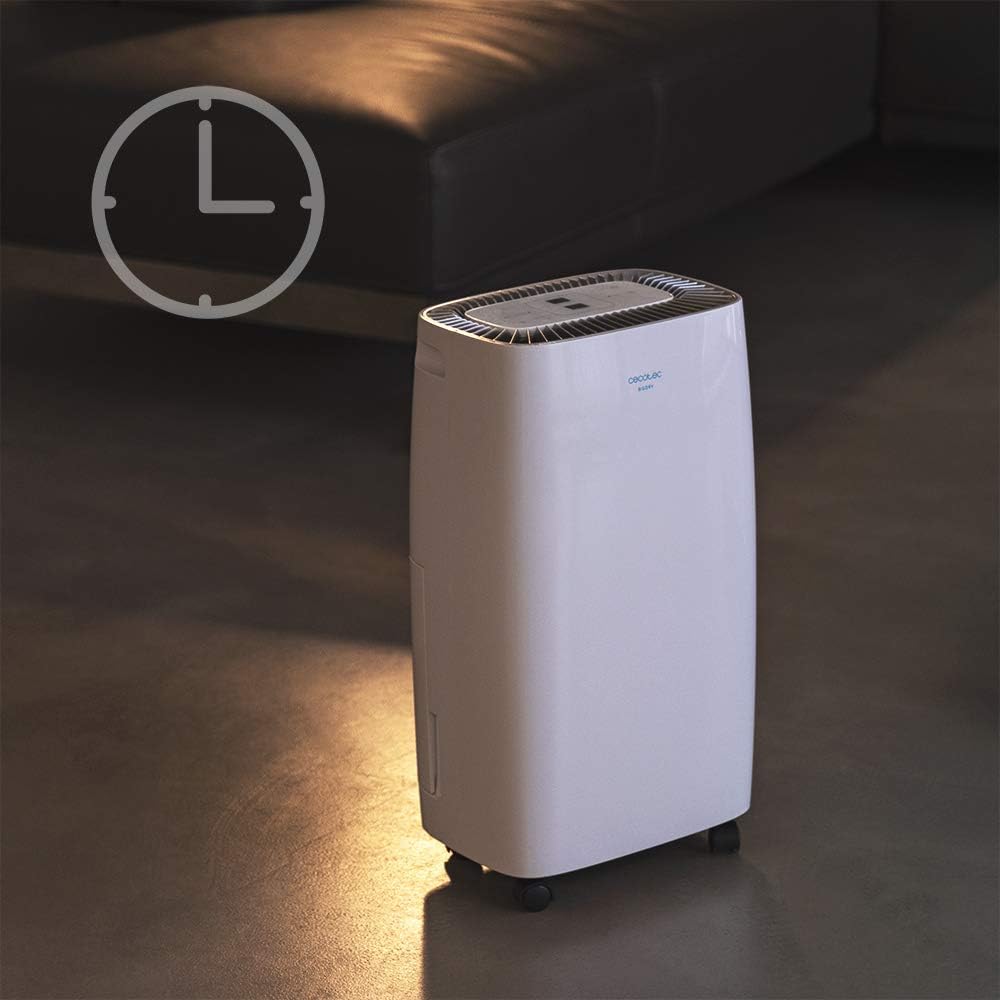
Figuur 4.1: Dehumidifier operating with the timer function. This image visually represents the timer feature, showing the unit in a room setting with a clock icon overlay, indicating scheduled operation.
Fan Spoed
- The unit features 2 fan speeds. Refer to the control panel for specific fan speed adjustment options, usually indicated by fan blade icons or "High/Low" indicators.
Automatic Shut-off and Full Tank Indicator
- The dehumidifier will automatically shut off when the water tank is full to prevent overflow.
- A "FULL" indicator light (often red) on the control panel will illuminate, and the unit may beep to alert you.

Figuur 4.2: Control panel showing the "FULL" indicator light. This close-up highlights the illuminated red light next to the "FULL" icon, signaling that the water tank needs to be emptied.
5. Onderhoud
Maak die watertenk leeg
- When the "FULL" indicator light illuminates, gently pull out the water tank from the side of the unit.
- Dra die tenk versigtig na 'n wasbak of drein en maak die versamelde water leeg.
- Rinse the tank with clean water periodically to prevent mold or mildew growth.
- Skuif die leë tenk terug in die eenheid totdat dit in plek klik. Die eenheid sal weer begin werk.
Maak die lugfilter skoon
Die lugfilter moet elke twee weke of meer gereeld skoongemaak word, afhangende van gebruik en luggehalte.
- Skakel die ontvochtiger af en koppel dit uit.
- Locate the air filter (usually on the back or side, behind a removable grille).
- Verwyder die filter.
- Clean the filter using a vacuum cleaner to remove dust. For heavy dirt, wash it gently with warm, soapy water.
- Laat die filter heeltemal lugdroog word voordat dit teruggeplaas word. Moenie 'n droër of direkte hitte gebruik nie.
- Reinsert the dry filter and close the grille.
Algemene skoonmaak
- Vee die buitekant van die eenheid af met 'n sagte, damp lap. Moenie skuur skoonmaakmiddels of oplosmiddels gebruik nie.
- Maak seker dat geen water die elektriese komponente binnedring nie.
6. Probleemoplossing
| Probleem | Moontlike oorsaak | Oplossing |
|---|---|---|
| Eenheid skakel nie aan nie. | No power; power cord loose; water tank full or incorrectly inserted. | Check power connection; ensure tank is empty and properly seated. |
| Ontvochtiger versamel nie water nie. | Room humidity too low; temperature too low; air filter clogged; unit too small for space. | Check room conditions; clean air filter; ensure unit is appropriately sized for the area. |
| Eenheid is raserig. | Unit not on a level surface; air filter clogged; internal component issue. | Place on a level surface; clean air filter. If noise persists, contact support. |
| Die "VOL"-aanwyserliggie brand, maar die tenk is nie vol nie. | Float switch stuck or sensor malfunction. | Remove and reinsert tank; check float switch for obstructions. |
7. Spesifikasies
| Kenmerk | Spesifikasie |
|---|---|
| Handelsmerk | Cecotec |
| Model Naam | Big Dry 4000 Expert (Model Number: 05606) |
| Ontvochtigingskapasiteit | 10 XNUMX liter per dag |
| Watertenk kapasiteit | 2.5 liter |
| Aanbevole vloeroppervlakte | Up to 40 Square Meters (105 m³/h coverage) |
| Produk Afmetings (D x B x H) | 20.87" D x 9.06" B x 12.2" H |
| Item gewig | 21.7 pond |
| Wattage | 4000 watt (Note: This value is from product specifications. Actual operational wattage for dehumidifiers is typically lower.) |
| Koelmiddel Gas | R290 |
| Spesiale kenmerke | Removable Tank, 24h Timer, LED Display, Auto Power Off, Silent Operation |
8. Waarborg en Ondersteuning
For warranty information, technical support, or service inquiries, please refer to the warranty card included with your product or visit the official Cecotec webwebwerf. Bewaar u aankoopbewys as bewys van aankoop vir waarborgeise.
Cecotec Amptelik Webwebwerf: www.cecotec.com