
Inleiding
The GENAI Wireless Bluetooth Headset B112 provides a convenient and hands-free communication experience. This manual offers detailed instructions for setting up, operating, maintaining, and troubleshooting your headset to ensure optimal performance and longevity.
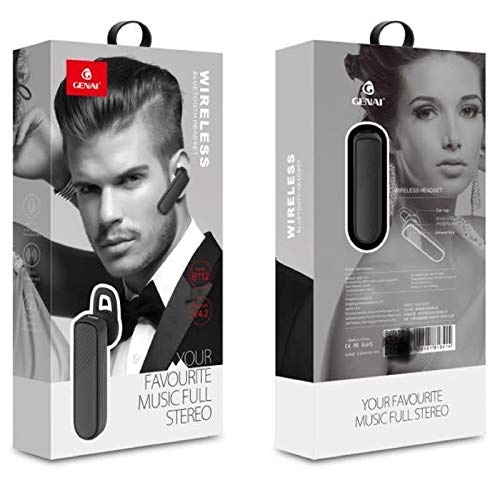
Image: GENAI Wireless Bluetooth Headset B112, main unit with ear hook.
Wat is in die boks
Die produkpakket sluit die volgende items in:
- GENAI Wireless Bluetooth Headset B112
- Oorkussings
- Laaikabel (Mikro USB)
Opstelling
1. Laai die headset
- Connect the Micro USB charging cable to the charging port on the headset.
- Connect the other end of the charging cable to a compatible USB power source (e.g., computer USB port, USB wall adapter).
- Die aanwyserliggie sal tydens laai brand.
- 'n Volle lading neem gewoonlik ongeveer 2 uur.
- Once fully charged, the indicator light may change color or turn off, depending on the model. Disconnect the charging cable.
2. Koppel met 'n Bluetooth-toestel
- Maak seker dat die headset ten volle gelaai is.
- Krag aan: Press and hold the multi-function button (usually the main button) on the headset until the indicator light flashes, typically alternating blue and red, indicating pairing mode.
- Aktiveer Bluetooth: On your mobile phone or other Bluetooth-enabled device, go to the Bluetooth settings and ensure Bluetooth is turned on.
- Soek vir Toestelle: Your device will scan for available Bluetooth devices. Look for "B112" or "GENAI B112" in the list.
- Koppel: Select "B112" or "GENAI B112" to initiate the pairing process. If prompted for a password, enter "0000" (four zeros).
- Once successfully paired, the indicator light on the headset will typically flash blue slowly, and you may hear a voice prompt confirming the connection.
3. Dra die Headset
The GENAI B112 headset is designed for comfortable wear. Attach the ear hook if desired, and adjust it to fit securely over your ear. The ear cushions can be changed for a better fit.
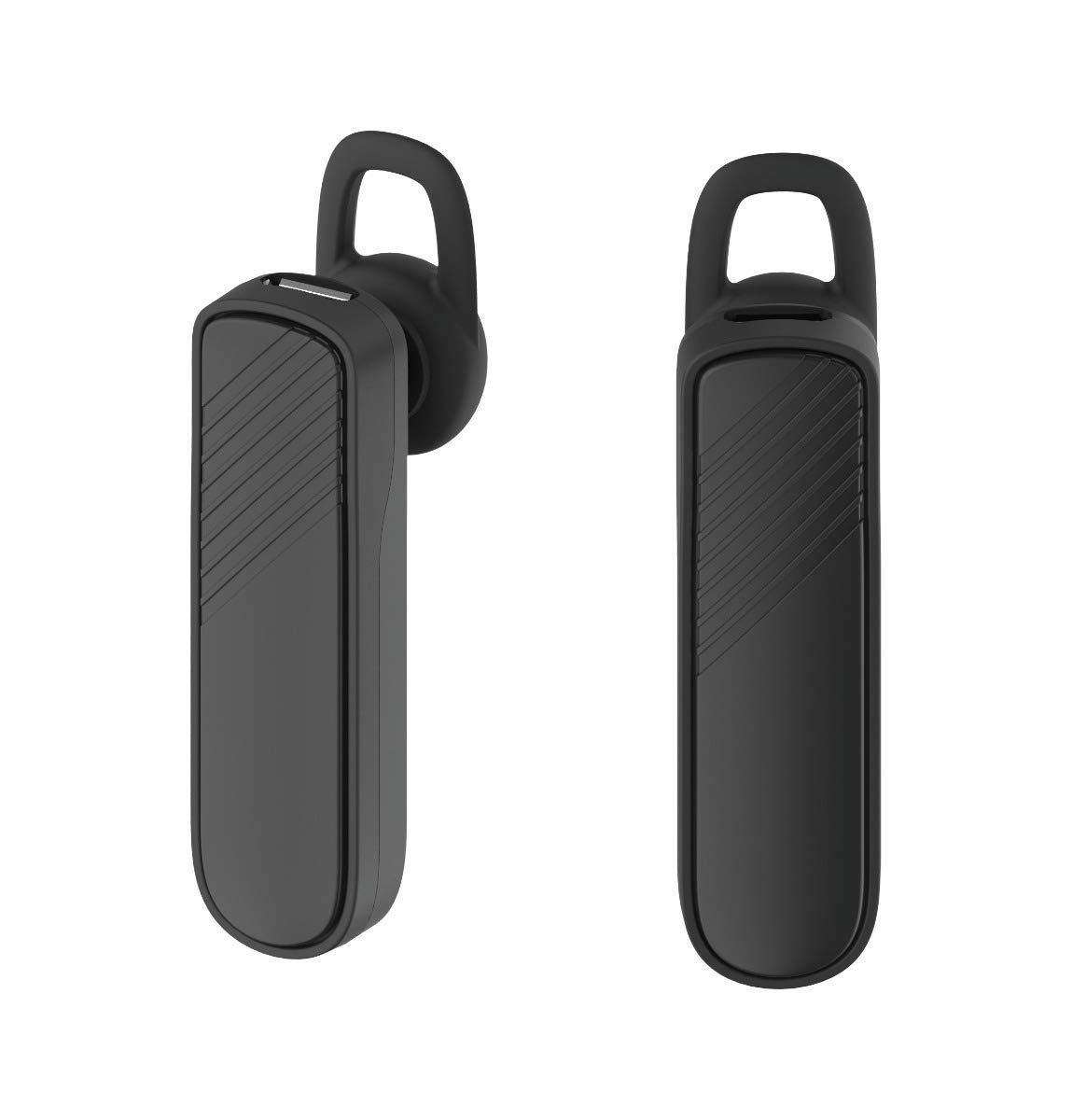
Beeld: Twee views of the GENAI Wireless Bluetooth Headset B112, illustrating its design.
Bedryfsinstruksies
- Krag aan/af: Press and hold the multi-function button for approximately 3-5 seconds to power on or power off the headset. A voice prompt will confirm the action.
- Oproepe beantwoord / beëindig: Press the multi-function button once to answer an incoming call. Press it again to end an active call.
- Verwerp oproepe: Press and hold the multi-function button for approximately 2 seconds to reject an incoming call.
- Herbel laaste nommer: Dubbeldruk die multifunksieknoppie om die laaste geskakelde nommer weer te skakel.
- Volumebeheer: Use the dedicated volume buttons (if present) or the multi-function button (depending on model variation) to adjust the call or music volume. Refer to your device's manual for specific button functions.
- Musiek speel: When connected, you can play music from your paired device. The multi-function button may also control play/pause.
- Stemaanwysings: The headset provides voice alerts for power on/off and pairing status.
Onderhoud
- Skoonmaak: Use a soft, dry, lint-free cloth to clean the headset. Do not use harsh chemicals, cleaning solvents, or strong detergents.
- Berging: When not in use, store the headset in a cool, dry place, away from extreme temperatures and direct sunlight.
- Batterysorg: To prolong battery life, avoid fully discharging the battery frequently. Charge the headset regularly, even if not used for extended periods.
- Waterblootstelling: This headset is not waterproof. Avoid exposure to water, moisture, or rain.
Probleemoplossing
- Oorfone skakel nie aan nie:
- Maak seker dat die oorfone volledig gelaai is. Koppel dit aan 'n kragbron en laat dit vir ten minste 30 minute laai voordat jy dit weer probeer aanskakel.
- Cannot pair the headset with my device:
- Ensure the headset is in pairing mode (indicator light flashing blue/red).
- Maak seker dat Bluetooth op jou toestel geaktiveer is.
- Keep the headset and your device within close proximity (within 1 meter) during pairing.
- Turn off and on both the headset and your device, then try pairing again.
- If previously paired, try "forgetting" or "unpairing" the headset from your device's Bluetooth list and then re-pair.
- Geen geluid of lae volume:
- Check the volume levels on both the headset and your paired device.
- Ensure the headset is properly connected to your device. Sometimes, the audio output might switch to the phone speaker.
- Probeer om albei toestelle te herbegin.
- Oorfone ontkoppel gereeld:
- Ensure there are no obstacles between the headset and your device.
- Beweeg nader aan jou gekoppelde toestel om steuring te verminder.
- Kontroleer vir ander aktiewe Bluetooth-toestelle wat moontlik steuring veroorsaak.
- Maak seker dat die oorfone voldoende gelaai is.
Spesifikasies
| Model Naam | B112 |
| Verbindingstegnologie | Bluetooth V4.2 |
| Laaipoort | Mikro USB |
| Laai tyd | Ongeveer 2 ure |
| Praat Tyd | Tot 20 ure |
| Musiek Speel Tyd | Ongeveer 20 ure |
| Bystandtyd | Tot 1000 ure |
| Item gewig | 30 g |
| Materiaal | Plastiek |
| Spesiale kenmerk | Oorhaak |
| Ingesluit komponente | Oorkussings |
| Versoenbare toestelle | Android, iOS, Mi devices (Bluetooth-enabled smartphones) |
Waarborg inligting
This GENAI Wireless Bluetooth Headset B112 comes with a 3 maande vervangingswaarborg from the date of purchase. Please retain your proof of purchase for warranty claims. This warranty covers manufacturing defects. Please note that this warranty does not include refunds.
Ondersteuning
For further assistance, technical support, or warranty claims, please contact your retailer or the GENAI customer service department. Refer to the product packaging or the official GENAI webwebwerf vir kontakbesonderhede.