
1. Produk verbyview
The OIVO PS4 Controller Charging Station is designed to efficiently charge two PlayStation 4, PS4 Slim, or PS4 Pro controllers simultaneously. It features LED indicators to display charging status and incorporates intelligent protection mechanisms to ensure safe and reliable operation.
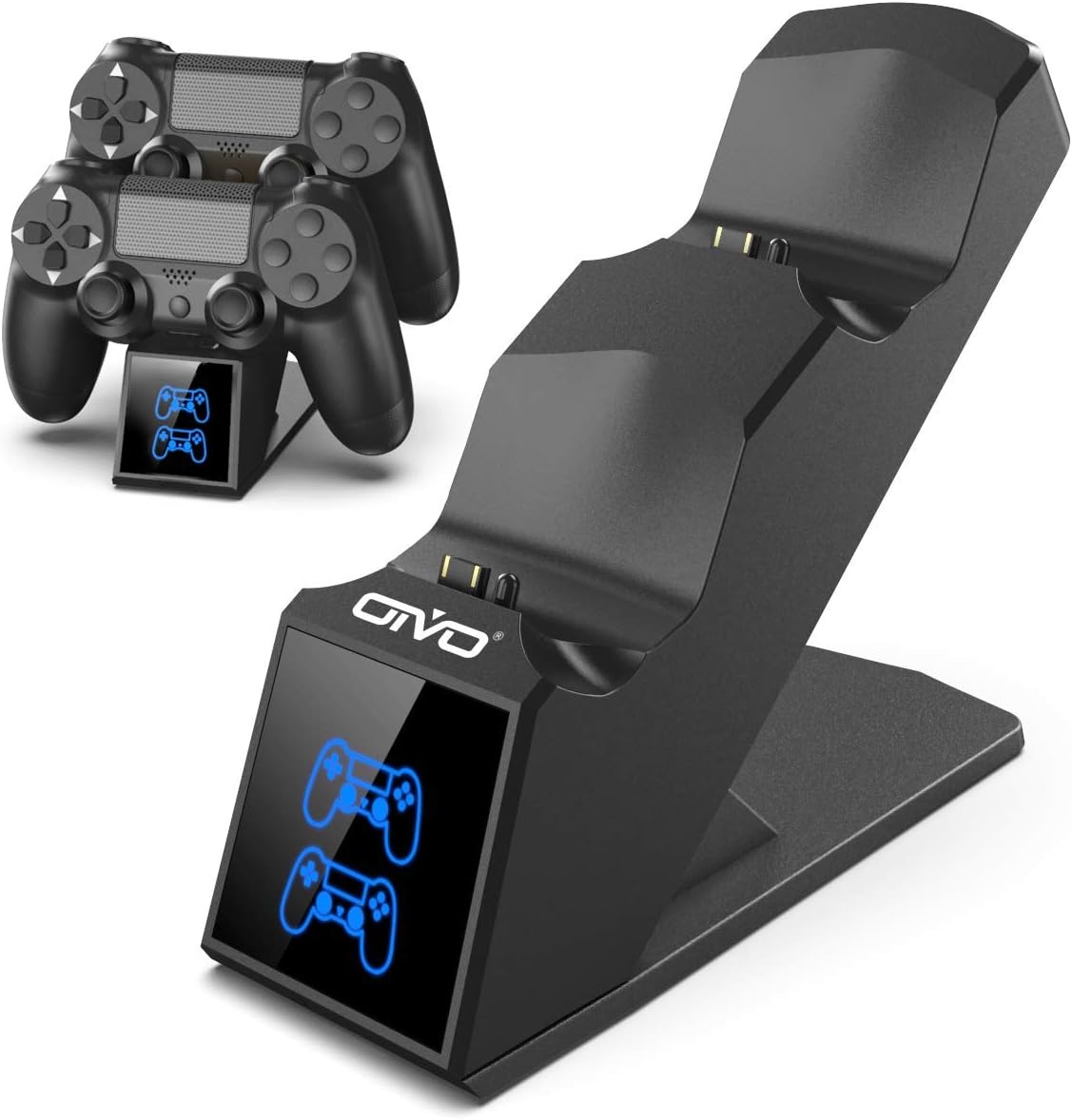
Image 1.1: The OIVO PS4 Controller Charging Station, capable of charging two controllers simultaneously.
2. Pakketinhoud
Verifieer asseblief dat al die items wat hieronder gelys word, in u pakket ingesluit is:
- 1 x OIVO PS4 Controller Charging Station
- 1 x Laaikabel (Mikro USB)
- 1 x Gebruikershandleiding (hierdie dokument)
3. Opstelinstruksies
- Koppel die laaistasie: Insert the provided charging cable into the Micro USB port on the back of the charging station. Connect the other end of the cable to a compatible 5V/1A power source. Compatible sources include a computer USB port, PS4/Slim/Pro console USB port, wall adapter (not included), or a power bank.
- Place Controllers for Charging: Align the charging port on your PS4 controller with the connector pins on the charging station. Gently push the controller down until it securely docks. The LED indicator on the station will change color to show the charging status.

Image 3.1: Illustration of compatible power sources and how to correctly place a PS4 controller onto the charging station.
4. Bedryfsinstruksies
4.1 Charging Controllers
Once controllers are docked, the charging process begins automatically. The station is designed to charge two controllers simultaneously in approximately 1.8 hours.
- LED-aanwyser: The front panel features LED indicators for each charging slot.
- Rooi lig: Indicates that the PS4 controller is currently charging.
- Blou Lig: Indicates that the PS4 controller is fully charged or the station is in standby mode (no controller or fully charged controller).

Image 4.1: The LED indicators on the charging station display red when charging and blue when fully charged or in standby.
4.2 Fast Charging Capability
The charging station is equipped with an upgraded copper chip, enabling fast charging for both controllers. This allows for a full charge of two controllers in approximately 1.8 hours.

Image 4.2: Visual representation of the 1.8-hour fast charging cycle for two controllers.
5. Veiligheidskenmerke
The OIVO PS4 Controller Charging Station integrates smart chips and high-quality components to provide comprehensive protection for your controllers and the charging station itself. These protections include:
- Over-Heated Protection: Voorkom oorverhitting tydens laai.
- Kortsluitingbeskerming: Beskermingsmaatreëls teen kortsluitings.
- Oorstroombeskerming: Beskerm teen oormatige stroomvloei.
- Oor-Voltage Beskerming: Shields against voltage spykers.

Image 5.1: Visual representation of the intelligent protection features built into the charging station.
6. Onderhoud
- Skoonmaak: Disconnect the charging station from the power source before cleaning. Use a soft, dry cloth to wipe the surface. Do not use liquid cleaners or abrasive materials.
- Berging: When not in use, store the charging station in a cool, dry place away from direct sunlight and extreme temperatures.
- Hantering: Vermy om die toestel te laat val of aan harde impakte bloot te stel. Moenie probeer om die eenheid self uitmekaar te haal of te herstel nie.
7. Probleemoplossing
| Probleem | Oplossing |
|---|---|
| Controller not charging (no LED light) |
|
| Laai is stadig |
|
| LED light is blue but controller is not fully charged |
|
8. Spesifikasies
| Kenmerk | Detail |
|---|---|
| Handelsmerk | OIVO |
| Modelnommer | 12359687031 |
| Kleur | Blou |
| Connector Tipe | USB |
| Versoenbare toestelle | Game Console (PS4, PS4 Slim, PS4 Pro controllers) |
| Spesiale kenmerke | Vinnige laai |
| Totale USB-poorte | 2 (for charging controllers) |
| Invoer Voltage | 5 Volt |
| Amperageer | 1 A |
| Ingesluit komponente | USB kabel |
| Vervaardiger | OIVO |
| Land van oorsprong | China |
9. Waarborg en Ondersteuning
This OIVO product comes with a 2 jaar vervaardiger se waarborg vanaf die aankoopdatum. Hierdie waarborg dek defekte in materiaal en vakmanskap onder normale gebruik.
The warranty does not cover damage caused by accident, misuse, abuse, neglect, unauthorized modification or repair, or damage from external causes such as power surges.
For warranty claims or technical support, please contact OIVO customer service through the retailer where the product was purchased or visit the official OIVO webwebwerf vir kontakinligting.