
Amazon Basics MPPDA-08CRN8-BCG2
Amazon Basics 3-In-1 Portable Air Conditioner User Manual
Model: MPPDA-08CRN8-BCG2 | Brand: Amazon Basics
Belangrike veiligheidsinligting
Please read all instructions carefully before operating the appliance and retain for future reference. Always follow basic safety precautions to reduce the risk of fire, electric shock, and personal injury.
- Maak seker dat die kragtoevoer ooreenstem met die voltage vereistes van die eenheid.
- Moenie die eenheid met 'n beskadigde koord of prop gebruik nie.
- Moenie luginlate of -uitlate blokkeer nie.
- Hou die eenheid weg van vlambare materiale.
- Ontkoppel altyd die eenheid voordat dit skoongemaak of versien word.
- Hierdie toestel is nie bedoel vir gebruik deur persone (insluitend kinders) met verminderde fisiese, sensoriese of geestelike vermoëns, of 'n gebrek aan ervaring en kennis nie, tensy hulle toesig of instruksies oor die gebruik van die toestel gegee is deur 'n persoon wat verantwoordelik is vir hul veiligheid.
Produk verbyview
The Amazon Basics 3-In-1 Portable Air Conditioner provides cooling, dehumidifying, and fan-only functions for versatile climate control in your home or office.

Beeld: Voorkant view of the Amazon Basics Portable Air Conditioner unit with its remote control.
Sleutel kenmerke:
- 3-in-1 veelsydigheid: Cool, Dry (Dehumidifier), and Fan-only functions.
- Verkoelingskapasiteit: 12,000 BTU (ASHRAE) / 8,000 BTU (SACC) for spaces up to 550 sq. ft.
- Advanced Comfort: Auto-swing louvers, Sleep mode, 3 fan speeds, 3 cooling settings.
- Gebruikersvriendelik: Digital display, programmable timer (0.5 to 24 hours), remote control with "FOLLOW ME" function.
- Mobiliteit: Built-in wheels and ergonomic handles for easy movement.

Image: Diagram showing the dimensions of the portable air conditioner, adjustable fan levers, remote control range (26 ft / 8 m), and rolling caster wheels.
Opstelling en installasie
Proper installation is crucial for efficient operation. The unit comes with a complete window kit for easy setup.
Installasie van vensterstel:
The window kit is compatible with standard, crank, and egress windows, allowing for both horizontal and vertical venting.

Image: Illustrations demonstrating how to install the window kit for both horizontal and vertical window orientations.
- Berei die venster voor: Open the window where you intend to install the unit.
- Assemble Window Slider Kit: Connect the window slider panels to fit the width or height of your window opening.
- Insert Slider: Insert the assembled window slider into the window opening. Close the window sash to secure the slider.
- Secure Slider: Adjust the window slider to the height/width of the window assembly and secure it with the provided plastic bolt.
- Heg die uitlaatslang aan: Connect one end of the exhaust hose to the air conditioner's exhaust port and the other end to the window kit adapter. Ensure a tight seal to prevent hot air from re-entering the room.
- Posisie-eenheid: Place the portable AC unit on a flat, stable surface near the window, ensuring the exhaust hose is not kinked or bent sharply.

Image: Diagrams illustrating flexible installation options for both sash and sliding windows, showing compatible window dimensions (26.6 to 49.1 inches / 67.6 cm to 124.7 cm wide/tall).
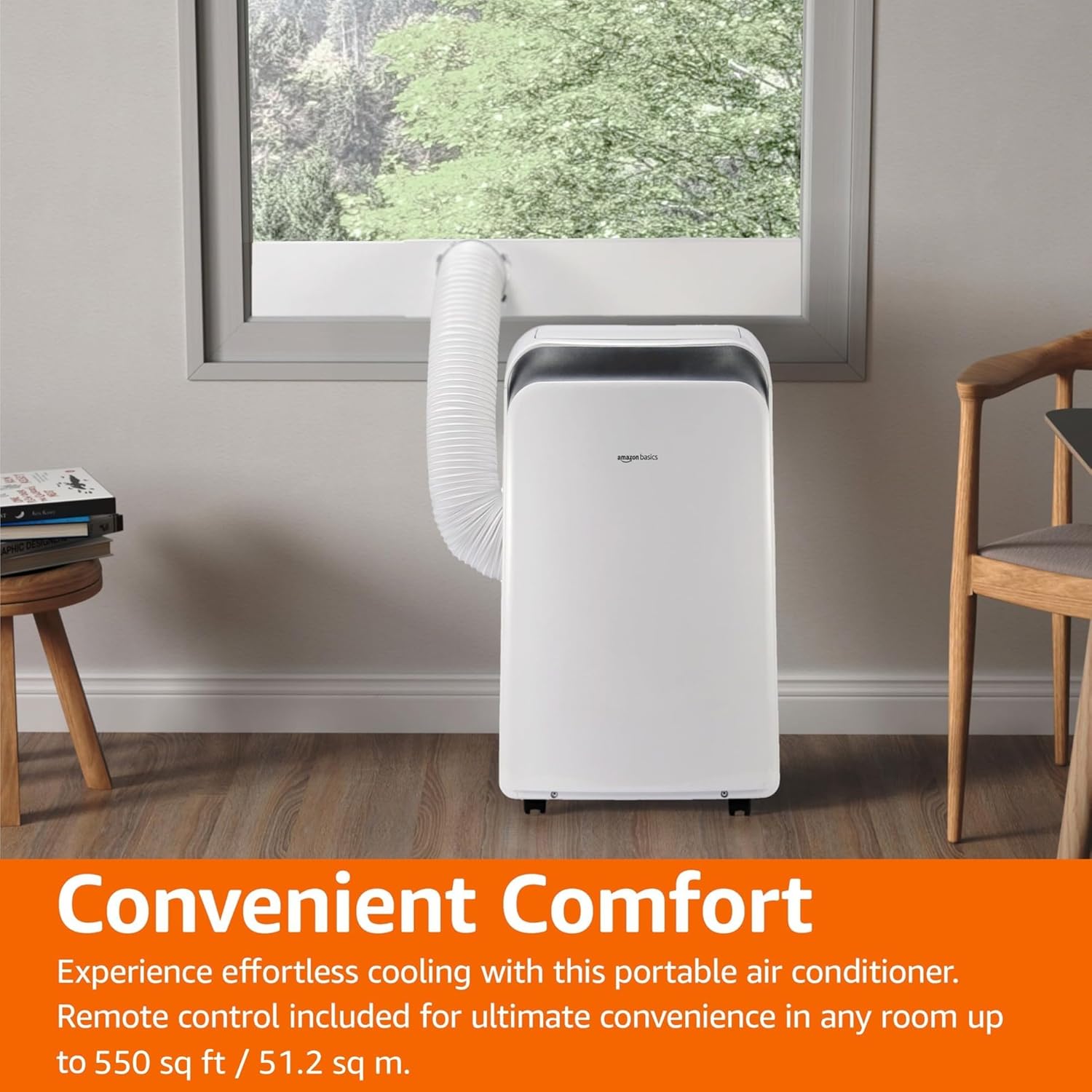
Image: The portable air conditioner unit installed in a living space, with the exhaust hose connected to a window, demonstrating its convenient placement.
Bedryfsinstruksies
The unit can be operated using the control panel on the unit or the included remote control.

Image: Close-up of the portable air conditioner's digital display and control buttons, highlighting its 3-in-1 design, automatic timer, 3 cooling settings, and 12,000 BTU capacity.
Beheerpaneel en afstandbeheer:
- Kragknoppie: Skakel die eenheid AAN/UIT.
- Modusknoppie: Cycles through Cool, Dry (Dehumidifier), and Fan modes.
- Temperatuurknoppies (+/-): Pas die verlangde temperatuur aan.
- Fan Speed Button: Kies waaierspoed (Laag, Medium, Hoog).
- Timer-knoppie: Sets the auto ON/OFF timer (0.5 to 24 hours).
- Slaap stelling: Activates energy-saving sleep function.
- Outomatiese modus: The unit intelligently selects between cooling and fan-only operation based on room temperature.
- Follow Me Function (Remote): The remote control acts as a thermostat, allowing the unit to cool to the temperature at the remote's location.
Bedryfsmodusse:
- Koel modus: Provides powerful cooling. Set desired temperature and fan speed.
- Droë (Ontvochtiger) Modus: Removes excess moisture from the air. Fan speed is typically fixed in this mode.
- Aanhangermodus: Sirkuleer lug sonder verkoeling. Kies die verlangde waaierspoed.
- Outomatiese modus: The unit intelligently selects between cooling and fan-only operation to maintain the set temperature.
Onderhoud
Regular maintenance ensures optimal performance and extends the life of your portable air conditioner.
Lugfilter skoonmaak:
Die lugfilter moet elke twee weke of meer gereeld skoongemaak word, afhangende van gebruik en luggehalte.
- Ontkoppel die eenheid van die kragaansluiting.
- Vind en verwyder die lugfilter van die agterkant of kant van die eenheid.
- Was die filter met warm seepwater. Spoel deeglik af.
- Laat die filter heeltemal lugdroog word voordat dit weer in die eenheid geplaas word.
Water dreinering:
In Dry (Dehumidifier) mode or high humidity conditions, the internal water tank may fill up. The unit will typically stop operating and display an error code when the tank is full.
- Plaas 'n vlak pan of emmer onder die dreineringspoort onderaan die agterkant van die eenheid.
- Verwyder die dreinprop sodat die water kan uitvloei.
- Sodra dit gedreineer is, plaas die dreinprop stewig terug.
- For continuous drainage, connect a drain hose (not included) to the continuous drain port.
Berging:
If storing the unit for an extended period, ensure it is completely drained and the filter is clean and dry. Store in a cool, dry place, preferably in its original packaging.
Probleemoplossing
Voordat u kliëntediens kontak, verwys asseblief na die volgende algemene probleme en oplossings.
| Probleem | Moontlike oorsaak | Oplossing |
|---|---|---|
| Eenheid skakel nie aan nie. | Geen krag, kragkabel uitgetrek, stroombreker afgesluit. | Kontroleer die kragaansluiting, herstel die stroombreker. |
| Die eenheid verkoel nie effektief nie. | Dirty air filter, blocked air intake/outlet, room too large, windows/doors open, exhaust hose not properly installed. | Clean air filter, clear obstructions, ensure room size is within capacity, close windows/doors, check exhaust hose connection. |
| Eenheid is raserig. | Eenheid nie op 'n gelyke oppervlak nie, waaierobstruksie. | Place unit on a flat surface, check for foreign objects in fan. |
| Water lekkasie. | Drain plug loose, continuous drain hose kinked or blocked, internal water tank full. | Ensure drain plug is secure, clear any kinks/blockages in drain hose, empty internal water tank. |
| Afstandbeheer werk nie. | Dooie batterye, obstruksie tussen afstandbeheerder en eenheid. | Vervang batterye, maak seker dat daar 'n duidelike siglyn na die eenheid se ontvanger is. |
Spesifikasies
| Kenmerk | Detail |
|---|---|
| Modelnommer | MPPDA-08CRN8-BCG2 |
| Verkoelingskapasiteit (ASHRAE) | 12,000 BTU |
| Verkoelingskapasiteit (SACC) | 8,000 BTU |
| Aanbevole dekkingsgebied | Tot 550 vk. |
| Funksies | Koel, Droog (Ontvochtiger), Waaier |
| Voltage | 115 Volt |
| Koelmiddel | R32 |
| Produkafmetings (L x B x H) | 45.39 x 36.5 x 70 cm (17.87 x 14.37 x 27.56 duim) |
| Item gewig | 22.68 kg (50 lbs) |
| Seisoenale Energie-doeltreffendheidsverhouding (SEER) | 10 |
| Spesiale kenmerke | 3-In-1 (Cool/Dry/Ventilation), Digital Display, Remote Control, Auto Mode, Sleep Mode, Auto-Swing Louvers |
Waarborg en Ondersteuning
For warranty information or technical support, please refer to the Amazon Basics product page or contact Amazon customer service directly. Keep your purchase receipt for warranty claims.
Aanlyn ondersteuning: Visit the Amazon Basics store page for FAQs and additional resources.
Kliëntediens: Contact Amazon customer service for assistance with product issues or warranty claims.
Ask a question about this manual
Ask about setup, troubleshooting, compatibility, parts, safety, or missing instructions. Manuals+ will review the question and use this page’s manual context to help answer it.