
Carlinkit 6972185561499
CarlinKit Wireless CarPlay Adapter Instruction Manual
Model: 6972185561499
1. Inleiding
This manual provides detailed instructions for the installation, operation, and maintenance of your CarlinKit Wireless CarPlay Adapter. This device enables wireless CarPlay and Android Auto functionality in compatible BMW vehicles, integrating seamlessly with your existing car display without requiring screen removal.

Image: The CarlinKit Wireless CarPlay Adapter device.
2. Opstelling en installering
Follow these steps to install the CarlinKit Wireless CarPlay Adapter in your BMW vehicle. No factory screen removal is required.
- Identifiseer Verbindingspunte: Locate the LVDS cable connection at the back of your car's screen and the OEM power plug at the back of the head unit.
- Verbind LVDS-kabel: Connect the unplugged LVDS cable from the car's screen to the host LVDS IN port on the CarlinKit adapter.
- Connect OEM Power: Connect the OEM power plug to the designated port on the CarlinKit adapter.
- Route USB Cable: Lead the USB cable from the adapter to the glove box. No additional wiring is typically needed for this step.

Image: Car interior with the CarlinKit adapter installed, illustrating the integration with the car's display.
3. Bedryfsinstruksies
After successful installation, follow these steps to access the CarPlay or Android Auto interface:
- Select AUX Input: On your car's media source menu, first select the "AUX" input.
- Switch to CarPlay/Android Auto: Press and hold the "MENU" button on your car's control panel for approximately 4 seconds to switch to the CarPlay or Android Auto interface.

Image: Car display showing the integrated interface, similar to CarPlay/Android Auto.
4. Onderhoud
To ensure optimal performance and longevity of your CarlinKit Wireless CarPlay Adapter, consider the following maintenance guidelines:
- Hou die toestel vry van stof en vog.
- Vermy om die toestel aan uiterste temperature bloot te stel.
- Do not attempt to open or repair the device yourself, as this may void the warranty.
- Maak seker dat alle kabelverbindings stewig en vry van skade is.
5. Probleemoplossing
If you encounter issues with your CarlinKit Wireless CarPlay Adapter, refer to the following common solutions:
- Geen skerm/swart skerm:
- Ensure all cables are securely connected, especially the LVDS cable and power supply.
- Verify that the car's media source is set to "AUX".
- Try pressing and holding the "MENU" button for 4 seconds to switch the interface.
- Geen klank:
- Check the car's audio settings to ensure the AUX input volume is not muted or too low.
- Confirm that your phone's volume is turned up.
- Connection Issues (CarPlay/Android Auto):
- Maak seker dat Bluetooth en Wi-Fi op jou slimfoon geaktiveer is.
- Forget the device from your phone's Bluetooth settings and attempt to reconnect.
- Restart both your car's infotainment system and your smartphone.
- Toestel reageer nie:
- Disconnect and reconnect the power supply to the CarlinKit adapter.
Vir aanhoudende probleme, kontak asseblief kliëntediens.
6. Spesifikasies
| Kenmerk | Detail |
|---|---|
| Produk afmetings | 10 x 2 x 2.7 duim |
| Item gewig | 1.78 pond |
| Modelnommer | 6972185561499 |
| Vervaardiger | Carlinkit |
| Verbindingstegnologie | Bluetooth, USB |
| Tipe beheerder | Android, iOS |
| Spesiale kenmerk | Apple CarPlay, Android Auto |
| Versoenbare toestelle | Slimfoon |
| Connector Tipe | USB |
| Oudio-enkodering | Stereo |
| Klankuitvoermodus | Stereo |
| Surround Sound Channel-konfigurasie | 5.1 |
7. Waarborg en Ondersteuning
Carlinkit provides comprehensive support and warranty services for your product:
1 Month Replacement/Refund
If any product-related problem occurs within one month of purchase, you may contact customer service for a replacement or a fast refund. This applies to non-artificial damage.
1 Year Free After-Sale Guarantee Service
A one-year free after-sale guarantee service is provided. For support, please email: support@carlinkit.com
24-Hour Response
If you encounter product problems, please contact customer service. A reply will be provided within 24 hours.
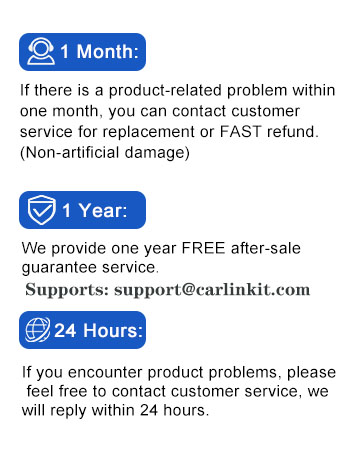
Image: Visual representation of CarlinKit's warranty and support policies.