
1. Inleiding
Dankie vir die aankoopasing the ELECTROPRIME Digital Voice Recorder. This device is designed for high-quality audio recording and playback, functioning as both a dictaphone and an MP3 music player. Please read this manual carefully to ensure proper use and optimal performance.
Pakketinhoud:
- ELECTROPRIME Digital Voice Recorder (Model: ASHA20BEBUBEB16153)
- USB kabel
- Gebruikershandleiding
2. Produk verbyview
Maak jouself vertroud met die toestel se komponente en kontroles.
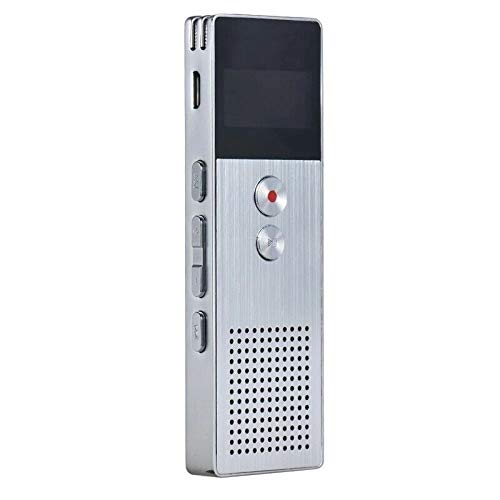
Prent 2.1: Voorkant view of the ELECTROPRIME Digital Voice Recorder. This image displays the device's screen, the prominent red record button, and other control buttons on the front panel, along with the speaker grille at the bottom.
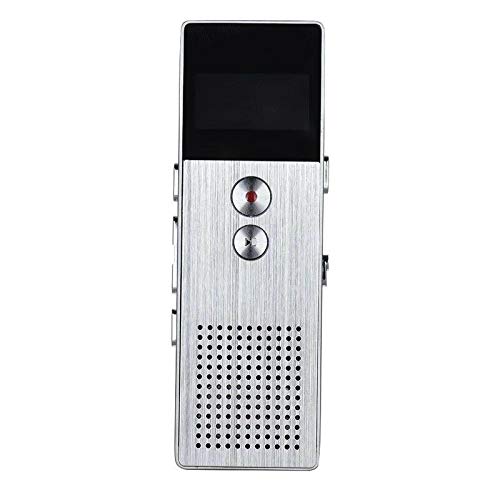
Prent 2.2: Kant view of the ELECTROPRIME Digital Voice Recorder. This image highlights the side controls, including the power switch, volume buttons, and the USB charging/data transfer port. The device's compact design is visible.
Toestelkomponente:
- Vertoon skerm: Shows recording status, time, battery level, and menu options.
- Opneem-knoppie: Begin en stop oudio-opname.
- Speel/Pause-knoppie: Starts and pauses playback of audio files.
- Volumeknoppies (+/-): Pas die terugspeelvolume aan.
- Kieslys/Modus-knoppie: Navigates through menus and switches operating modes.
- USB-poort: For charging and data transfer to a computer.
- Mikrofoon: Built-in stereo microphone for audio input.
- Spreker: For direct audio playback.
- Koptelefoonaansluiting: Vir privaat luister.
- Krag skakelaar: Skakel die toestel aan of af.
3. Opstelling
3.1 Laai die toestel
Before first use, fully charge the device. Connect the recorder to a computer's USB port or a USB wall adapter (not included) using the provided USB cable. The battery indicator on the screen will show charging status. A full charge typically takes 2-3 hours.
3.2 Krag aan/af
- Om aan te skakel, skuif die Kragskakelaar na die ON-posisie.
- Om af te skakel, skuif die Kragskakelaar na die AF-posisie.
3.3 Aanvanklike instellings
Upon first power-on or after a reset, you may need to set the date, time, and language. Use the navigation buttons to select options and confirm with the Play/Pause button.
4. Bedryfsinstruksies
4.1 Stemopname
The device supports high-quality stereo recording in .WAV format, offering up to 23 hours of continuous recording with its 8GB internal memory.
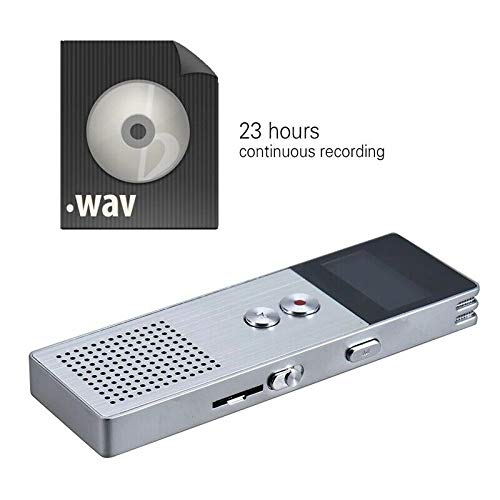
Prent 4.1: The recorder's capability to record in .WAV format and its impressive 23-hour continuous recording capacity are highlighted in this image, alongside the device itself.
- Maak seker dat die toestel aangeskakel is.
- Druk die Opneem-knoppie (red circle) to start recording. The screen will display a recording indicator and elapsed time.
- Om opname te onderbreek, druk die Speel/Pause-knoppie. Druk dit weer om te hervat.
- Om die opname te stop en te stoor file, druk die Opneem-knoppie weer. Die file sal outomaties gestoor word.
Wenk: For best recording quality, ensure the microphone is not obstructed and the device is placed on a stable surface.
4.2 Afspeel
- In the main menu, navigate to the "Recordings" or "Music" folder using the navigation buttons.
- Kies die gewenste file en druk die Speel/Pause-knoppie om afspeel te begin.
- Tydens afspeel, gebruik die Volume Buttons (+/-) om die volume aan te pas.
- Druk die Speel/Pause-knoppie to pause playback, and again to resume.
- Druk op die om die afspeel te stop Stop-knoppie (if available, otherwise navigate out of playback mode).
4.3 MP3 Music Player Functionality
The device can also function as an MP3 player. Transfer MP3 files to the device via USB connection to your computer.
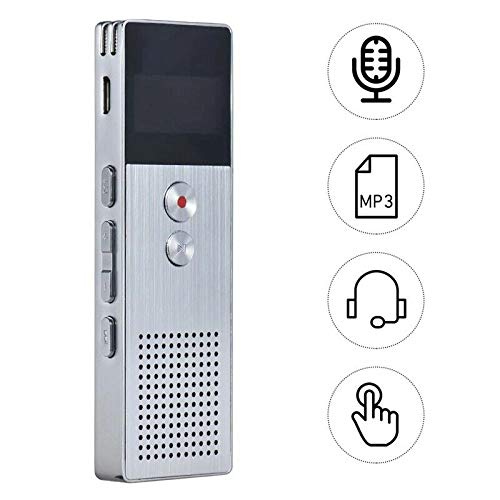
Prent 4.2: This image illustrates the multi-functional capabilities of the device, including its use as a voice recorder (microphone icon), an MP3 player (MP3 icon), and its compatibility with headphones (headphone icon). The touch icon suggests ease of interaction.
- Koppel die toestel aan jou rekenaar met die USB-kabel.
- The device will appear as a removable disk. Copy your MP3 files into the "Music" folder on the device.
- Safely eject the device from your computer.
- On the recorder, navigate to the "Music" menu and select your desired MP3 file vir afspeel.
4.4 File Management (Connecting to PC)
To transfer, delete, or organize files, connect the recorder to your computer using the USB cable. The device will be recognized as a mass storage device. You can then drag and drop files as you would with any USB drive.
5. Onderhoud
- Hou die toestel droog. Vog kan interne stroombane beskadig.
- Vermy uiterste temperature.
- Moenie die toestel laat val of aan sterk impakte onderwerp nie.
- Maak die toestel skoon met 'n sagte, droë lap. Moenie harde chemikalieë of skoonmaakmiddels gebruik nie.
- Regularly back up important recordings to your computer.
6. Probleemoplossing
Toestel skakel nie aan nie:
- Maak seker dat die battery gelaai is. Koppel aan 'n kragbron en probeer weer.
- Kyk of die kragskakelaar in die AAN-posisie is.
Kan nie opneem nie:
- Check available memory. If full, transfer files na 'n rekenaar en verwyder dit van die toestel.
- Maak seker dat die mikrofoon nie bedek is nie.
- Verify the device is in recording mode.
Geen klank tydens afspeel nie:
- Adjust the volume using the Volume Buttons.
- Ensure headphones are properly connected if using them.
- Kyk of die klank file is korrup.
Toestel word nie deur rekenaar herken nie:
- Probeer 'n ander USB-poort of USB-kabel.
- Ensure the device is powered on when connected.
- Herbegin jou rekenaar.
7. Spesifikasies
| Handelsmerk | ELEKTROPRIME |
| Modelnommer | ASHA20BEBUBEB16153 |
| Geheue berging | 8 GB |
| Opname-formaat | WAV |
| Afspeel formate | MP3, WAV |
| Mikrofoon | Stereo |
| Deurlopende opname | Tot 23 uur |
| Konnektiwiteit | USB |
8. Waarborg en Ondersteuning
For warranty information or technical support, please refer to the product packaging or contact ELECTROPRIME customer service through their official website or the retailer where the product was purchased. Please have your model number (ASHA20BEBUBEB16153) and purchase details ready.