
Gigaset E290A
Gigaset E290A Cordless Phone with Answering Machine User Manual
Model: E290A | Brand: Gigaset
Inleiding
The Gigaset E290A is a cordless telephone designed for ease of use, featuring an integrated answering machine. It combines a modern design with functions specifically developed for users with visual, auditory, or tactile needs. The large keys, highly readable backlit display, and ergonomic handset shape ensure comfortable operation for all ages. This manual provides essential information for setting up, operating, and maintaining your Gigaset E290A.
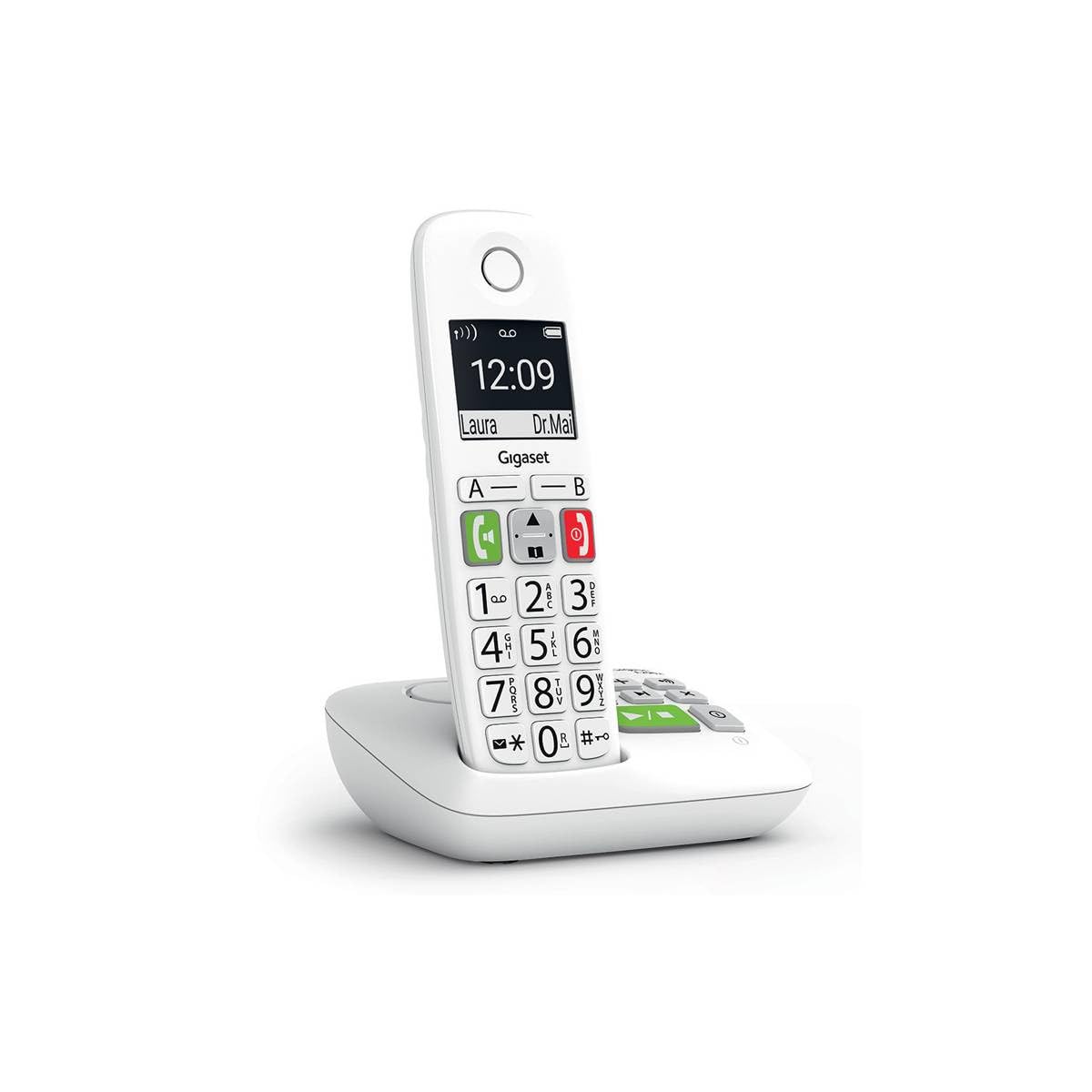
Image: The Gigaset E290A cordless phone, showing the handset and base station.
Veiligheidsinligting
- Use only the power adapter and telephone cord supplied with the device.
- Moenie die foon blootstel aan uiterste temperature, direkte sonlig of hoë humiditeit nie.
- Avoid placing the phone near heat sources or in areas with strong electromagnetic fields.
- Use only approved rechargeable batteries. Do not dispose of batteries in fire.
- Moenie die toestel oopmaak nie casing. Repairs should only be performed by authorized service personnel.
- Hou die foon buite bereik van kinders.
Pakketinhoud
Verifieer dat jou pakket die volgende items bevat:
- 1 Gigaset E290A Handset
- 1 Gigaset E290A Base Station with integrated answering machine
- 1 Power Adapter for the base station
- 1 Telefoonlyn
- 2 AAA herlaaibare batterye
- 1 Batterydeksel
- Hierdie gebruikershandleiding
Opstelling
1. Verbind die basisstasie
- Koppel die kragadapter aan die basisstasie en steek dit in 'n muursok.
- Connect the telephone line cord to the base station and plug the other end into your telephone wall socket.
- Place the base station on a flat, stable surface, away from other electronic devices that might cause interference.

Image: The Gigaset E290A base station, illustrating the connection points for power and telephone line.
2. Inserting Batteries into the Handset
- Maak die batterykompartement se deksel aan die agterkant van die selfoon oop.
- Insert the two supplied AAA rechargeable batteries, ensuring correct polarity (+/-).
- Maak die batterykompartement se deksel toe.
- Place the handset on the base station to charge. The display will indicate charging status. Allow at least 8 hours for the initial charge.
3. Registrasie van die handset
The handset is usually pre-registered to the base station. If not, or if you are adding an additional handset:
- On the base station, press and hold the registration/paging key for approximately 3 seconds. The base station will enter registration mode.
- On the handset, navigate to the menu, select Instellings, toe Registrasie, and follow the on-screen prompts. You may need to enter a PIN (default is 0000).
- Once registered, the handset display will show the internal number (e.g., "HS 1").
Bedryfsinstruksies
Maak en Ontvang Oproepe
- Maak 'n oproep: Enter the phone number using the large keypad and press the green call key (📞).
- Ontvang 'n oproep: Wanneer die telefoon lui, druk die groen oproepknoppie (📞) om te antwoord.
- Beëindig 'n oproep: Druk die rooi oproepbeëindig-toets (⛔).
- Handvrye oproepe: During a call, press the hands-free key (🔊) to activate the speakerphone.

Image: Close-up of the Gigaset E290A handset, highlighting the large, easy-to-read keys for dialing.
Using the Answering Machine
The Gigaset E290A features an integrated digital answering machine with up to 30 minutes of recording time.
- Aktivering/Deaktivering: Access the answering machine menu on the handset or press the dedicated key on the base station.
- Boodskappe speel: Press the play key on the base station or navigate through the handset menu.
- Recording an Announcement: Follow the menu prompts to record your personal greeting.
Telefoonboek
Store up to 150 contacts in the phonebook.
- Voeg 'n kontak by: Go to the phonebook menu, select "New Entry," and enter the name and number.
- Quick Dial Keys: The phone has two direct access keys (A and B) for quickly calling two pre-stored numbers. Assign these numbers via the phonebook settings.
Oproep Blokkeer
Block unwanted calls by adding up to 32 numbers to a blacklist. You can also block anonymous calls.
- Adding to Blacklist: From the call list or phonebook, select a number and choose the "Block" option.
- Blocking Anonymous Calls: Enable this feature in the call blocking settings to automatically reject calls from hidden numbers.

Image: Illustration of the call blocking feature on the Gigaset E290A, showing how to manage unwanted calls.
Oudio-instellings
- Audio Boost Mode: Activate this mode for an even louder volume, facilitating high-definition listening.
- Gehoorapparaatversoenbaarheid: The phone is compatible with hearing aids. You can also adjust the frequency range to suit personal hearing capabilities.
Vertoon instellings
- Jumbo Mode: In Jumbo mode, all dialed digits appear in large characters on the 34 x 37 mm backlit black and white display, which has increased contrast for optimal readability.
- Kieslysnavigasie: Menu navigation is also simplified with an adapted character size.

Image: The Gigaset E290A display showing large characters in Jumbo Mode for enhanced readability.
Onderhoud
- Skoonmaak: Maak die handset en basisstasie skoon met 'n sagte, damp lap. Moenie skuur skoonmaakmiddels of oplosmiddels gebruik nie.
- Batterysorg: To maintain battery life, fully discharge and recharge the handset batteries periodically. If the phone will not be used for an extended period, remove the batteries.
- Berging: Bêre die foon op 'n koel, droë plek wanneer dit nie gebruik word nie.
Probleemoplossing
| Probleem | Moontlike oorsaak | Oplossing |
|---|---|---|
| No display on handset | Batteries are empty or incorrectly inserted. | Charge batteries for at least 8 hours. Check battery polarity. |
| Geen kiestoon nie | Telefoonlynkoord nie gekoppel of foutief. | Check telephone line connection to base and wall socket. Try a different cord. |
| Handset kan nie registreer nie | Base station not in registration mode or incorrect PIN. | Ensure base is in registration mode. Re-enter default PIN (0000). |
| Swak klankgehalte | Handset too far from base, interference, or low battery. | Move closer to the base. Avoid other electronic devices. Charge handset. |
| Difficulty programming features | Complex menu navigation or unfamiliarity with settings. | Refer to the specific section in this manual for detailed steps. Contact support if issues persist. |
Spesifikasies
| Handelsmerk | Gigaset |
| Modelnommer | E290A |
| Kleur | Wit |
| Soort telefoon | Koordloos |
| Tipe antwoordstelsel | Digitaal |
| Versoenbare toestelle | Telephone networks (PSTN, ISDN), external communication devices |
| Batterye benodig | 2 AAA (Alkaline) |
| Materiaal | Plastiek |
| Kragbron | Elektriese kabel |
| Itemafmetings (LxBxH) | 22.4 x 16.6 x 8.8 cm |
| Item gewig | 169 gram |
Waarborg en Ondersteuning
Vir waarborginligting, verwys asseblief na die waarborgkaart wat by u produk ingesluit is of besoek die amptelike Gigaset-webwerf. webwebwerf. Inligting rakende die beskikbaarheid van onderdele en sagteware-opdaterings word nie in hierdie handleiding verskaf nie.
For technical support, frequently asked questions, or to download the full detailed manual, please visit the Gigaset Communication Store or the official Gigaset support webwebwerf.
Ask a question about this manual
Ask about setup, troubleshooting, compatibility, parts, safety, or missing instructions. Manuals+ will review the question and use this page’s manual context to help answer it.