
Inleiding
This manual provides essential information for setting up, operating, maintaining, and troubleshooting your VAIO SX12 laptop. Please read this manual thoroughly to ensure proper use and to maximize the performance and longevity of your device.

Figuur 1: Voorkant view of the VAIO SX12 laptop with the screen open.
Opstelling
1. Uitpak en aanvanklike inspeksie
Verwyder alle komponente versigtig uit die verpakking. Verifieer dat alle items wat in die afdeling 'Wat is in die boks' gelys word, teenwoordig en onbeskadig is. Indien enige items ontbreek of beskadig is, kontak kliëntediens.
- VAIO SX12 Laptop
- AC Adapter
- Skoonmaakdoek
2. Connecting the AC Adapter
Connect the AC adapter to the power input port on the laptop and then plug the adapter into a wall outlet. The battery will begin charging automatically.
3. Aanvanklike aanskakeling
Press the power button located on the top right of the keyboard. The laptop will boot up and guide you through the initial Windows 10 Pro setup process.
Bedryf
1. Sleutelbord en raakvlak
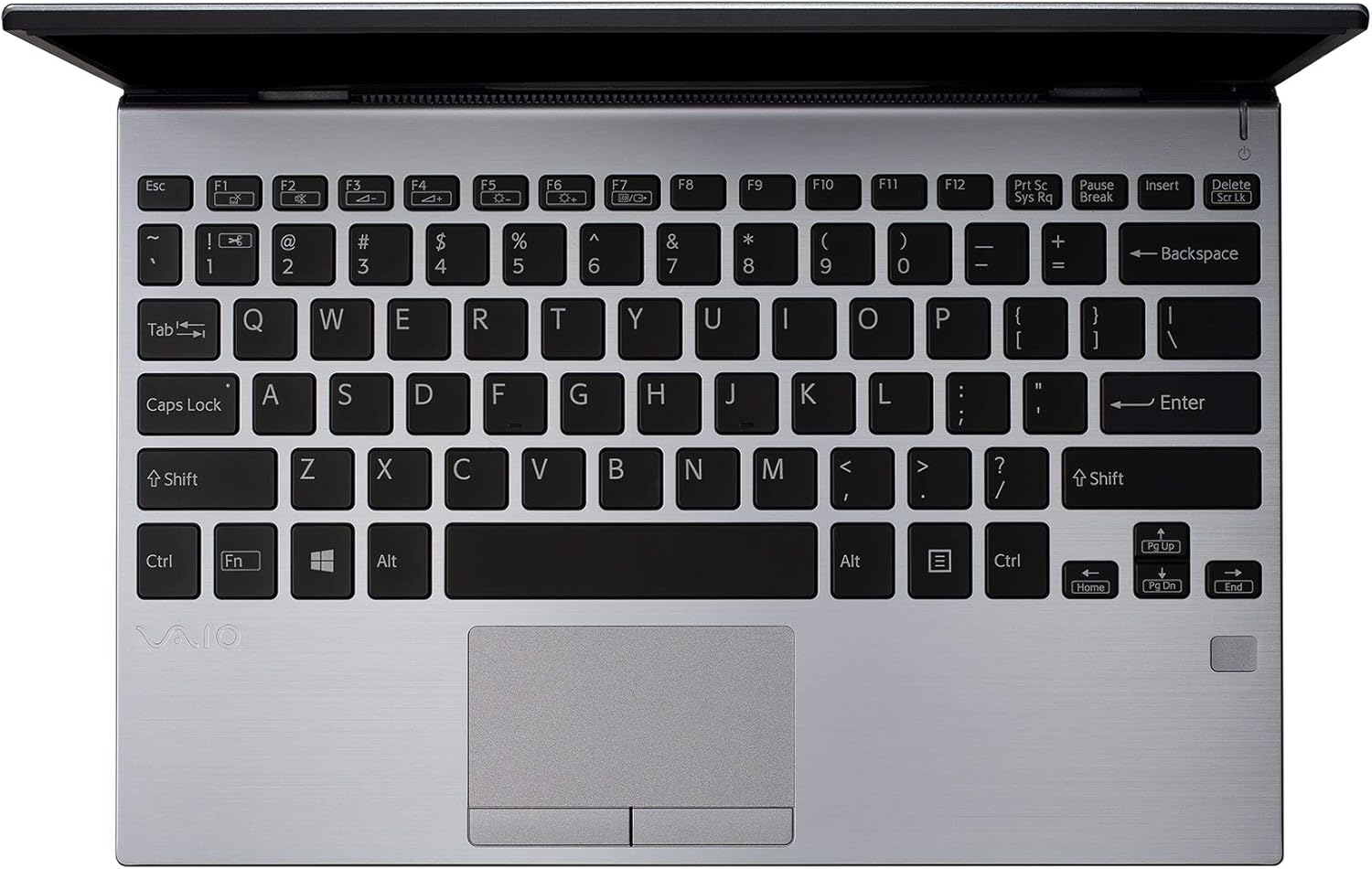
Figuur 2: Bo-na-onder view of the VAIO SX12 keyboard and touchpad.
The VAIO SX12 features a full-sized keyboard and a precision touchpad. Familiarize yourself with the function keys (F1-F12) which control various system settings such as screen brightness, volume, and wireless connectivity.
- Funksie sleutels: Use the 'Fn' key in combination with F1-F12 for secondary functions.
- Raakblad: Supports multi-touch gestures for scrolling, zooming, and navigating.
2. Aansluiting van randapparatuur
The VAIO SX12 offers a variety of ports for connecting external devices.

Figuur 3: Linkerkant view of the VAIO SX12, showing the power input, USB ports, HDMI, Ethernet, and VGA ports.

Figuur 4: Regterkant view of the VAIO SX12, showing the SD card slot, USB ports, and audio jack.
- USB-poorte: Koppel USB-toestelle soos eksterne skywe, sleutelborde of muise.
- HDMI-poort: Koppel aan 'n eksterne skerm of projektor.
- VGA-poort: Koppel aan ouer eksterne skerms of projektors.
- Ethernet-poort: Koppel aan 'n bedrade netwerk.
- SD-kaartgleuf: Plaas 'n SD-kaart in vir data-oordrag.
- Oudio-aansluiting: Sluit koptelefoon of eksterne luidsprekers aan.
Onderhoud
1. Skoonmaak van die skootrekenaar
- Use the provided cleaning cloth or a soft, lint-free cloth to wipe the screen and exterior surfaces.
- Moenie harde chemikalieë, skuurmiddels of oplosmiddels gebruik nie.
- Maak seker dat die skootrekenaar afgeskakel en ontkoppel is voordat jy dit skoonmaak.
2. Batteryversorging
- Om die batterylewe te verleng, vermy om die battery gereeld heeltemal te ontlaai.
- Bêre die skootrekenaar op 'n koel, droë plek indien dit nie vir lang tye gebruik word nie.
- The battery is internal and not user-replaceable. Contact authorized service for battery replacement.
3. Sagteware-opdaterings
Kontroleer gereeld vir bedryfstelsel- en dryweropdaterings en installeer dit om optimale werkverrigting en sekuriteit te verseker.
Probleemoplossing
1. Skootrekenaar skakel nie aan nie
- Maak seker dat die wisselstroomadapter stewig aan beide die skootrekenaar en 'n werkende kragaansluiting gekoppel is.
- Verifieer dat die kragaansluiting funksioneel is deur 'n ander toestel in te prop.
- Indien die battery heeltemal leeg is, laat dit vir ten minste 30 minute laai voordat jy probeer om dit aan te skakel.
2. Skermprobleme
- If the screen is blank, try adjusting the brightness using the function keys.
- If an external monitor is connected, ensure the display output is correctly configured (e.g., duplicate, extend).
- Herbegin die skootrekenaar.
3. Peripheral Not Recognized
- Maak seker dat die randapparatuur behoorlik aan die korrekte poort gekoppel is.
- Try connecting the peripheral to a different port or another computer to rule out device malfunction.
- Check the device manager in Windows for driver issues.
Spesifikasies
| Kenmerk | Spesifikasie |
|---|---|
| Model Naam | VAIO SX12 |
| Item Modelnommer | VJS121C11L |
| Verwerker | Intel Core i5-8265U (3.9 GHz max) |
| RAM | 8 GB LPDDR3 |
| Hardeskyf | 512 GB PCIe SSD |
| Bedryfstelsel | Windows 10 Pro |
| Skerm grootte | 12.5 duim |
| Skermresolusie | 1920 x 1080 piksels (Vol HD) |
| Grafiese kaart | Geïntegreerde Intel-grafika |
| Draadlose konneksie | 802.11a/b/g/n/ac, Bluetooth |
| USB 3.0-poorte | 4 |
| Item gewig | 1.97 pond |
| Produk afmetings | 11.3 x 8 x 0.62 duim |
| Kleur | Silwer |
| Batterye | 1 Litium-ioonbattery (ingesluit) |
Waarborg en Ondersteuning
For warranty information and technical support, please refer to the documentation included with your product or visit the official VAIO support webwebwerf. Bewaar u aankoopbewys as bewys van aankoop vir waarborgeise.