
Inleiding
This manual provides detailed instructions for the proper use and maintenance of your Awei T10C True Waterproof Bluetooth Wireless Earbuds. Please read this manual thoroughly before using the product to ensure optimal performance and longevity.
The Awei T10C earbuds feature Bluetooth 5.0 connectivity, a 6mm metal cavity speaker unit, smart touch controls, and a wireless charging case. They are designed for comfortable and stable wear, providing clear audio for calls and music.
Pakketinhoud
- Awei T10C True Wireless Earbuds (Left and Right)
- Draadlose laaikas
- USB-laaikabel
- Gebruikershandleiding
Opstelling
1. Aanvanklike laai
Before first use, fully charge the earbuds and the charging case. Place the earbuds into the charging case. Connect the charging case to a power source using the provided USB cable, or place the case on a compatible wireless charging pad.
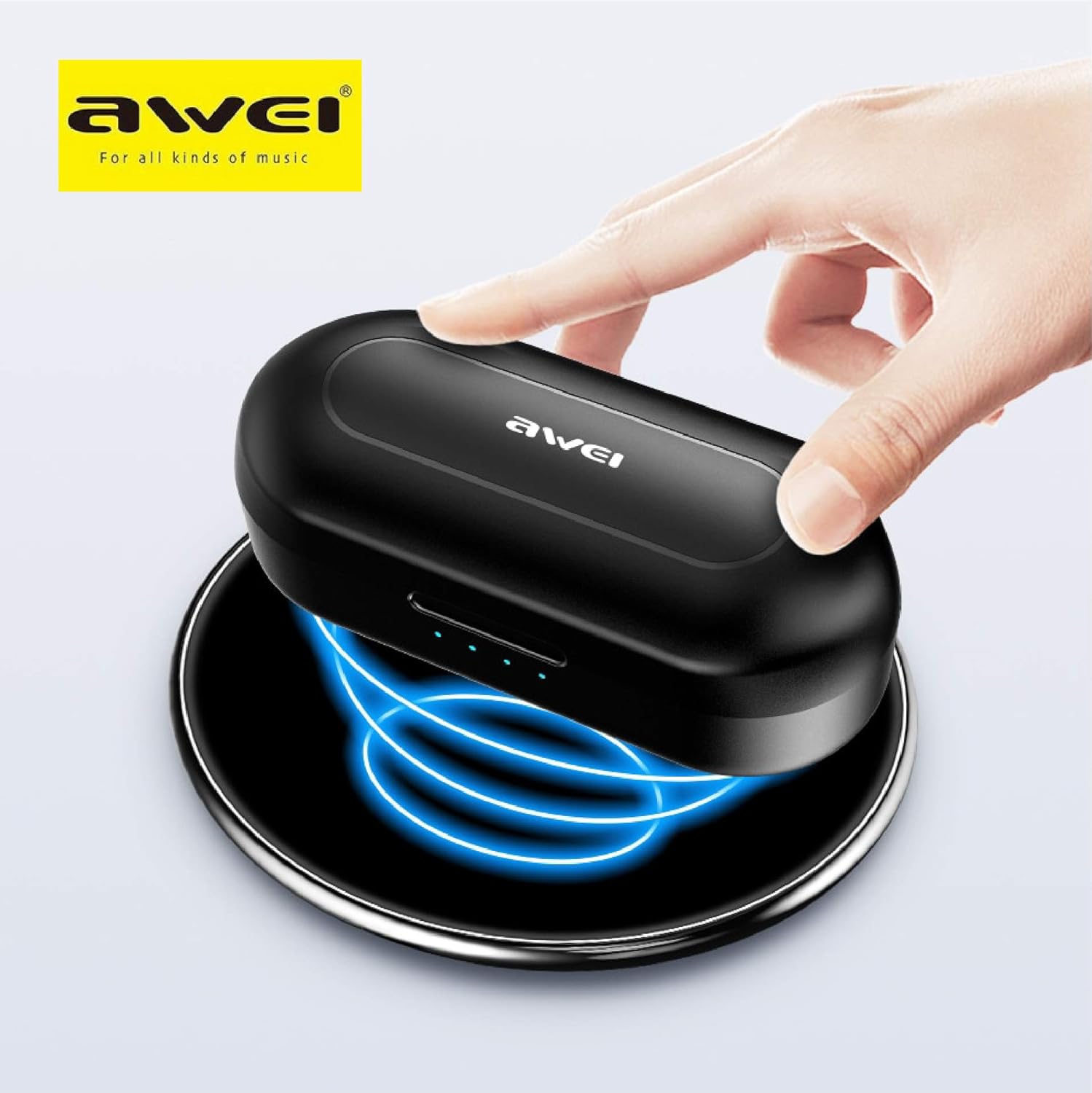
The Awei T10C charging case placed on a wireless charging pad, with blue light effects indicating active wireless charging.
The LED indicators on the charging case will show the charging status. Once fully charged, the indicators will behave according to the case's design (e.g., turn solid or off).
2. Powering On and Automatic Pairing
The earbuds are designed for automatic pairing. Simply open the charging case, and the earbuds will power on and enter pairing mode. Remove them from the case.
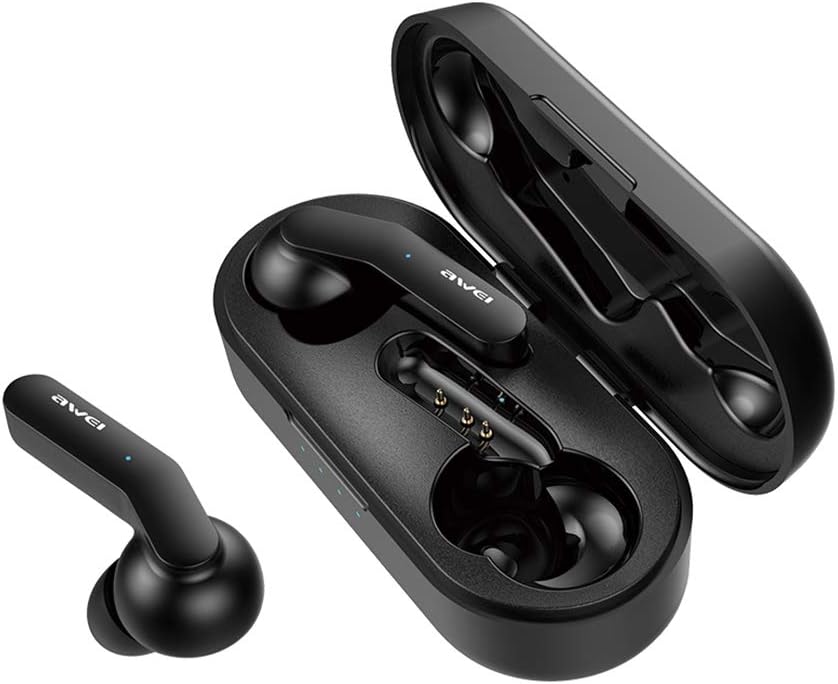
Awei T10C True Wireless Earbuds and open charging case, showcasing the earbuds nestled within the charging contacts.
3. Bluetooth-verbinding
- Maak seker dat Bluetooth op jou toestel (slimfoon, tablet, ens.) geaktiveer is.
- Soek vir beskikbare Bluetooth-toestelle.
- Select "Awei T10C" from the list to connect.
- Sodra dit gekoppel is, sal jy 'n hoorbare bevestiging hoor, en die oorfone se aanwyserliggies sal verander.
The earbuds will automatically reconnect to the last paired device when removed from the case, if the device's Bluetooth is active and within range.
Bedryfsinstruksies
1. Dra van die oordopjes
Gently insert the earbuds into your ears, ensuring a snug and comfortable fit. Adjust them until they feel secure. The ergonomic design is intended to provide stability during use.

Two Awei T10C True Wireless Earbuds, viewed from the side, highlighting their ergonomic design and the Awei logo.
2. Slim aanraakkontroles
The Awei T10C earbuds feature touch-sensitive areas for controlling various functions:
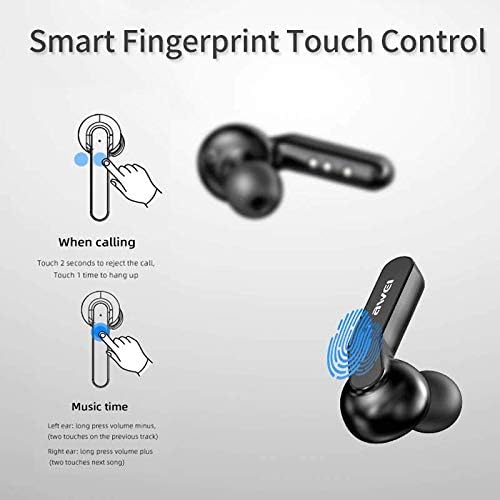
Diagram illustrating the 'Smart Fingerprint Touch Control' functions for calls and music playback on the Awei T10C earbuds.
- Oproepe beantwoord / beëindig: Touch either earbud once.
- Verwerp oproepe: Raak enige van die oordopjes vir 2 sekondes.
- Speel/onderbreek musiek: Touch either earbud once.
- Volgende snit: Double-touch the right earbud.
- Vorige snit: Double-touch the left earbud.
- Volume op: Druk die regteroorfone lank.
- Volume af: Druk die linker oordopje lank.
- Stemassistent: Triple-touch either earbud (functionality may vary by device).
3. Skakel uit
To power off the earbuds, place them back into the charging case. They will automatically disconnect and begin charging. Alternatively, if disconnected from a device and left idle for a period, they may power off automatically.
Onderhoud
1. Skoonmaak
Regularly clean the earbuds and charging case with a soft, dry, lint-free cloth. Do not use abrasive cleaners, alcohol, or chemical solvents. Ensure charging contacts are free of dust and debris.
2. Waterdigting
The Awei T10C earbuds are designed to be waterproof. However, this does not mean they are suitable for prolonged submersion or use in extreme water conditions. Avoid exposing the charging case to water.
3. Berging
Wanneer dit nie gebruik word nie, bêre die oorfone in hul laaikassie om hulle te beskerm en gelaai te hou. Bêre op 'n koel, droë plek weg van direkte sonlig en uiterste temperature.
Probleemoplossing
- Oorfone koppel nie met toestel nie:
- Maak seker dat die oorfone gelaai en uit die houer verwyder is.
- Skakel jou toestel se Bluetooth af en aan.
- Forget/delete "Awei T10C" from your device's Bluetooth list and try pairing again.
- Herbegin jou toestel.
- Slegs een oordoppie werk:
- Maak seker dat beide oordopjes gelaai is.
- Place both earbuds back into the charging case, close the lid, wait a few seconds, then open and remove them again.
- Check if the earbuds are properly seated in the charging case to ensure connection.
- Geen geluid of lae volume:
- Kontroleer die volumevlak op beide jou toestel en die oordopjes (met behulp van aanraakkontroles).
- Maak seker dat die oorfone behoorlik aan jou toestel gekoppel is.
- Maak enige puin van die oorfone se luidsprekermaas skoon.
- Laaikas laai nie:
- Ensure the USB cable is securely connected to both the case and the power source.
- Probeer 'n ander USB-kabel of kragadapter.
- Indien jy draadlose laai gebruik, maak seker dat die houer korrek op die laaiblad geplaas is.
Spesifikasies
| Model Naam | T10C |
| Item Modelnommer | EM-JH133-CP |
| Handelsmerk | Awei |
| Verbindingstegnologie | Draadloos (Bluetooth 5.0) |
| Oorfone vorm faktor | In Oor |
| Geraasbeheer | Aktiewe geraaskansellasie |
| Koptelefoonaansluiting | USB |
| Ingesluit komponente | Draadlose laaikas |
| Batterye | 1 Litium-ioonbattery benodig (ingesluit) |
| Produk afmetings | 4.5 x 2.4 x 1.8 cm |
| Produk Gewig | 200 g |
| Kleur | Swart |
| Vervaardiger | Awei |
| Datum Eerste Beskikbaar | 13 Desember 2019 |
Waarborg en Ondersteuning
Awei products are manufactured to high quality standards. For warranty information, technical support, or customer service inquiries, please refer to the official Awei webwebwerf of kontak u plaaslike verspreider.
You may also find additional support and product information via the Awei WeChat channel: http://weixin.qq.com/r/7XQ0O7vEfoUBh6pYnyHJ