
Inleiding
Thank you for choosing the AKASO C330 Dash Cam. This manual provides detailed instructions to help you set up, operate, and maintain your device. Please read it carefully before use to ensure optimal performance and safety.
Produk verbyview en sleutelkenmerke
The AKASO C330 Dash Cam is designed to record your driving journey in high definition, offering a wide range of features for enhanced road safety and evidence collection.

The AKASO C330 Dash Cam is fully functional, featuring G-sensor protection, parking monitor, loop recording, super night vision, 1080P recording, 170° wide angle, and a fatigue reminder.
- 1080P Full HD Recording: Vang duidelike videofoo vastage at 1920 x 1080 resolution.
- 170° wyehoeklens: Provides extensive road coverage, minimizing blind spots.
- 3.0-duim IPS-skerm: Offers a clear display for real-time viewing en afspeel.
- Super Nag Visie: Verbeterde werkverrigting in lae lig vir duidelike opnames in die nag.
- Loop opname: Oorskryf outomaties die oudste voedseltage wanneer die geheuekaart vol is, wat deurlopende opname verseker.
- G-sensor: Detects sudden movements or collisions and automatically locks the current video file om te keer dat dit oorskryf word.
- Parkeermonitor: Records automatically if an impact is detected while the vehicle is parked.
- Bewegingsopsporing: Starts recording when movement is detected in front of the camera, useful for surveillance.

The dash cam records every detail in 1080P Full HD resolution, utilizing an F1.8 aperture lens and displaying on a 3.0-inch screen.

The 170° wide-angle lens provides extensive coverage, typically spanning about four lanes of traffic.

The Super Night Vision feature ensures clear video recording even in low-light conditions.

The dash cam includes three emergency recording functions: G-sensor for impact detection, motion detection for security, and parking monitor for surveillance when parked.
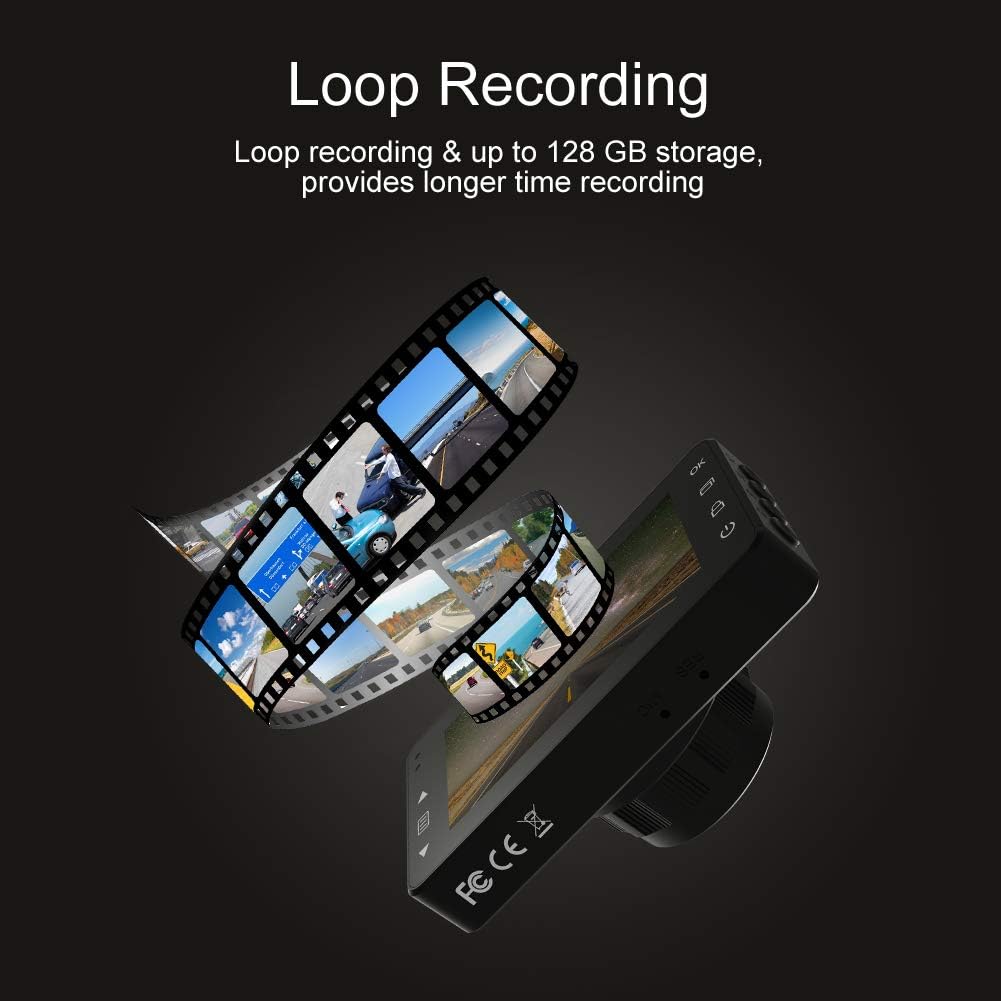
Loop recording ensures continuous video capture, automatically overwriting older files, and supports up to 128 GB storage for longer recording times.
Amptelike produkvideo-vertoningasing the features and capabilities of the AKASO C330 Dash Cam, including its 1080P HD recording, 3-inch LCD screen, and 170° wide-angle view.
Pakketinhoud
Merk asseblief die blokkie vir die volgende items:
- AKASO C330 Dash Cam
- Suig Mount
- Motorlaaier
- USB kabel
- Gebruikershandleiding (hierdie dokument)
- Memory Card (if included in your specific package)
Produk Diagram
Familiarize yourself with the various parts and buttons of your AKASO C330 Dash Cam:

Detailed diagram of the AKASO C330 Dash Cam, highlighting the Micro SD Power Slot, OK Button, Up Button, Mode Button, Menu Button, Lock Button, Power Mode Button, Down Button, and USB Port, along with its dimensions.
- Micro SD Power Slot: Plaas jou Micro SD-kaart hier.
- OK knoppie: Confirms selections or starts/stops recording.
- Op-knoppie: Navigates up in menus or zooms in during playback.
- Modusknoppie: Wissel tussen video-, foto- en terugspeelmodusse.
- Kieslys-knoppie: Accesses settings menu.
- Sluit knoppie: Manually locks the current recording.
- Kragmodus-knoppie: Skakel die toestel aan/af.
- Af-knoppie: Navigates down in menus or zooms out during playback.
- USB-poort: Connects to power source or computer.
Opstelling
1. Installing the Micro SD Card
The AKASO C330 requires a Micro SD card (Class 10 or higher, 8GB-128GB) for recording. The memory card is not always included and may need to be purchased separately.
- Maak seker dat die paneelbordkamera afgeskakel is.
- Insert the Micro SD card into the Micro SD Power Slot until it clicks into place.
- Om te verwyder, druk die kaart versigtig in totdat dit klik, en laat dit dan los.
Let wel: It is recommended to format the Micro SD card in the dash cam before first use and periodically thereafter to ensure stable recording.
2. Monteer die Dash Cam
Use the provided suction mount to securely attach the dash cam to your vehicle's windshield.
- Maak die area op jou voorruit skoon waar jy die paneelbordkamera wil monteer.
- Attach the suction mount to the dash cam.
- Druk die suigdop stewig teen die voorruit en draai die hefboom om dit vas te maak.
- Pas die kamerahoek aan om 'n duidelike view van die pad vorentoe.
3. Powering the Dash Cam
Connect the dash cam to your car's power supply using the car charger.
- Plug one end of the car charger into the dash cam's USB Port.
- Plug the other end into your vehicle's 12V power outlet (cigarette lighter socket).
- Die paneelbordkamera sal outomaties aanskakel en begin opneem wanneer jou voertuig begin.
Bedryfsinstruksies
Basiese werking
- Krag aan/af: The camera automatically powers on/off with the car ignition. You can also manually press and hold the Power Mode Button to turn it on or off.
- Begin/stop opname: Once powered on and connected to power, the camera will automatically start loop recording. Press the OK Button to manually start or stop recording.
Spyskaartnavigasie
Use the Menu Button to access settings, and the Up/Down Buttons to navigate. Press the OK Button to confirm selections.
Loop opname
This feature ensures continuous recording by overwriting the oldest files when the SD card is full. You can set the loop recording duration (1, 3, or 5 minutes) in the settings menu. To disable, select 'off'.
G-sensor
The G-Sensor detects sudden impacts or rapid acceleration/deceleration. When triggered, it automatically locks the current video segment, preventing it from being overwritten by loop recording. The sensitivity can be adjusted in the settings.
Parkeermonitor
When enabled, the dash cam will automatically start recording if it detects a collision or vibration while your vehicle is parked and the engine is off. This feature requires a continuous power supply or the camera's internal battery to be charged.
Bewegingsopsporing
With motion detection enabled, the camera will begin recording when it senses movement in its field of view. This is useful for monitoring your vehicle when parked. Ensure the camera has power for this function.
Nagvisie
The AKASO C330 features updated night vision technology to provide clearer video quality in low-light conditions. This feature activates automatically.
Onderhoud
Formatering van die SD -kaart
Regularly formatting your Micro SD card helps maintain its performance and prevents data corruption. It is recommended to format the card every 2-4 weeks.
- Insert the Micro SD card into the dash cam.
- Skakel die paneelbordkamera aan.
- Navigate to the settings menu using the Menu Button.
- Find the 'Format' option and confirm.
Maak die lens skoon
To ensure clear video quality, keep the camera lens clean.
- Gebruik 'n sagte, pluisvrye lap om die lens saggies af te vee.
- Avoid using abrasive cleaners or solvents that could damage the lens coating.
Probleemoplossing
If you encounter issues with your AKASO C330 Dash Cam, refer to the following common problems and solutions:
| Probleem | Moontlike Oplossing |
|---|---|
| Kamera skakel nie aan nie. | Check the power connection to the car charger and the vehicle's 12V outlet. Ensure the car's ignition is on. The internal battery may be depleted; charge it for a few hours. |
| Camera stops recording randomly. | Format the Micro SD card. Ensure the card is Class 10 or higher and not full. Disable parking monitor or motion detection if not needed, as they can affect continuous recording. |
| Video footage is vaag of onduidelik. | Clean the camera lens and the windshield area where the camera is mounted. Ensure the protective film has been removed from the lens. |
| "SD Card Error" or "Please Insert SD Card" message. | Reinsert the Micro SD card. Format the card in the camera. Try a different, compatible Micro SD card. |
| Knoppies reageer nie. | Perform a soft reset by pressing the reset button (if available) or by powering off and on the device. Ensure the device is not in a locked state. |
Spesifikasies
- LCD-skerm: 3.0 duim IPS-skerm
- Pixel: 1.2 miljoen pixels
- Voorlens: 170° HD wide-angle lens
- Lensopening: F1.8 aperture
- Video Maximum Resolution: 1080FHD (1920 x 1080)
- Cycle Recording: 1 minute / 3 minutes / 5 minutes / off
- PC-koppelvlak: USB 2.0
- Kragkoppelvlak: 5V / 2A
- Berging: 8-128 GB Micro SD card (not included)
- Item gewig: 12 onse
- Batterye: 1 Litium Polimeer battery (ingesluit)
- Montage tipe: Suig Mount
Waarborg en Ondersteuning
AKASO products are designed for reliability and performance. For warranty information, technical support, or customer service, please refer to the contact details provided on the AKASO official website or your purchase documentation. Please have your product model (C330) and purchase date ready when contacting support.