
1. Inleiding
This manual provides detailed instructions for the installation, operation, and maintenance of your COOAU 4MP Wireless Security Camera, Model 827S-400. Designed for indoor use, this camera offers advanced features such as 4MP Ultra HD video, Pan/Tilt/Zoom (PTZ) functionality, two-way audio, and intelligent detection capabilities to enhance your home monitoring experience.
2. Produk verbyview
The COOAU 4MP Wireless Security Camera is a versatile indoor monitoring device. Familiarize yourself with its components and key features:
2.1 Komponente
- COOAU 4MP Wireless Security Camera Unit
- Kragadapter
- USB-kragkabel
- Mounting Accessories (screws, wall anchors)
- Gebruikershandleiding (hierdie dokument)
2.2 Sleutelkenmerke
- 4MP Ultra HD-video: Vang duidelike en gedetailleerde beelde vastage.
- Pan/Kantel/Zoem (PTZ): Offers 360° horizontal and 120° vertical rotation for comprehensive coverage.
- Tweerigting-klank: Ingeboude mikrofoon en luidspreker vir kommunikasie.
- Intelligente opsporing: Features sound detection, motion detection, and motion tracking with alerts.
- Verbeterde Nagvisie: Provides clear monitoring in low-light conditions.
- Buigsame berging: Supports local storage via Micro SD card (up to 128GB, not included) and cloud storage options.
- Alexa-versoenbaarheid: Integrates with Amazon Alexa for voice control.

Image: The COOAU 4MP Wireless Security Camera, highlighting its compact design and key functionalities like 360-degree coverage and 4MP HD view.
3. Opstelling
Follow these steps to set up your COOAU Wireless Security Camera:
3.1 App-installasie
- Scan the QR code provided in the camera's packaging or search for "MIPC" in your device's app store (Apple App Store for iOS or Google Play Store for Android).
- Laai die MIPC-toepassing af en installeer dit.
- Maak die toepassing oop en skep 'n nuwe gebruikersrekening of meld aan as jy reeds een het.
3.2 Kragverbinding
- Koppel die USB-kragkabel aan die kamera se kragpoort.
- Steek die kragadapter in 'n standaard elektriese aansluiting.
- The camera will power on and initiate its startup sequence. Wait for a voice prompt indicating it's ready for connection.
3.3 Network Configuration (Wi-Fi)
- In the MIPC app, tap the '+' icon to add a new device.
- Select the camera type (e.g., "Wireless IP Camera").
- Choose "Wi-Fi connection" as the network connection method.
- Follow the on-screen instructions to enter your Wi-Fi network details (SSID and password).
- The app may instruct you to scan a QR code displayed on your phone with the camera, or to place your phone near the camera for sound pairing.
- Once connected, you will hear a confirmation sound from the camera, and the app will indicate successful addition.
- Set a new password for the camera for security purposes.
Video: Demonstrates the indoor camera connection steps, including app installation, power connection, and Wi-Fi setup.
3.4 Montering van die kamera
The camera can be placed on a flat surface or mounted to a ceiling. Use the provided mounting accessories for ceiling installation. Ensure the camera is positioned to cover the desired monitoring area.
4. Bedryfsinstruksies
Learn how to utilize the various features of your COOAU camera:
4.1 Lewendig View en PTZ-beheer
- Open the MIPC app and select your camera from the device list to access the live video feed.
- Use the on-screen controls to pan (rotate horizontally up to 355°), tilt (move vertically up to 120°), and digitally zoom the camera view.
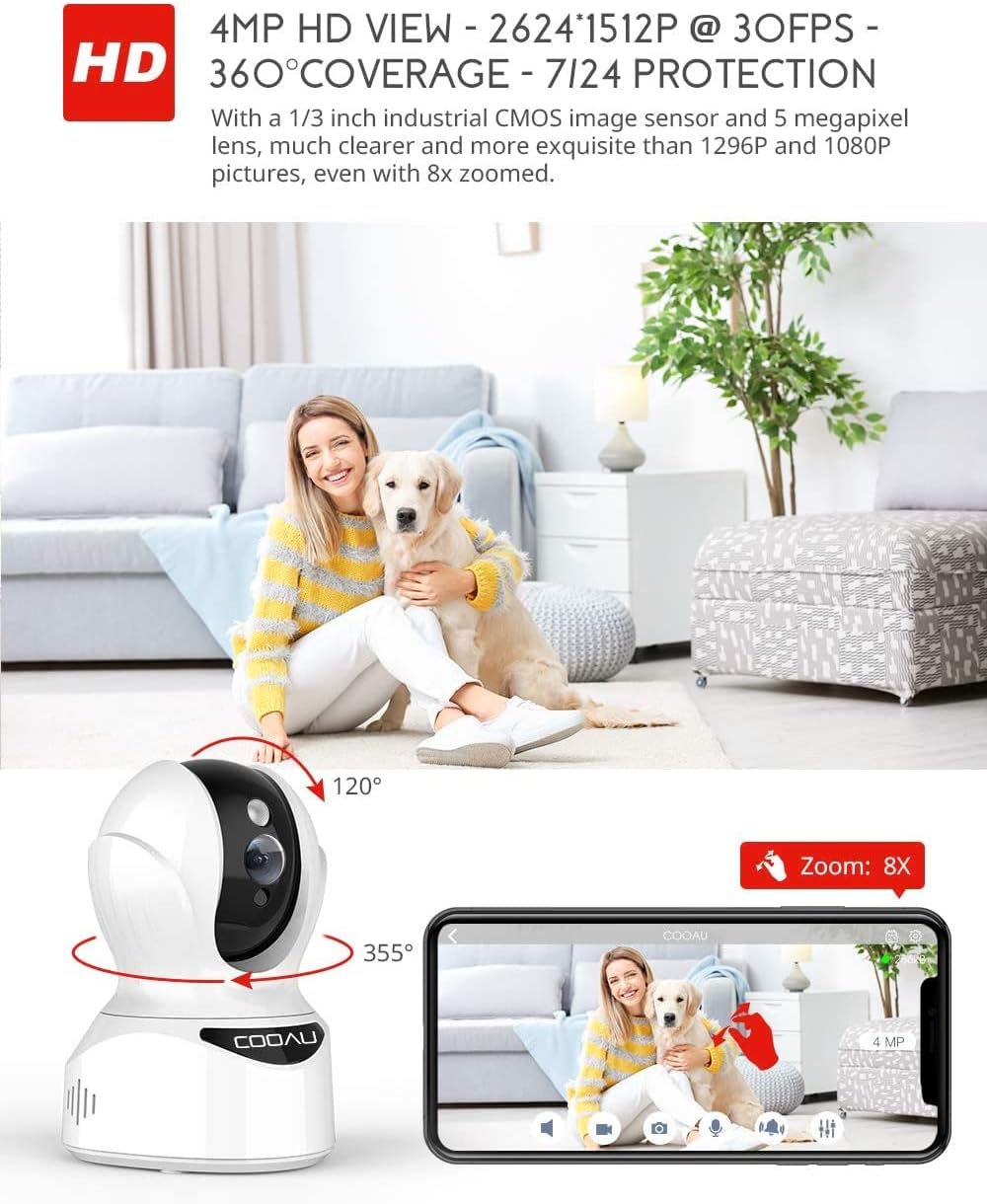
Image: Illustrates the camera's Pan/Tilt capabilities, offering 355° horizontal and 120° vertical rotation for comprehensive room coverage.
4.2 Tweerigting-klank
- Terwyl in lewendige view, tap the microphone icon in the app to speak through the camera's speaker.
- The camera's built-in microphone allows you to hear audio from the camera's location.

Image: Depicts the two-way audio feature, enabling clear communication through the camera's built-in anti-noise and echo cancellation microphone and speaker.
4.3 Intelligent Detection and Alerts
- Access the camera settings in the MIPC app to configure motion detection, sound detection, and motion tracking.
- Enable push notifications to receive alerts on your smartphone when activity is detected.
- Motion tracking allows the camera to automatically follow moving objects within its field of view.
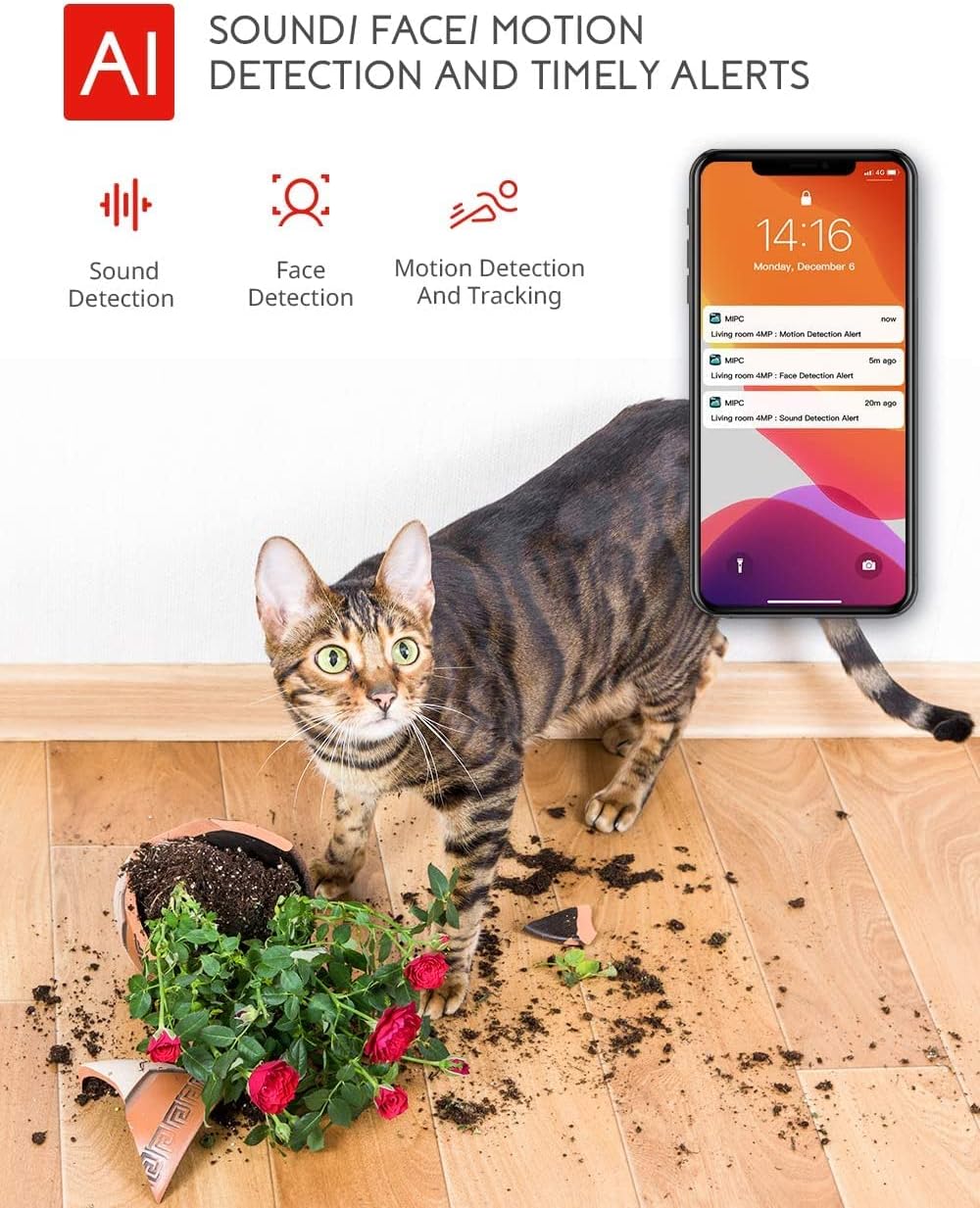
Image: Highlights the AI-powered sound, face, and motion detection features, with timely alerts sent to your smartphone.
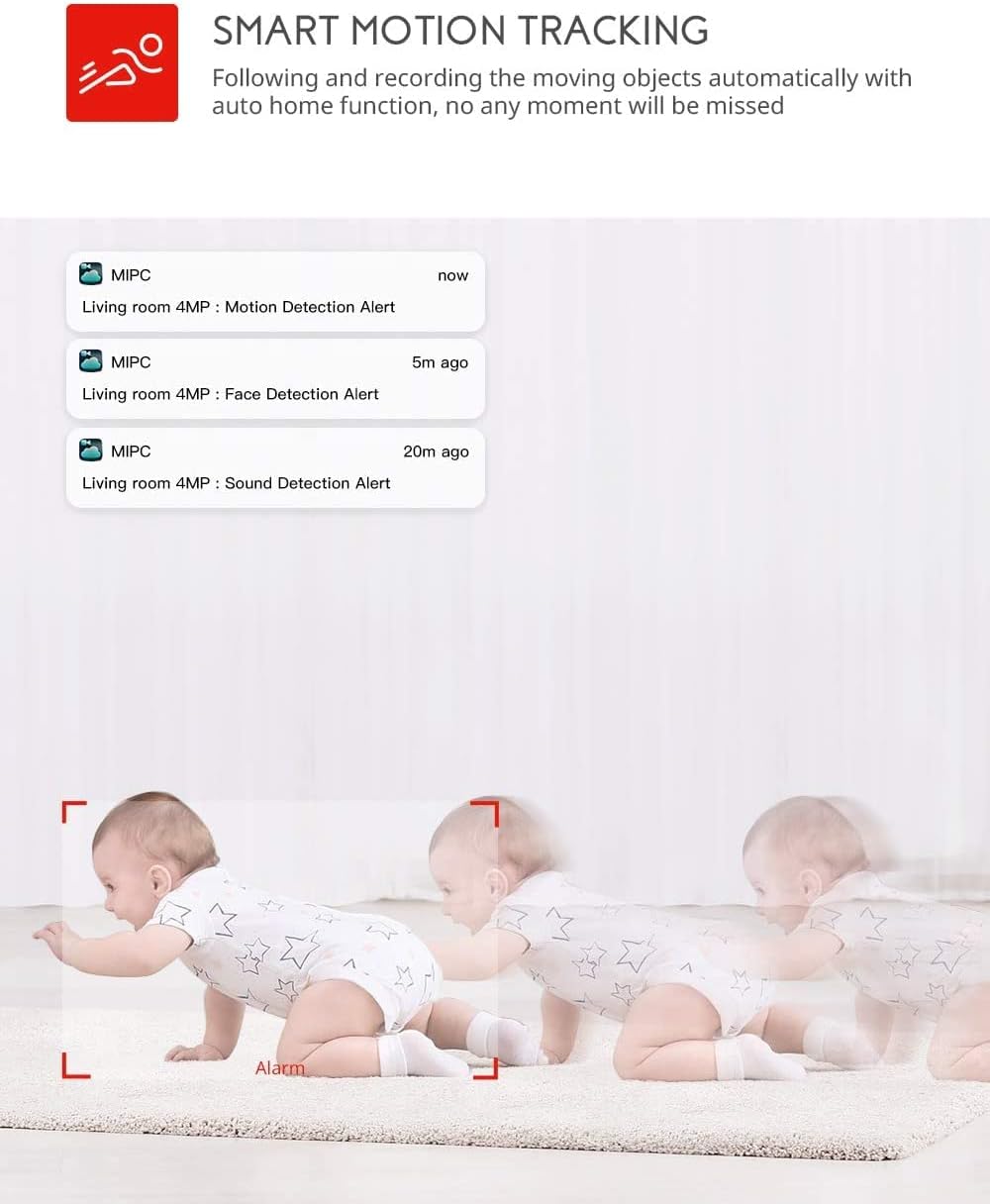
Image: Illustrates the smart motion tracking feature, where the camera automatically follows and records moving objects.
4.4 Nagvisie
- Die kamera skakel outomaties oor na nagsigmodus in lae ligtoestande.
- This feature provides clear black and white video footage without additional light sources.
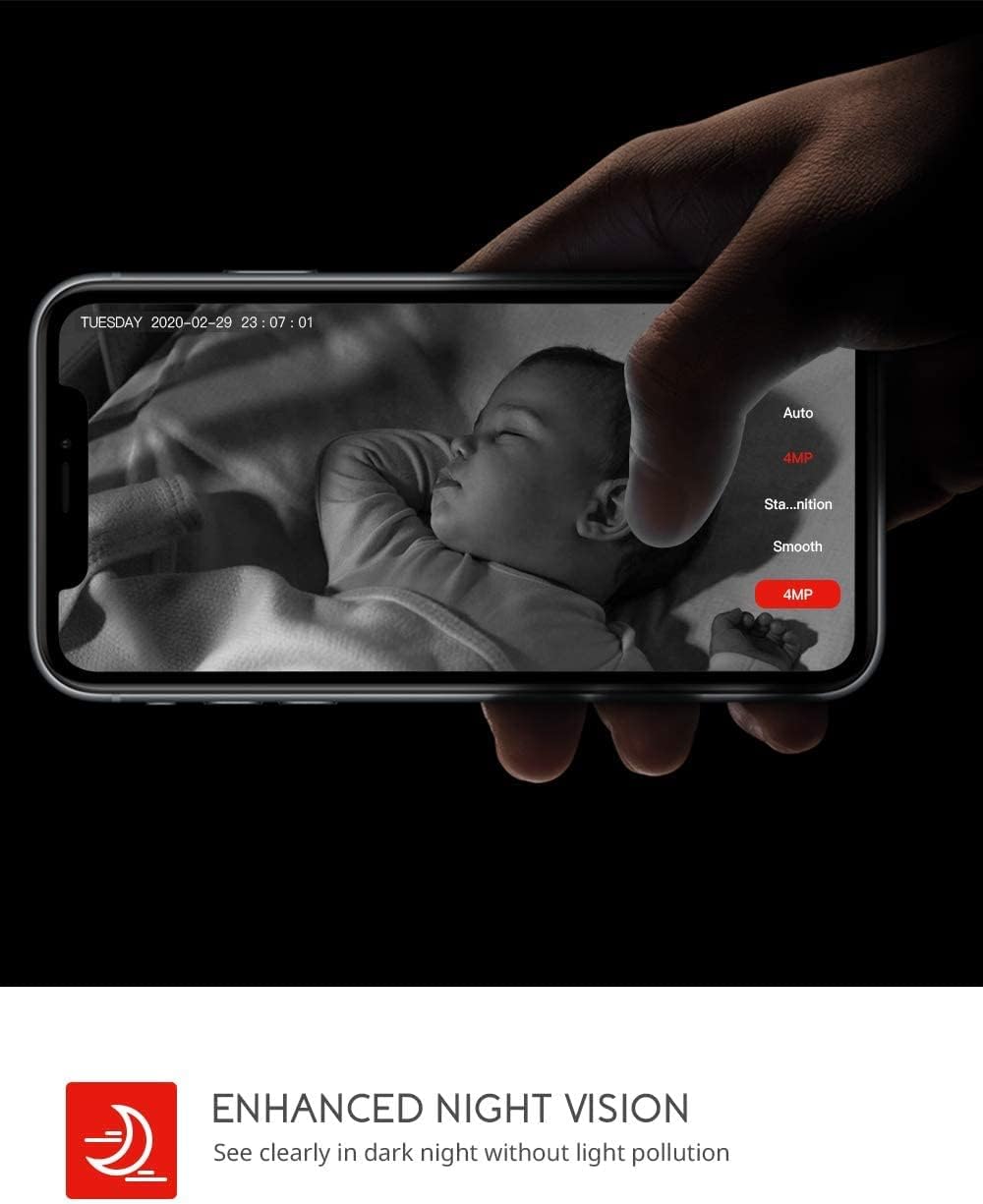
Image: Demonstrates the enhanced night vision capability, providing clear visibility in dark environments.
4.5 Bergingsopsies
- Mikro-SD-kaart: Insert a Micro SD card (up to 128GB, Class 10 or higher recommended) into the designated slot for local video recording.
- Wolkberging: The MIPC app offers optional cloud storage services for secure off-site backup of your recordings.
4.6 Multi-User Support
- Share camera access with family members or trusted individuals through the MIPC app.
- This allows multiple users to view die regstreekse uitsending en ontvang gelyktydig waarskuwings.

Image: Illustrates the camera's support for multiple devices and users, allowing footage sharing across various platforms.
5. Onderhoud
Behoorlike onderhoud verseker die lang lewensduur en optimale werkverrigting van jou kamera:
- Skoonmaak: Gebruik 'n sagte, droë lap om die kameralens en -behuizing skoon te maak. Vermy skuurmiddels of oplosmiddels.
- Plasing: Ensure the camera is placed in a stable location, away from direct sunlight, heat sources, and excessive moisture.
- Sagteware-opdaterings: Regularly check the MIPC app for firmware updates to ensure your camera has the latest features and security enhancements.
- Kragtoevoer: Use only the original power adapter provided with the camera.
6. Probleemoplossing
As jy probleme met jou kamera ondervind, raadpleeg die volgende algemene probleme en oplossings:
| Probleem | Oplossing |
|---|---|
| Kamera kon nie aan Wi-Fi koppel nie. | Ensure your Wi-Fi password is correct. Check if the camera is within range of your Wi-Fi router. Reset the camera by pressing the reset button for 1 second and try connecting again. Ensure your router is 2.4GHz compatible. |
| Swak video kwaliteit. | Check your internet connection speed. Ensure the camera lens is clean. Adjust the video resolution settings in the MIPC app. |
| Bewegingsbespeuring werk nie. | Verify that motion detection is enabled in the app settings. Adjust the sensitivity level. Ensure there are no obstructions blocking the camera's view. |
| Two-way audio is unclear. | Ensure your phone's volume is up. Check for any interference or background noise near the camera or your phone. |
| Camera is offline. | Check the power connection to the camera. Verify your Wi-Fi network is active and stable. Restart the camera and your router. |
7. Spesifikasies
Detailed technical specifications for the COOAU 4MP Wireless Security Camera (Model 827S-400):
| Kenmerk | Spesifikasie |
|---|---|
| Modelnommer | 827S-400 |
| Effektiewe stilresolusie | 4 MP |
| Effektiewe video-resolusie | 4 MP |
| Verbindingstegnologie | Draadloos (Wi-Fi) |
| Binne/buiteluggebruik | Binneshuise |
| Spesiale kenmerke | Motion Sensor, Sound Detection, Motion Tracking, 2-Way Audio, Night Vision |
| Tipe beheerder | Amazon Alexa |
| Mount Tipe | Plafon Mount |
| Bergingsopsies | Cloud/SD Storage (up to 128GB) |
| Raamtempo | 30 fps |
| Item afmetings | 3.35 x 3.35 x 4.72 duim |
| Kragbron | AC/DC |
| GTIN / UPC | 889328768553 |
8. Waarborg en Ondersteuning
For warranty information or technical support, please contact COOAU customer service. You can reach us via:
- Amptelike posbus: info@cooau.net
- Amptelike Facebook: COOAU Official