
1. Inleiding
Hierdie handleiding verskaf noodsaaklike inligting vir die behoorlike installasie, werking en onderhoud van u ViewSonic VX3276-4K-MHD 32 Inch 4K UHD Monitor. Designed with a modern, minimalist style and ultra-thin bezels, this monitor delivers stunning 3840x2160p resolution, HDR10 content support, and versatile connectivity options for both home and office environments. Please read this manual thoroughly before using your monitor to ensure optimal performance and safety.

Beeld: Die ViewSonic VX3276-4K-MHD monitor displayed on a desk, highlighting its modern aesthetic and ultra-slim profile, suitable for office, graphic design, and home entertainment.

Beeld: 'n Nabyskoot view emphasizing the ultra-slim panel of the monitor, contributing to its sleek design.

Beeld: Die monitor wysasing its frameless design, providing an expansive viewondervinding.
2. Veiligheidsinligting
- Plaas die monitor altyd op 'n stabiele, plat oppervlak om te verhoed dat dit val.
- Moenie ventilasie-openinge blokkeer nie. Maak seker dat daar voldoende spasie rondom die monitor is vir behoorlike lugvloei.
- Gebruik slegs die kragadapter en kabels wat deur die vervaardiger verskaf word.
- Hou die monitor weg van water, vog en uiterste temperature.
- Avoid exposing the screen to direct sunlight for extended periods.
- Moenie probeer om die monitor self te herstel nie. Verwys alle diens na gekwalifiseerde dienspersoneel.
- Ontkoppel die monitor uit die kragpunt voordat dit skoongemaak word.
3. Wat is in die boks
Wanneer u die pakkie oopmaak, maak seker dat al die volgende items teenwoordig is:
- ViewSonic VX3276-4K-MHD Monitor
- Kragkabel
- HDMI kabel
- Vinnige Begingids
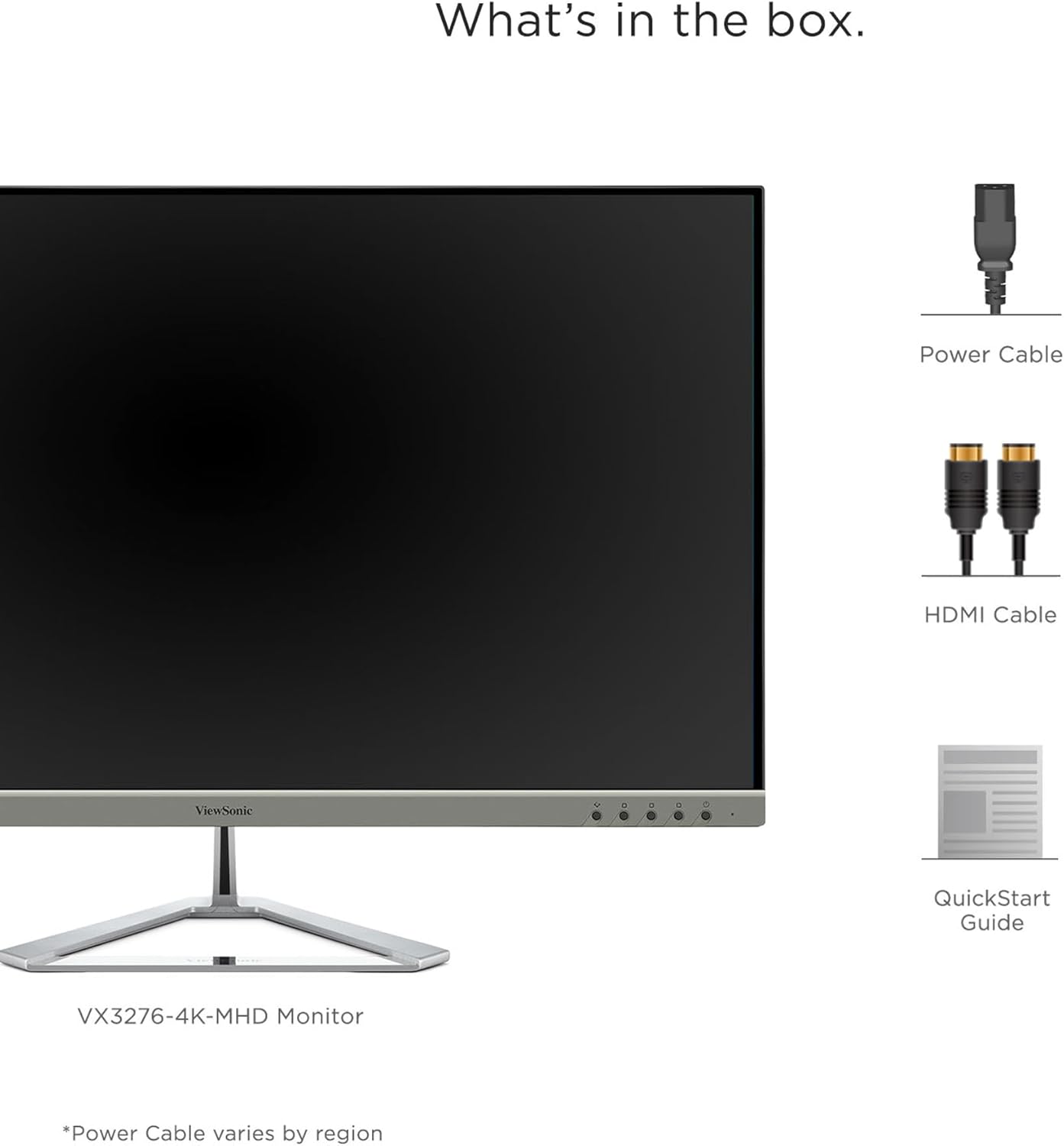
Image: A visual representation of the items included in the ViewSonic VX3276-4K-MHD monitor package.
4. Opstelling
4.1 Montering van die Staanplek
Carefully remove the monitor and stand components from the packaging. Attach the stand base to the stand neck, then secure the assembled stand to the back of the monitor. Ensure all screws are tightened appropriately.
4.2 Koppel die monitor
The VX3276-4K-MHD monitor offers versatile connectivity options. Connect your computer or other devices using the appropriate cables:
- HDMI: Use the provided HDMI cable to connect to your computer's HDMI port. The monitor features two HDMI 2.0 inputs.
- DisplayPort: Connect using a DisplayPort cable for high-resolution video and audio transmission.
- Mini DisplayPort: Use a Mini DisplayPort cable for compatible devices.
- Klankuitgang: Connect external speakers or headphones to the 3.5mm audio out jack.

Image: The back of the monitor displaying the various input ports, including HDMI, DisplayPort, Mini DisplayPort, and Audio Out, along with the integrated 2-Watt speakers.

Image: An illustration highlighting the versatile connectivity options of the monitor, including HDMI, DisplayPort, and Mini DisplayPort.
4.3 Kragverbinding
Connect the power cable to the monitor's AC input and then plug it into a grounded electrical outlet.
4.4 VESA-montering (opsioneel)
The monitor is VESA compatible (100x100mm) for wall mounting or use with compatible monitor arms. Ensure you use appropriate VESA-compliant mounting hardware (not included) and follow the mounting instructions provided with your VESA mount.

Image: The VESA compatible mounting points on the rear of the monitor, allowing for flexible installation options.
5. Bedryfsinstruksies
5.1 Aan-/afskakel
Press the power button located on the lower left side of the monitor to turn it on or off. The power LED will indicate the monitor's status.
5.2 Skermvertoning (OSD) Kieslys
Use the physical buttons on the back of the monitor to navigate and adjust settings within the On-Screen Display (OSD) menu. These buttons allow you to control various display parameters such as brightness, contrast, color settings, and input selection.
5.3 Geoptimaliseer View Instellings (ViewWyse)
The monitor features exclusive ViewMode presets to optimize screen performance for different applications. These presets include "Game," "Movie," "Web," "Text," and "Mono." Select the appropriate mode for your current activity to enhance your viewondervinding.

Image: An illustration demonstrating the different ViewMode settings (Game, Movie, Web, Text, Mono) that optimize the display for specific content.
5.4 Display Quality and HDR10 Support
Experience stunning 4K UHD (3840x2160p) resolution with the MVA panel technology, offering ultra-wide viewing angles and vibrant colors. HDR10 content support delivers a high dynamic range for deep contrast, rich color, and detailed visuals.

Image: A visual comparison highlighting the clarity and detail provided by the 4K Ultra HD resolution.

Image: A comparison demonstrating the superior contrast and vibrant colors achieved with HDR10 content support compared to conventional display.

Image: An illustration demonstrating the wide 178-degree viewing angles provided by MVA Panel Technology.
5.5 Verbeterde Viewing Comfort (Eye-Care)
The monitor incorporates Flicker-Free technology and a Blue Light Filter to reduce eye fatigue during prolonged use, promoting a more comfortable viewondervinding.

Image: A simulated comparison showing the benefits of Flicker-Free and Blue Light technology in reducing eye strain.
5.6 Geïntegreerde Luidsprekers
The monitor includes dual integrated 2-Watt speakers for audio output. You can also connect external audio devices via the Audio Out port.

Image: An illustration indicating the location and function of the dual integrated 2-Watt speakers on the monitor.
5.7 Multi-Tasking and Productivity
The large 32-inch screen and 4K resolution provide ample screen real estate for multi-tasking, allowing you to open multiple windows side-by-side for enhanced productivity.

Image: The monitor set up in a home office, demonstrating its capability to display multiple applications simultaneously for efficient multi-tasking.
6. Onderhoud
6.1 Skoonmaak van die skerm
Om die skerm skoon te maak, vee dit liggies af met 'n sagte, pluisvrye lap. Vir hardnekkige merke, vee dit liggies af.ampMaak die lap skoon met water of 'n sagte, nie-skurende skermreiniger. Moet nooit vloeistof direk op die skerm spuit nie.
6.2 Skoonmaak van die Casing
Gebruik 'n sagte, droë lap om die monitor skoon te maakasing. Avoid using strong detergents or abrasive cleaners, as they may damage the surface.
7. Probleemoplossing
7.1 Geen beeld op skerm nie
- Maak seker dat die kragkabel stewig aan beide die monitor en die kragaansluiting gekoppel is.
- Verify that the video cable (HDMI, DisplayPort, Mini DisplayPort) is firmly connected to both the monitor and your computer.
- Kontroleer of die korrekte invoerbron in die OSD-kieslys gekies is.
- Maak seker dat jou rekenaar aangeskakel is en nie in slaapmodus is nie.
7.2 Beeld is vaag of verwring
- Pas die skermresolusie op jou rekenaar aan na die monitor se oorspronklike resolusie (3840x2160).
- Kontroleer die videokabel vir enige skade of los verbindings.
- Stel die monitor terug na die fabrieksinstellings via die OSD-kieslys.
7.3 Geen klank van luidsprekers nie
- Ensure the volume on the monitor and your computer is not muted and is set to an audible level.
- Verify that the audio output is correctly configured on your computer to use the monitor's speakers.
- If using an external audio device, ensure it is properly connected to the Audio Out port.
8. Spesifikasies

Image: A diagram illustrating the physical dimensions of the ViewSonic VX3276-4K-MHD monitor, including screen size and overall measurements.
| Kenmerk | Detail |
|---|---|
| Handelsmerk | ViewSoniese |
| Modelnommer | VX3276-4K-MHD |
| Skerm grootte | 32 duim |
| Resolusie | 4K UHD (3840x2160p) |
| Aspekverhouding | 16:9 |
| Herlaaitempo | 60 Hz |
| Reaksie Tyd | 4 millisekondes |
| Tipe vertoon | LED LCD (MVA Panel Technology) |
| Helderheid | 300 cd/m2 |
| Kontrasverhouding | 2500:1 |
| Viewing Hoek | 178 grade |
| Konnektiwiteit | 2x HDMI, 1x DisplayPort, 1x Mini DisplayPort |
| Oudio | Dual Integrated 2W Speakers, 1x Audio Out |
| Spesiale kenmerke | HDR10 Support, Flicker-Free, Blue Light Filter, ViewMode Presets, Anti-Glare Screen, FreeSync |
| Montage tipe | VESA-versoenbaar (100x100mm) |
| Afmetings (D x B x H) | 9.1" D x 28.1" B x 19.9" H |
| Item gewig | 15 pond |
| Kragverbruik | 56 Watt |
9. Waarborg en ondersteuning
9.1 Waarborginligting
Die ViewSonic VX3276-4K-MHD monitor comes with a Three-year limited warranty on parts, labor, and backlightBewaar asseblief u bewys van aankoop vir waarborgeise.
9.2 Kliëntediens
Vir tegniese bystand, produkregistrasie of verdere inligting, besoek asseblief die amptelike ViewSoniese website or contact their customer support. Refer to the Quick Start Guide for specific contact details or scan the QR code on the back of your monitor for support resources.
Video: 'n Amptelike ViewSonic-videovertoningasing the features and design of the ViewSonic 32 Inch VX3276-4K-MHD Monitor. This video provides a general overview van die produk.