
1. Inleiding
Thank you for choosing the XIAOMI Mi Smart Bedside Lamp 2. This smart lamp offers versatile lighting options with 16 million colors, adjustable brightness, and smart control features. This manual provides essential information for setting up, operating, and maintaining your device to ensure optimal performance and longevity.

Figure 1: XIAOMI Mi Smart Bedside Lamp 2
Die Mi Smart Bedside Lamp 2 is designed to enhance your living space with customizable ambient lighting, controlled conveniently via touch, a dedicated mobile application, or voice commands through compatible smart home platforms.
2. Produk verbyview
2.1 Pakketinhoud
- XIAOMI Mi Slim Bedkassie Lamp 2
- Kragadapter
- Gebruikershandleiding
2.2 Lamp Kenmerke
- Raakbeheer: Intuitive touch panel on the lamp for power, brightness, and color adjustments.
- Slim toepassingbeheer: Full control and customization via the Mi Home App (available for iOS and Android).
- Stembeheer: Compatible with Apple HomeKit, Google Assistant, and Amazon Alexa for hands-free operation.
- Lewendige Beligting: Offers 16 million colors and adjustable brightness up to 400 lumens.
- Elegante ontwerp: Minimalist aesthetic suitable for various home decors.

Figure 2: Key lighting features of the Mi Smart Bedside Lamp 2
3. Opstelling
3.1 Aanvanklike Plasing en Kragaansluiting
- Plaas die lamp op 'n stabiele, plat oppervlak.
- Koppel die kragadapter aan die lampse kragtoevoerpoort.
- Plug the power adapter into a suitable electrical outlet. The lamp sal outomaties aanskakel.
3.2 Mi Home App Installation and Pairing
The Mi Home App is required for full smart functionality.
- Download the Mi Home App from the Apple App Store or Google Play Store.
- Open the Mi Home App and sign in or create a new account.
- Tik die "+"-ikoon in die regter boonste hoek om 'n nuwe toestel by te voeg.
- Select the "Mi Smart Bedside Lamp 2" from the list of available devices.
- Volg die instruksies op die skerm om die l te koppelamp to your 2.4 GHz Wi-Fi network. Let wel: Hierdie lamp requires a 2.4 GHz Wi-Fi network for initial setup and smart home integration. Ensure your router is configured to support this frequency.
- Once connected, you can rename the lamp and assign it to a specific room within the app.
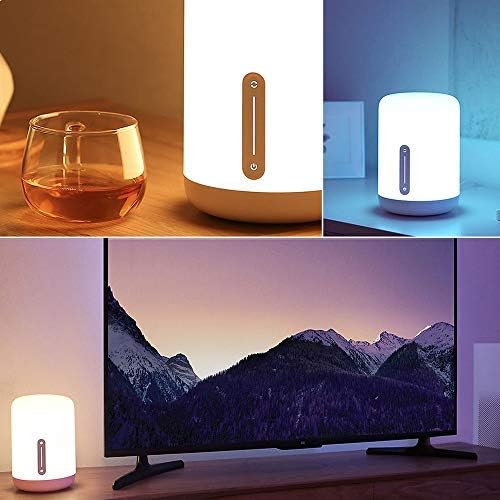
Figure 3: Controlling the lamp via the Mi Home App
3.3 Stemassistent-integrasie
To integrate with voice assistants, follow the instructions within their respective apps:
- Apple HomeKit: Open the Home app on your iOS device, tap "Add Accessory," and scan the HomeKit code (usually found on the lamp or its packaging).
- Google Assistent: In the Google Home app, go to "Set up device" > "Works with Google" and link your Mi Home account.
- Amazon Alexa: In the Alexa app, enable the "Mi Home" skill and link your Mi Home account.
4. Bedryfsinstruksies
4.1 Raak kontroles
Die lamp features an intuitive touch panel on its front surface:
- Kragknoppie: Druk een keer om die l te draaiamp aan of af.
- Helderheid-skuifbalk: Slide your finger up or down the vertical bar to adjust brightness.
- Color/Mode Button: Press and hold the power button, then slide your finger along the vertical bar to cycle through different colors or preset modes.
4.2 Mi Huis-appbeheer
The Mi Home App provides comprehensive control over your lamp:
- Krag aan/af: Wissel die lamp's power.
- Helderheid aanpassing: Precisely adjust the light intensity.
- Kleurkeuse: Choose from 16 million colors using a color wheel.
- Kleur temperatuur: Adjust the white light from warm to cool.
- Scenes and Presets: Select from various pre-programmed lighting scenes or create your own custom scenes.
- Schedules and Timers: Stel skedules vir die lamp to turn on/off or change modes automatically.
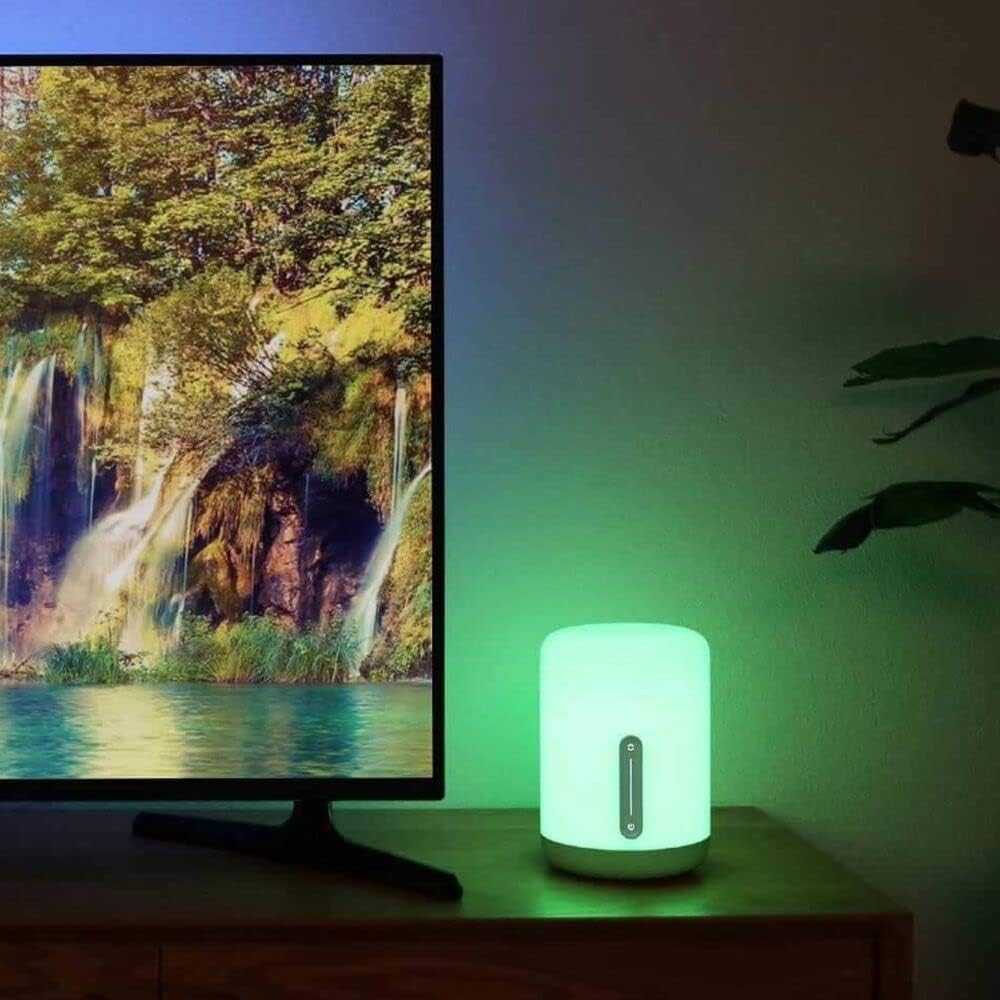
Figuur 4: Die lamp displaying various color options
4.3 Stembevele
Once integrated with a voice assistant, use commands such as:
- "Hey Google, turn on the bedside lamp."
- "Alexa, set the bedside lamp tot blou."
- "Siri, dim the bedside lamp tot 50%."
- "Hey Google, change the bedside lamp tot warm wit."
5. Onderhoud
To ensure the longevity and optimal performance of your XIAOMI Mi Smart Bedside Lamp 2, follow these maintenance guidelines:
- Skoonmaak: Ontkoppel die lamp van krag af voor skoonmaak. Gebruik 'n sagte, droë of effens droëamp cloth to wipe the surface. Avoid abrasive cleaners, solvents, or harsh chemicals that could damage the lampse afwerking.
- Plasing: Vermy die plasing van die lamp in direct sunlight, high humidity, or extreme temperatures. Keep it away from water and other liquids.
- Hantering: Hanteer die lamp with care. Do not drop it or subject it to strong impacts.
- Kragadapter: Use only the original power adapter provided with the lamp. Ensure the adapter is suitable for your region's electrical standards.
6. Probleemoplossing
As jy probleme met jou Mi Smart Bedside L ondervindamp 2, refer to the following common solutions:
| Kwessie | Moontlike oorsaak | Oplossing |
|---|---|---|
| Lamp skakel nie aan nie. | Geen kragverbinding nie. | Maak seker dat die kragadapter stewig in die l ingeprop isamp en 'n werkende elektriese aansluiting. |
| Cannot connect to Wi-Fi or Mi Home App. | Incorrect Wi-Fi frequency; poor signal; incorrect password. | Verify your Wi-Fi network is 2.4 GHz. Move the lamp closer to the router. Double-check your Wi-Fi password. Reset the lamp (refer to app for reset instructions, usually involves power cycling or holding a button). |
| Stembeheer werk nie. | Incorrect integration; lamp offline; incorrect commands. | Verseker die lamp is connected to the Mi Home App and the respective voice assistant (Apple HomeKit, Google Assistant, Alexa) is properly linked. Use correct voice commands. Check if the lamp is online in the Mi Home App. |
| Lamp is dim or not bright enough. | Helderheidinstelling is laag. | Adjust the brightness using the touch controls or the Mi Home App. The lamp het 'n maksimum helderheid van 400 lumen. |
| Power adapter appears non-standard for my region. | Regional power adapter incompatibility. | Ensure you are using the correct power adapter for your region. If an incorrect adapter was supplied, contact your retailer or XIAOMI support for a suitable replacement. Do not use incompatible adapters. |
7. Spesifikasies
Detailed technical specifications for the XIAOMI Mi Smart Bedside Lamp 2 (Model MUE4093GL):
| Kenmerk | Spesifikasie |
|---|---|
| Modelnommer | MUE4093GL |
| Afmetings (D x B x H) | 5.91" x 5.91" x 9.84" (15cm x 15cm x 25cm) |
| Item gewig | 2.2 pond (1 kg) |
| Materiaal | Plastiek |
| Helderheid | Tot 400 Lumens |
| Wattage | 9 Watt |
| Voltage | 12 Volt |
| Kragbron | Elektries met koord |
| Beheer metode | Touch, App (Mi Home), Voice (Apple HomeKit, Google Assistant, Alexa) |
| Konnektiwiteit | Bluetooth, Wi-Fi (2.4 GHz) |
| Kleur Opsies | 16 miljoen kleure |
| Binne/buiteluggebruik | Slegs binnenshuis |
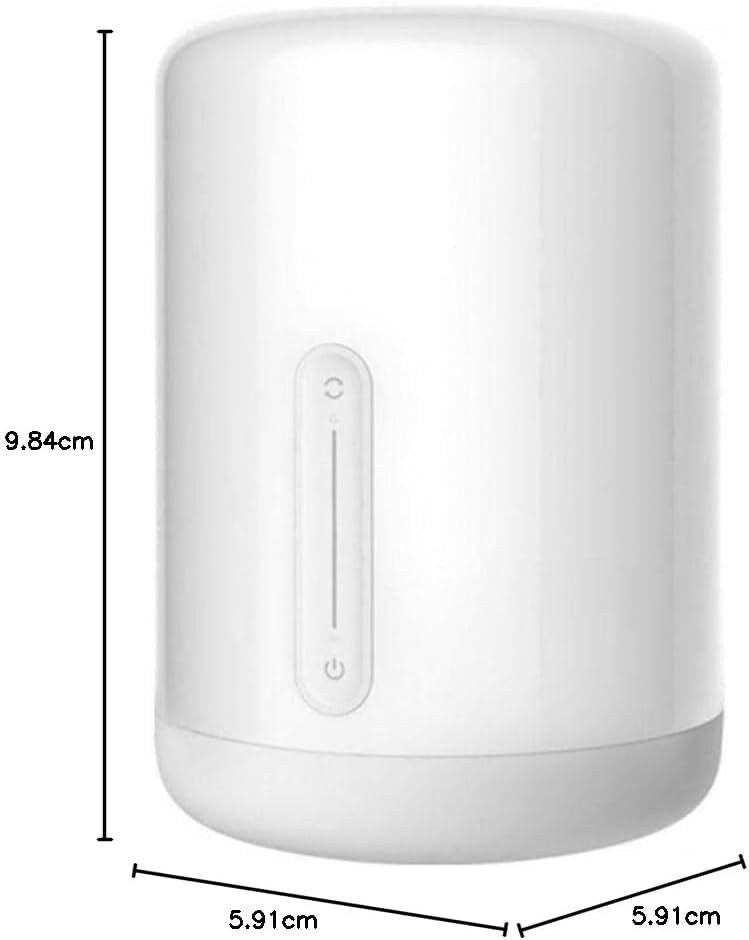
Figuur 5: Produkafmetings
8. Waarborg en Ondersteuning
For warranty information, please refer to the warranty card included with your product or visit the official XIAOMI website. If you require technical assistance or have questions not covered in this manual, please contact XIAOMI customer support through their official channels.
Jy kan meer inligting en ondersteuningsbronne vind op die amptelike XIAOMI Winkel.