
TensCare B07S75CTN3
TensCare Perfect TENS Pynhulpmiddel Gebruikershandleiding
Model: B07S75CTN3
1. Inleiding
The TensCare Perfect TENS Pain Aide is a Transcutaneous Electrical Nerve Stimulation (TENS) device designed to provide effective relief from various types of pain, including chronic, acute, and musculoskeletal conditions such as arthritis, back pain, hip pain, leg pain, arm pain, and sciatica. This manual provides essential information for the safe and effective use of your device.

Figuur 1: oorview of TENS technology benefits.
2. Belangrike veiligheidsinligting
Please read all instructions carefully before using the TensCare Perfect TENS Pain Aide. Failure to follow these instructions could result in injury or damage to the device.
2.1 Contraindications and Warnings
- Do not use this device near any metal implants. This is a critical safety warning. Consult your doctor if you have metal implants.
- Do not use if you have a pacemaker or any other implanted electronic device.
- Do not use if you are pregnant or suspect you might be pregnant, unless advised by a medical professional.
- Do not use on areas of skin that are broken, infected, or have rashes.
- Do not use over the eyes, across the front of the neck, or directly over the heart.
- Consult a medical professional before use if you have epilepsy, heart disease, cancer, or any other serious medical condition.
- Statements regarding dietary supplements have not been evaluated by the FDA and are not intended to diagnose, treat, cure, or prevent any disease or health condition. This device is not a dietary supplement.
2.2 Algemene Voorsorgmaatreëls
- Hou buite bereik van kinders.
- Moenie die toestel in water of ander vloeistowwe dompel nie.
- Moet nie gebruik terwyl jy bestuur of swaar masjinerie gebruik nie.
- Indien u enige ongemak of nadelige reaksies ervaar, staak gebruik onmiddellik en raadpleeg 'n mediese beroepspersoon.
3. Pakketinhoud
Your TensCare Perfect TENS Pain Aide package should include the following items:
- 1 x Perfect TENS unit
- 1 x Set of 4 electrode pads
- 2 x Lead wires
- 1 x Gebruikershandleiding
- 2 x AA -batterye (ingesluit)
- 1 x gordelklem
- 1 x Soft storage pouch
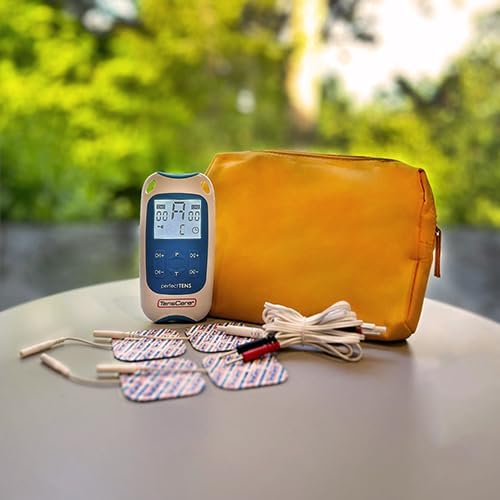
Figure 2: Contents of the Perfect TENS Pain Aide kit.
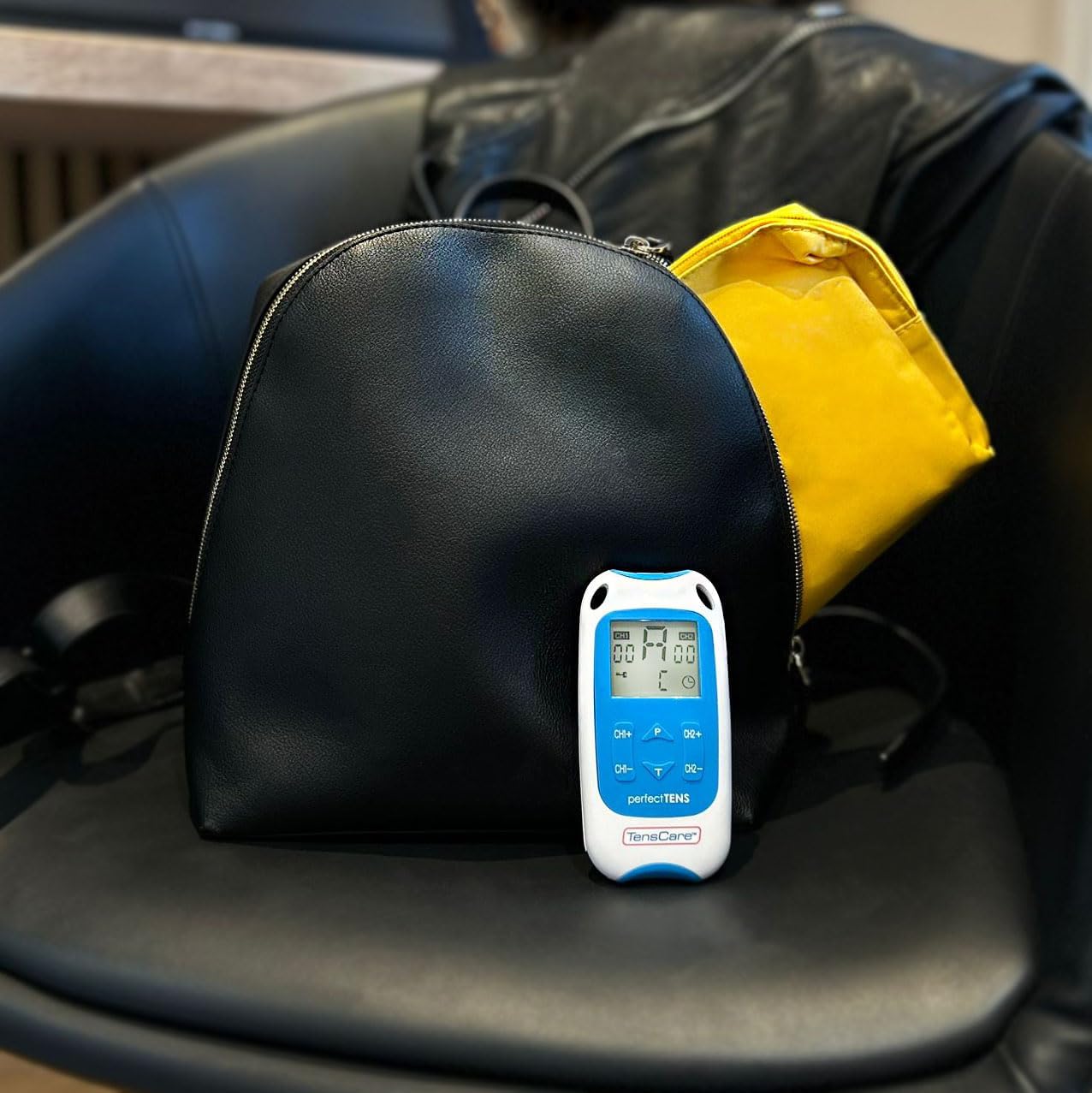
Figure 3: Perfect TENS unit with its soft storage pouch.
4. Produk verbyview
The TensCare Perfect TENS Pain Aide is a compact and lightweight device designed for ease of use and portability. It features a clear digital display and intuitive controls.
4.1 Toestelkomponente

Figuur 4: Voorkant view of the Perfect TENS unit.
- Digitale skerm: Shows program number, intensity levels for Channel 1 (CH1) and Channel 2 (CH2), and remaining treatment time.
- AAN/UIT-knoppie: Skakel die toestel aan of af.
- P Button (Program): Selects between the 8 preset programs and 1 manual program.
- T Button (Time): Adjusts the treatment duration.
- CH1+/CH1- Buttons: Increase or decrease intensity for Channel 1.
- CH2+/CH2- Buttons: Increase or decrease intensity for Channel 2.
- Lead Wire Ports: Located at the top of the device for connecting electrode leads.
- Battery kompartement: Geleë aan die agterkant van die toestel.
- Gordelklem: Attached to the back for convenient portability.
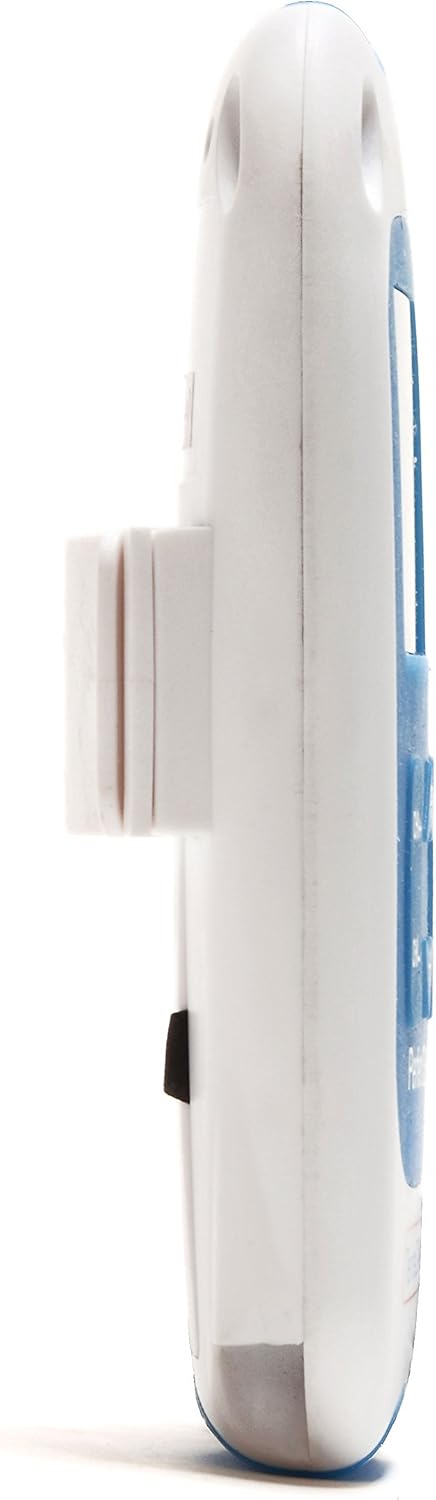
Figuur 5: Kant view showing the integrated belt clip.

Figuur 6: Terug view van die toestel.

Figure 7: The Perfect TENS unit held in hand, illustrating its portable design.
5. Opstelling
5.1 Battery installasie
- Maak die batterykompartement se deksel aan die agterkant van die toestel oop.
- Plaas die twee AA-batterye in en maak seker dat die polariteit (+/-) korrek is.
- Maak die batterykompartement se deksel stewig toe.
5.2 Connecting Lead Wires and Electrode Pads
- Insert the pin connectors of the lead wires into the ports at the top of the TENS unit.
- Koppel die ander kant van die leidingdrade aan die elektrodeblokkies. Verseker 'n veilige verbinding.
- Peel the electrode pads from their protective backing.
- Apply the electrode pads firmly to clean, dry skin over the area requiring treatment. Ensure the pads are not touching each other.
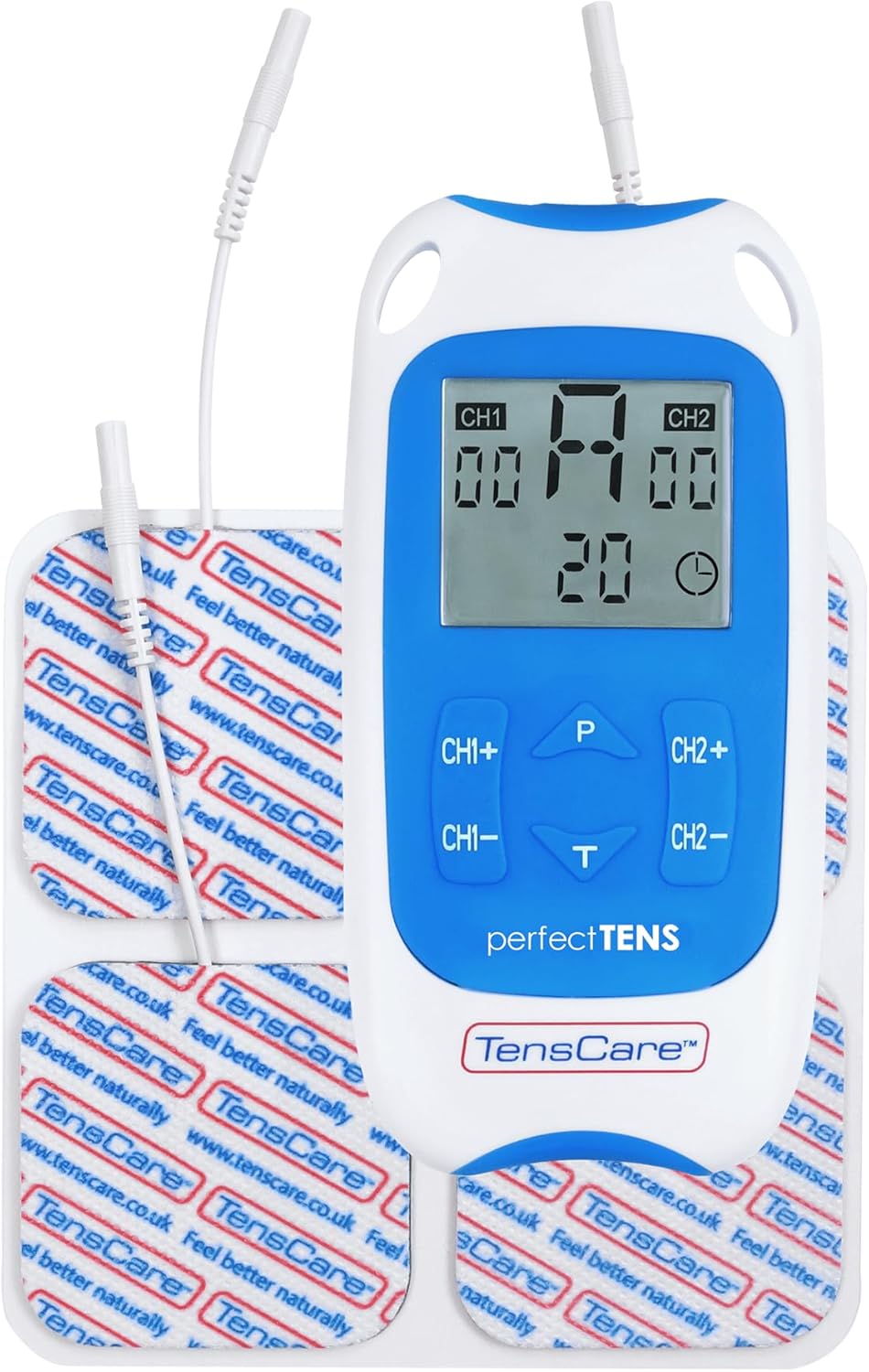
Figure 8: TENS unit with connected lead wires and electrode pads.
6. Bedryfsinstruksies
6.1 Aan- en afskakel
- Om aan te skakel: Druk die AAN/AF knoppie. Die skerm sal verlig.
- Om af te skakel: Druk en hou die AAN/AF knoppie totdat die skerm afskakel.
6.2 Die keuse van 'n program
The Perfect TENS offers 8 preset programs and 1 manual program. Press the P button to cycle through the available programs (P1-P8, then P9 for manual). The selected program number will be displayed.

Figure 9: The device features 9 programs for various pain relief needs.
6.3 Adjusting Intensity (Dual Channel)
The device features dual channels, allowing you to treat two different areas or use four pads for a larger area. Each channel's intensity can be adjusted independently.
- To increase intensity for Channel 1: Press the CH1+ knoppie.
- To decrease intensity for Channel 1: Press the CH1- knoppie.
- To increase intensity for Channel 2: Press the CH2+ knoppie.
- To decrease intensity for Channel 2: Press the CH2- knoppie.
- Adjust the intensity until you feel a strong, comfortable tingling sensation. Avoid increasing it to a painful level.

Figure 10: Dual-channel stimulation allows for treatment of multiple areas.

Figuur 11: Example of dual-channel electrode placement for back pain.
6.4 Setting Treatment Time
Druk die T button to adjust the treatment duration. Refer to the display for the selected time. Typical treatment sessions range from 20 to 60 minutes.

Figure 12: Personalized treatment options including adjustable intensity and time.
6.5 Understanding TENS Operation
TENS therapy works primarily through two mechanisms:
- Pain Gate Theory: High-frequency TENS stimulation activates nerve fibers that block pain signals from reaching the brain, effectively "closing the pain gate."
- Endorphin Release: Low-frequency TENS stimulation promotes the body's natural production of endorphins, which are natural pain-relieving chemicals.
Video 1: An animated explanation of how TENS therapy works, illustrating both the pain gate theory and endorphin release mechanisms.
6.6 Targeted Pain Relief Areas
The Perfect TENS is designed to provide relief for various pain types and body areas:
- Heuppyn
- Knie pyn
- Elmboog pyn
- Dental & Facial pain (TMJ)
- Back pain (Lumbago)
- Sciatica
- Migraine
- Artritis
- Plantar fasciitis
- Wrist pain (Carpal Tunnel Syndrome)

Figure 13: Target problem areas for TENS therapy.

Figure 14: Detailed list of pain types and body areas treatable with Perfect TENS.

Figure 15: The device is effective for acute, chronic, and musculoskeletal pain.
7. Onderhoud
7.1 Die skoonmaak van die toestel
- Vee die toestel af met 'n sagte, damp lap. Moenie skuur skoonmaakmiddels gebruik of in water dompel nie.
- Ensure the device is completely dry before storing.
7.2 Versorging van elektrodekussentjies
- After each use, reattach the electrode pads to their protective backing.
- If pads lose their stickiness, gently wipe the adhesive surface with a damp cloth and allow to air dry. Replace pads when they no longer adhere well to the skin, as this can affect treatment effectiveness and comfort.
- Store pads in a sealed bag to prevent drying out.
7.3 Batteryvervanging
- When the battery indicator on the display is low, replace both AA batteries.
- Always use new, high-quality AA batteries.
8. Probleemoplossing
| Probleem | Moontlike oorsaak | Oplossing |
|---|---|---|
| Geen sensasie of swak sensasie |
|
|
| Toestel skakel nie aan nie |
|
|
| Pads losing stickiness quickly |
|
|
9. Spesifikasies
- Model: Perfect TENS Pain Aide (B07S75CTN3)
- Vervaardiger: TensCare
- Kragbron: 2 x AA -batterye (ingesluit)
- Kanale: Dual independent channels
- Programme: 8 preset, 1 manual
- Intensiteitsvlakke: 60 vlakke
- Veiligheidskenmerk: Oopkringopsporing
- Afmetings: Ongeveer 7.95 x 5.98 x 1.61 duim
- Gewig: Approximately 11.57 ounces (with batteries)
- Eerste datum beskikbaar: 23 Mei 2019
10. Waarborg en Ondersteuning
For warranty information, technical support, or to purchase replacement parts (such as electrode pads or lead wires), please refer to the TensCare official webwebwerf of kontak hul kliëntediensafdeling. Bewaar u bewys van aankoop vir waarborgeise.
TensCare Contact Information: Please visit the official TensCare webwebwerf vir die mees onlangse kontakbesonderhede en ondersteuningsbronne.
Ask a question about this manual
Ask about setup, troubleshooting, compatibility, parts, safety, or missing instructions. Manuals+ will review the question and use this page’s manual context to help answer it.