
1. Inleiding
This manual provides detailed instructions for the installation, setup, and operation of your GONLEN WiFi Electric Garage Door Opener Controller. This device allows you to remotely control your garage door or gate using a smartphone application, voice commands via Amazon Alexa or Google Home, and integrate with IFTTT.
2. Veiligheidsinligting
- Ensure all power is disconnected from the garage door opener before beginning installation.
- This device is designed for use with garage door openers that have a low-voltage control input. Consult your garage door opener's manual for compatibility.
- The device requires a 2.4GHz Wi-Fi network. It is not compatible with 5GHz Wi-Fi networks.
- Keep the device and its components away from water and extreme temperatures.
- Installation should be performed by individuals familiar with basic electrical wiring and safety procedures.
3. Pakketinhoud
Verifieer dat alle items in jou pakket teenwoordig is:
- GONLEN WiFi Electric Garage Door Opener Controller
- Door Sensor (Magnetic Contact Sensor)
- Connection Wires (5 meters)
- Monteringsbykomstighede (skroewe, kleefblokkies)
- Kragadapter

Image 3.1: Contents of the GONLEN WiFi Electric Garage Door Opener Controller package, including the main controller unit, a magnetic door sensor, wiring, and a power adapter.
4. Produk verbyview
The GONLEN WiFi Electric Garage Door Opener Controller is a compact device designed to integrate with your existing garage door system. It features a main control unit and a magnetic sensor to detect the door's open/closed status.
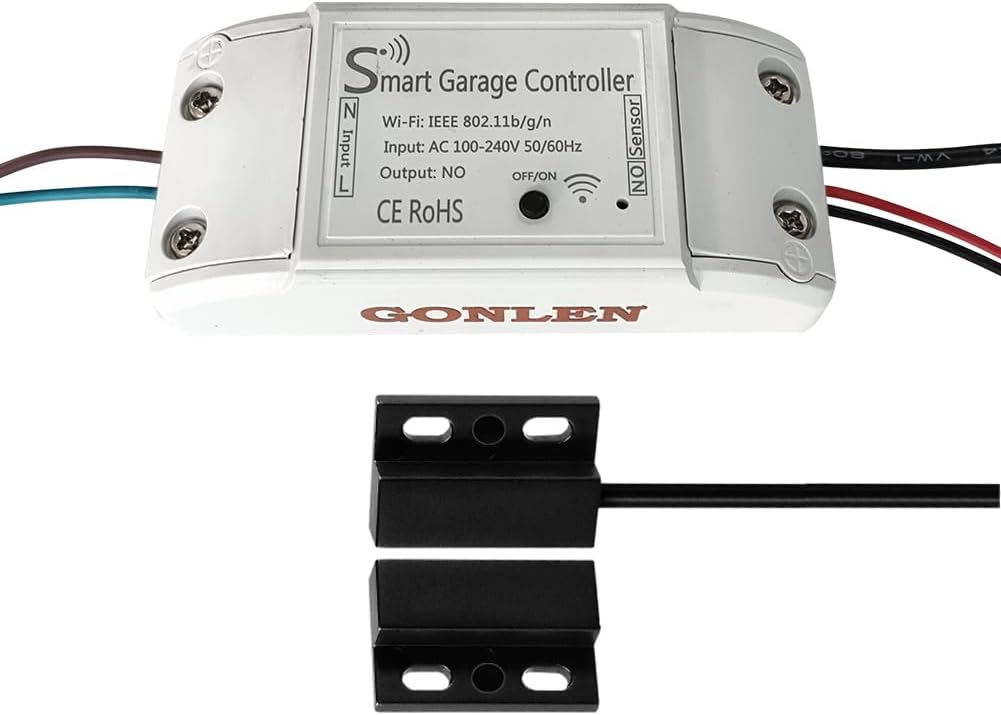
Image 4.1: The GONLEN WiFi Electric Garage Door Opener Controller unit and its accompanying magnetic sensor. The controller has input/output ports and Wi-Fi indicator.
5. Opstelling en installering
5.1 Voorinstallasiekontroles
- Maak seker dat jou Wi-Fi-netwerk 2.4GHz is. Die toestel ondersteun nie 5GHz Wi-Fi nie.
- Confirm your garage door opener has a low-voltage input for a wall button or similar control.
- Hou jou Wi-Fi-netwerknaam en wagwoord gereed.
5.2 Bedrading van die beheerder
- Ontkoppel krag: Turn off the power to your garage door opener at the circuit breaker.
- Connect to Opener: Connect the two output wires from the GONLEN controller to the terminals on your garage door opener that are typically used for the wall button. These are usually labeled 'Push Button', 'PB', 'Wall Control', or similar. The polarity typically does not matter for these terminals.
- Koppel sensor: Plug the magnetic door sensor cable into the 'NO Sensor' port on the GONLEN controller.
- Koppel krag: Plug the power adapter into the controller and then into a power outlet.
5.3 Installing the Door Sensor
The magnetic sensor consists of two parts: a main sensor unit and a magnet. These parts must be installed in close proximity to each other when the garage door is closed, and separate when the door is open.
- Mount the main sensor unit securely to the garage door frame or wall.
- Mount the magnet to the top panel of the garage door, directly adjacent to the main sensor unit when the door is closed. Ensure the gap between the sensor and magnet is minimal (typically less than 1 inch) when the door is closed.
- Use the provided screws or adhesive pads for secure mounting.

Image 5.1: A detailed wiring diagram showing how to connect the GONLEN controller to a garage door opener motor and how to install the magnetic sensor on the garage door and frame.
5.4 App-aflaai en toestelparing
- Laai die app af: Download the 'Smart Life' or 'Tuya Smart' app from the Apple App Store (iOS) or Google Play Store (Android).
- Registreer/Teken aan: Maak die toepassing oop en registreer vir 'n nuwe rekening of meld aan as jy reeds een het.
- Voeg toestel by: Tik die '+'-ikoon in die regter boonste hoek van die toepassing om 'n nuwe toestel by te voeg.
- Kies toesteltipe: Select 'Electrician' > 'Garage Door Opener' or 'Sensor' > 'Door Sensor (Wi-Fi)'.
- Voer Wi-Fi-besonderhede in: Follow the on-screen instructions to connect the device to your 2.4GHz Wi-Fi network. You may need to put the device into pairing mode (refer to the device's LED indicator for status).
- Hernoem toestel: Once paired, you can rename the device for easier identification (e.g., 'My Garage Door').
6. Operasie
6.1 Smartphone App Control
The Smart Life or Tuya Smart app provides comprehensive control over your garage door.
- Maak oop/toe: Tap the main button in the app to open or close your garage door. The app will display the current status (open or closed) based on the magnetic sensor.
- Skedule/Teller: Set schedules for automatic opening or closing at specific times (e.g., close at night).
- Aftelling: Use the countdown feature to automatically close the door after a set period.
- Operation Record: View a history of when the garage door was opened or closed.
- Kennisgewings: Receive real-time notifications when the garage door opens or closes.
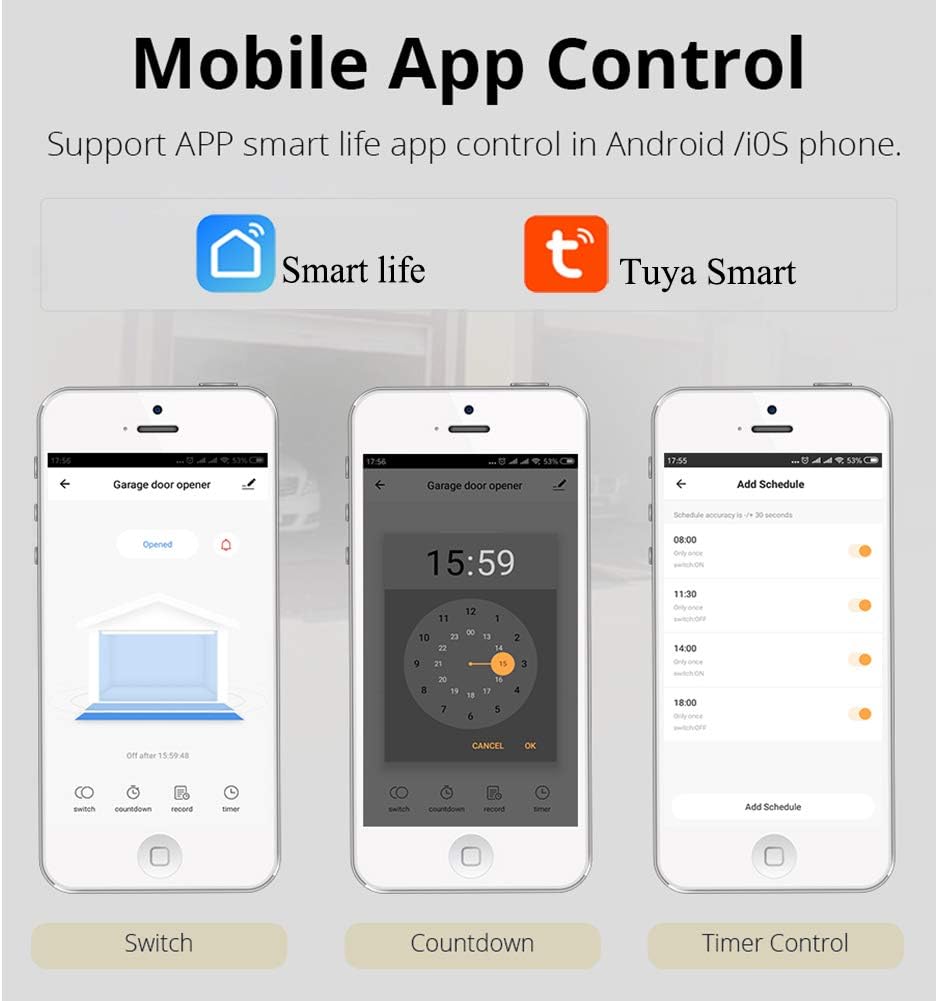
Image 6.1: Screenshots of the mobile application interface, demonstrating options for switching the garage door status, setting a countdown timer, and configuring scheduled operations.

Beeld 6.2: 'n Gedetailleerde view of the app's main control screen, highlighting buttons for ON/OFF switching, fast countdown, operation records, and single/repeat timers. It also shows options for renaming, sharing, and managing device settings.
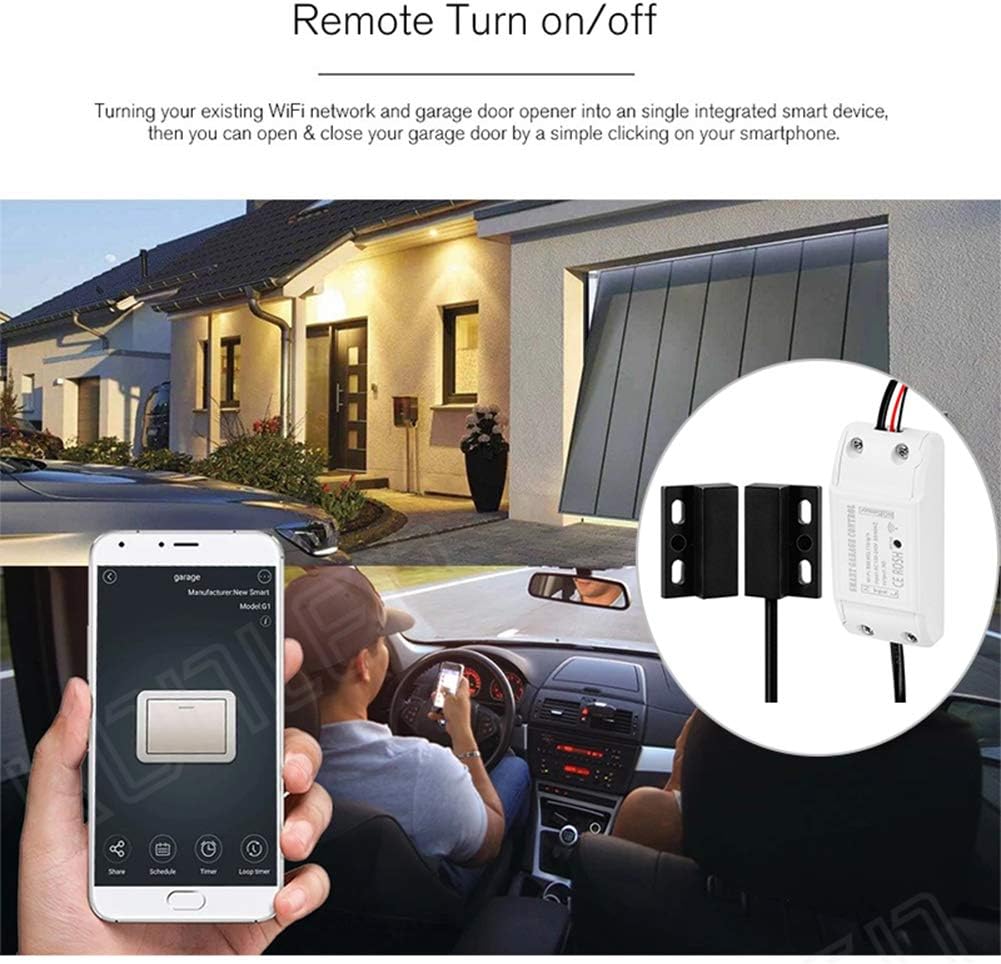
Image 6.3: An illustration depicting a user remotely opening or closing their garage door using a smartphone application, emphasizing the convenience of smart control.
6.2 Stembeheer
The GONLEN controller is compatible with Amazon Alexa and Google Home for hands-free operation.
- Koppel rekening: In your Alexa or Google Home app, enable the 'Smart Life' or 'Tuya Smart' skill/service and link your account.
- Ontdek toestelle: Vra Alexa of Google Home om nuwe toestelle te ontdek.
- Stembevele: Gebruik bevele soos:
"Alexa, maak die motorhuisdeur oop."
"Hey Google, close the garage door."

Image 6.4: Visual representation of voice commands for opening and closing a garage door using Amazon Alexa and Google Home devices.
6.3 Gesinsdeling
You can share control of your garage door with family members or trusted individuals through the Smart Life/Tuya Smart app. This allows multiple users to operate the device from their own smartphones.
6.4 Intydse monitering
The app provides real-time status updates of your garage door (open or closed) and sends notifications for any changes, ensuring you are always aware of its status.
Video 6.1: A demonstration of the GONLEN WiFi Electric Garage Door Opener Controller in action, showing how the magnetic sensor detects the door's status and how the smartphone app reflects these changes and allows for remote control.
7. Probleemoplossing
- Toestel koppel nie aan Wi-Fi nie: Ensure your Wi-Fi is 2.4GHz. Check Wi-Fi signal strength at the installation location. Restart your router and the device, then try pairing again.
- Garage door not responding: Verify that the controller's output wires are correctly connected to the garage door opener's wall button terminals. Ensure the garage door opener has power.
- Incorrect door status in app: Check the installation of the magnetic sensor. Ensure the two parts are aligned and close enough when the door is closed, and sufficiently separated when open.
- Stembeheer werk nie: Confirm that your Smart Life/Tuya Smart account is correctly linked to Alexa or Google Home. Ensure the device name used in voice commands matches the name in the app.
8. Spesifikasies
| Parameter | Waarde |
|---|---|
| Draadloos standaard | IEEE802.11b/g/n |
| Draadlose tipe | 2.4GHz (nie versoenbaar met 5GHz nie) |
| Invoer Voltage | AC 100-240V 50/60Hz |
| Uitset | Normally Open (NO) contact |
| Versoenbare app | Tuya Smart or Smart Life (Android & iOS) |
| Stembeheer | Amazon Alexa, Google Home |
| Verbindingsdraadlengte | 5 XNUMX meter |
| Werkstemperatuur | -10℃ ~ 50℃ |
9. Waarborg en Ondersteuning
Vir waarborginligting en tegniese ondersteuning, verwys asseblief na die vervaardiger se amptelike webwebwerf of kontak u kleinhandelaar. Bewaar u aankoopbewys vir waarborgeise.