
Inleiding
This manual provides detailed instructions for the Ctronics 1080P HDR WiFi Indoor Security Camera, model CTIPC-4C. It covers essential information for setting up, operating, maintaining, and troubleshooting your camera to ensure optimal performance for home surveillance. This camera features 1080P HDR video, 25 frames per second recording, advanced night vision, two-way audio, and intelligent motion and sound detection with a 355° pan and 50° tilt viewing hoek.
Wat is in die boks
Kontroleer asseblief die inhoud van die pakket om seker te maak dat alle items teenwoordig is:
- 1 x Ctronics Indoor Security Camera
- 1 x laaier
- 1 x handleiding
- 1 x Muurmontering
Opstelling
Follow these steps for a quick and easy setup of your Ctronics security camera:
- Download the CloudEdge App: Soek vir "CloudEdge" in your smartphone's app store (iOS or Android) and install it.
- Skakel die kamera aan: Connect the camera to the provided charger and plug it into a power outlet. The camera will power on and indicate its status.
- Connect to 2.4GHz WiFi & Scan QR Code: Open the CloudEdge app, create an account, and follow the in-app instructions to add your device. You will be prompted to connect the camera to your 2.4GHz WiFi network and scan a QR code displayed on your phone with the camera lens. A successful connection will be confirmed by an audible tone from the camera.

Image: Quick 3-step setup process for the Ctronics camera.
Bedryfsinstruksies
Video Quality and Frame Rate
The camera records in 1080P HDR (High-Dynamic Range) at 25 frames per second (fps). This ensures smoother video streaming and clearer details in both brightly lit and poorly illuminated areas.
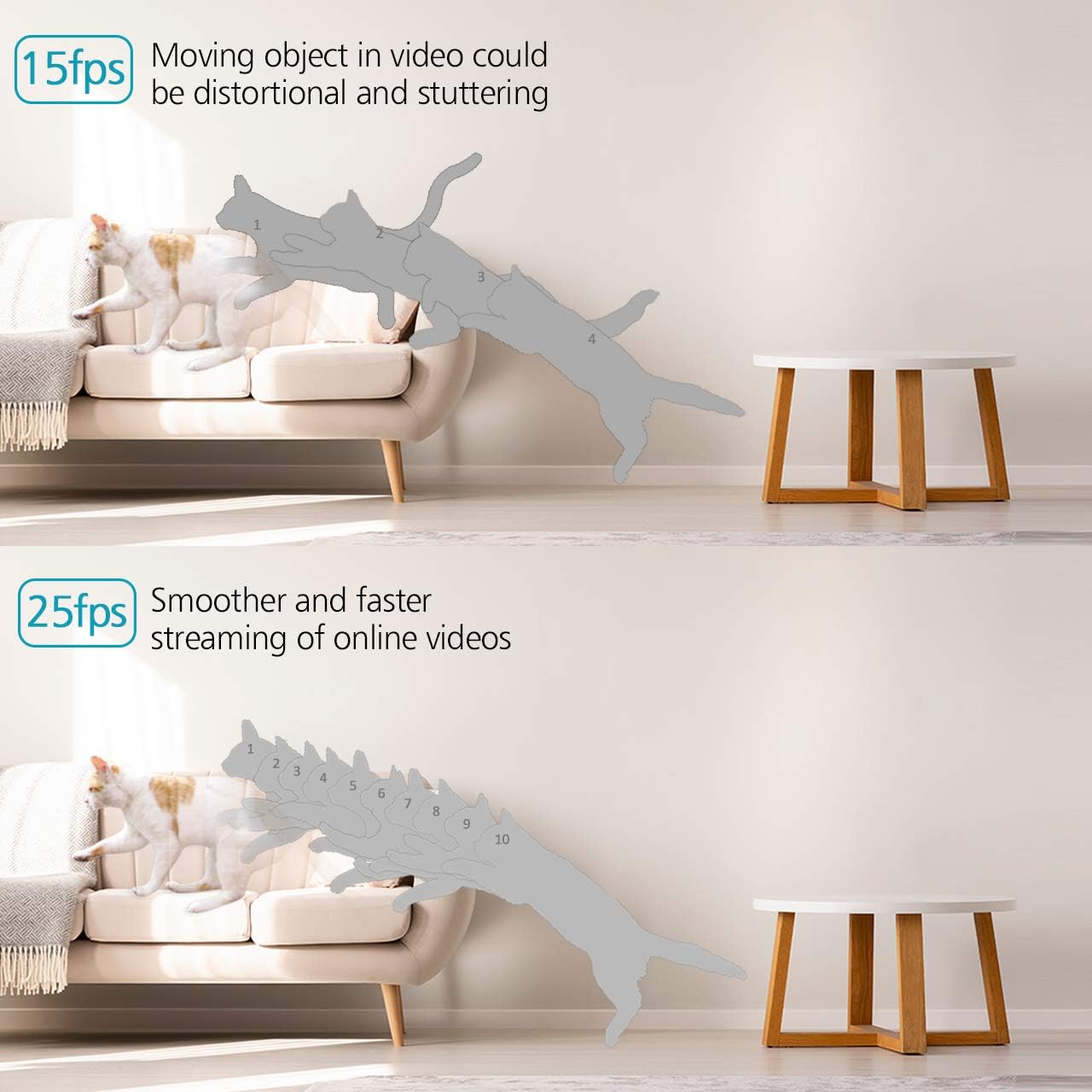
Image: Visual comparison of 15fps versus 25fps video quality, demonstrating smoother motion at 25fps.

Image: Demonstration of High-Dynamic Range (HDR) capability, capturing clear details in varied lighting conditions.
Pan, Tilt, and Digital Zoom
Beheer die kamera se viewing angle remotely via the CloudEdge app. The camera offers a 355° horizontal pan and a 50° vertical tilt, allowing you to monitor a wide area. The unique sound-free motor ensures quiet operation during movement. Digital zoom is also available for closer inspection.

Image: Illustrates the camera's pan (355°) and tilt (50°) capabilities for wider view dekking.
Tweerigting-klank
The camera is equipped with dual, noise-cancelling microphones for clear two-way communication. Use the app to speak through the camera and listen to audio from its surroundings.
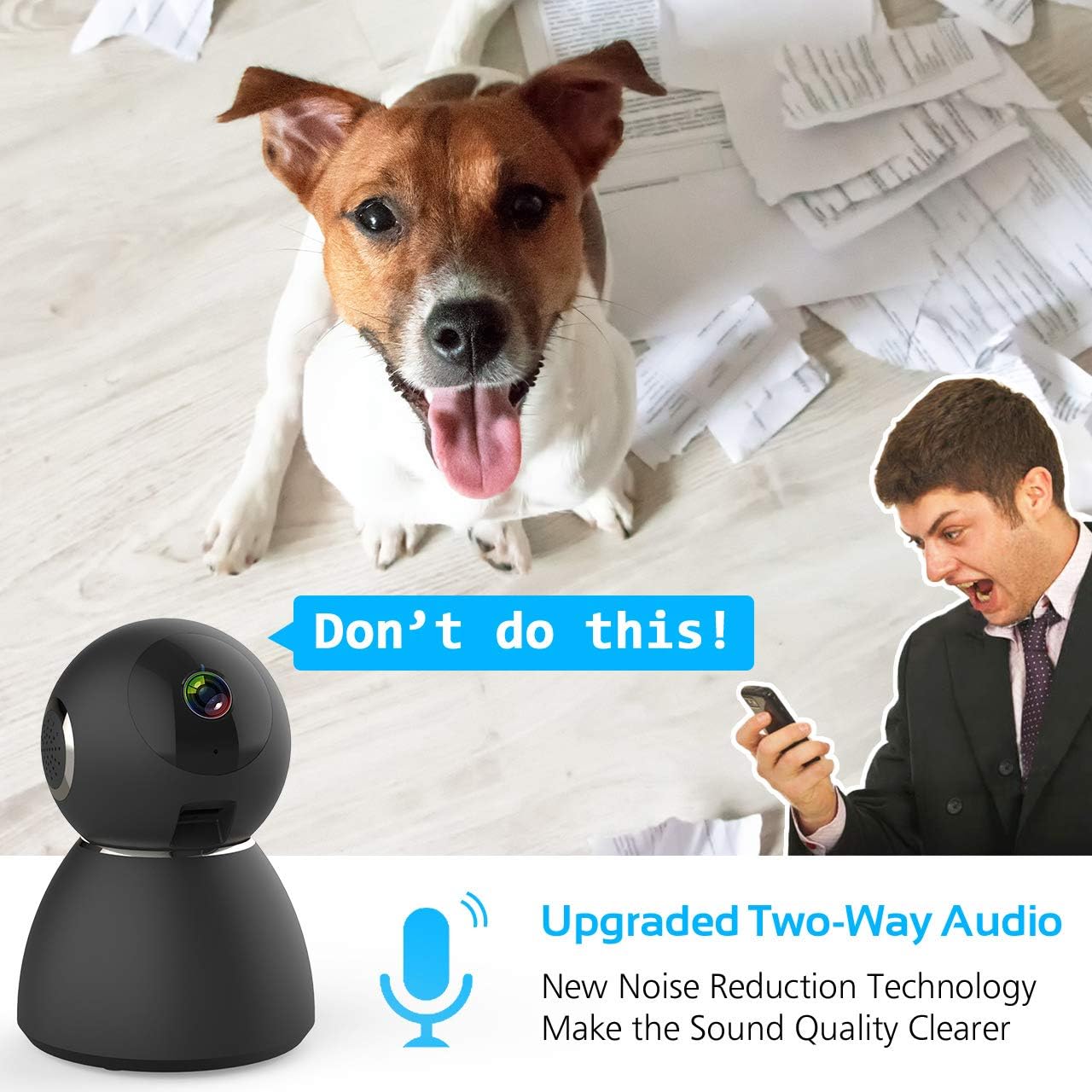
Image: Highlights the upgraded two-way audio feature with noise reduction technology.
Nagvisie
The camera features upgraded auto-IR night vision, providing clear visibility in pitch dark conditions up to 33 feet (10 meters). This ensures continuous surveillance even at night.

Image: Demonstrates the upgraded auto-IR night vision for clear viewin swak lig.

Image: Further illustration of the camera's advanced night vision capabilities.
Beweging- en klankopsporing
The camera intelligently analyzes sound and motion, sending instant push alerts to your smartphone. Adjustable sensitivity settings help reduce false notifications, making it ideal for home security, baby monitoring, or pet surveillance.

Image: Shows accurate motion and sound detection with instant push alerts to a smartphone.
Bergingsopsies
The camera supports local storage via a Micro SD card (up to 128GB, not included) for continuous recording or event-triggered recordings. Cloud storage is also available with a 7-day free trial.
App-afstandbeheer
The user-friendly CloudEdge app allows you to control all camera functions remotely, view regstreekse feeds, toegang tot opgeneemde footage, and receive alerts. You can also share camera access with up to 5 other users.
Onderhoud
To ensure the longevity and optimal performance of your Ctronics security camera, consider the following maintenance tips:
- Skoonmaak: Vee die kameralens en -liggaam liggies af met 'n sagte, droë lap om stof en vlekke te verwyder. Vermy die gebruik van harde chemikalieë of skuurmiddels.
- Firmware -opdaterings: Regularly check the CloudEdge app for available firmware updates. Keeping your camera's firmware up-to-date ensures you have the latest features and security enhancements.
- Kragtoevoer: Use only the provided charger and power adapter to prevent damage to the camera.
- Plasing: Maak seker dat die kamera op 'n stabiele plek geplaas is, weg van direkte sonlig, uiterste temperature en hoë humiditeit.
Probleemoplossing
If you encounter issues with your Ctronics security camera, refer to the following common solutions:
- Kamera koppel nie aan WiFi nie:
- Ensure your WiFi network is 2.4GHz. The camera does not support 5GHz WiFi.
- Kontroleer of die WiFi-wagwoord wat in die toepassing ingevoer is, korrek is.
- Place the camera closer to your WiFi router during setup.
- Reset the camera using the reset pin and try the setup process again.
- Swak videogehalte:
- Check your internet connection speed. A stable and fast connection is required for 1080P streaming.
- Maak seker dat die kameralens skoon en vry van obstruksies is.
- Adjust the video quality settings within the CloudEdge app if your network bandwidth is limited.
- No Motion/Sound Alerts:
- Verify that motion and sound detection are enabled in the CloudEdge app settings.
- Adjust the sensitivity levels for motion and sound detection.
- Check your phone's notification settings to ensure the CloudEdge app is permitted to send alerts.
- Tweerigting-oudio-kwessies:
- Ensure your phone's microphone is enabled for the CloudEdge app.
- Kontroleer die volume-instellings op beide jou foon en binne die toepassing.
- Avoid placing the camera and your phone too close to each other during two-way audio to prevent feedback.
For further assistance, please refer to the support section or contact Ctronics customer service.
Spesifikasies
| Kenmerk | Spesifikasie |
|---|---|
| Model Naam | CTSC-4C |
| Video-opname-resolusie | 1080p, 25 fps |
| Effektiewe video-resolusie | 8 MP |
| Raamtempo | 25 fps |
| Verbindingstegnologie | Draadloos (Wi-Fi) |
| Verbindingsprotokol | Wi-Fi |
| Draadlose kommunikasietegnologie | Wi-Fi |
| Kragbron | Battery Powered (Note: Product description indicates charger included, implying mains power with potential battery backup) |
| Wattage | 5 watt |
| Itemafmetings (L x B x H) | 4.6 x 3.4 x 3.4 duim |
| Vormfaktor | Koepel |
| Fokus Tipe | Outofokus |
| Zoem tipe | Digitale zoom |
| Lae lig tegnologie | Nag kleur |
| Ligbrontipe | Infrarooi |
| Alerttipe | Oudio en Beweging |
| Beheer metode | Toep |
| Spesifieke gebruike vir produk | Toesig |
| Ingesluit komponente | 1 x Charger, 1 x Ctronics Indoor Security Camera, 1 x Instruction, 1 x Wall Mount |
Waarborg en Ondersteuning
All Ctronics security cameras are covered by a 60-Day Money-Back Guarantee, a 2-Year Worry-Free Warranty, and Life-Time Technical Support.
For warranty claims, technical assistance, or any product-related inquiries, please contact Ctronics customer support through their official webwebwerf of die kontakinligting wat in u aankoopdokumentasie verskaf word.