
1. Inleiding
This manual provides essential information for the safe and efficient use of your TCL 32B400 32-inch HD LCD TV. Please read it thoroughly before operating the television and retain it for future reference.
The TCL 32B400 features a direct-lit LED backlight for uniform high brightness and image quality. Its VA panel technology delivers superior contrast, allowing for natural expression of subtle light and dark details. Equipped with a dual tuner, this TV supports terrestrial digital, BS digital, and 110-degree CS digital broadcasts, enabling simultaneous recording of one program while watching another. It supports various recording functions including instant, scheduled, daily/weekly repeat, and event recording. Connectivity options include two HDMI Ver1.4a input terminals (Port 1 supports ARC) and one USB2.0 input/output terminal, allowing connection to Blu-ray/DVD players/recorders and external speakers via ARC.

Figuur 1: Voorkant view of the TCL 32B400 TV.
2. Opstelling
2.1 Uitpak en Komponentkontrole
Verwyder alle komponente versigtig uit die verpakking. Maak seker dat alle items wat hieronder gelys word, teenwoordig is:
- Afstandsbediening x1
- AAA batterye x2
- miniB-CAS card x1
- Kragkabel x1
- Tip-over prevention parts set x1
- Staan x2
- Screws (ST4, 20mm) x4 (for 32-inch model)
- Instruksie handleiding
- Vinnige gids
- Waarborg kaart

Figure 2: Included accessories.
2.2 Staaninstallasie
- Plaas die TV-skerm met die skerm na onder op 'n sagte, plat oppervlak om skade te voorkom.
- Align the stands with the corresponding slots on the bottom of the TV.
- Secure each stand using the provided screws (ST4, 20mm).
2.3 Aansluitkabels
Connect the necessary cables to the appropriate ports on the TV. Refer to the connection diagram below.
- Kragkabel: Koppel die kragkabel aan die TV se kragtoevoer en dan aan 'n muursok.
- Antenna: Connect your terrestrial digital antenna cable to the 'Antenna Input' port. For BS/CS broadcasts, connect the satellite antenna cable to the 'BS/CS 110°' port.
- HDMI-toestelle: Connect external devices like Blu-ray players or game consoles to the HDMI input ports. HDMI Port 1 supports Audio Return Channel (ARC).
- USB-toestelle: Connect external USB storage devices for recording to the USB port.
- miniB-CAS Card: Insert the miniB-CAS card into its dedicated slot.

Figure 3: Connection terminals overview.
2.4 Aanvanklike opstelling
After connecting all cables and powering on the TV, follow the on-screen instructions to complete the initial setup, including channel tuning and network configuration (if applicable).
3. Bedryfsinstruksies
3.1 Basiese werking
- Krag aan/af: Druk die aan/uit-knoppie op die afstandbeheerder of die TV.
- Kanaalkeuse: Use the 'CH +/-' buttons or number buttons on the remote control.
- Volume aanpassing: Use the 'VOL +/-' buttons on the remote control.
- Invoerbron: Press the 'Input' button on the remote to select between HDMI, TV, and other connected sources.
3.2 Opnameprogramme
Your TCL 32B400 TV supports recording to an external USB Hard Disk Drive (HDD) thanks to its dual tuner. This allows you to record one program while watching another.
- Connect a compatible external USB HDD to the TV's USB port.
- Format the HDD if prompted by the TV.
- To record, select the desired program and use the recording options in the TV menu (e.g., instant recording, scheduled recording via EPG).

Figure 4: Dual tuner allows watching one program while recording another.
3.3 Beeld- en klankinstellings
Access the TV's menu to adjust picture (brightness, contrast, color, sharpness) and sound (bass, treble, balance, sound mode) settings to your preference.
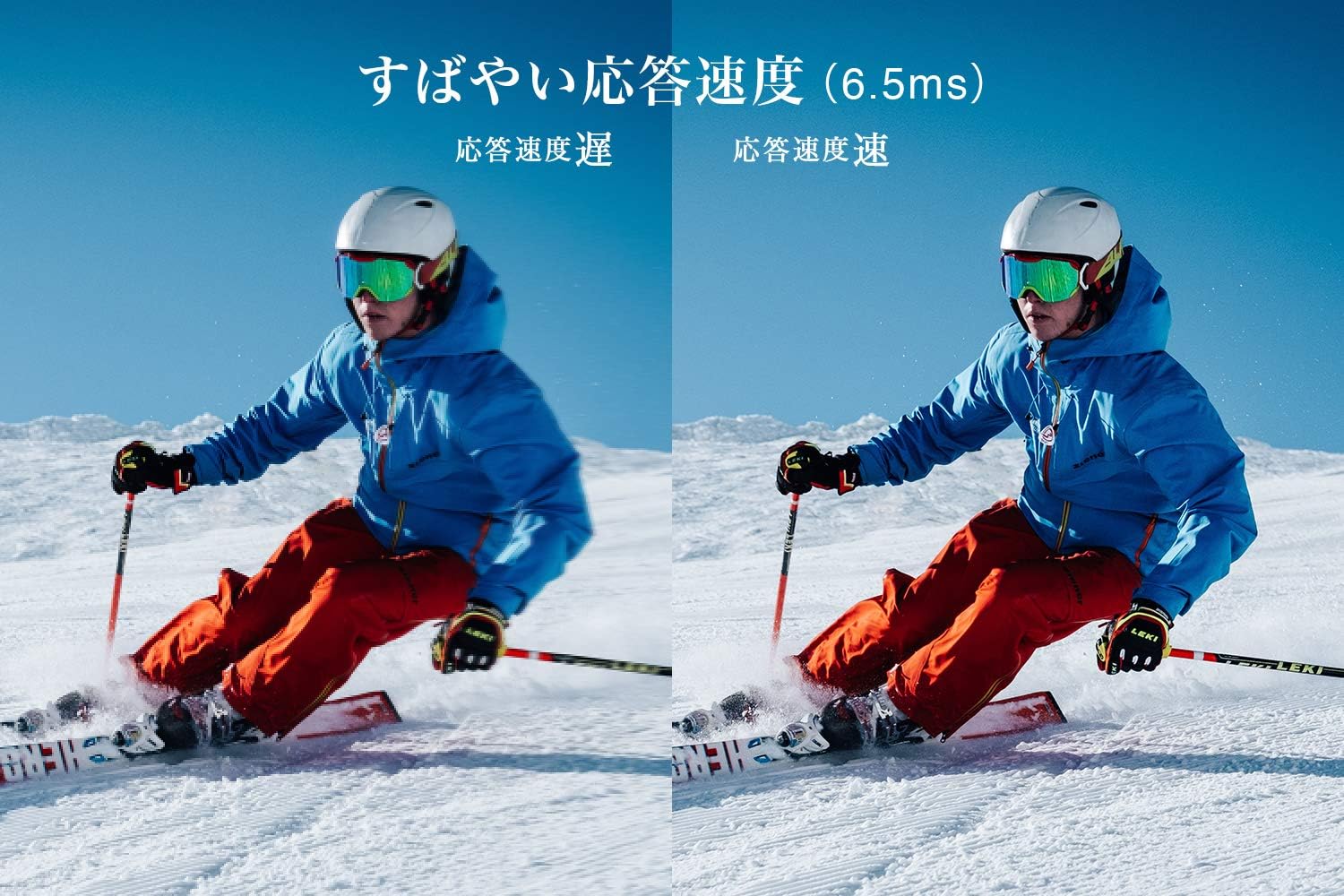
Figure 5: The TV features a fast response speed of 6.5ms for clear motion.
4. Onderhoud
4.1 Skoonmaak van die skerm
Vee die skerm liggies af met 'n sagte, droë, pluisvrye lap. Vir hardnekkige merke, vee liggiesampen the cloth with water or a specialized screen cleaner (ensure it's suitable for LCD screens) and wipe carefully. Avoid applying excessive pressure.
4.2 Skoonmaak van die TV-liggaam
Wipe the TV body with a soft, dry cloth. Do not use abrasive cleaners, waxes, or solvents as they can damage the finish.
4.3 Algemene sorg
- Vermy blootstelling van die TV aan direkte sonlig of uiterste temperature.
- Verseker voldoende ventilasie rondom die TV om oorverhitting te voorkom.
- Ontkoppel die TV van die kragtoevoer tydens weerligstorms of wanneer dit vir lang tye nie gebruik sal word nie.
5. Probleemoplossing
If you encounter issues with your TV, refer to the following common troubleshooting steps. If the problem persists, contact customer support.
5.1 Geen krag
- Check if the power cord is securely connected to both the TV and the wall outlet.
- Verifieer dat die muursok werk deur 'n ander toestel in te prop.
- Druk die aan/af-knoppie op die TV self, nie net die afstandbeheerder nie.
5.2 No Picture/No Signal
- Maak seker dat die korrekte invoerbron gekies is (bv. HDMI 1, TV).
- Kontroleer alle kabelverbindings (HDMI, antenna) vir losheid of skade.
- Indien u 'n eksterne toestel gebruik, maak seker dat dit aangeskakel is en korrek funksioneer.
- Perform a channel scan if you are watching broadcast TV.
5.3 Geen klank nie
- Kontroleer die volumevlak en maak seker dat die TV nie gedemp is nie.
- Indien eksterne luidsprekers gebruik word, maak seker dat hulle behoorlik gekoppel en aangeskakel is.
- Gaan die klankinstellings in die TV-kieslys na.
5.4 Afstandbeheerder werk nie
- Vervang die batterye met nuwes.
- Maak seker dat daar geen obstruksies tussen die afstandbeheerder en die TV se IR-sensor is nie.
6. Spesifikasies
| Kenmerk | Spesifikasie |
|---|---|
| Vertoon grootte | 32 duim |
| Vertoon tegnologie | LCD |
| Resolusie | HD (1366 x 768) |
| Herlaaitempo | 60 Hz |
| Aspekverhouding | 16:9 |
| Kontrasverhouding | 3000:1 |
| Viewing Hoek | 178/178 degrees (JEITA standard, CR>=10) |
| Tipe agtergrondlig | Direkte verligte LED |
| Reaksiespoed | 6.5 ms |
| Afmetings (met staander) | B731 x H491 x D186 mm |
| Afmetings (sonder staander) | B731 x H436 x D76 mm |
| Gewig (met staander) | 4.4 kg |
| Gewig (sonder staander) | 4.3 kg |
| Wall Mount (VESA) | 100x100 mm |
| Jaarlikse kragverbruik | 45 kWh/jaar |
| HDMI-poorte | 2 (HDMI Ver1.4a, Port 1 supports ARC) |
| USB-poorte | 1 (USB2.0) |
| Tuner Tipe | Terrestrial Digital, BS Digital, 110-degree CS Digital (Dual Tuner) |
| Modeljaar | 2019 |

Figure 6: TV dimensions and recommended viewing afstand.

Figure 7: VA panel technology provides superior contrast and depth.
7. Waarborg en Ondersteuning
7.1 Vervaardiger se waarborg
This product comes with a 1-year manufacturer's warranty from the date of purchase. Please retain your proof of purchase for warranty claims.
7.2 Kliëntediens
For any inquiries, technical assistance, or repair requests, please contact TCL customer support. Our dedicated Japanese staff are available to assist you.
- Telefoon: 0120-955-517
- Bedryfsure: 9:00 - 18:00 (Weekdays and Holidays, excluding year-end and New Year holidays)
- Webwebwerf: https://www.tcl.com/jp/ja/services.html
Nationwide repair service is available.
Figure 8: TCL Customer Support details.