
Inleiding
The Baratza Virtuoso+ is a high-performance conical burr coffee grinder designed for consistent and precise grinding. This manual provides essential information for the proper setup, operation, maintenance, and troubleshooting of your grinder.
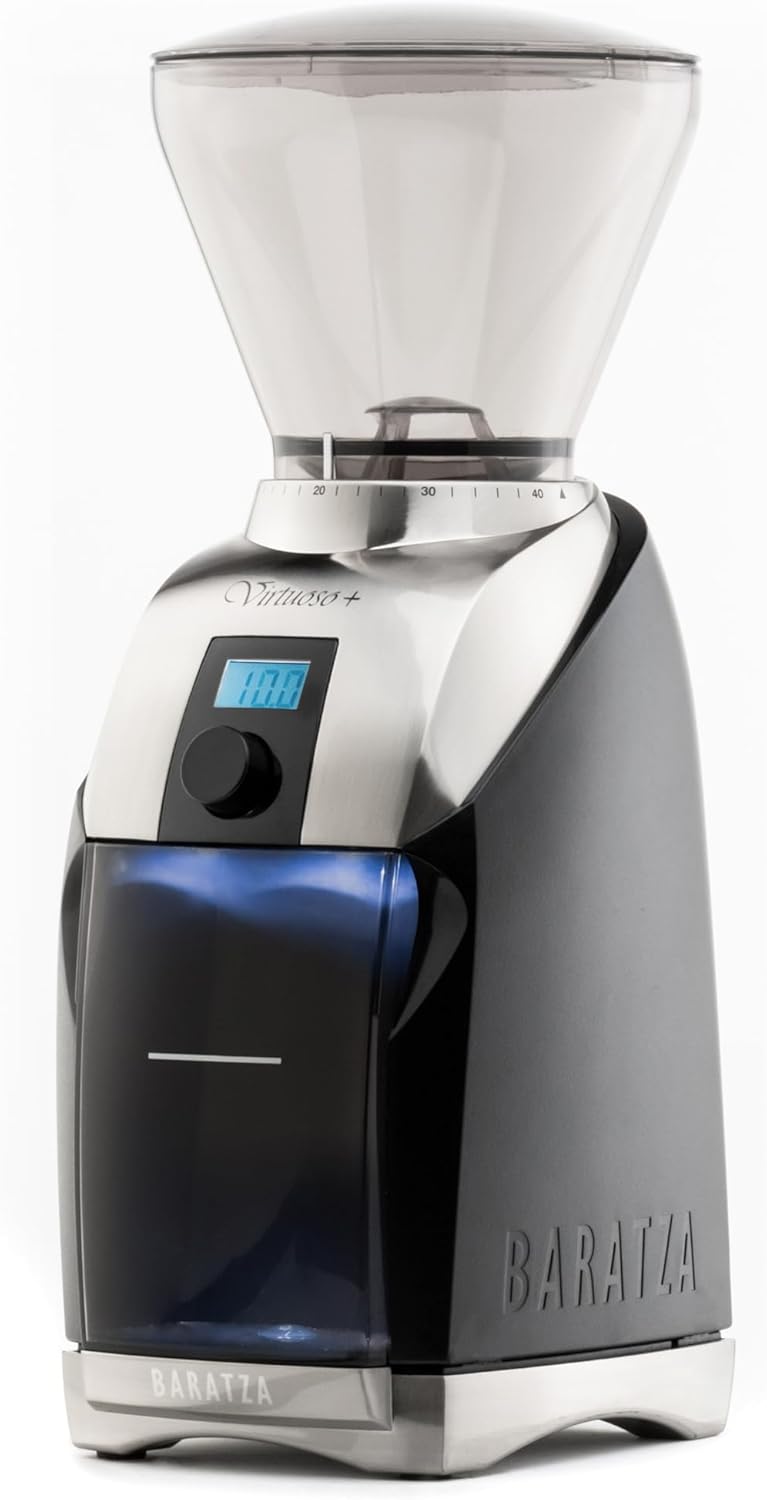
Figuur 1: Voorkant view of the Baratza Virtuoso+ Coffee Grinder.
Sleutel kenmerke:
- Commercial-Grade Conical Burrs: Equipped with 40mm M2 hardened steel conical burrs for consistent grind quality.
- 40 Grind Settings: Offers a wide range of grind sizes suitable for various brewing methods, from espresso to French Press.
- Digitale timer: A 40-second digital timer, adjustable to a tenth of a second, for precise dosing.
- LED Backlit Grounds Bin: Illuminates the grounds bin for clear visibility during grinding.
- Duursame konstruksie: Features a sculptured metal top and base for enhanced stability and longevity.

Figuur 2: oorview of key features including No Load Burr Speed (550 RPM), Dosing Timer (0.1 sec resolution), Burrs (40mm Conical Steel M2), and Bean Hopper Capacity (300g/10.6oz).
Opstelling
- Uitpak: Verwyder alle komponente versigtig uit die verpakking. Bewaar die verpakking vir toekomstige vervoer of berging.
- Plasing: Place the grinder on a stable, level surface. Ensure adequate clearance around the unit for ventilation and operation.
- Hopper installasie: Align the bean hopper with the top of the grinder and twist clockwise until it locks into place. Ensure the hopper is securely seated.
- Grondhouer: Insert the grounds bin into its designated slot at the front of the grinder.
- Kragverbinding: Steek die kragkabel in 'n geaarde elektriese aansluiting.
Bedryfsinstruksies
1. Filling the Hopper
Open the hopper lid and pour whole coffee beans into the hopper. Replace the lid securely.
2. Kies Maalinstelling
The Virtuoso+ offers 40 distinct grind settings. To adjust, rotate the bean hopper to align the desired number with the indicator mark on the grinder body. Lower numbers correspond to finer grinds (e.g., espresso), while higher numbers correspond to coarser grinds (e.g., French Press).

Figure 3: The grind adjustment collar with 40 settings, allowing selection from fine to coarse.
3. Stel die digitale timer in
The digital timer allows for precise dosing. Use the control knob on the front panel to set the desired grinding time, adjustable in 0.1-second increments, up to 40 seconds. The display will show the selected time.
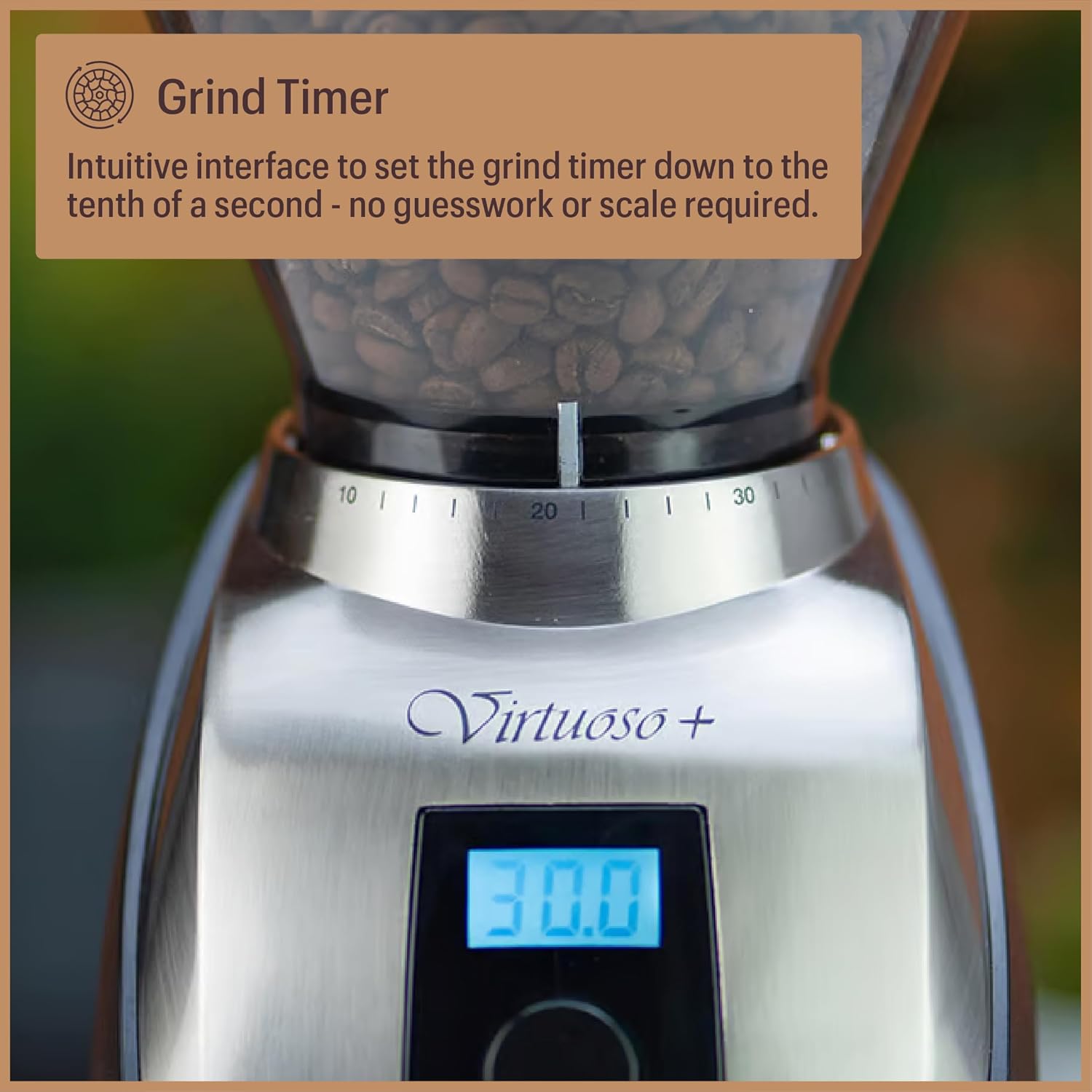
Figure 4: The digital timer display and control knob for setting precise grinding duration.
4. Koffie maal
With the grind setting and timer configured, press the start button. The grinder will operate for the set duration, and the LED-backlit grounds bin will illuminate, allowing you to observe the grinding process. Once complete, remove the grounds bin.
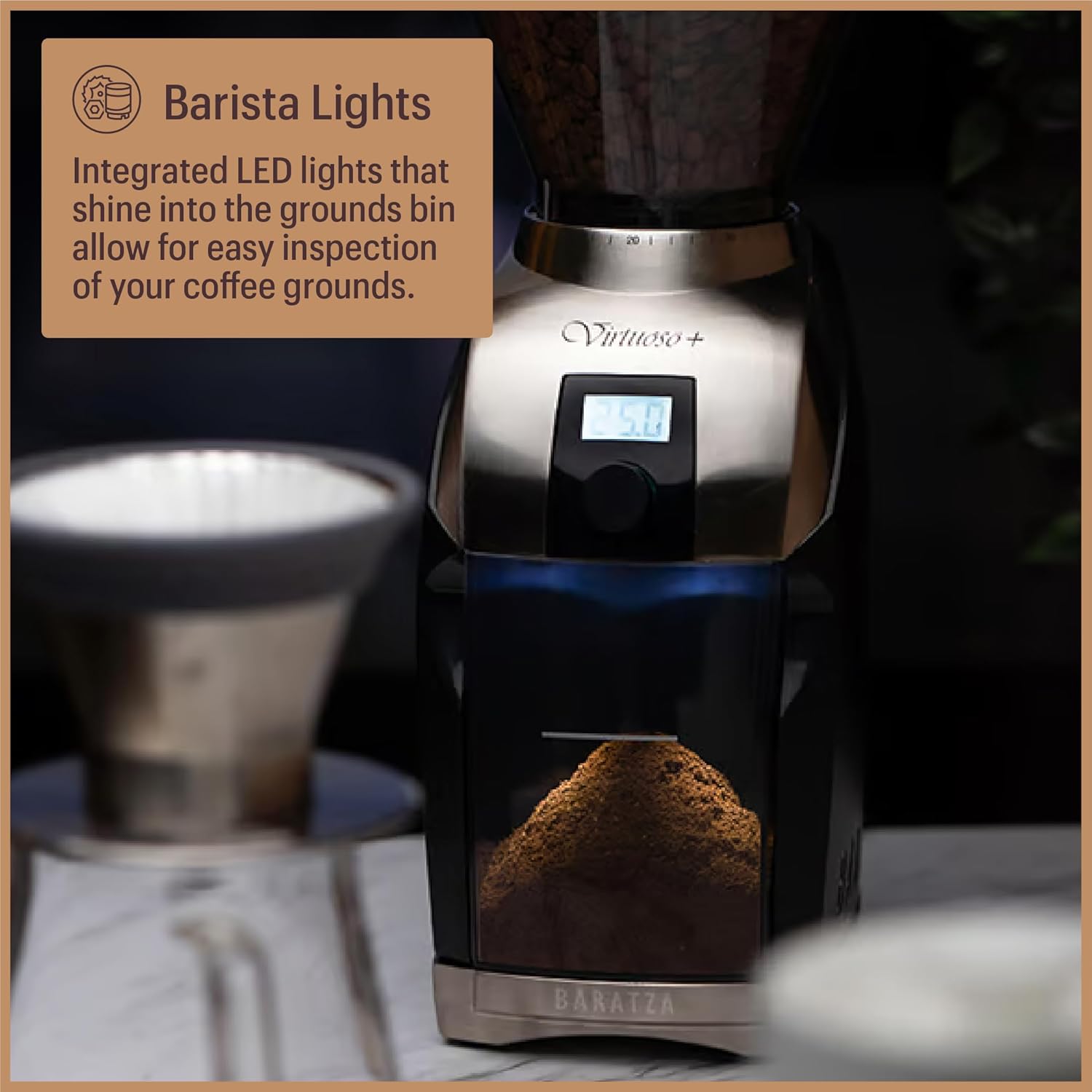
Figure 5: The Baratza Virtuoso+ in operation, showing coffee grounds collecting in the illuminated bin.
Maalinstellingsgids
The Virtuoso+ offers a versatile grind range. Here are general recommendations for various brewing methods:
| Broumetode | Recommended Grind Setting (Approx.) | Beskrywing |
|---|---|---|
| Espresso | 8-12 | Very fine, like powdered sugar. |
| Aeropress | 12-18 | Fine to medium-fine, like table salt. |
| Hario V60 / Chemex | 18-24 | Medium, like regular sand. |
| Automatic Drip | 20-28 | Medium to medium-coarse. |
| Franse pers | 28-38 | Coarse, like sea salt. |
Note: These are starting points. Adjust the grind setting based on your specific coffee beans, brewing equipment, and personal taste preferences.

Figure 6: The 40mm M2 conical burrs, engineered for consistent and precise grinding.
Onderhoud en Skoonmaak
Gereelde skoonmaak verseker optimale werkverrigting en verleng die lewensduur van jou slypmasjien.
Daaglikse skoonmaak:
- Maak die grofvuilhouer leeg en vee dit af met 'n droë lap.
- Brush any loose coffee grounds from the grinding chute and around the burrs.
Weeklikse skoonmaak:
- Trek die slypmasjien uit die kragaansluiting.
- Remove the bean hopper by twisting it counter-clockwise.
- Carefully lift out the top burr. Use the provided brush to clean both the top and lower burrs.
- Clean the grinding chamber thoroughly with the brush.
- Reassemble the burrs and hopper, ensuring they are securely in place.
Probleemoplossing
- Grinder not turning on: Ensure the power cord is securely plugged into a working outlet. Check if the hopper is correctly seated and locked.
- Inkonsekwente slyp: Verify that the burrs are clean and free of obstructions. Ensure the grind setting is appropriate for your desired brew method.
- Grinder jams: This can occur with very oily beans or if the grind setting is too fine. Try a coarser setting or clean the burrs.
- Oormatige geraas: A certain level of noise is normal during operation. If the noise is unusual or excessive, check for foreign objects in the burr chamber.
For further assistance, please refer to the official Baratza support resources or contact customer service.
Spesifikasies
| Kenmerk | Detail |
|---|---|
| Modelnommer | Virtuoso+ (ZCG587BLK) |
| Handelsmerk | Baratza |
| Tipe braam | 40mm Conical Steel M2 |
| Maal instellings | 40 |
| Hopper kapasiteit | 230 Grams (approx. 10.6 oz) |
| Produk afmetings | 5.12 cm L x 5.91 cm B x 13.39 cm H |
| Item gewig | 6.88 pond |
| Voltage | 230 Volt |
| UPC | 838823005878 |

Figure 7: Product dimensions of the Baratza Virtuoso+ Coffee Grinder.
Waarborg en Ondersteuning
The Baratza Virtuoso+ is backed by a 1-year warranty. For warranty claims, technical support, or additional information, please visit the official Baratza webwebwerf of kontak hul kliëntediensspan.
Jy kan meer inligting en ondersteuning vind by die Baratza Store on Amazon.