
1. Inleiding
Thank you for choosing the Hoco ES24 Wireless Sound Earphones. This manual provides detailed instructions on how to set up, operate, and maintain your earphones. Please read this manual carefully before use to ensure optimal performance and longevity of your device.
2. Pakketinhoud
Maak seker dat al die items wat hieronder gelys word, in jou pakket teenwoordig is:
- Hoco ES24 Wireless Earphones (Left and Right)
- Laaikas
- USB-laaikabel
- Verskeie groottes oordoppe (S, M, L)
- Gebruikershandleiding

Image: The Hoco ES24 earphones, charging case, USB cable, and various ear tip sizes included in the package.
3. Produk verbyview
The Hoco ES24 earphones are designed for comfortable, wireless audio experience. They come with a compact charging case that not only protects the earphones but also recharges them on the go.

Image: The Hoco ES24 earphones resting inside their open charging case, showcasing hul kompakte ontwerp.
4. Opstelling
4.1 Aanvanklike laai
- Laai die oorfone en die laaikas volledig voor die eerste gebruik.
- Plaas albei oorfone in die laaikas.
- Connect the USB charging cable to the charging port on the case and a power source (e.g., USB wall adapter, computer USB port).
- The LED indicator on the charging case will show the charging status. A full charge typically takes about 1 hour for fast charging.

Image: The Hoco ES24 charging case displaying the battery percentage via an LED screen, indicating charging status and capacity.
5. Bedryfsinstruksies
5.1 Aan-/afskakel
- Krag aan: Open the charging case, and the earphones will automatically power on. Alternatively, press and hold the touch control area on both earphones for 3 seconds.
- Skakel af: Place the earphones back into the charging case and close the lid. They will automatically power off and begin charging. Alternatively, press and hold the touch control area on both earphones for 5 seconds.
5.2 Bluetooth -koppeling
- Eerste keer saamparing:
a. Ensure the earphones are charged.
b. Open the charging case. The earphones will automatically enter pairing mode, indicated by a flashing LED light on one of the earbuds.
c. On your device (smartphone, tablet, etc.), enable Bluetooth and search for available devices.
d. Select "Hoco ES24" from the list of devices. Once connected, the LED indicator on the earphone will stop flashing. - Opvolgende paring:
Once paired, the earphones will automatically connect to the last paired device when taken out of the charging case, provided Bluetooth is enabled on your device.
5.3 Raak kontroles
The Hoco ES24 earphones feature touch-sensitive controls for easy management of music and calls.
- Speel/pouse: Enkeltik op enige oorfone.
- Volgende snit: Dubbeltik op die regter oorfone.
- Vorige snit: Dubbeltik op die linker oorfone.
- Beantwoord/beëindig oproep: Single tap on either earphone during an incoming call or active call.
- Verwerp oproep: Druk en hou enige oorfone vir 2 sekondes in tydens 'n inkomende oproep.
- Aktiveer stemassistent: Tik drie keer op enige oorfone.

Image: A user wearing the Hoco ES24 earphones, illustrating their in-ear fit and highlighting features like Bluetooth 5.0 connectivity and clear call quality.
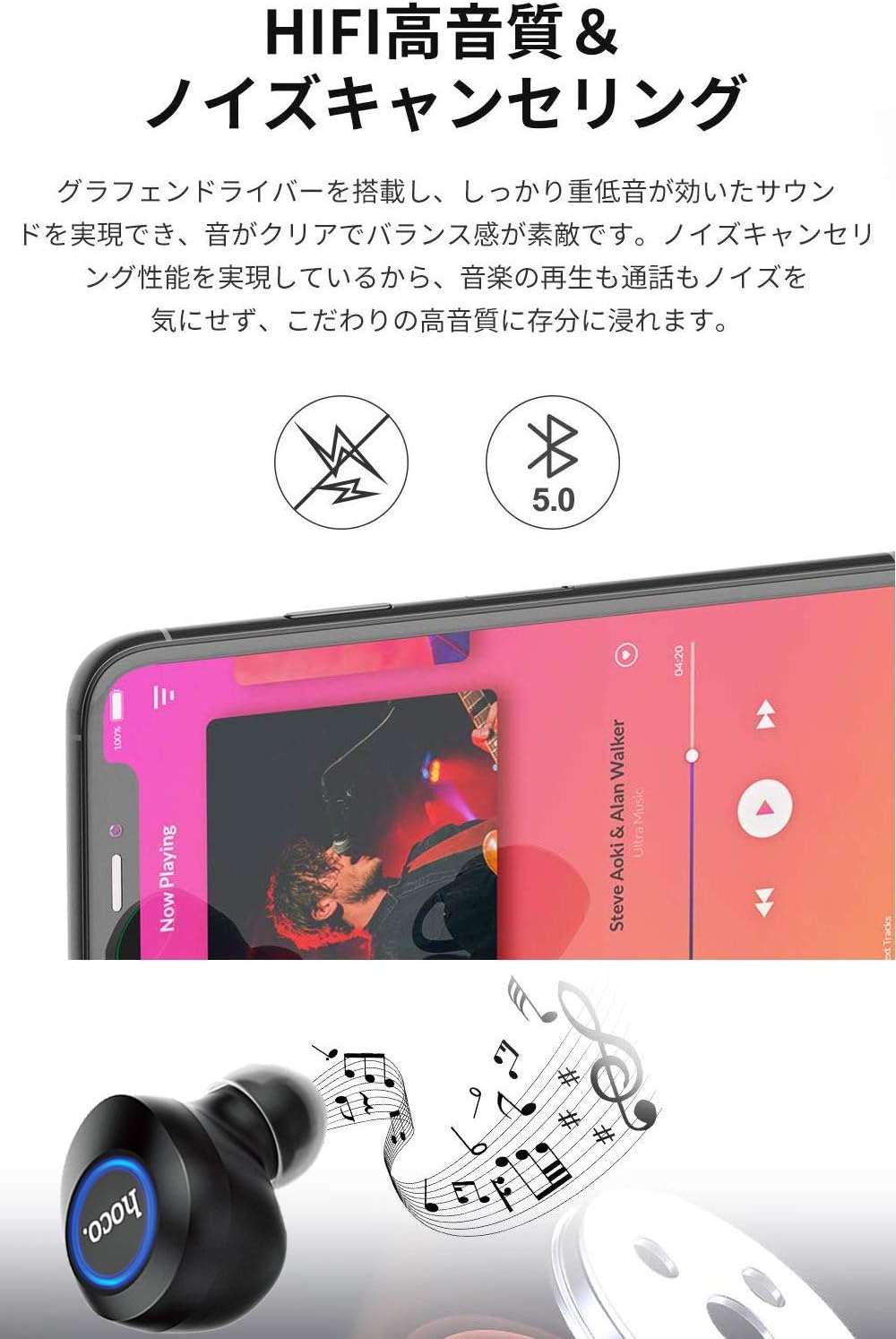
Image: A close-up of a Hoco ES24 earphone, with a smartphone screen in the background showing music playback, emphasizing HiFi sound quality and noise cancellation capabilities.
6. Onderhoud
6.1 Skoonmaak
- Maak die oorfone en laaikas gereeld skoon met 'n sagte, droë, pluisvrye lap.
- Moenie skuurmiddels, alkohol of chemiese oplosmiddels gebruik nie.
- Verwyder enige oorsmeer of puin versigtig van die oorpunte en luidsprekermaas met 'n klein, sagte borseltjie of wattestokkie.
6.2 Berging
- Wanneer dit nie gebruik word nie, bêre die oorfone in hul laaikassie om hulle teen stof en skade te beskerm.
- Avoid storing the device in extreme temperatures (hot or cold) or in humid environments.
6.3 Batterysorg
- Om die batterylewe te verleng, vermy om die oorfone en laaikas gereeld heeltemal te ontlaai.
- Laai die toestel gereeld, selfs al word dit nie gereeld gebruik nie.
7. Probleemoplossing
If you encounter any issues with your Hoco ES24 earphones, refer to the following common problems and solutions:
| Probleem | Oplossing |
|---|---|
| Oorfone skakel nie aan nie. | Ensure the earphones and charging case are fully charged. Place earphones in the case and close the lid, then open again. |
| Kan nie met toestel koppel nie. | Make sure Bluetooth is enabled on your device. Ensure earphones are in pairing mode (flashing LED). Turn off and on your device's Bluetooth. Forget "Hoco ES24" from your device's Bluetooth list and try pairing again. |
| Geen geluid uit een of albei oorfone nie. | Check device volume. Ensure earphones are properly connected. Try re-pairing. Clean any debris from the speaker mesh. |
| Laaikas laai nie. | Verify the USB cable is securely connected to both the case and the power source. Try a different USB cable or power adapter. |
| Raakkontroles reageer nie. | Ensure your fingers are clean and dry. Restart the earphones by placing them in the case and taking them out again. |
8. Spesifikasies
Below are the technical specifications for the Hoco ES24 Wireless Sound Earphones:
- Model: ES24
- Verbinding: Draadloos (Bluetooth 5.0)
- Vormfaktor: In-Oor
- Materiaal: Plastiek
- Beheer metode: Raak
- Mikrofoon: Ja
- Ruisonderdrukking: No (Passive noise isolation may be present due to in-ear design)
- Versoenbare toestelle: All devices with Bluetooth functionality
- Item gewig: 55 grams (earphones + case)
- Produk afmetings: 2.38 x 2.1 x 2.35 cm (earphone dimensions)
- Ingesluit komponente: Protective charging case
- Kleur: Swart
- Ouderdomsreeks: Volwasse
- Laai tyd: Approximately 1 hour (fast charge)
- Gebruik Tyd: Approximately 4-5 hours (single use)
9. Veiligheidsinligting
Volg asseblief die volgende veiligheidsriglyne om skade aan die toestel of besering aan uself te voorkom:
- Moenie die produk uitmekaar haal, herstel of verander nie.
- Hou die toestel weg van water, vog en uiterste temperature.
- Vermy langdurige blootstelling aan hoë volume vlakke om gehoorskade te voorkom.
- Hou buite bereik van kinders en troeteldiere.
- Gooi die produk verantwoordelik volgens plaaslike regulasies weg.
10. Waarborg en Ondersteuning
Hoco products are designed and manufactured to the highest quality standards. For warranty information, technical support, or customer service inquiries, please refer to the warranty card included in your package or contact your local retailer or Hoco customer support directly. Please retain your proof of purchase for any warranty claims.