
Inleiding
Dankie vir die aankoopasing the MCombo L-Shaped Corner Desk. This manual provides detailed instructions for the assembly, operation, maintenance, and troubleshooting of your new desk. Please read this manual carefully before assembly and retain it for future reference.
Veiligheidsinligting
- Monteer die lessenaar altyd op 'n sagte, skoon oppervlak om skrape te voorkom.
- Ensure all parts are present before beginning assembly. Refer to the 'Package Contents' section.
- Do not overtighten screws during initial assembly. Fasten all screws securely only after all parts are in place.
- Hou klein dele weg van kinders om verstikkingsgevare te vermy.
- Do not stand or sit on the desk during or after assembly.
- Regularly check and tighten all screws and bolts every 6 months to ensure stability.
- Adhere to the maximum weight recommendation of 110 pounds (50 kg).
Pakketinhoud
Voordat u dit saamstel, maak seker dat al die komponente wat hieronder gelys word, in u pakket ingesluit is:
- L-Shaped Desk components (desktop panels, frame legs, support bars)
- Free CPU Stand
- Skroewedraaier
- Monteringsinstruksies (hierdie handleiding)
- Hardware pack (screws, bolts, adjustable foot pads)
Opstel- en monteringsinstruksies
Montering neem gewoonlik ongeveer 15 minute vir een persoon. Volg hierdie stappe noukeurig:
- Pak uit en identifiseer onderdele: Carefully unpack all components and lay them out on a clean, soft surface. Identify each part by comparing it with the parts list in your package. Ensure all screws and tools are present.
- Stel die raam bymekaar: Begin by attaching the frame legs to the main support bars. Do not fully tighten the screws at this stage. This allows for minor adjustments during assembly.
- Heg lessenaarpanele aan: Carefully place the L-shaped desktop panels onto the assembled frame. Align the pre-drilled holes in the desktop with the holes in the frame. Secure the desktop panels to the frame using the provided screws.
- Installeer verstelbare beenkussings: Screw the non-slip adjustable round foot pads into the bottom of each leg. These pads help keep the table steady and prevent floor damage. Adjust them as needed to level the desk on uneven surfaces.
- Install CPU Stand: Place the free CPU stand in your desired location under the desk. This stand is designed to hold your CPU unit without scratching the floor.
- Finale stramming: Once all parts are in place and the desk is correctly aligned, securely tighten all screws and bolts. Ensure the desk is stable and does not wobble.

Prent: Desk Dimensions. This diagram illustrates the overall dimensions of the L-shaped desk, including the length of each side (66.13 inches and 47.24 inches), depth (18.89 inches), and height (29.13 inches), along with the CPU stand dimensions.

Prent: Sturdy Frame Construction. A close-up view highlighting the thickened steel legs and the robust mechanical design of the desk's frame, ensuring stability and durability.

Prent: Adjustable Leg Pads. This image shows the non-slip adjustable round foot pads attached to the bottom of the desk legs, designed to provide stability and protect your floor.
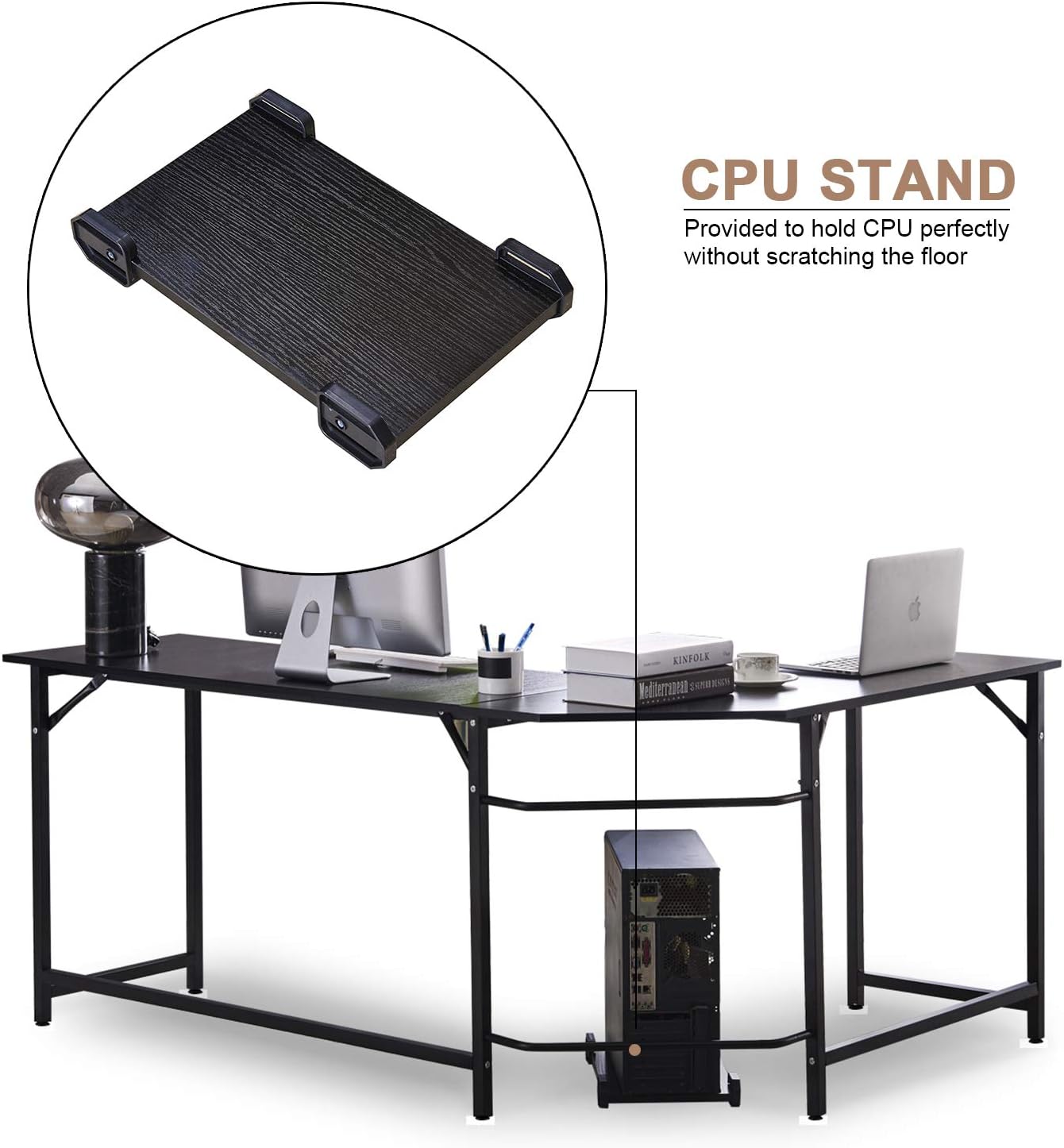
Prent: CPU Stand. An illustration of the included CPU stand positioned under the desk, providing a dedicated space for your computer tower and preventing floor scratches.
Bedryfsinstruksies
Your MCombo L-Shaped Corner Desk is designed for versatile use in home or office environments. While a desk does not have complex operational steps, consider the following for optimal use:
- Plasing: Position the L-shaped desk in a corner to maximize space efficiency. Ensure there is adequate room for an office chair and movement.
- Gewig verspreiding: Distribute weight evenly across the desktop. Avoid placing heavy items solely on one section. The maximum weight capacity is 110 lbs.
- SVE-staander: Utilize the provided CPU stand to keep your computer tower off the floor, improving airflow and protecting it from dust and accidental kicks.
- Footrest Feature: The lower support bar can serve as a convenient footrest, offering comfort during long periods of sitting.
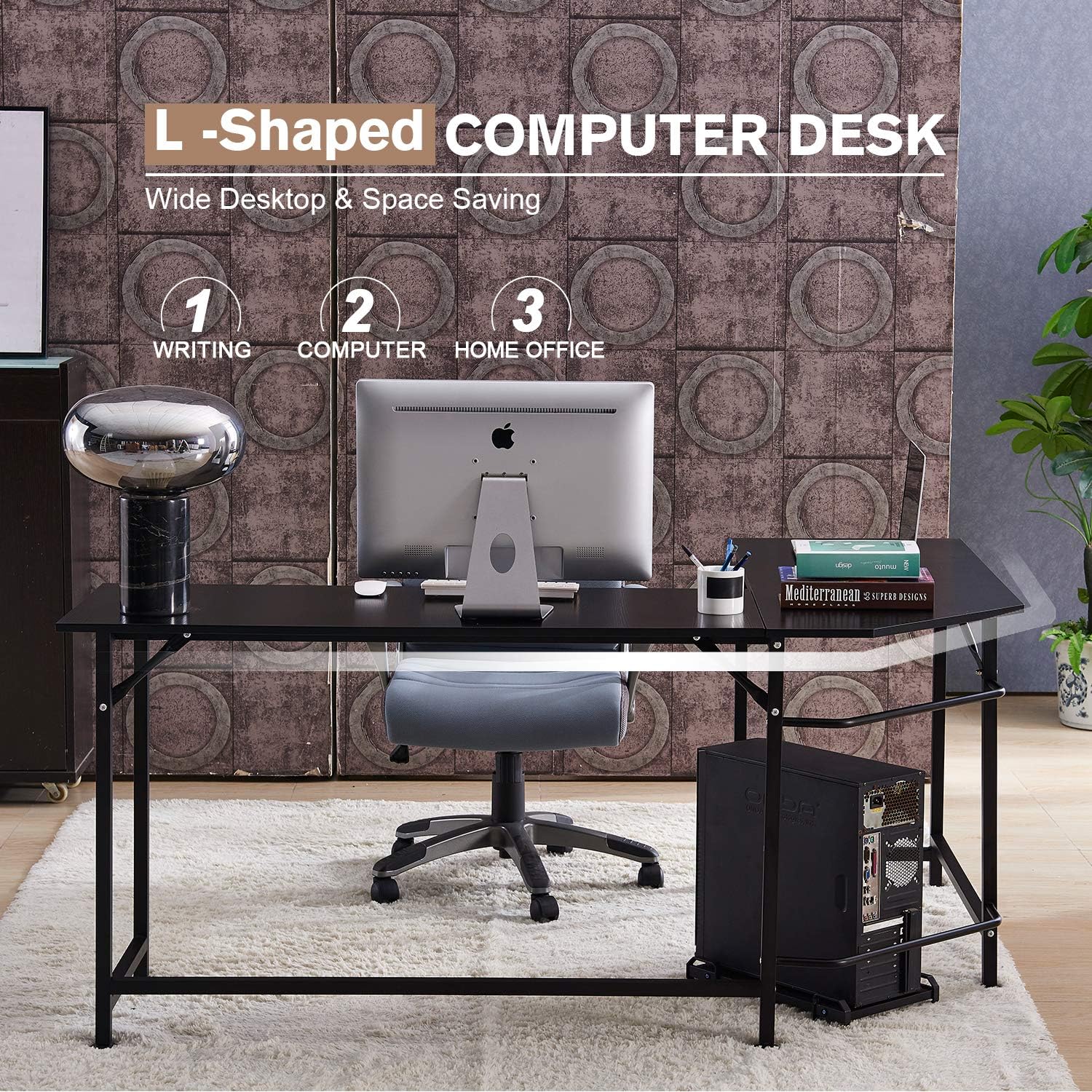
Prent: Desk in Use. This image demonstrates the L-shaped desk configured in a home office setting, showcasing sy ample desktop area for a computer, accessories, and office supplies.

Prent: Footrest Feature. A visual representation of the desk's lower bar being used as a footrest, providing ergonomic support and comfort during use.
Onderhoud
- Skoonmaak: Vee die lessenaaroppervlaktes af met 'n sagte, damp lap. Vermy harde chemikalieë of skuurmiddels wat die afwerking kan beskadig.
- Gereelde tjeks: Periodically inspect all screws and bolts. Tighten them every 6 months to maintain the desk's stability and structural integrity.
- Vermy vog: Do not expose the desk to excessive moisture or direct sunlight for prolonged periods, as this can cause warping or discoloration.
Probleemoplossing
- Desk wobbles after assembly:
- Ensure all screws and bolts are fully tightened. Adjust the non-slip adjustable foot pads on each leg to compensate for uneven floor surfaces.
- Ontbrekende dele of beskadigde komponente:
- If you find any parts missing or damaged upon opening the package, please contact MCombo customer support immediately. Provide pictures of the damaged parts if applicable.
- Difficulty aligning parts during assembly:
- Ensure that no screws are fully tightened until all major components are loosely assembled. This allows for flexibility to align holes correctly before final tightening.
Spesifikasies
| Handelsmerk | MCombo |
| Modelnommer | 6090-7121CW |
| Vorm | L-vorm |
| Produk Afmetings (D x B x H) | 47.24" x 66.13" x 29.13" |
| Materiaal | E1 Class Particle Board (Desktop), Thickened Steel (Frame & Legs) |
| Kleur | Swart (soos uitgebeeld in produkbeelde) |
| Maksimum gewig aanbeveling | 110 pond (50 kg) |
| Vergadering benodig | Ja |
| Ingesluit komponente | L Shaped Desk, Free CPU Stand, Screwdriver, Instructions |
Note: While some product data may indicate 'White Oak' as a color option, this manual refers to the black version as primarily depicted.

Prent: E1 Class Particle Board. This image highlights the desktop material, an E1 class environment-protecting particle board, emphasizing its quality and environmental consideration.
Waarborg en Ondersteuning
MCombo provides a 1-jaar vervaardigerswaarborg vir hierdie produk. Daarbenewens, 'n 30-dae terugkeerbeleid is offered. If you encounter any issues, require assistance, or have questions regarding your desk, please contact MCombo customer support. When contacting support, please have your model number (6090-7121CW) and purchase information ready.
For support, please refer to the contact information provided with your purchase or visit the official MCombo webwebwerf.