
1. Inleiding
Thank you for choosing the X-Sense Wireless Weather Station. This device provides accurate indoor and outdoor temperature and humidity readings, along with a weather forecast, all displayed on a large, backlit LCD screen. It features an atomic clock for precise timekeeping and supports up to three remote sensors for comprehensive monitoring. Please read this manual thoroughly before use to ensure proper setup and operation.
2. Pakketinhoud
Verifieer dat alle komponente teenwoordig en in 'n goeie toestand is wanneer die verpakking oopgemaak word.
- Main Display Unit (LCD Screen)
- Wireless Remote Sensor (Transmitter)
- AA Batteries (2 for main unit, 2 for sensor)
- Mounting Hardware (Screws, wall anchors)
- Gebruikershandleiding

Figuur 2.1: Package contents of the X-Sense Wireless Weather Station.
3. Produk verbyview
3.1 Hoofskermeenheid
The main display unit features a large, backlit LCD screen that shows indoor and outdoor temperature and humidity, time, date, and weather forecast icons. It can be placed on a tabletop using its integrated stand or mounted on a wall.

Figuur 3.1: Main Display Unit with active screen.

Figuur 3.2: Large Backlit LCD for easy readability.
3.2 Draadlose afstandsensor
The wireless remote sensor measures outdoor temperature and humidity and transmits data to the main unit. It is designed to operate in ultra-low temperatures and has an IPX5 waterproof rating, making it suitable for outdoor placement. The sensor has a wireless range of up to 500 feet (150 meters) in open areas.
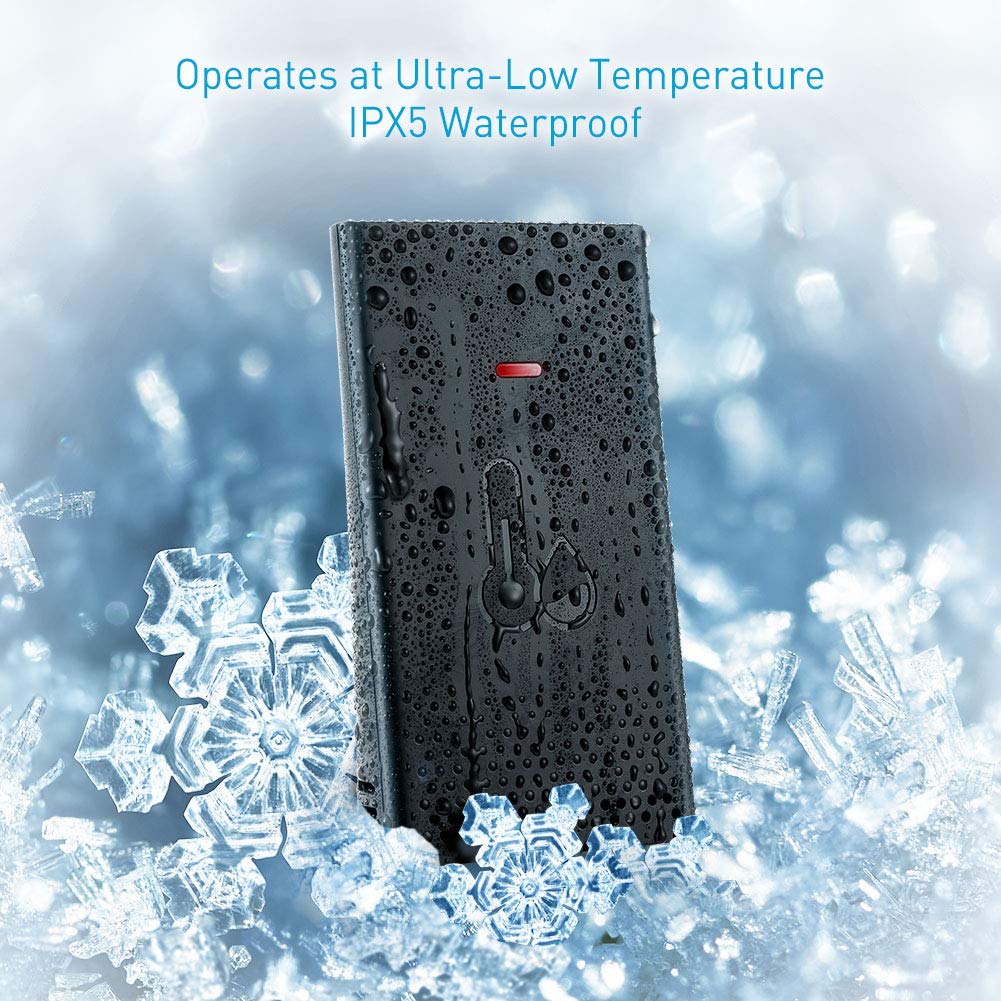
Figuur 3.3: Wireless Remote Sensor with IPX5 waterproof rating.

Figuur 3.4: Wireless range and multiple sensor placement options.
4. Opstelling
4.1 Battery installasie
- Hoofvertooneenheid: Open the battery compartment on the back of the main unit. Insert 2 AA batteries, ensuring correct polarity (+/-). Close the compartment.
- Draadlose afstandsensor: Open the battery compartment on the back of the remote sensor. Insert 2 AA batteries, ensuring correct polarity (+/-). Close the compartment.
The main unit will power on and begin searching for the remote sensor. The sensor's LED indicator may flash during transmission.
4.2 Sensorplasing
For accurate readings and optimal wireless transmission, consider the following:
- Place the remote sensor in a shaded area, away from direct sunlight and heat sources, to prevent inaccurate temperature readings.
- Ensure the sensor is protected from heavy rain or snow, despite its IPX5 rating, to prolong its lifespan.
- Mount the sensor vertically using the provided screws and wall anchors, or place it on a stable surface.
- Keep the sensor within the 500 ft (150 m) wireless range of the main unit. Obstacles like thick walls, metal structures, or electronic devices can reduce the effective range.
4.3 Koppel die sensor
The main unit should automatically connect to the remote sensor after battery installation. If the outdoor readings are not displayed or appear incorrect:
- Bring the remote sensor close to the main unit.
- Press and hold the "CHANNEL" button on the main unit for a few seconds to initiate a new search for the sensor.
- Press the "TX" button inside the remote sensor's battery compartment to manually send a signal.
- The main unit should display the outdoor temperature and humidity within a few minutes.
5. Bedryfsinstruksies
5.1 Time and Date Setting (Atomic Clock)
The X-Sense Weather Station features an atomic clock that automatically synchronizes with the WWVB radio signal for precise timekeeping. This process may take several hours, especially during initial setup or after battery replacement. Ensure the main unit is placed near a window for better signal reception.
- Handmatige tydsone-instelling: If the atomic clock signal is not received or you are outside the standard reception area, you may need to manually set the time zone. Refer to the detailed instructions in the full user manual for specific button presses to adjust the time zone offset.
- Dagligbesparingstyd (DST): The unit typically adjusts for DST automatically once the atomic clock signal is received.

Figuur 5.1: High accuracy and radio-controlled clock feature.
5.2 Temperatuur- en humiditeitsaanwyser
- The main unit displays both indoor temperature and humidity (labeled "IN") and outdoor temperature and humidity (labeled "OUT" or with a sensor icon).
- Skakel temperatuur eenhede: Press the "°C/°F" button (usually located on the back or side) to toggle between Celsius and Fahrenheit.
- Veelvuldige sensors: If you have additional remote sensors (sold separately), press the "CHANNEL" button to cycle through the readings from each connected sensor.
5.3 Weervoorspelling
The weather station provides a forecast for the next 12-24 hours based on changes in atmospheric pressure. The forecast is represented by graphical icons such as sunny, partly cloudy, cloudy, rainy, or snowy. This is a prediction and may not always match actual weather conditions.
5.4 Werk met agterlig
The main unit features a backlight for improved visibility in low-light conditions. Press the designated backlight button (often located on the back or top of the unit) to activate it. The backlight typically stays on for a few seconds before turning off automatically to conserve battery power.
6. Onderhoud
- Skoonmaak: Vee die skermeenheid en sensor af met 'n sagte, damp lap. Moenie skuur skoonmaakmiddels of oplosmiddels gebruik nie.
- Battery vervanging: Replace batteries in both the main unit and remote sensor when the low battery indicator appears on the display. Always replace all batteries at the same time with new ones of the same type.
- Berging: Indien die eenheid vir 'n lang tydperk gestoor word, verwyder alle batterye om lekkasie te voorkom.
7. Probleemoplossing
| Probleem | Moontlike oorsaak | Oplossing |
|---|---|---|
| Geen buitetemperatuur-/humiditeitslesing nie. | Sensor nie gekoppel nie, buite bereik, of lae battery. | Ensure batteries are fresh in the sensor. Bring sensor closer to the main unit. Re-pair the sensor (see Section 4.3). |
| Inaccurate outdoor readings. | Sensor blootgestel aan direkte sonlig, hittebronne of vog. | Relocate the sensor to a shaded, protected area. Allow time for readings to stabilize. |
| Atomic clock not setting automatically. | Weak WWVB signal, interference, or incorrect time zone. | Place the main unit near a window. Avoid electronic interference. Manually set the time zone if necessary. Allow up to 24 hours for signal acquisition. |
| Die skerm is dof of leeg. | Low batteries in the main unit. | Replace batteries in the main display unit. |
| Backlight difficult to activate. | Button placement on the back. | Familiarize yourself with the button location. This is a design characteristic. |
8. Spesifikasies
- Handelsmerk: X-Sense
- Model: B07PDMC1TF
- Kragbron: Battery Powered (2 AA for main unit, 2 AA for sensor)
- Verbindingstegnologie: Draadloos
- Draadlose reeks: Tot 1 700 vt (150 m) in die oop lug
- Spesiale kenmerke: Adjustable Brightness, Humidity Monitor, Atomic Clock
- Sensor Tegnologie: Ultrasoniese
- Vertoon tipe: LCD
- Kleur: Swart
- Produk afmetings: 5.4 x 5.24 x 1.09 duim (Hoofeenheid)
- Item gewig: 1.13 pond
- Waterproof Rating (Sensor): IPX5
- Eerste Beskikbare Datum: 19 Februarie 2019
9. Waarborg en Ondersteuning
For warranty information or technical support, please refer to the contact details provided on the X-Sense official webwebwerf of die waarborgkaart wat by u produk ingesluit is. Bewaar u aankoopbewys as bewys van aankoop.