
Inleiding
This manual provides instructions for the Calvas USARMT LTV-914 Universal Remote Control, designed for use with various LG TV models, including AKB73715634, AKB73715679, and 3D Smart TV LN577S. This remote operates via infrared (IR) technology and is intended as a direct replacement, requiring no programming for most compatible LG televisions.
Pakketinhoud
- 1 x USARMT LTV-914 Universal Remote Control
Spesifikasies
- Modelnommer: LTV-914
- Handelsmerk: kaal kolle
- Tipe: TV-afstandbeheer
- Kommunikasie: Infrarooi (IR)
- Frekwensie: 433 MHz
- Kanale: 1
- Kragbron: 2 x AAA alkaliese batterye (nie ingesluit nie)
- Materiaal: ABS
- Versoenbare toestelle: LG Televisions (e.g., AKB73715634, AKB73715679, 3D Smart TV LN577S)
- Spesiale kenmerk: Universele verenigbaarheid
Opstelling
Die installering van batterye
- Vind die batterykompartement aan die agterkant van die afstandbeheer.
- Skuif die batteryklepdeksel afwaarts of druk die grendel en lig op om oop te maak.
- Insert two (2) AAA alkaline batteries, ensuring the positive (+) and negative (-) terminals align correctly with the markings inside the compartment.
- Plaas die batteryklepdeksel terug deur dit terug te skuif totdat dit stewig klik.

Image: Back of the remote control with the battery compartment open, illustrating battery insertion.
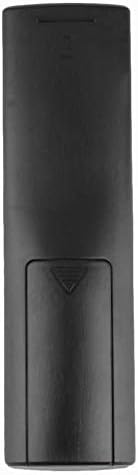
Beeld: Agter view van die afstandbeheerder met die batteryklep toe.
Bedryfsinstruksies
Aanvanklike gebruik
The Calvas USARMT LTV-914 remote control is designed to work directly with most compatible LG TV models without requiring any programming. Simply insert the batteries and point the remote towards your television.
Direct Use and Basic Functions
Most functions, such as power on/off, volume control, channel selection, and navigation, should operate immediately upon pointing the remote at your LG TV.

Beeld: Voorkant view of the remote control, displaying the button layout.
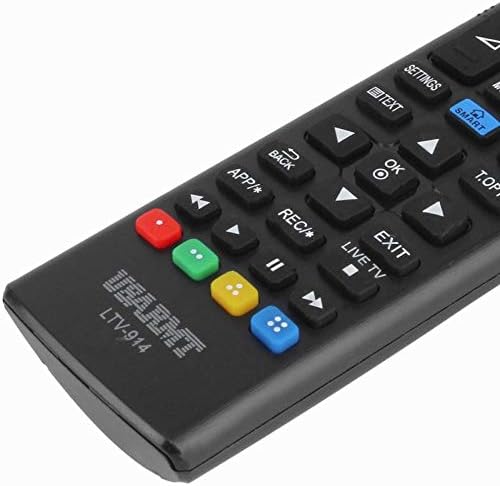
Image: Close-up of the remote's buttons, showing details of the control interface.
Factory Reset / Reconfiguration (If direct use fails)
In rare cases, if the remote does not operate your TV directly, you may need to perform a factory reset or attempt a reconfiguration.
- To reset to factory settings: Press and hold the KRAG button and the number 0 knoppie gelyktydig vir 'n paar sekondes.
- To attempt re-pairing (if applicable, though typically not required for this universal remote): Press and hold the KRAG button and the number 1 knoppie gelyktydig vir 'n paar sekondes.
After performing either of these steps, release the buttons and test the remote's functionality with your TV.
Probleemoplossing
- Afstandsbediening reageer nie:
- Kontroleer of die batterye korrek met die korrekte polariteit geplaas is.
- Replace old or depleted batteries with new AAA alkaline batteries.
- Maak seker dat daar geen obstruksies tussen die afstandbeheerder en die TV se IR-ontvanger is nie.
- Maak seker dat jy binne die effektiewe reikwydte van die TV se IR-ontvanger is.
- Sommige funksies werk nie:
- While this is a universal remote, some advanced or specific smart TV functions might not be fully supported on all LG models.
- Try the factory reset/reconfiguration steps mentioned in the "Operating Instructions" section.
- Remote LED indicator not lighting up:
- This usually indicates dead batteries or incorrect battery insertion. Replace batteries.
Onderhoud
- Hou die afstandbeheerder droog. Vermy blootstelling aan vloeistowwe.
- Moenie die afstandbeheerder laat val of aan harde impakte blootstel nie.
- Maak die afstandbeheerder skoon met 'n sagte, droë lap. Moenie skuurmiddels of oplosmiddels gebruik nie.
- Indien die afstandbeheerder nie vir 'n lang tydperk gebruik gaan word nie, verwyder die batterye om lekkasie te voorkom.
Waarborg en Ondersteuning
Specific warranty information for this product is not provided in the available data. For support or warranty inquiries, please contact your retailer or the manufacturer, Calvas.