
1. Inleiding
This manual provides detailed instructions for the setup, operation, and maintenance of your One For All URC4811 Universal Replacement Learning Remote Control. This remote is designed to be compatible with all LG Televisions, including LCD, LED, OLED, and Plasma models, offering a seamless replacement for your original LG remote.
2. Produk verbyview
The One For All URC4811 remote control is engineered for ease of use and broad compatibility with LG televisions. Key features include:
- Direkte Verenigbaarheid: Functions like your original LG television remote. For most LG TVs, no setup is required; simply insert batteries and it is ready to use.
- Leerfunksie: Allows customization of the remote to your specific needs by copying functions from your original remote.
- App-kortpadsleutels: Provides direct access to your favorite streaming services.
- Aantal sleutels: 50.
- Afstandbeheertegnologie: Infrared (IR).
Produkbeelde


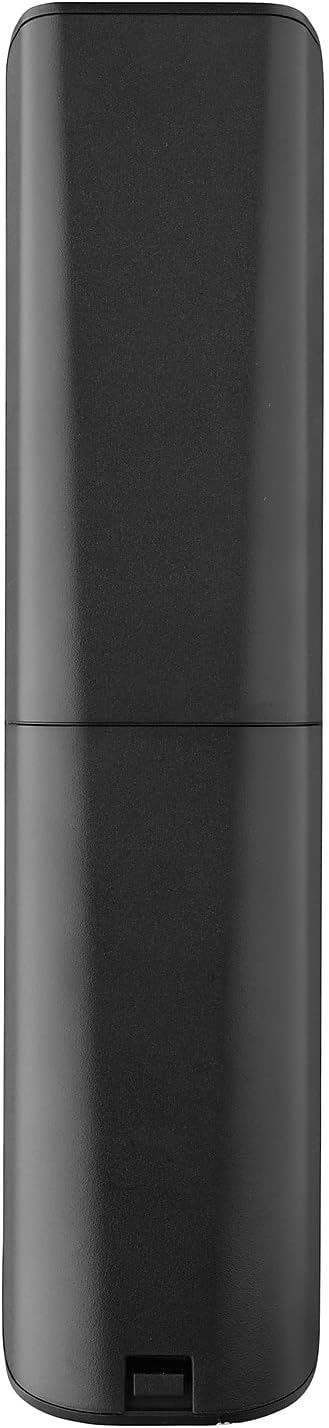


3. Opstelling
3.1. Battery Installasie
The remote requires 2 AAA batteries (not included). To install the batteries:
- Remove the battery compartment cover located on the back of the remote.
- Insert 2 AAA batteries, ensuring correct polarity (+ and - terminals).
- Plaas die batteryklepdeksel terug totdat dit stewig vasklik.
3.2. Initial Pairing / Codeless Setup
For most LG Televisions, the One For All URC4811 remote control is ready to use immediately after battery installation, requiring no additional setup. Simply point the remote at your LG TV and begin using it. If your TV does not respond, refer to the 'Learning Feature' section for advanced setup options.
4. Bedryfsinstruksies
4.1. Basiese funksies
The remote provides all standard functions of an LG TV remote, including:
- Krag aan/af: Use the dedicated power button to turn your TV on or off.
- Volumebeheer: Adjust volume up or down using the +/- buttons.
- Kanaalnavigasie: Change channels using the CH +/- buttons or direct number input.
- Programkortpaaie: Dedicated buttons provide quick access to popular streaming services.
4.2. Learning Feature
The learning feature allows you to copy specific functions from your original LG remote control to your One For All URC4811 remote. This is useful if a particular function is not pre-programmed or if you prefer a custom button layout. Refer to the Quick Setup Guide included with your remote for detailed steps on using the learning feature.
4.3. Amptelike Produkvideo
5. Onderhoud
Om die lang lewensduur en optimale werkverrigting van u afstandbeheerder te verseker:
- Skoonmaak: Vee die afstandbeheerder af met 'n sagte, droë lap. Vermy die gebruik van vloeibare skoonmaakmiddels of skuurmiddels.
- Batterysorg: Replace batteries when the remote's performance degrades. Remove batteries if the remote will not be used for an extended period to prevent leakage.
- Berging: Bêre die afstandbeheerder op 'n koel, droë plek weg van direkte sonlig en uiterste temperature.
6. Probleemoplossing
If you encounter issues with your remote control, try the following steps:
- Afstandsbediening reageer nie: Kontroleer of die batterye korrek geplaas is en voldoende gelaai is. Vervang hulle indien nodig.
- Lyn van sig: Maak seker dat daar geen obstruksies tussen die afstandbeheerder en die TV se IR-ontvanger is nie.
- Spesifieke funksies werk nie: Use the learning feature to re-program the affected buttons from your original LG remote.
- TV Not Responding After Battery Change: For some LG models, the remote may require re-pairing or a quick setup process after battery replacement. Refer to the Quick Setup Guide.
7. Spesifikasies
| Kenmerk | Spesifikasie |
|---|---|
| Produk afmetings | 8.03 x 2.01 x 0.94 duim |
| Item gewig | 2.72 onse |
| Item Modelnommer | VGK4811 |
| Batterye benodig | 2 AAA-batterye (nie ingesluit nie) |
| Handelsmerk | Een Vir Almal |
| Spesiale kenmerk | Universal, Learning Function |
| Kleur | Swart |
| Maksimum aantal ondersteunde toestelle | 1 (specifically for LG TVs) |
| Versoenbare toestelle | LG Televisions (LCD, LED, OLED, Plasma) |
8. Waarborg en Ondersteuning
For warranty information and technical support, please refer to the documentation included with your product or visit the official One For All webwebwerf. Bewaar u aankoopbewys as bewys van aankoop vir enige waarborgeise.