
Ultimate Ears 984-001550
Ultimate Ears WONDERBOOM 2 Portable Wireless Bluetooth Speaker
Model: 984-001550
Inleiding
The Ultimate Ears WONDERBOOM 2 is a super portable speaker designed to deliver surprisingly big 360-degree sound anywhere. Its robust features include an all-new Outdoor Boost mode for louder, crisper audio outdoors, a long-lasting 13-hour battery, and an IP67 rating for waterproofing and dustproofing, allowing it to float. You can also wirelessly pair two WONDERBOOM 2 speakers for an even bigger stereo or mono sound experience.
Wat is in die boks
- WONDERBOOM 2 Speaker
- Mikro USB kabel
Sleutel kenmerke
Surprisingly Bigger 360 Sound
The WONDERBOOM 2 delivers immersive 360-degree sound with enhanced bass, filling any space with rich audio.
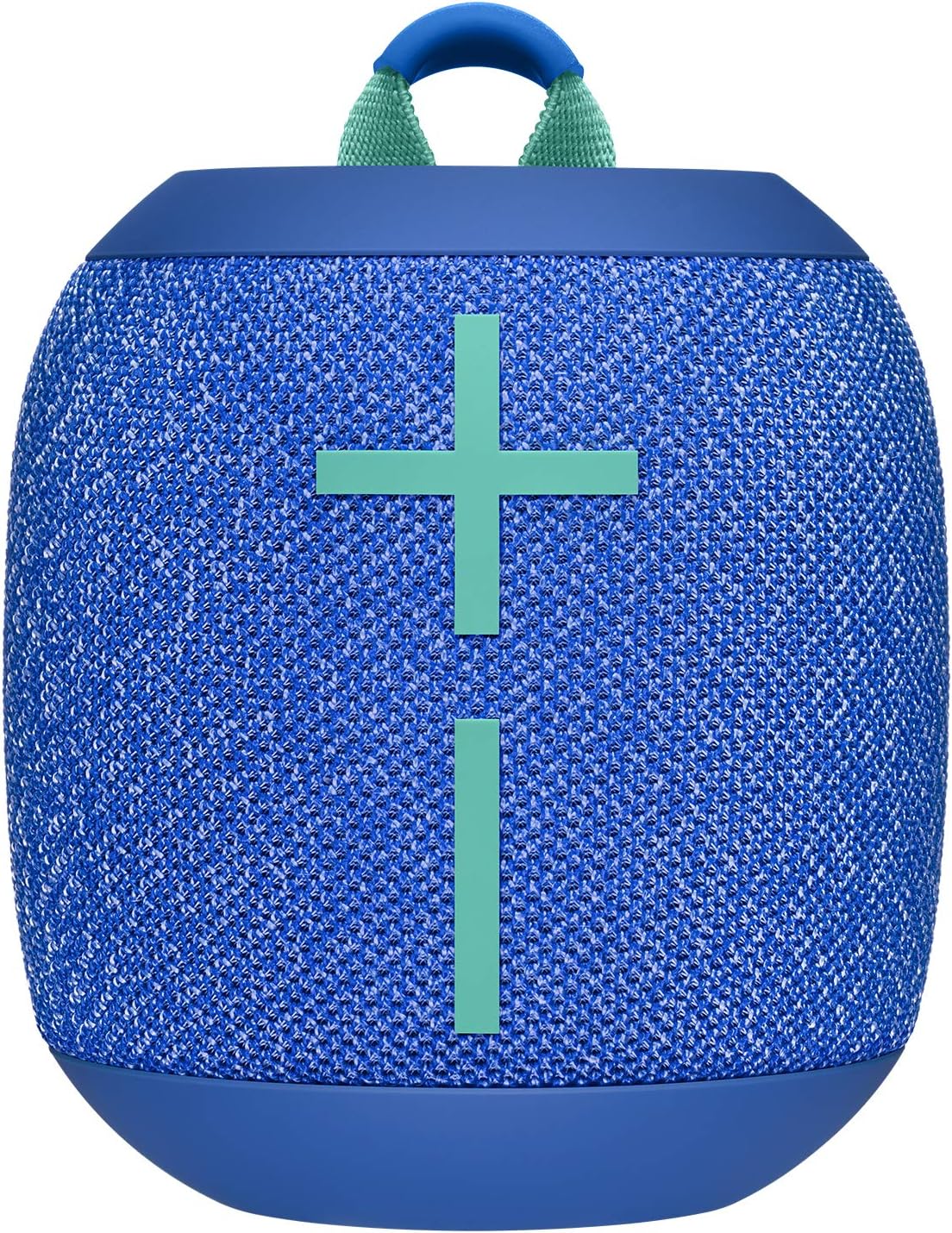
Image: Ultimate Ears WONDERBOOM 2 speaker in Bermuda Blue.

Image: Ultimate Ears WONDERBOOM 2 speaker floating in water.
New Outdoor Boost
Activate Outdoor Boost for instant loudness and clarity, specially tuned for open-air listening environments.

Image: Two people with skateboards, one jumping, with a WONDERBOOM 2 speaker on the ground, illustrating 'Bigger 360 Sound with Outdoor Boost'.
Video: Amptelike produkvideovertoningasing the WONDERBOOM 2's features, including its outdoor boost.
13-uur batterylewe
Enjoy extended playtime with up to 13 hours of battery life, perfect for day trips, beach outings, and more.

Image: Two people sitting by the ocean with skateboards, illustrating 'Epic 13 HR Battery Life'.
Waterproof, Dustproof & Floats (IP67)
With an IP67 rating, the WONDERBOOM 2 is fully waterproof and dustproof, and it floats, making it ideal for poolside, beach, or shower use.

Image: A hand pouring water over a red WONDERBOOM 2 speaker, illustrating 'Waterproof + Dustproof + Floats IP67'.
Double Up, Now in Stereo
Pair two WONDERBOOM 2 speakers wirelessly to amplify your sound in either mono or true stereo mode for a more immersive audio experience.

Image: Two people sitting against a brick wall with two WONDERBOOM 2 speakers, illustrating 'Double Up, Now in True Stereo'.
Super Portable & Rugged
Designed for adventure, this speaker is dirt-resistant and drop-proof, featuring a convenient hang loop for easy portability on bikes, backpacks, and more.

Beeld: Sykant view of the Ultimate Ears WONDERBOOM 2 speaker in Bermuda Blue.
Opstelgids
Laai jou luidspreker
Connect the included micro USB cable to the charging port on the speaker and a power source. A full charge takes approximately 2.6 hours.

Image: Ultimate Ears WONDERBOOM 2 speaker with its micro USB charging cable.
Bluetooth-koppeling
To pair your WONDERBOOM 2 with a Bluetooth device, press and hold the Bluetooth button on the top of the speaker until you hear a tone and the LED flashes rapidly. Then, select 'WONDERBOOM 2' from your device's Bluetooth menu. The speaker will confirm successful pairing.

Image: Diagram showing the different parts and controls of the Ultimate Ears WONDERBOOM 2 speaker, including volume controls, Bluetooth button, and micro USB port.
Bediening van jou luidspreker
Basiese kontroles
Use the large '+' and '-' buttons on the front of the speaker to adjust the volume. The circular button on the top controls playback: press once to play/pause, twice to skip a track.
Outdoor Boost Mode
For enhanced outdoor audio, press the small tree-shaped button located on the bottom of the speaker. This mode increases loudness and clarity for open-air environments.
Double Up Mode
To pair two WONDERBOOM 2 speakers, press and hold the central button on both speakers simultaneously until they connect. You can then enjoy synchronized audio in either mono or true stereo mode.
Onderhoud en versorging
The WONDERBOOM 2 is designed to be durable and waterproof. After exposure to water, especially saltwater or chlorinated water, rinse the speaker with fresh water and allow it to air dry completely before charging. Ensure the micro USB port cover is securely closed when not charging to maintain its waterproof integrity. Avoid using abrasive cleaners or solvents.
Probleemoplossing
Geen klank of lae volume nie
- Maak seker dat die luidspreker gelaai en aangeskakel is.
- Kontroleer die volumevlakke op beide die luidspreker en jou gekoppelde toestel.
- Confirm the speaker is properly paired via Bluetooth.
Bluetooth-verbindingskwessies
- Move the speaker closer to your Bluetooth device.
- Disconnect and re-pair the speaker with your device.
- Skakel beide die luidspreker en jou toestel af en aan.
Luidspreker skakel nie aan nie
- Laai die luidspreker vir ten minste 30 minute.
- Perform a hard reset by holding down the power button for 15 seconds.
Tegniese spesifikasies
| Kenmerk | Detail |
|---|---|
| Model Naam | wonderboom 2 |
| Handelsmerk | Ultieme ore |
| Produk afmetings | 3.68" D x 3.68" B x 4.02" H |
| Item gewig | 15 onse (425 gram) |
| Batterylewe | 13 ure |
| Laai tyd | 2.6 ure |
| Draadlose kommunikasietegnologie | Bluetooth |
| Maksimum reeks | 100 Voet |
| Waterweerstandvlak | Waterdig (IP67) |
| Klankuitvoermodus | Stereo |
| Luidspreker Maksimum uitsetkrag | 10 Watt |
Waarborg en Ondersteuning
The Ultimate Ears WONDERBOOM 2 comes with a Limited Warranty. For detailed warranty information and support, please refer to the official User Guide.
Download the full User Guide (PDF): Gebruikersgids (PDF)
Ask a question about this manual
Ask about setup, troubleshooting, compatibility, parts, safety, or missing instructions. Manuals+ will review the question and use this page’s manual context to help answer it.