
1. Inleiding
The CORSAIR Crystal Series 680X RGB is a dual-chamber tempered glass ATX smart case designed for high airflow and efficient cooling. It supports up to eight fans and four radiators, including one 360mm radiator. This case features three LL120 RGB fans, controlled by an included CORSAIR Lighting Node PRO and managed through iCUE software, providing customizable RGB lighting. The design includes three tempered glass panels on the front, roof, and a hinged side door, offering a clear view of internal components. An optional vertical GPU mount is available for showcasing your graphics card. This manual provides instructions for setting up, operating, and maintaining your CORSAIR Crystal Series 680X RGB case.
2. Veiligheidsinligting
Please read and follow all safety instructions before installing or using this product. Failure to do so may result in damage to the product or personal injury.
- Always disconnect the power supply from the wall outlet before performing any installation, maintenance, or cleaning.
- Handle tempered glass panels with care. Tempered glass, while durable, can shatter if dropped or subjected to sharp impacts.
- Ensure proper grounding of your system to prevent electrical hazards.
- Keep small components and packaging materials away from children.
- Do not operate the case with panels removed unless specifically instructed for installation or maintenance.
- Use only original or certified replacement parts.
3. Pakketinhoud
Verifieer dat al die komponente wat hieronder gelys word, in u pakket teenwoordig is:
- CORSAIR Crystal Series 680X RGB ATX Smart Case
- 3 x LL120 RGB Fans (pre-installed)
- CORSAIR Lighting Node PRO (pre-installed)
- Toebehoreboks (bevat skroewe, kabelbinders en ander klein onderdele)
- Gebruikershandleiding (hierdie dokument)
4. Opstelling en Installasie
This section guides you through the assembly and installation of your PC components into the CORSAIR Crystal Series 680X RGB case.
4.1. Voorbereiding van die Saak
Before beginning, place the case on a stable, flat surface. Carefully remove the tempered glass side panels by unlatching them and swinging them open, then lifting them off their hinges. Store them safely to prevent damage.

Image: The CORSAIR Crystal Series 680X RGB case with the hinged tempered glass side panel open, revealing the interior for component installation.
4.2. Moederbord Installasie
Install your ATX motherboard into the main chamber. Ensure the standoffs align with the motherboard's screw holes. Secure the motherboard using the provided screws from the accessory box.

Beeld: 'n Interne view of the CORSAIR Crystal Series 680X RGB case, showing the main chamber where the motherboard and primary components are installed.
4.3. Power Supply and Cable Management
The 680X RGB features a dual-chamber design. The power supply unit (PSU) and drive bays are located in the rear chamber. Install your PSU in the designated area. Route all cables through the grommets to the main chamber for a clean build. Utilize the cable tie points and included cable ties for organized cable management.

Image: The rear interior of the CORSAIR Crystal Series 680X RGB case, illustrating the secondary chamber for power supply and cable management.
4.4. Ventilator en verkoeler installasie
The case comes with three LL120 RGB fans pre-installed in the front. Additional fans and radiators can be installed on the top, rear, and bottom. The case supports up to eight fans and four radiators, including a 360mm radiator. Ensure proper airflow direction for optimal cooling.
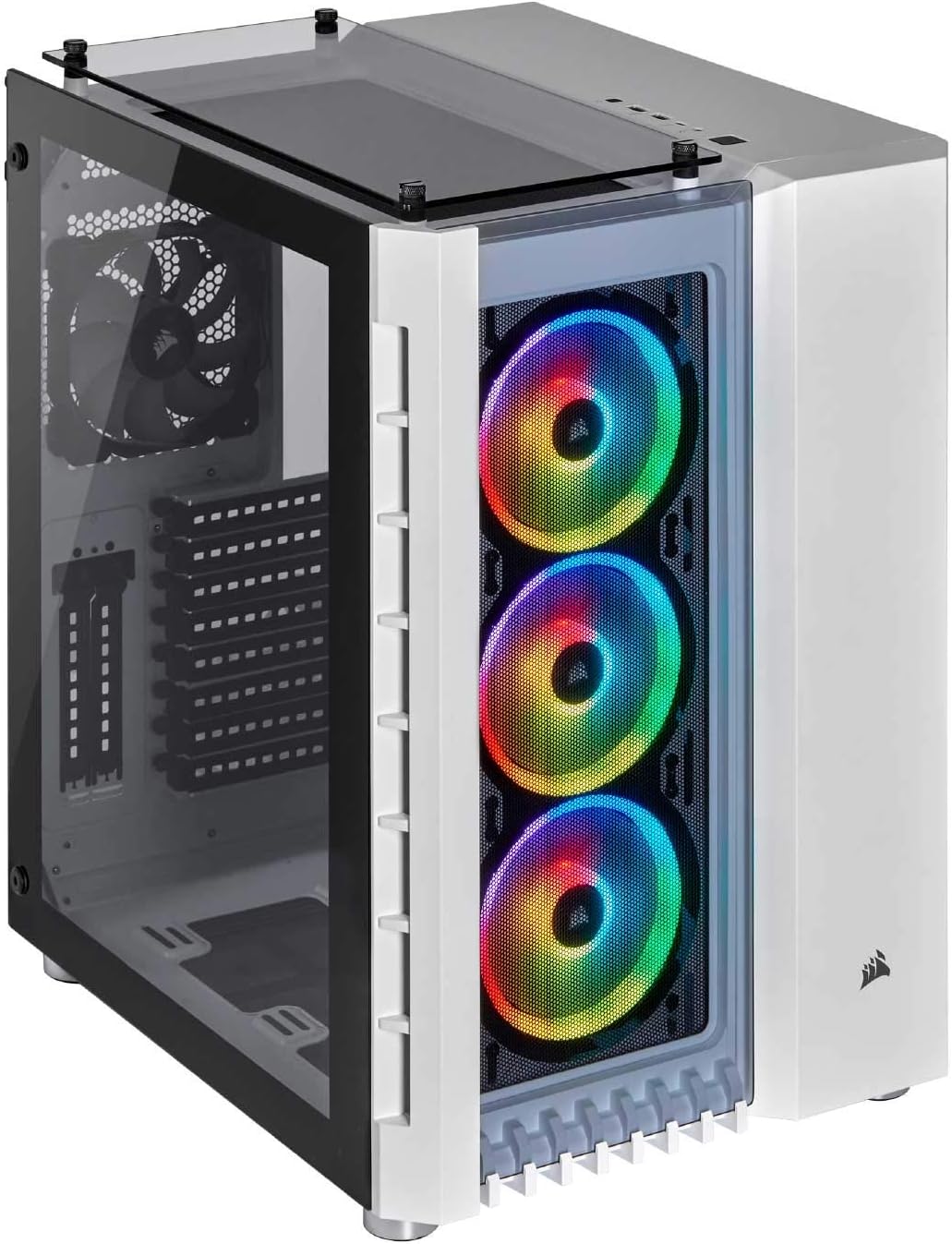
Beeld: 'n Voorhoek view of the CORSAIR Crystal Series 680X RGB case, highlighting the three pre-installed RGB fans behind the tempered glass panel.
4.5. Grafiese kaart installasie
Install your graphics card into the appropriate PCIe slot on the motherboard. The case also supports an optional vertical GPU mount (sold separately) to showcase your graphics card. Refer to your graphics card manual for specific installation instructions.
4.6. Connecting Front Panel I/O
Connect the front panel cables (USB 3.0, USB 3.1 Gen-2 Type-C, audio, power, reset, LED indicators) to their corresponding headers on your motherboard. Consult your motherboard manual for header locations.

Beeld: 'n Bo-voorkant view of the CORSAIR Crystal Series 680X RGB case, showing the top tempered glass panel and the front panel I/O ports.
4.7. Finale Vergadering
Once all components are installed and cables are managed, carefully reattach the tempered glass side panels. Ensure they are securely latched.

Image: An assembled PC system showcased within the CORSAIR Crystal Series 680X RGB case, demonstrating the clear view through the tempered glass panels.
5. Operasie
This section covers the basic operation of your CORSAIR Crystal Series 680X RGB case.
5.1. Powering On Your System
After connecting all necessary power cables, press the power button located on the top panel of the case to start your computer. The RGB fans and other lighting components will illuminate.
5.2. RGB Lighting Control with iCUE
The pre-installed LL120 RGB fans and Lighting Node PRO are controlled via CORSAIR's iCUE software. Download and install the latest version of iCUE from the official CORSAIR website. iCUE allows you to customize lighting effects, fan speeds, and monitor system temperatures.
Video: 'n Kort oorsigview of the CORSAIR Crystal Series 680X RGB case, demonstrating its design and RGB lighting capabilities. This video provides a quick visual reference for the product's aesthetic features.
5.3. Lugvloeibestuur
The 680X RGB is designed for high airflow. Ensure that the front fans are set to intake cool air, and the rear/top fans are set to exhaust warm air for optimal thermal performance. Adjust fan curves in iCUE for balanced cooling and noise levels.
6. Onderhoud
Regular maintenance helps ensure the longevity and performance of your PC case.
- Skoonmaak van stoffilter: The case includes removable dust filters on the front, top, and bottom. Regularly remove and clean these filters with water and mild soap, or a soft brush, to maintain optimal airflow and prevent dust buildup. Ensure filters are completely dry before reinstallation.
- Buitenste skoonmaak: Wipe the exterior surfaces and tempered glass panels with a soft, lint-free cloth. For stubborn smudges on glass, use a glass cleaner sparingly on the cloth, not directly on the glass. Avoid abrasive cleaners.
- Binne skoonmaak: Periodically, with the system powered off and unplugged, use compressed air to remove dust from internal components and fan blades.
7. Probleemoplossing
If you encounter issues with your CORSAIR Crystal Series 680X RGB case, refer to the following common solutions:
- Geen krag:
- Ensure the power supply is properly connected to the wall outlet and the PSU switch is in the 'ON' position.
- Verify all power cables from the PSU are securely connected to the motherboard and components.
- Check the front panel power switch cable connection to the motherboard.
- Fans Not Spinning / RGB Not Working:
- Confirm that the fans are correctly connected to the Lighting Node PRO and the Lighting Node PRO is connected to a SATA power connector and a USB 2.0 header on the motherboard.
- Ensure iCUE software is installed and updated. Check fan and lighting settings within iCUE.
- Poor Airflow / High Temperatures:
- Clean all dust filters.
- Verify fan orientation for proper intake and exhaust.
- Check for any obstructions blocking airflow within the case.
For further assistance, please contact CORSAIR customer support.
8. Spesifikasies
| Kenmerk | Detail |
|---|---|
| Handelsmerk | Corsair |
| Model Naam | Crystal Series 680X RGB |
| Soort saak | Midi Tower (Dual-Chamber) |
| Kleur | Wit |
| Materiaal | Gehard glas |
| Moederbordversoenbaarheid | ATX |
| Verkoelingsmetode | Lug |
| Number of Fans (Included) | 3 x LL120 RGB (Front) |
| Maksimum waaierondersteuning | 8 |
| Max Radiator Ondersteuning | 4 (including one 360mm) |
| RGB beligting | Yes, controlled by iCUE software |
| Voorste I / O-poorte | High-Speed USB 3.1 Gen-2 Type-C Port, USB 3.0 Ports |
| Uitbreidingsgleuwe | 10 |
| Itemafmetings (D x B x H) | 16.65" D x 13.54" B x 19.88" H |
| Item gewig | 25.5 pond |

Image: A diagram illustrating the dimensions of the CORSAIR Crystal Series 680X RGB case, showing its depth, width, and height measurements.
9. Waarborg en Ondersteuning
CORSAIR products are designed to provide reliable performance. This product comes with a limited warranty. For detailed warranty terms and conditions, please refer to the official CORSAIR webwebwerf of die waarborgkaart wat by u produk ingesluit is.
Kliëntediens: If you require technical assistance or have questions regarding your CORSAIR Crystal Series 680X RGB case, please visit the official CORSAIR support website for FAQs, troubleshooting guides, and contact information for customer service.
Jy kan ondersteuningsbronne vind by: www.corsair.com/support