
1. Belangrike veiligheidsinstruksies
Lees alle instruksies sorgvuldig deur voordat u die toestel gebruik. Bewaar hierdie handleiding vir toekomstige verwysing.
- Moenie die toestel, kragkabel of prop in water of ander vloeistowwe dompel nie.
- Verseker die voltagDie e-gradering op die toestel stem ooreen met jou plaaslike kragtoevoer.
- Hou altyd toesig oor kinders wanneer die toestel in gebruik is.
- Moenie die toestel gebruik as die kragkabel of prop beskadig is nie, of as die toestel wanfunksioneer of op enige manier beskadig is.
- Place the induction cooker on a stable, heat-resistant, and level surface.
- Maintain adequate ventilation around the appliance. Do not block air vents.
- Moenie die toestel naby warm gas- of elektriese branders of in 'n verhitte oond plaas nie.
- Do not touch the hot surface immediately after use. The surface remains hot after use.
- Turn off the unit to avoid electric leakage if the surface is broken.
- Gebruik slegs induksie-versoenbare kookgerei.
- Do not place metallic objects such as knives, forks, spoons, lids, cans, or aluminum foil on the induction cooktop as they can become hot.
- Trek die stekker uit die stopcontact wanneer dit nie gebruik word nie en voordat u dit skoonmaak.
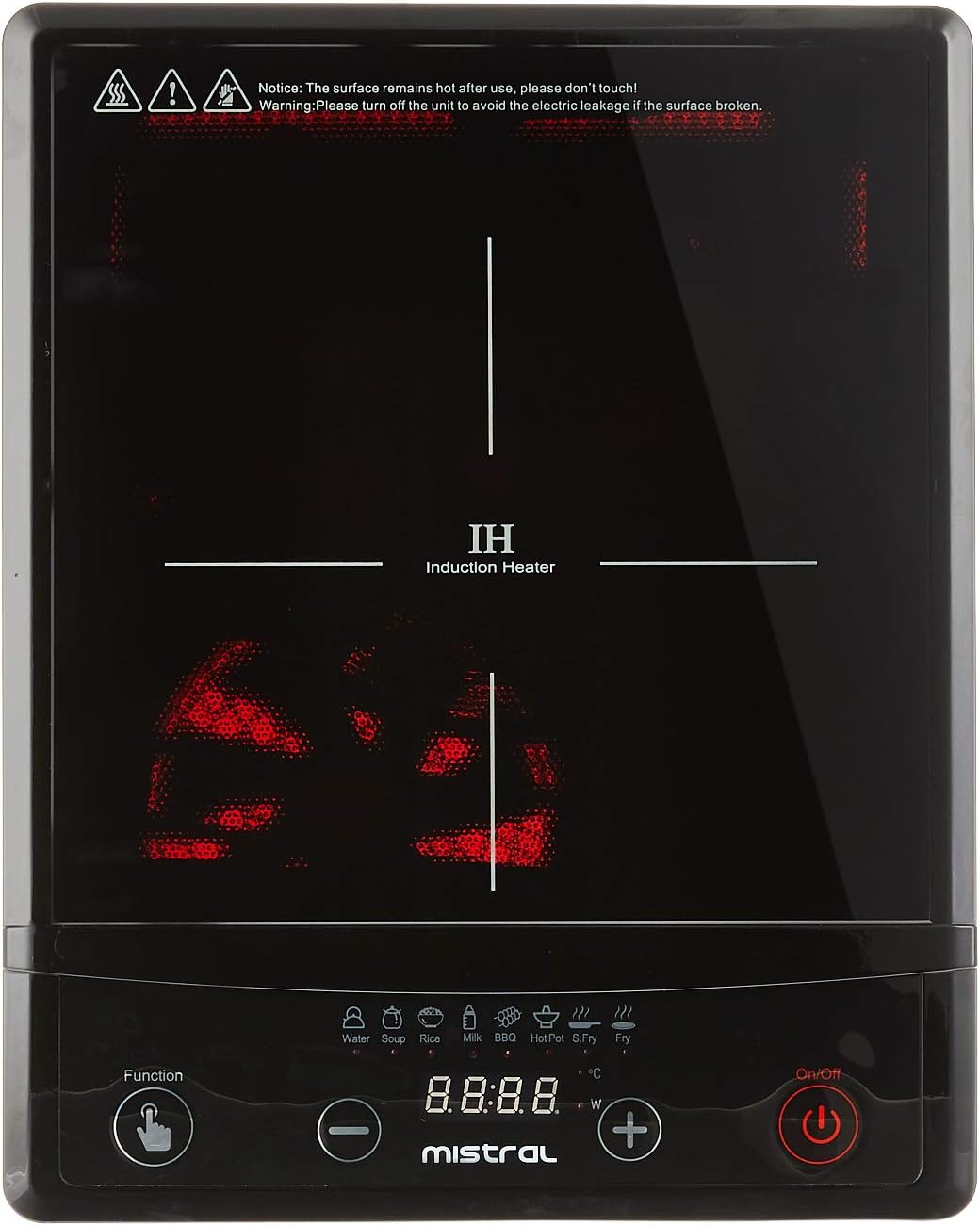
Beeld: Bo view of the Mistral Induction Cooker MIC2001, highlighting the glass cooktop, control panel with function buttons, and the induction heating zone. Note the safety warning printed on the glass surface.
2. Produkkomponente
The Mistral Induction Cooker MIC2001 package includes the following items:
- Mistral Induction Cooker Unit
- Kragkoord
- Gebruikershandleiding (hierdie dokument)
- Compatible Cooking Pot (may vary by package)

Beeld: Sykant view of the Mistral Induction Cooker MIC2001, illustrating the integrated power cord and the ventilation grilles on the side and bottom of the unit.

Image: A stainless steel cooking pot with a glass lid, designed for induction cooking, which may be included with the Mistral Induction Cooker MIC2001.
3. Opstelinstruksies
- Uitpak: Carefully remove all packaging materials from the induction cooker and its accessories. Retain packaging for future transport if needed.
- Plasing: Place the induction cooker on a flat, stable, and heat-resistant surface. Ensure there is at least 10 cm (4 inches) of clear space around all sides of the unit for proper ventilation. Do not place it on a metal surface.
- Kragverbinding: Insert the power plug firmly into a grounded electrical outlet. Ensure the outlet voltage matches the appliance's rating (refer to specifications).
- Kookware plasing: Place an induction-compatible pot or pan centrally on the cooking zone.

Image: The Mistral Induction Cooker MIC2001 with a compatible cooking pot correctly positioned on its glass surface, demonstrating readiness for operation.
4. Bedryfsinstruksies
4.1 Basiese werking
- Krag aan: Druk die Aan/Af button to turn on the induction cooker. The display will illuminate.
- Kies funksie: Druk die Funksie button to cycle through the available cooking modes (e.g., Water, Soup, Milk, BBQ, Hot Pot, S. Fry, Rice).
- Adjust Power/Temperature: Gebruik die + en - buttons to adjust the power level or temperature setting for the selected function. The cooker offers 10 levels of power and temperature control.
- Begin kook: The cooker will begin heating once a function and power level are selected and compatible cookware is detected.
- Skakel af: Druk die Aan/Af button again to turn off the appliance after cooking. The fan may continue to run for a short period to cool the unit.
4.2 Kookfunksies
The Mistral Induction Cooker MIC2001 features 8 pre-set cooking functions for convenience:
- Water: For boiling water quickly.
- Sop: Optimized for simmering soups.
- Melk: Gentle heating for milk to prevent scorching.
- BBQ: High heat for grilling or searing.
- Warm Pot: Maintains a consistent temperature for hot pot dishes.
- S. Fry (Stir Fry): High heat for stir-frying.
- Rys: Specific setting for cooking rice.
- Additional functions may be available depending on the model.
4.3 Over-heating Protection
The appliance is equipped with an over-heating protection system. If the internal temperature becomes too high, the cooker will automatically shut off to prevent damage. Allow the unit to cool down before attempting to use it again.
5. Skoonmaak en Onderhoud
Proper cleaning and maintenance ensure the longevity and safe operation of your induction cooker.
- Voor skoonmaak: Always unplug the induction cooker from the power outlet and allow it to cool completely before cleaning.
- Kookplaat oppervlak: Vee die glas kookplaatoppervlak af met 'n sagte, damp cloth and a mild detergent. For stubborn stains, use a ceramic cooktop cleaner. Do not use abrasive cleaners, scouring pads, or harsh chemicals.
- Beheerpaneel: Vee die beheerpaneel af met 'n sagte, damp cloth. Ensure no liquid enters the control buttons.
- Buitekant: Clean the exterior housing with a soft, damp lap.
- Ventilasie openinge: Periodically check and clean the ventilation openings to ensure they are free from dust and debris. Use a soft brush or vacuum cleaner if necessary.
- Berging: Berg die toestel op 'n droë plek wanneer dit nie gebruik word nie.
6. Probleemoplossingsgids
If you encounter issues with your Mistral Induction Cooker, refer to the following table for common problems and solutions.
| Probleem | Moontlike oorsaak | Oplossing |
|---|---|---|
| Die oond skakel nie aan nie. | Geen kragtoevoer. Kragkabel nie behoorlik gekoppel nie. | Check if the power plug is securely inserted into a working outlet. Gaan die stroombreker na. |
| Die oond skakel aan, maar word nie warm nie. | Non-induction compatible cookware. Cookware not centered. No cookware detected. | Use induction-compatible cookware (magnetic bottom). Plaas die kookgerei in die middel van die kooksone. Place cookware on the cooktop before selecting a function. |
| Cooker shuts off during operation. | Over-heating protection activated. Cookware removed from cooktop. | Allow the unit to cool down. Ensure ventilation is not blocked. Place cookware back on the cooktop. |
| Die skerm wys 'n foutkode. | Interne wanfunksie of spesifieke probleem. | Refer to the specific error code in the full manual (if available) or contact customer support. Try unplugging and re-plugging the unit. |
7. Produkspesifikasies
| Kenmerk | Detail |
|---|---|
| Modelnommer | MIC2001 |
| Handelsmerk | MISTRAL |
| Kleur | Swart |
| Materiaal | Glas |
| Spesiale kenmerke | Temperature Control, Over-heating Protection |
| Verhittingselemente | 1 |
| Tipe kontroles | Drukknop |
| Aanbevole gebruike | Cooking, Boiling, Frying, Simmering |
| Kragbron | Induksie |
| Power/Temperature Control | 10 vlakke |
| Kookfunksies | 8 pre-set functions |
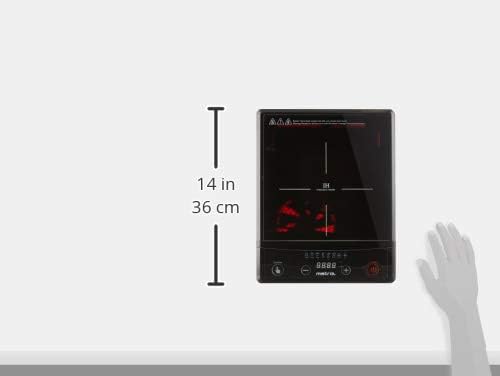
Image: A visual representation of the Mistral Induction Cooker MIC2001's dimensions, indicating a height of 14 inches (36 cm).
8. Waarborg en Ondersteuning
8.1 Waarborginligting
This Mistral Induction Cooker MIC2001 comes with a 1 Jaar Plaaslike (Singapoer) Waarborg vanaf die aankoopdatum. Bewaar asseblief u bewys van aankoop vir waarborgeise.
The warranty covers manufacturing defects under normal household use. It does not cover damage resulting from misuse, accident, unauthorized modification, or failure to follow the instructions in this manual.
8.2 Kliëntediens
For technical assistance, warranty claims, or general inquiries, please contact Mistral customer support. Refer to the contact information provided on the official Mistral webwebwerf of u aankoopdokumentasie.
Vir meer inligting kan u die amptelike MISTRAL Store on Amazon.sg.