
Inleiding
Thank you for choosing the MARVO KG925G Mechanical Gaming Keyboard. This manual provides essential information for setting up, operating, maintaining, and troubleshooting your new keyboard. Please read this manual carefully before use to ensure optimal performance and longevity of your device.
Pakketinhoud
Verifieer dat alle items in die pakket teenwoordig is:
- MARVO KG925G Mechanical Gaming Keyboard
- Gebruikershandleiding (hierdie dokument)
Opstelling
Stelselvereistes
- Bedryfstelsel: Windows 8 of later
- Beskikbare USB 2.0-poort
Koppel die sleutelbord
- Vind 'n beskikbare USB 2.0-poort op jou rekenaar.
- Plug the USB connector of the MARVO KG925G keyboard into the USB port.
- Die bedryfstelsel sal outomaties die nodige drywers opspoor en installeer. Hierdie proses kan 'n paar oomblikke neem.
- Once the drivers are installed, the keyboard's backlighting will illuminate, indicating it is ready for use.
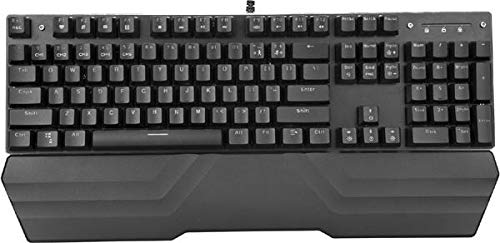
Image: The MARVO KG925G Mechanical Gaming Keyboard with its USB cable connected, ready for use. The keyboard features a wrist rest and illuminated keys.
Bedryfsinstruksies
Basiese sleutelbordfunksies
The MARVO KG925G functions as a standard QWERTY keyboard for typing and general computer use.
Multimedia sleutels
The keyboard includes dedicated multimedia functions, typically accessed via the Fn key combined with the F-keys (F1-F12). Refer to the keycap legends for specific functions such as volume control, media playback, and launching applications.
- Fn + F1-F12: Access various multimedia and system functions.
Agtergrondbeligtingsbeheer
The MARVO KG925G features customizable backlighting. Specific key combinations are used to change lighting modes, brightness, and speed. Consult the keyboard's keycap legends or the manufacturer's website for detailed instructions on advanced lighting customization.
- Beligtingsmodusse: Typically cycled using a dedicated key or Fn + a specific key (e.g., Scroll Lock, Pause Break, or a dedicated lighting key).
- Helderheid aanpassing: Often controlled by Fn + Up/Down arrow keys.
Onderhoud en versorging
Behoorlike onderhoud verseker die lang lewensduur en werkverrigting van jou sleutelbord.
- Skoonmaak: Use a soft, dry cloth to wipe the keyboard surface. For deeper cleaning, use a can of compressed air to remove dust and debris from between the keycaps. Avoid using harsh chemicals or abrasive materials.
- Gemors: In case of liquid spills, immediately unplug the keyboard from your computer. Turn it upside down to drain any liquid and allow it to dry completely for at least 24-48 hours before reconnecting. Do not attempt to use the keyboard while it is wet.
- Berging: Bêre die sleutelbord op 'n koel, droë plek weg van direkte sonlig en uiterste temperature.
Probleemoplossing
If you encounter issues with your MARVO KG925G keyboard, refer to the following common solutions:
| Probleem | Moontlike Oplossing |
|---|---|
| Die sleutelbord reageer nie. |
|
| Backlighting is not working. |
|
| Keys are not registering correctly. |
|
Spesifikasies
- Model: KG925G
- Handelsmerk: MARVO
- Verbinding: USB 2.0
- Tipe sleutelbord: Meganiese spel sleutelbord
- Kenmerke: Illumination, Wrist Rest, Multimedia Keys
- Versoenbare bedryfstelsel: Windows 8 en hoër
- Afmetings: Ongeveer 47.5 x 18.7 x 8.4 cm (18.7 x 7.4 x 3.3 duim)
Waarborg en Ondersteuning
Vir waarborginligting en tegniese ondersteuning, verwys asseblief na die waarborgkaart wat by u produk ingesluit is of besoek die amptelike MARVO webwebwerf. Bewaar u bewys van aankoop vir waarborgeise.