
FORA IR42
FORA IR42 Non-Contact Forehead Thermometer Instruction Manual
Model: IR42 | Brand: FORA
1. Inleiding
The FORA IR42 Non-Contact Forehead Thermometer is a medical-grade device designed for quick, accurate, and hygienic temperature measurement. Utilizing infrared technology, it provides readings in just one second without physical contact, making it ideal for infants, children, and adults. This manual provides comprehensive instructions for safe and effective use of your thermometer.

Figure 1: The FORA IR42 Non-Contact Forehead Thermometer.
Sleutel kenmerke:
- Nie-kontakmeting: Infrared sensor allows for hygienic temperature checks from a distance of 1 to 2.5 inches (3-7 cm).
- Vinnige lesings: Delivers accurate results in just one second.
- Dubbelmodus-werking: Includes specific modes for both adults and children.
- Fever Indication System: Backlight changes color (green for normal, red for elevated) to visually alert users of potential fever.
- Veelsydige gebruik: Capable of measuring body temperature as well as surface temperatures of objects or room environments.
- Geheueberging: Stores up to 30 previous measurements for easy tracking.
2. Opstelling
2.1. Uitpak en Komponente
Nadat u die verpakking oopgemaak het, maak seker dat alle komponente teenwoordig is:
- FORA IR42 Forehead Thermometer
- 2 x AAA-batterye (ingesluit)
- Instruksie Handleiding

Figure 2: Product packaging showing the thermometer and its features.
2.2. Battery Installasie
- Vind die batteryklepdeksel aan die agterkant van die termometer.
- Skuif die deksel afwaarts om die kompartement oop te maak.
- Plaas twee AAA-batterye in en maak seker dat die polariteit (+ en -) korrek is soos aangedui in die kompartement.
- Skuif die batteryklepdeksel terug in plek totdat dit stewig klik.
Note: The thermometer requires 2 x 1.5V AAA alkaline batteries.
3. Bedryfsinstruksies
3.1. Taking a Forehead Temperature Measurement
- Ensure the thermometer is in the correct mode (Adult or Child, see section 3.2).
- Hold the thermometer approximately 1 to 2.5 inches (3-7 cm) away from the center of the forehead.
- Druk die aan / uit-knoppie (⑂) een keer.
- The temperature reading will appear on the LCD display within one second.
- A green backlight indicates a normal temperature. A red backlight indicates an elevated temperature (fever).

Figure 3: Demonstrating hygienic non-contact temperature measurement.
3.2. Switching Between Adult and Child Modes
The FORA IR42 offers specific modes for adult and child temperature measurement, which may have different fever thresholds.
- With the thermometer powered on, locate the "MODE" button on the side of the device.
- Press the "MODE" button to toggle between Adult and Child modes. The display will show an icon indicating the selected mode (e.g., an adult figure or a child figure).

Figure 4: Visual representation of Adult and Child Temperature Modes.
3.3. Measuring Surface/Object Temperature
This thermometer can also measure the temperature of surfaces or objects, such as baby formula, bath water, or room temperature.
- Ensure the thermometer is in Surface mode (indicated by a thermometer icon). If not, press the "MODE" button until the surface icon appears.
- Point the thermometer at the desired surface or object from a distance of 1 to 2.5 inches (3-7 cm).
- Druk die aan / uit-knoppie (⑂) een keer.
- The surface temperature will be displayed.
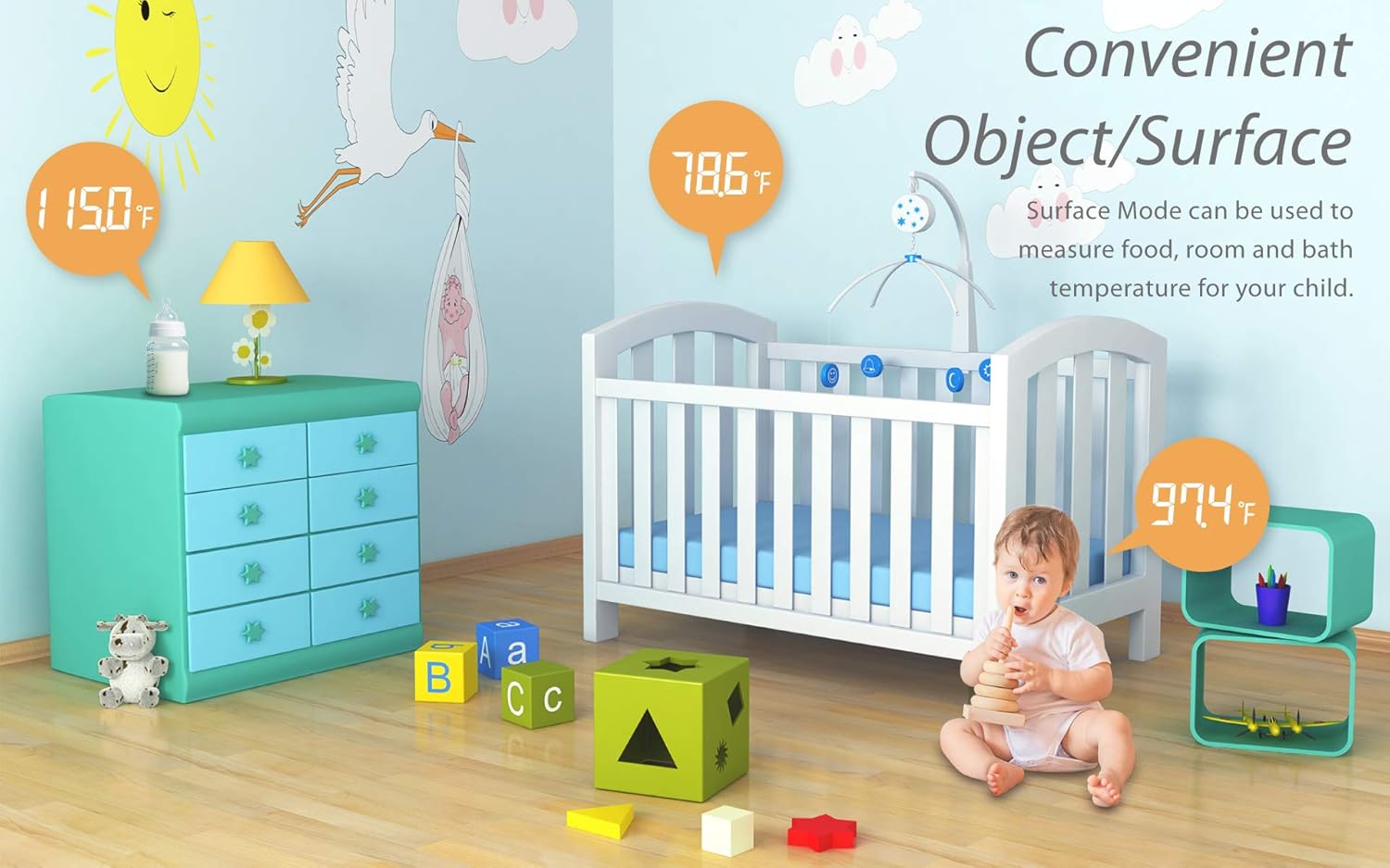
Figuur 5: Examples of convenient object/surface temperature measurement.
3.4. Switching Between Celsius and Fahrenheit
The thermometer allows you to switch between Celsius (℃) and Fahrenheit (℉) temperature units.
- With the thermometer powered off, press and hold the "MODE" button for 2 seconds to enter the selection mode.
- Press the "MODE" button again to toggle between ℃ and ℉.
- Druk die aan / uit-knoppie (⑂) to confirm your selection and exit the setting mode.
Video 1: Demonstrates how to switch temperature readings between Celsius and Fahrenheit on the FORA IR42 thermometer.
3.5. Geheue Funksie
The thermometer automatically stores the last 30 temperature measurements. To view past readings:
- With the thermometer powered on, press the "MEMORY" button (usually located on the side, near the MODE button).
- Each press of the "MEMORY" button will cycle through the stored readings, from most recent to oldest.

Figure 6: Display showing fever indication and memory storage capability.
4. Onderhoud
4.1. Skoonmaak
To ensure accurate readings and hygiene, clean the thermometer regularly:
- Wipe the thermometer body with a soft, dry cloth.
- For the sensor lens, gently wipe with an alcohol swab or a cotton swab moistened with alcohol. Do not use abrasive cleaners or immerse the device in water.
4.2. Berging
Store the thermometer in a cool, dry place, away from direct sunlight, extreme temperatures, and humidity. Remove batteries if the device will not be used for an extended period to prevent leakage.
5. Probleemoplossing
| Probleem | Moontlike oorsaak | Oplossing |
|---|---|---|
| "Laag" of "Hi" word vertoon | Temperature is outside the measurable range (below 89.6℉ or above 109.4℉). | Ensure proper measurement technique and distance. If measuring body temperature, re-measure in a stable environment. |
| Onakkurate of teenstrydige lesings | Incorrect measurement distance, dirty sensor, or environmental factors. | Maintain correct distance (1-2.5 inches). Clean the sensor lens. Ensure stable room temperature. Avoid measuring immediately after physical activity or bathing. |
| Thermometer does not power on | Dooie of verkeerd geïnstalleerde batterye. | Kontroleer die polariteit van die batterye. Vervang met nuwe AAA-batterye. |
| Red backlight always on | Indicates a temperature above the fever threshold. | This is a feature, not a malfunction. If concerned, consult a healthcare professional. |
6. Spesifikasies
| Kenmerk | Detail |
|---|---|
| Getoonde temperatuurreeks | 89.6℉ tot 109.4℉ (32℃ tot 43℃) |
| Vertoon resolusie | 0.1℉/0.1℃ |
| Temperatuur Eenheid | ℉ (Default) or ℃ |
| Geheue kapasiteit | 30 metings |
| Afmetings | 155.46 (L) x 40.14 (B) x 39.45 (H) mm |
| Gewig | 61.8g (sonder battery) |
| Kragbron | 2 x 1.5V AAA alkaliese batterye |
| Spesiale kenmerk | Large Display, Low Battery Indicator, Ultra Clear Screen, Fast Reading System, High Accuracy |
| Materiaal | Plastiek |
| Kleur | Wit |
| Vervaardiger | Taidoc Tegnologie Korporasie |

Figure 7: Detailed specifications of the FORA IR42 thermometer.
7. Waarborg en Ondersteuning
FORA products are manufactured to the highest quality standards. For warranty information, technical support, or any inquiries regarding your FORA IR42 thermometer, please refer to the warranty card included in your product packaging or visit the official FORA website. You may also contact customer support directly through the details provided on the packaging or webwebwerf.
Video 2: 'n Oorview of the FORA IR42 Non-Contact Forehead Thermometer.
Ask a question about this manual
Ask about setup, troubleshooting, compatibility, parts, safety, or missing instructions. Manuals+ will review the question and use this page’s manual context to help answer it.