
Inleiding
Thank you for choosing the Riwbox CT-7S Kids Wireless Headphones. These headphones are designed with children in mind, featuring a fun cat-ear design with LED lights, 85dB volume limiting for hearing protection, and versatile wired/wireless connectivity. This manual provides detailed instructions to help you get the most out of your new headphones.
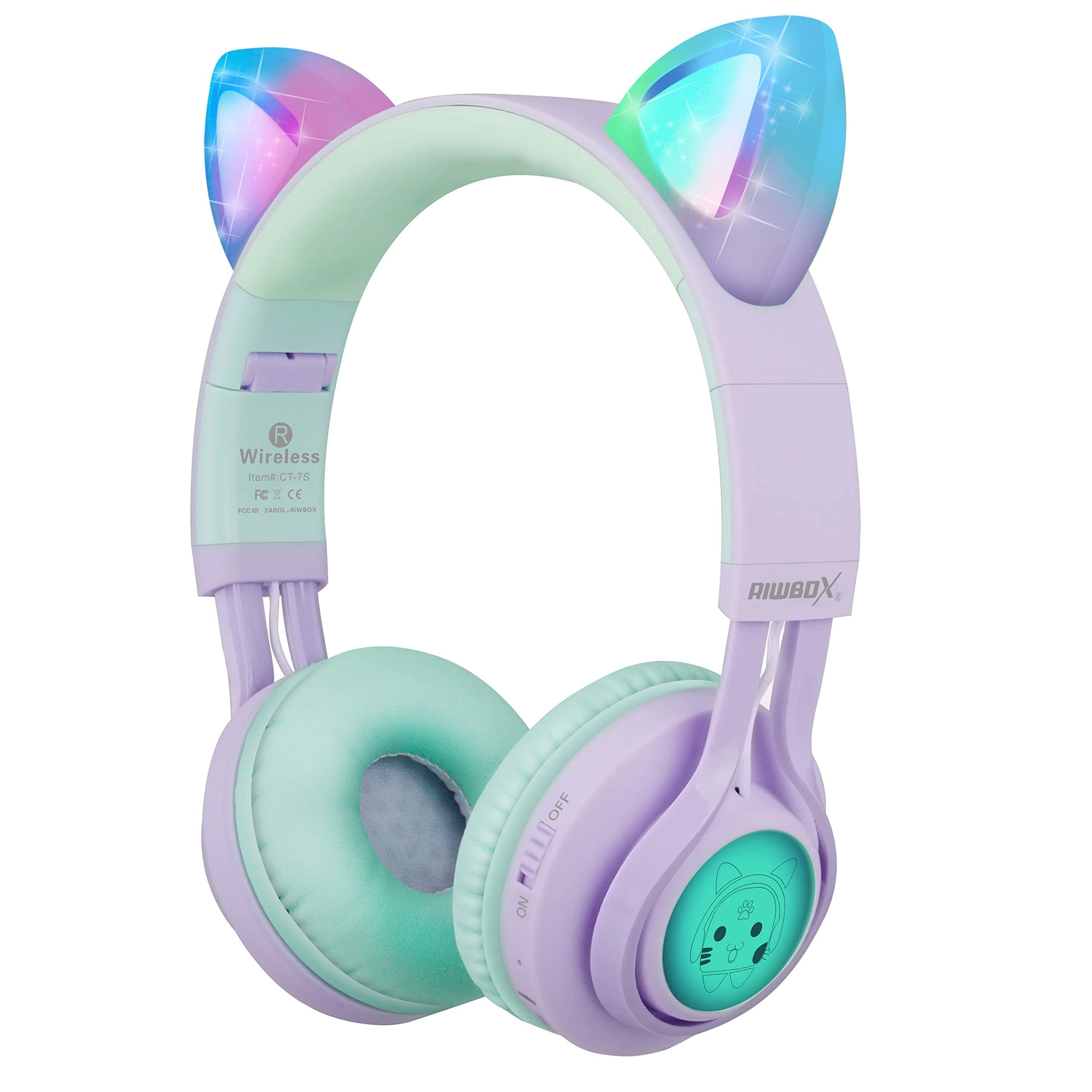
Image: Riwbox CT-7S Kids Wireless Headphones in purple and green, showcasing the cat-ear design and soft earcups.
Wat is in die boks
- Volume limiting cat ear headphones (Wireless)
- 3.5mm Anti-Tangle Audio Cable with Mic
- USB-C-laaikabel
- Gebruikershandleiding

Image: The included 3.5mm audio cable and USB-C charging cable.
Opstelling
1. Laai die oorfone
Before first use, fully charge the headphones. Connect the provided USB-C charging cable to the charging port on the headphone and the other end to a USB power source (e.g., computer, wall adapter). The LED indicator will show charging status. A full charge takes approximately 2 hours and provides up to 40 hours of playback.
2. Skakel aan/af
Locate the ON/OFF switch on the side of the headphone. Slide the switch to the "ON" position to power on. Slide to "OFF" to power off.
3. Bluetooth-koppeling
- Maak seker dat die oorfone afgeskakel is.
- Slide the ON/OFF switch to the "ON" position. The headphones will automatically enter pairing mode, and the LED indicator will flash.
- Aktiveer Bluetooth op jou toestel (slimfoon, tablet, skootrekenaar) en soek vir beskikbare toestelle.
- Select "CT-7S" from the list of devices.
- Once paired, the LED indicator will stop flashing and remain solid, and a voice reminder will confirm the connection.
- The connection status and battery level will be shown on your smartphone screen.

Image: Detailed diagram showing the location of the ON/OFF switch, microphone, LED indicator, USB charge port, and 3.5mm audio AUX port on the headphones.
Bedryfsinstruksies
1. Wired Mode (Optional)
If the headphone battery runs out, or if you prefer a wired connection, you can use the provided 3.5mm anti-tangle audio cable. Simply plug one end into the headphone's AUX port and the other end into your device's 3.5mm audio jack. The cable includes a built-in microphone for phone calls.
2. Volumebeheer
In Bluetooth mode, use the volume control buttons on the headphone to adjust the sound level. The 85dB volume limiting feature ensures safe listening levels for children.
3. Music Playback & Call Management
- Speel/pouse: Druk kort op die Speel/Pause-knoppie.
- Volgende liedjie: Druk die Volume Op (+) knoppie lank.
- Vorige liedjie: Druk die Volume Verlaag (-) knoppie lank.
- Beantwoord/beëindig oproep: Druk kort op die Speel/Pause-knoppie.
4. LED-ligbeheer
The cat ears and side panels feature colorful LED lights that can blink and change color with the rhythm of the music. To turn the LED lights ON or OFF, press and hold the 'M' button for 3 seconds. Turning off the LED lights can help conserve battery for longer music playback.

Image: Illustration showing the LED lights on the cat ears and side panels of the headphones.
Onderhoud
- Hou die oorfone skoon deur dit met 'n sagte, droë lap af te vee.
- Vermy om die oorfone aan uiterste temperature of direkte sonlig bloot te stel.
- Bêre die oorfone op 'n koel, droë plek wanneer dit nie gebruik word nie. Die opvoubare ontwerp maak kompakte berging moontlik.
- Do not attempt to disassemble or repair the headphones yourself, as this may void the warranty.
- Keep away from water. While the product description mentions "Waterproof" in one specification, it's generally safer to avoid direct water exposure for electronic devices.

Image: Riwbox CT-7S headphones shown in their folded position, highlighting portability.
Probleemoplossing
| Probleem | Oplossing |
|---|---|
| Oorfone sal nie aanskakel nie. | Ensure the headphones are charged. Connect the USB-C charging cable and try again. |
| Kan nie via Bluetooth koppel nie. |
|
| Geen klank in draadlose modus nie. |
|
| Geen klank in bedrade modus nie. |
|
| LED-ligte werk nie. | Press and hold the 'M' button for 3 seconds to toggle the LED lights on/off. Ensure headphones are charged. |
Spesifikasies
| Kenmerk | Detail |
|---|---|
| Modelnommer | CT-7S |
| Handelsmerk | ripbox |
| Verbindingstegnologie | Bluetooth, Wired, Wireless |
| Bluetooth weergawe | 5.3 |
| Bluetooth-reeks | 50 Voet |
| Oudiobestuurdergrootte | 40 millimeter |
| Sensitiwiteit | 85 dB (Volume Limiting) |
| Frekwensierespons | 2 KHz |
| Battery Laai Tyd | 2 ure |
| Battery Gemiddelde Lewe | 40 ure |
| Tipe beheer | Volumebeheer, Aanraking, Knoppie |
| Oorplasing | Op Oor |
| Vormfaktor | Over Ear, Foldable |
| Materiaal | Plastiek |
| Item gewig | 0.35 pond |
Waarborg & Ondersteuning
Riwbox offers a 1 jaar waarborg for products purchased from Amazon. To register for warranty service, please email support@riwbox.com within one week of purchase. Don't forget to offer your order number for verification.
For further assistance or inquiries, please visit the official Riwbox webwebwerf of kontak hul kliëntediens.