
1. Inleiding
This manual provides detailed instructions for the safe and efficient operation, setup, and maintenance of your Bernina 590 Sewing and Embroidery Machine. Please read this manual thoroughly before using the machine to ensure optimal performance and longevity.
2. Veiligheidsinstruksies
Volg altyd basiese veiligheidsmaatreëls wanneer elektriese toestelle gebruik word om die risiko van brand, elektriese skok of beserings aan persone te verminder.
- Ensure the machine is unplugged before cleaning, lubricating, or performing any user servicing.
- Hou vingers weg van alle bewegende dele. Spesiale versigtigheid is nodig rondom die naaimasjiennaald.
- Use the correct needle plate. The wrong plate can cause the needle to break.
- Moenie gebuigde naalde gebruik nie.
- Moenie aan die materiaal trek of stoot terwyl jy stik nie. Dit kan die naald afbuig en veroorsaak dat dit breek.
- Dra veiligheidsbril.
- Moet nooit die masjien gebruik met enige lugopeninge wat geblokkeer is nie. Hou die ventilasieopeninge van die naaimasjien en voetpedaal vry van die ophoping van pluis, stof en los lap.
3. Produk verbyview
The Bernina 590 is a versatile machine designed for both sewing and embroidery tasks, offering advanced features for precision and ease of use.
Sleutel kenmerke:
- Automatic Thread Cutter: Performs three steps in one: cuts the thread, positions the needle, and lifts the presser foot.
- Bernina Hook: Ensures consistent and precise stitches at speeds up to 1,000 stitches per minute.
- Bernina Dual Feed: Moves fabric evenly from both top and bottom, easily activated and deactivated.
- Embroidery Capabilities: Maximum embroidery area of 400 x 150 mm, includes 275 embroidery designs and 8 embroidery alphabets.
- Kleur raakskerm: Intuitive interface for machine control and stitch selection.
- LED lig: Provides bright illumination of the work area.
- Invisible Secure Stitch and Intelligent Tie-off Recognition: Ensures high-quality embroidery results.
- Precise Motif Positioning: Allows accurate placement of embroidery designs on hooped fabric.
- On-screen Guides: Sewing and embroidery guides provide direct assistance and answer questions.
Masjien komponente:


4. Opstelling
Before operating your Bernina 590, ensure it is properly set up.
4.1 Aanvanklike kragverbinding
- Plaas die masjien op 'n stabiele, plat oppervlak.
- Koppel die kragkabel aan die masjien en dan aan 'n geskikte elektriese aansluiting.
- Skakel die masjien aan met die hoofskakelaar.
4.2 Die masjien insny
Follow the numbered threading path indicated on the machine for the upper thread. For the bobbin, refer to the following illustration:

4.3 Attaching the Presser Foot and Needle
Ensure the correct presser foot and needle are installed for your chosen task.

5. Bedryfsinstruksies
5.1 Sewing Operations
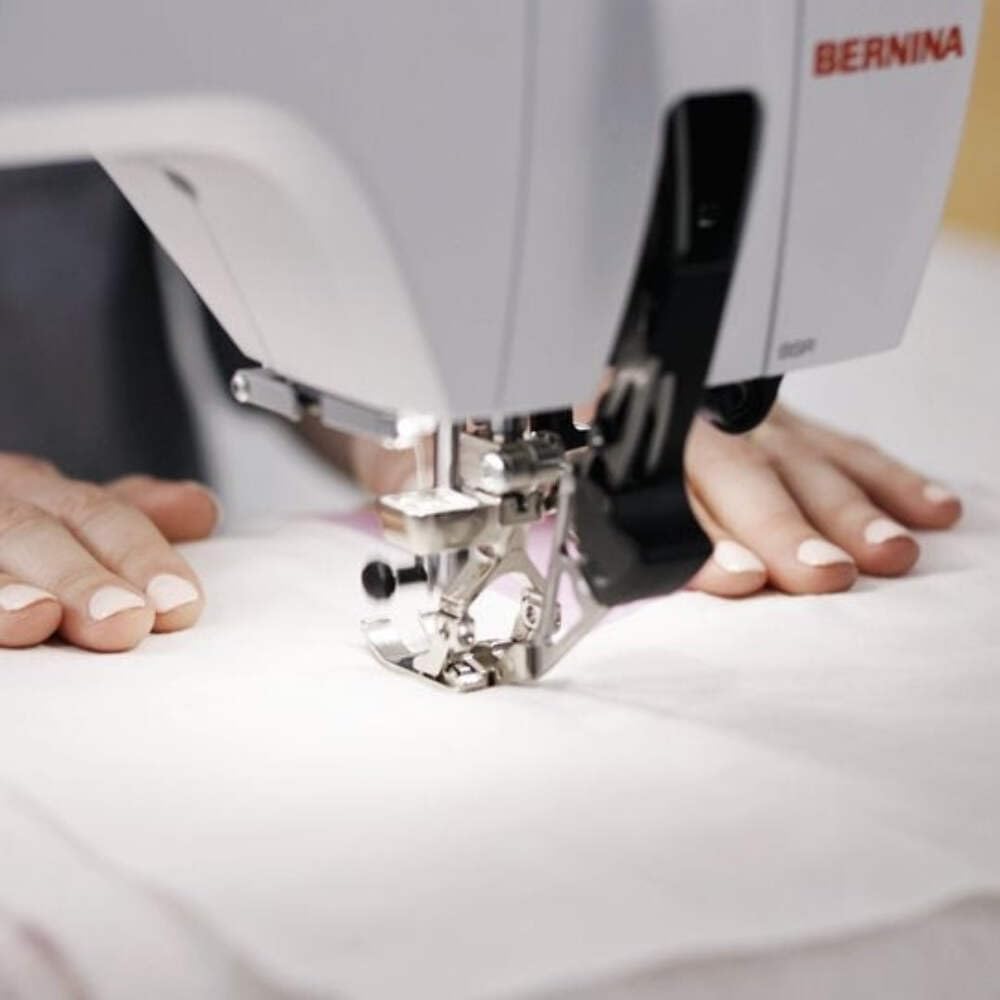
Select your desired stitch pattern and adjust settings using the color touchscreen. The Bernina 590 offers precise control for various sewing projects.
- Steekkeuse: Navigate the touchscreen to choose from a wide range of utility and decorative stitches.
- Bernina Dual Feed: Activate the dual feed for even fabric transport, especially useful for challenging materials.
- Automatic Thread Cutter: Utilize this feature to automatically cut threads at the end of a seam.
5.2 Embroidery Operations
Attach the embroidery module and hoop your fabric to begin embroidery projects.
- Design Selection: Choose from 275 built-in embroidery designs or load your own.
- Motif Positioning: Use the precise motif positioning feature to align your design accurately on the fabric.
- Embroidery Guide: Follow the on-screen guide for step-by-step assistance during embroidery.

6. Onderhoud
Regular maintenance ensures the smooth operation and extends the lifespan of your Bernina 590.
- Skoonmaak: Regularly clean the bobbin area, feed dogs, and needle plate to remove lint and dust. Use a small brush provided with the machine.
- Smering: Refer to the machine's internal instructions for specific lubrication points and frequency.
- Naaldvervanging: Replace needles frequently, especially when working with different fabric types or if the needle shows signs of wear.
- Sagteware-opdaterings: Check the official Bernina website for any available software updates for your machine.
7. Probleemoplossing
This section addresses common issues you might encounter. For more complex problems, contact Bernina support.
| Probleem | Moontlike oorsaak | Oplossing |
|---|---|---|
| Steke oorgeslaan | Verkeerde naald, gebuigde naald, verkeerde inryging. | Replace needle, re-thread machine, ensure correct needle type for fabric. |
| Draadbreuk | Verkeerde spanning, swak gehalte draad, braam op naaldplaat, verkeerde inryg. | Adjust tension, use quality thread, check for burrs, re-thread machine. |
| Masjien begin nie | Power cord not connected, main switch off, foot control issue. | Check power connections, ensure switch is on, inspect foot control. |
8. Spesifikasies
Detailed technical specifications for the Bernina 590 Sewing and Embroidery Machine.
- Model: Bernina 590
- Afmetings (Pakket): 58 x 50 x 48 cm
- Gewig (Produk): 15 kg
- Maximum Embroidery Area: 400 x 150 mm
- Maximum Embroidery Speed: 1000 XNUMX steke per minuut
- Included Embroidery Designs: 275
- Embroidery Alphabets: 8
- Hook System: Bernina Hook
- Vertoon: Kleur raakskerm
- Beligting: LED

9. Waarborg en Ondersteuning
For warranty information, please refer to the documentation provided with your purchase or visit the official Bernina website. For technical support, service, or to order parts, please contact your authorized Bernina dealer or Bernina customer service.
Bernina Official Webwebwerf: www.bernina.com