
1. Inleiding
This manual provides detailed instructions for the proper use and maintenance of your Edifier W820BT Bluetooth Headphones. Please read this manual thoroughly before using the product to ensure optimal performance and longevity.
2. Pakketinhoud
Verify that all items listed below are included in your package. If any items are missing or damaged, please contact Edifier customer support.
- Edifier W820BT Bluetooth-oorfone
- Laaikabel (USB)
- Oudiokabel (3.5 mm)
- Gebruikershandleiding (hierdie dokument)
3. Produk verbyview
The Edifier W820BT headphones are designed for comfort and extended listening, featuring Bluetooth v4.1 connectivity and a long-lasting battery.
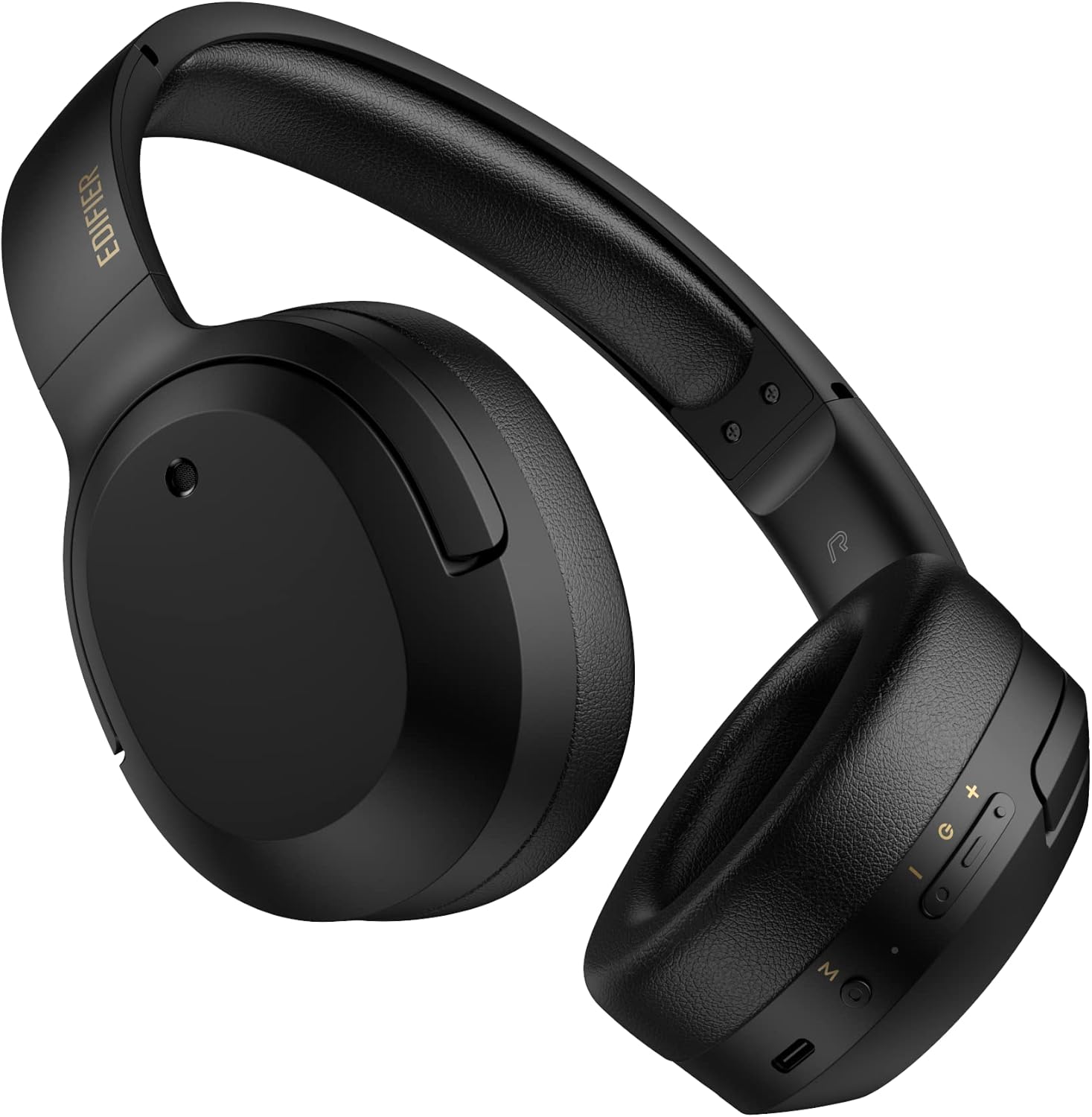
Figuur 3.1: Voorkant view van die Edifier W820BT Bluetooth-oorfone.

Figuur 3.2: Kant view of the Edifier W820BT Bluetooth Headphones, highlighting the control buttons.
Sleutel kenmerke:
- Bluetooth V4.1 with CSR Technology for stable wireless connection.
- Tot 80 XNUMX uur se batterylewe.
- Foldable design for portability.
- Soft leather ear pads for comfort.
- Durable and flexible steel headband.
- On-ear controls for media playback and calls.
4. Opstelling
4.1 Laai die oorfone
Laai die oorfone volledig voor die eerste gebruik.
- Connect the micro-USB end of the charging cable to the charging port on the headphone (located on the right earcup).
- Koppel die USB-A-punt van die laaikabel aan 'n USB-kragadapter (nie ingesluit nie) of 'n rekenaar se USB-poort.
- The LED indicator will illuminate during charging and turn off once fully charged.
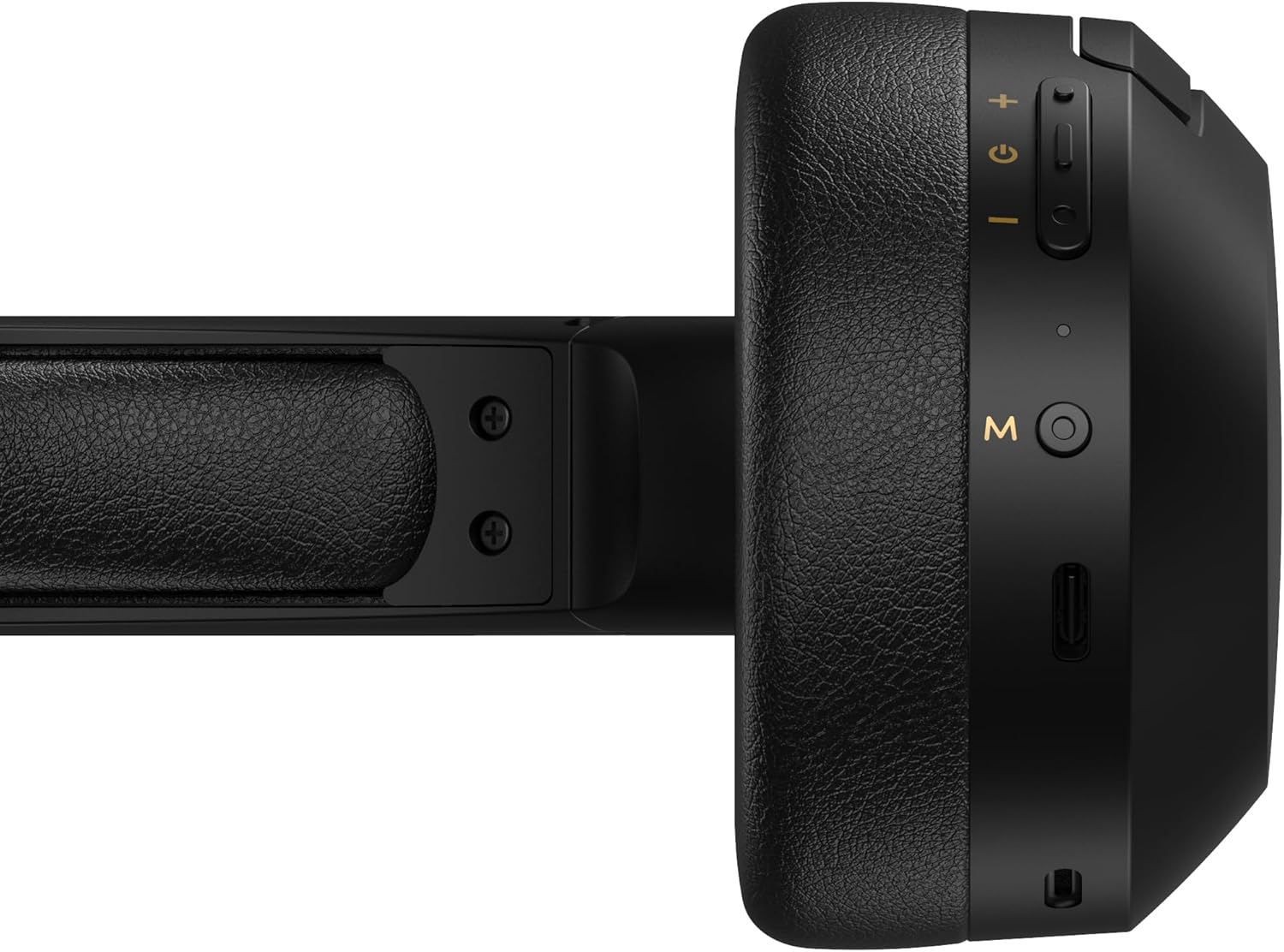
Figure 4.1: Close-up of the charging port and control buttons on the right earcup.
4.2 Aan-/afskakel
- Om aan te skakel: Press and hold the multi-function button (usually marked with a power icon or 'M') for approximately 3 seconds until the LED indicator flashes blue.
- Om af te skakel: Druk en hou die multifunksieknoppie vir ongeveer 5 sekondes in totdat die LED-aanwyser rooi flikker en dan afskakel.
4.3 Bluetooth -koppeling
Om jou oorfone aan 'n Bluetooth-geaktiveerde toestel te koppel:
- Maak seker dat die oorfone afgeskakel is.
- Press and hold the multi-function button for approximately 5-7 seconds until the LED indicator flashes red and blue alternately. This indicates pairing mode.
- Aktiveer Bluetooth op jou toestel (slimfoon, tablet, rekenaar) en soek vir beskikbare toestelle.
- Kies "EDIFIER W820BT" uit die lys van gevonde toestelle.
- Sodra dit gekoppel is, sal die LED-aanwyser stadig blou flikker.
Let wel: Die oorfone sal outomaties probeer om weer aan die laaste gekoppelde toestel te koppel wanneer dit aangeskakel word.
5. Bedryfsinstruksies
5.1 Oor-oor-kontroles
The control buttons are located on the right earcup.
| Knoppie/aksie | Funksie |
|---|---|
| Multi-function Button (M) |
|
| Volume op (+) |
|
| Volume af (-) |
|
5.2 Bedrade verbinding
The W820BT headphones can also be used with a wired connection.
- Connect one end of the 3.5mm audio cable to the audio input jack on the left earcup of the headphones.
- Koppel die ander kant van die 3.5 mm-klankkabel aan die klankuitsetaansluiting van jou toestel.
- Die oorfone sal outomaties na bedrade modus oorskakel. Bluetooth-funksionaliteit sal gedeaktiveer word.

Figure 5.1: Connecting the 3.5mm audio cable for wired listening.
6. Onderhoud
- Maak die oorfone skoon met 'n sagte, droë lap. Moenie skuurmiddels of oplosmiddels gebruik nie.
- Vermy die blootstelling van die oorfone aan uiterste temperature, humiditeit of direkte sonlig.
- Bêre die oorfone op 'n koel, droë plek wanneer dit nie gebruik word nie. Die opvoubare ontwerp maak kompakte berging moontlik.
- Do not disassemble the headphones. This will void the warranty.
7. Probleemoplossing
If you encounter issues with your Edifier W820BT headphones, refer to the following common problems and solutions:
| Probleem | Oplossing |
|---|---|
| Kan nie aanskakel nie | Ensure the headphones are charged. Connect to a power source using the charging cable. |
| Kan nie via Bluetooth koppel nie |
|
| Geen klank nie |
|
| Swak klankgehalte |
|
8. Spesifikasies
| Kenmerk | Detail |
|---|---|
| Model Naam | W820BT |
| Verbindingstegnologie | Draadloos (Bluetooth), Bedraad (3.5mm-aansluiting) |
| Bluetooth weergawe | 4.1 |
| Batterylewe | Tot 80 ure |
| Oorstukvorm | Oor Oor |
| Materiaal | Staal (hoofband) |
| Item gewig | 1.14 pond (ongeveer 517 g) |
| Produk afmetings | 9.25 x 7.64 x 3.41 duim |
| Vervaardiger | Opbouer |
9. Waarborg en Ondersteuning
Edifier provides a een jaar waarborg in the USA and Canada for the W820BT headphones. For warranty claims or technical support, please contact Edifier customer service.
For more information, visit the official Edifier webwebwerf of verwys na u aankoopdokumentasie.
10. Videodemonstrasie
Watch the official product video for a visual guide on the Edifier W820BT Bluetooth Headphones' features and usage.
Video 10.1: Amptelike produk verbyview of the Edifier W820BT Bluetooth Headphones, demonstrating features like battery life, comfort, foldable design, and on-ear controls.


