
1. Inleiding
This user manual provides essential information for the safe and efficient operation of your new Candy MIC20GDFN Combination Built-in Microwave Oven. Please read these instructions carefully before using the appliance and retain them for future reference. Proper use and maintenance will ensure optimal performance and extend the lifespan of your microwave oven.
2. Belangrike veiligheidsinstruksies
Wanneer elektriese toestelle gebruik word, moet basiese veiligheidsmaatreëls gevolg word, insluitend die volgende:
- Lees alle instruksies voordat u die toestel gebruik.
- Do not operate the oven if the door or door seals are damaged. Contact qualified service personnel for repair.
- Moenie vloeistowwe of ander kosse in verseëlde houers verhit nie, want dit kan ontplof.
- Laat kinders slegs toe om die oond sonder toesig te gebruik wanneer voldoende instruksies gegee is sodat die kind die oond op 'n veilige manier kan gebruik en die gevare van onbehoorlike gebruik verstaan.
- Gebruik slegs gereedskap wat geskik is vir gebruik in mikrogolfoonde.
- Wanneer jy kos in plastiek- of papierhouers verhit, hou die oond dop weens die moontlikheid van ontsteking.
- As rook waargeneem word, skakel die toestel af of koppel dit uit en hou die deur toe om enige vlamme te smoor.
- Moenie kos oorkook nie.
- Do not use the oven for storage purposes. Do not leave paper products, cooking utensils, or food in the oven when not in use.
- Die mikrogolfoond is bedoel vir die verhitting van kos en drank. Droog van klere en verhitting van opwarmkussings, pantoffels, sponse, damp lap en soortgelyke kan lei tot risiko van besering, ontsteking of brand.
- Die toestel moet geaard wees. Koppel slegs aan 'n behoorlik geaarde aansluiting.
3. Produk verbyview
The Candy MIC20GDFN is a 20-liter combination built-in microwave oven designed for modern kitchens. It offers efficient microwave cooking with multiple functions, integrated seamlessly into your cabinetry.

Figuur 3.1: Voorkant view of the Candy MIC20GDFN built-in microwave oven, showcasing its sleek black finish and control panel on the right side.

Figure 3.2: The Candy MIC20GDFN microwave oven seamlessly integrated into a white kitchen cabinet, with the door closed and the digital display showing the time.

Figure 3.3: The Candy MIC20GDFN microwave oven with its door open, revealing a dish of food placed on the turntable inside, demonstrating its operational state within a kitchen setting.
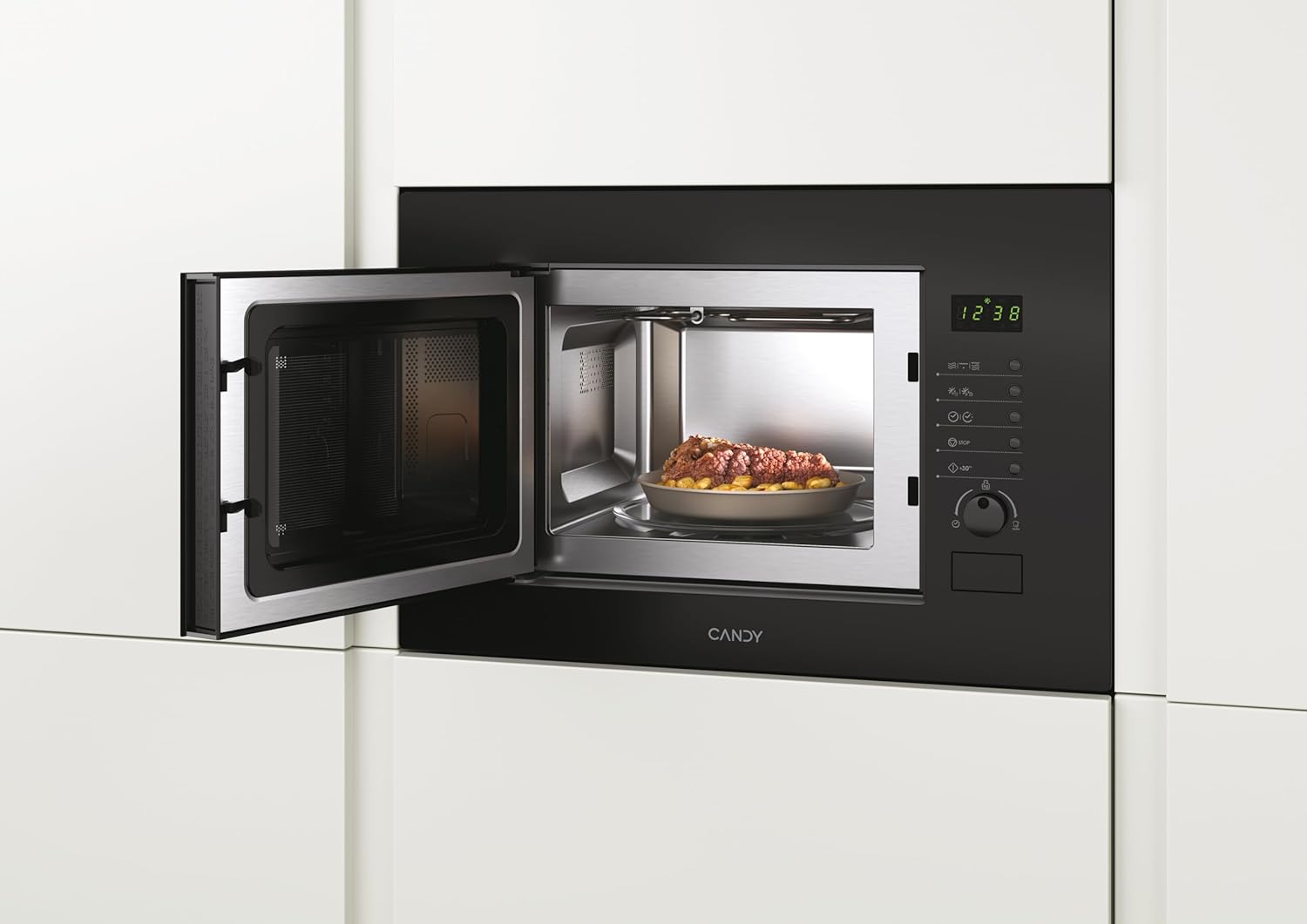
Figure 3.4: A closer interior view of the Candy MIC20GDFN microwave oven with the door open, showing the stainless steel cavity and the glass turntable, ready for use.
4. Opstelling en installering
This appliance is designed for built-in installation. Ensure that the installation is carried out by a qualified technician in accordance with the provided installation template and local regulations.
4.1 Uitpak
- Verwyder alle verpakkingsmateriaal versigtig.
- Kontroleer die oond vir enige skade, soos duike of 'n verkeerde deur. Moenie dit gebruik as dit beskadig is nie.
- Ensure all accessories, including the turntable and roller ring, are present.
4.2 Plasing en Ventilasie
- The microwave oven must be placed in a cabinet opening that meets the specified dimensions.
- Ensure adequate ventilation space around the appliance as per the installation guide to prevent overheating.
4.3 Elektriese aansluiting
- Connect the appliance to a properly earthed electrical outlet.
- Verifieer dat die voltage en frekwensie stem ooreen met die spesifikasies op die graderingsplaat van die toestel.
5. Bedryfsinstruksies
The Candy MIC20GDFN offers various cooking functions. Familiarize yourself with the control panel for optimal use.
5.1 Beheerpaneel verbyview
The control panel typically features a digital display, function buttons, and a rotary knob for setting time and power levels. Refer to Figure 3.1 for a visual representation.
5.2 Basiese Mikrogolfkook
- Plaas kos in 'n mikrogolf-veilige houer op die draaitafel.
- Maak die oonddeur stewig toe.
- Select the desired microwave power level using the appropriate button or rotary knob.
- Stel die kooktyd in.
- Druk die Start-knoppie om te begin kook.
5.3 Grill Funksie
Die roosterfunksie is ideaal vir die bruin en brosmaak van kos.
- Plaas kos op die roosterrak (indien voorsien) of 'n hittebestande bak.
- Kies die roosterfunksie.
- Stel die braaityd in.
- Druk die Start-knoppie.
5.4 Kombinasie kook
Combination cooking combines microwave and grill functions for faster cooking and browning results.
- Plaas kos in 'n geskikte houer.
- Select the desired combination mode (e.g., Microwave + Grill).
- Set the cooking time and power levels as required.
- Druk die Start-knoppie.
5.5 Ontdooifunksie
Die ontdooifunksie maak voorsiening vir vinnige en doeltreffende ontdooiing van bevrore kosse.
- Plaas bevrore kos in 'n mikrogolf-veilige bak.
- Select the defrost function (by weight or time).
- Enter the weight of the food or the desired defrosting time.
- Druk die Start-knoppie.
6. Onderhoud en Skoonmaak
Regular cleaning and maintenance will ensure the longevity and hygiene of your microwave oven.
- Buitekant: Maak die buite-oppervlak skoon met 'n sagte, damp lap. Moenie skuur skoonmaakmiddels of oplosmiddels gebruik nie.
- Binne: Vee die binneste holte af met advertensieamp cloth after each use. For stubborn stains, place a bowl of water with lemon juice inside and microwave for a few minutes to loosen residue, then wipe clean.
- Deur en Seëls: Maak die deur, deurseëls en beheerpaneel skoon met 'n sagte, damp lap om enige gemors of spat te verwyder.
- Draaitafel en Rolring: The glass turntable and roller ring can be removed and washed in warm soapy water or in a dishwasher. Ensure they are dry before placing them back in the oven.
- Moet nooit stoomskoonmakers gebruik nie.
7. Probleemoplossing
If you encounter any issues with your microwave oven, refer to the table below for common problems and solutions. If the problem persists, contact customer support.
| Probleem | Moontlike oorsaak | Oplossing |
|---|---|---|
| Oond begin nie | Kragkabel nie ingeprop nie; Deur nie behoorlik toe nie; Sekering deurgeblaas of stroombreker het geaktiveer. | Steek in die stopcontact; Maak die deur stewig toe; Kontroleer die sekering of herstel die stroombreker. |
| Kos word nie verhit nie | Verkeerde kragvlak of kooktyd ingestel; Mikrogolf-veilige bakkie nie gebruik nie. | Pas instellings aan; Gebruik gepaste kookgerei. |
| Draaitafel draai nie | Draaitafel nie behoorlik geplaas nie; Rolring vuil of beskadig. | Maak seker dat die draaitafel korrek geplaas is; Maak die rolring skoon of vervang dit. |
| Ongewone geraas tydens operasie | Food container touching oven walls; Turntable or roller ring misaligned. | Reposition food container; Adjust turntable and roller ring. |
8. Spesifikasies
Technical specifications for the Candy MIC20GDFN Combination Built-in Microwave Oven:
- Handelsmerk: SNOEPIE
- Model: MIC20GDFN
- Kapasiteit: 20 liter
- Produk afmetings: 24 x 69 x 2.5 cm (Hoogte x Breedte x Diepte)
- Gewig: 15 kg
- Kleur: Swart
- Spesiale kenmerke: INF Programmable
- Vervaardiger: Lekkergoed
- Taal: Engels
9. Waarborg en Ondersteuning
Your Candy MIC20GDFN Combination Built-in Microwave Oven comes with a manufacturer's warranty. Please refer to the warranty card included with your purchase for specific terms and conditions. For technical support, service, or spare parts, please contact your local Candy service center or authorized dealer. Ensure you have your model number (MIC20GDFN) and purchase details available when contacting support.