
1. Inleiding en oorview
The AMTIFO A5 RV Backup Camera Wireless System is designed to provide enhanced visibility and safety for various large vehicles, including RVs, trucks, travel trailers, motorhomes, and campers. This system features a 7-inch touch key monitor and a high-definition wireless camera, offering a clear rear view en opname vermoëns.
Equipped with newly upgraded dual antennas and the latest digital signal chip, the A5 system ensures improved power, transmission distance, stability, and durability. It is capable of transmitting 1080P video to the display, with a signal range of up to 984ft in open areas and effective operation within 320ft on vehicles.
A key feature of this system is its compatibility with Furrion pre-wired RVs, including a dedicated bracket and pigtail wire for seamless integration. The monitor supports up to four video inputs, allowing for expansion with additional cameras (license plate, side, or rear RV cameras) for comprehensive coverage. The system also includes a built-in record function with loop recording, automatically managing storage on a memory card.

Figure 1.1: AMTIFO A5 RV Backup Camera Wireless System components.
2. Wat is in die boks
Verifieer asseblief dat alle komponente teenwoordig en in 'n goeie toestand is wanneer u die verpakking oopmaak:
- Kamera
- Kamerabeugel
- Monitor
- Monitorbeugel
- Sonskerm
- Sigaretaansteker-prop
- Kragkabel
- Instruksie Handleiding
3. Sleutel kenmerke
- Enhanced Wireless Signal: Features dual antennas and an advanced digital signal chip for improved transmission distance and stability, reaching up to 320ft on vehicles.
- Hoë-definisie video: Delivers clear 1080P video resolution for detailed rear views.
- Furrion Pre-Wired Compatibility: Includes a dedicated bracket and pigtail wire for easy integration with Furrion pre-wired RVs.
- Uitbreidbare stelsel: The 7-inch monitor supports up to 4 video inputs, allowing for additional cameras (license plate, side, or rear) to be added.
- Duursaam en Weerbestand: Camera boasts an IP69 waterproof rating, ensuring reliable performance in various weather conditions.
- Loop Recording Function: Built-in recording capability with continuous loop recording, automatically managing storage on a memory card.
- Vinnige en eenvoudige opstelling: Digital wireless modules are built into both the monitor and camera, simplifying installation to connecting antennas and power.
- Verstelbare skerm: Monitor allows adjustment of brightness, contrast, hue, and image flip mode.
- Customizable Guide Lines: Parking guide lines can be turned on/off, and their height, width, and position can be adjusted.
- Nagvisie: Upgraded sensor provides clear night vision with 100% brightness at night.
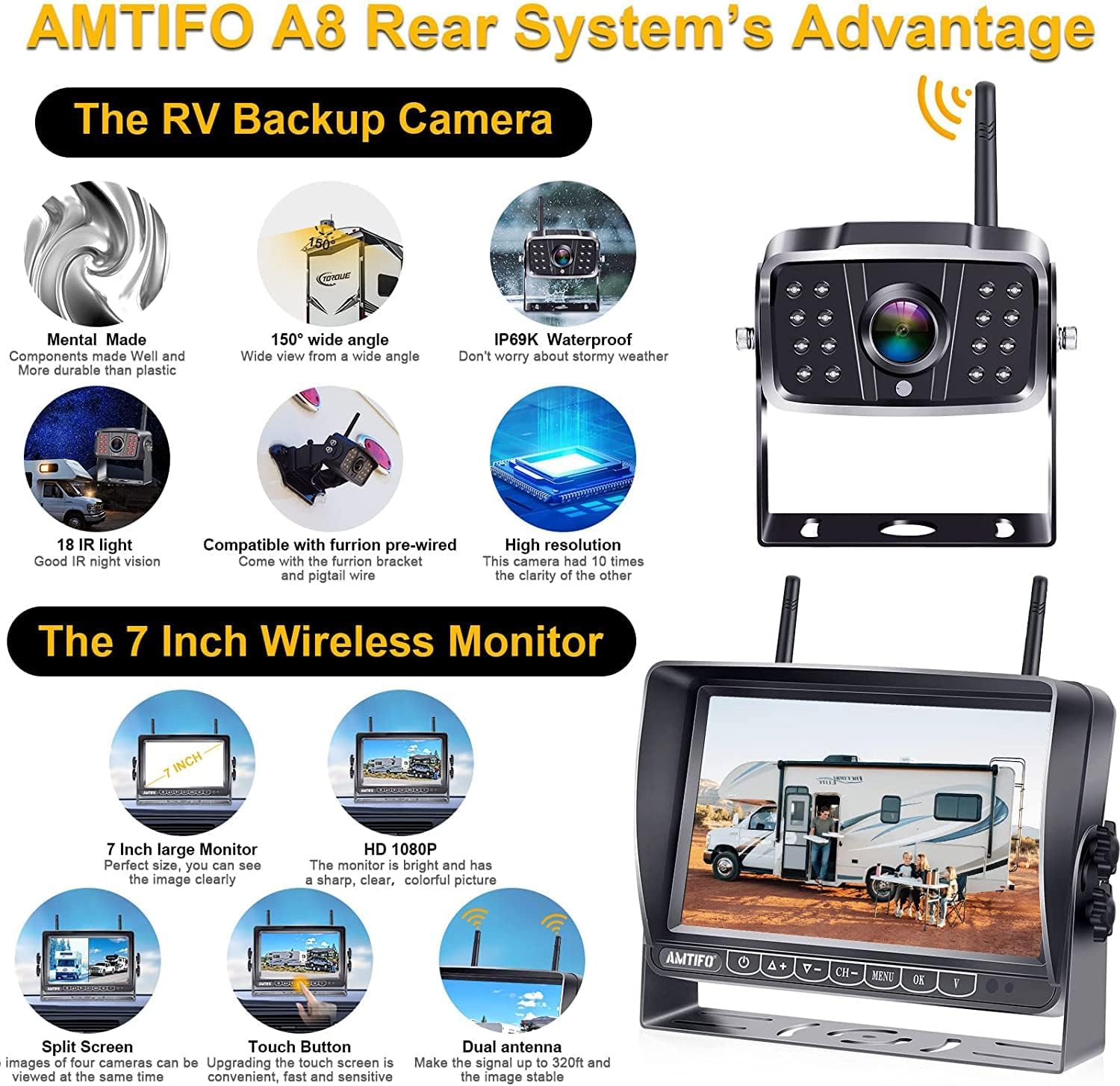
Figure 3.1: Key features of the AMTIFO A5 system.
4. Opstelling en installering
The AMTIFO A5 system is designed for quick and simple installation, typically completed within 30 minutes.
4.1 Kamera-installasie
- Monteer die kamera: Secure the camera using the provided camera bracket.
- Koppel krag: Wire the camera to your vehicle's marker light, running light, or directly to a Furrion pre-wired port if available. Ensure proper grounding.
4.2 Monitor installasie
- Monteer die monitor: Attach the monitor to your dashboard or windshield using the provided monitor bracket. Two mount methods are supported: U-bracket or windshield mount (windshield mount not included).
- Koppel krag: Plug the monitor's power cable into your vehicle's cigarette lighter socket.
- Heg antennas aan: Screw the antennas onto both the camera and the monitor.
4.3 Aanvanklike aanskakeling
Once both the camera and monitor are installed and powered, the digital wireless modules will automatically transport video signals. Turn on the monitor to view die kamera feed.

Figure 4.1: Simple 3-step installation process.

Figure 4.2: Furrion pre-wired compatibility components.
5. Bedryfsinstruksies
5.1 Monitor kontroles
The 7-inch monitor features touch keys for easy navigation and adjustments:
- Helderheid aanpassing: Use the controls to increase or decrease screen brightness.
- Kontras aanpassing: Modify the contrast level for optimal image clarity.
- HUE Adjustment: Adjust the color hue to your preference.
- Flip-modus: Change the image orientation (e.g., mirror image) as needed.
- Guide Line Control: Turn parking guide lines on or off. Adjust their height, width, and position on the screen to match your vehicle and preference.

Figure 5.1: Monitor display adjustments.
5.2 Multi-Camera Support
The monitor supports up to four cameras, allowing for various display modes:
- Volskerm: Displays a single camera feed.
- Verdeel skerm: Displays two camera feeds simultaneously.
- Quad Screen: Displays four camera feeds simultaneously.
- H-Screen: A specific layout for multiple camera views.

Figure 5.2: Multi-camera display options.
5.3 Loopname
The system features a built-in loop recording function. When a memory card (not included, contact AMTIFO for details) is inserted, the system will continuously record footage. Once the memory card is full, it will automatically overwrite the oldest files to ensure continuous recording without manual intervention.
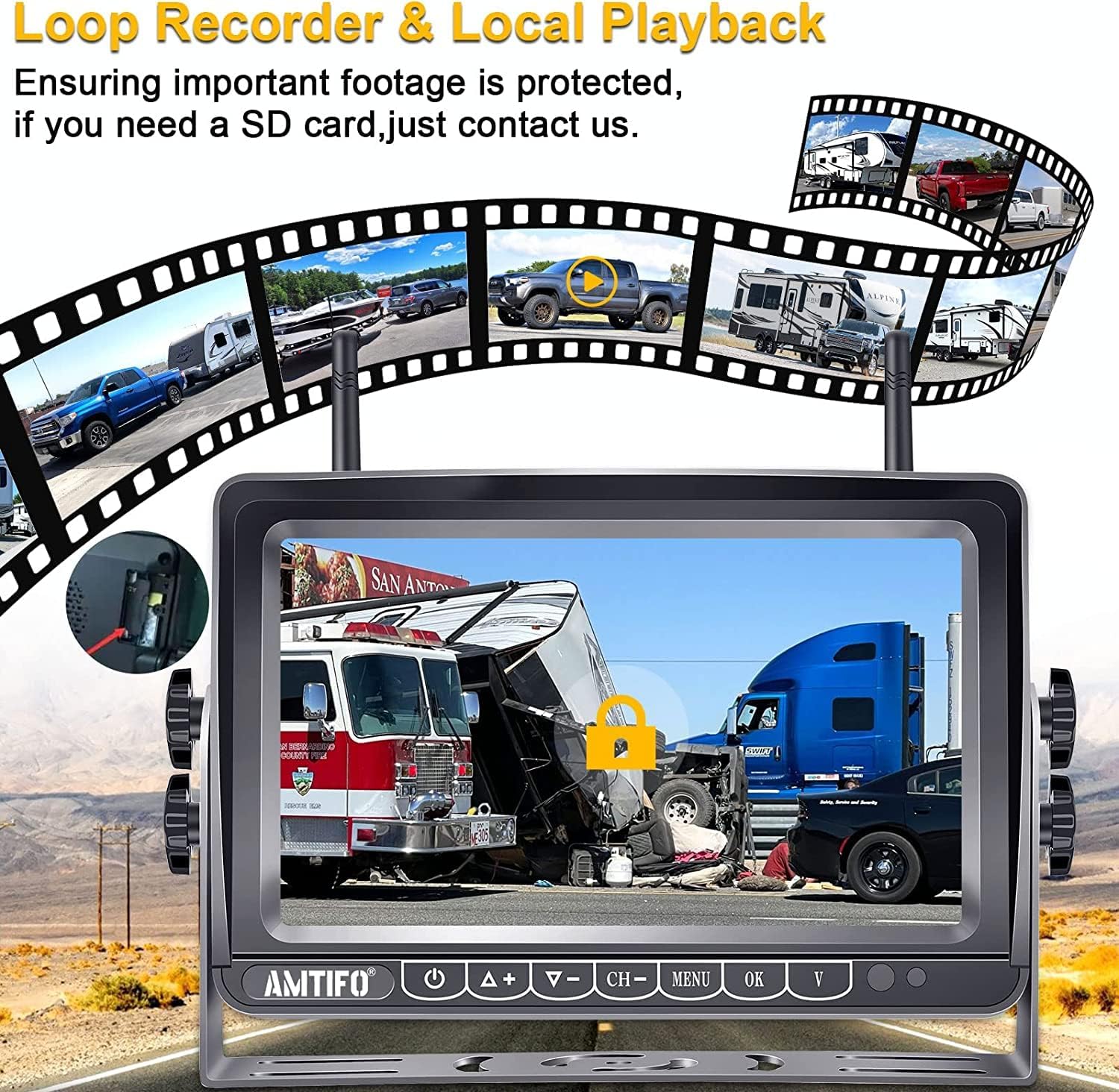
Figure 5.3: Loop recording and local playback.
6. Onderhoud
The AMTIFO A5 system is designed for durability and minimal maintenance. The camera is IP69 waterproof, making it resistant to dust and water ingress.
- Skoonmaak: Periodically clean the camera lens and monitor screen with a soft, damp cloth to ensure clear visibility. Avoid abrasive cleaners.
- Temperatuurreeks: The system is built to operate in a wide temperature range, from -22°F to 149°F (-30°C to 65°C).
- Verbindings: Regularly check all power and antenna connections to ensure they are secure.

Figure 6.1: Durability features of the camera.
7. Probleemoplossing
If you encounter issues with your AMTIFO A5 system, please refer to the following common troubleshooting steps:
- No Signal/Flickering Image:
- Ensure both camera and monitor are receiving power. Check all power connections.
- Verify that antennas are securely attached to both the camera and monitor.
- Reduce the distance between the camera and monitor, or minimize obstructions that might interfere with the wireless signal.
- Kontroleer vir sterk elektromagnetiese interferensie van ander toestelle.
- Monitor skakel nie aan nie:
- Confirm the cigarette lighter plug is fully inserted and receiving power.
- Check the vehicle's fuse for the power outlet.
- Probleme met beeldkwaliteit (vaag/vervorm):
- Clean the camera lens and monitor screen.
- Adjust the brightness, contrast, and HUE settings on the monitor.
- Opname werk nie:
- Ensure a compatible memory card is inserted correctly.
- Check if the memory card is full; the loop recording function should overwrite old files, but a faulty card might prevent this.
- Format the memory card if issues persist (this will erase all data).
If these steps do not resolve the issue, please contact AMTIFO customer support for further assistance.
8. Spesifikasies
| Kenmerk | Spesifikasie |
|---|---|
| Produk afmetings | 6.34 x 8.82 x 4.96 duim (6.34"L x 8.82"B x 4.96"H) |
| Item gewig | 3.43 pond |
| Modelnommer | A5 |
| Vertoon tegnologie | LED |
| Vertoon kenmerke | Draadloos |
| Kleur | Swart |
| Skerm grootte | 7 duim |
| Versoenbare toestelle | Monitor |
| Installasie tipe | Oppervlakmontering |
| Voltage | 12 Volt |
| Optiese sensortegnologie | CMOS |
| Lens tipe | Wye hoek |
| Regte hoek van View | 150 grade |
| Connector Tipe | Draadloos |
| Vervaardiger | AMTIFO |
| Datum Eerste Beskikbaar | 19 Julie 2018 |
9. Waarborg en Ondersteuning
AMTIFO stands behind the quality of its products. The AMTIFO A5 RV Backup Camera Wireless System comes with:
- 30-dae geld-terug-waarborg: If you are not satisfied with your purchase.
- 2-jaar waarborg: Dek vervaardigingsfoute en verseker produkbetroubaarheid.
- Free Tech Support: Dedicated technical assistance is available to help with any questions or issues.
- Vervangingsdiens: In case of eligible product malfunctions.
For support, please refer to the contact information provided in your product packaging or visit the official AMTIFO webwebwerf.