
Inleiding
Thank you for choosing the PowerPac 12-Inch Table Fan, model PPTF303. This manual provides comprehensive instructions for the safe and efficient use of your new fan. Please read all instructions carefully before operating the appliance and retain this manual for future reference.
Belangrike veiligheidsinstruksies
Om die risiko van brand, elektriese skok of besering te verminder, volg altyd hierdie basiese veiligheidsmaatreëls:
- Lees alle instruksies voordat u hierdie waaier gebruik.
- Verseker die kragtoevoer voltage stem ooreen met die graderingsetiket op die waaier.
- Ontkoppel altyd die waaier uit die kragtoevoer voordat u dit skoonmaak, diens of skuif.
- Moenie vingers of enige voorwerpe deur die rooster steek terwyl die waaier aan die gang is nie.
- Keep the fan away from water or other liquids. Do not operate in wet conditions.
- Moenie die waaier met 'n beskadigde koord of prop gebruik nie. Indien die koord beskadig is, moet dit deur die vervaardiger, sy diensagent of soortgelyk gekwalifiseerde persone vervang word om 'n gevaar te vermy.
- Hierdie toestel is nie bedoel vir gebruik deur persone (insluitend kinders) met verminderde fisiese, sensoriese of geestelike vermoëns, of 'n gebrek aan ervaring en kennis nie, tensy hulle toesig of instruksies oor die gebruik van die toestel gegee is deur 'n persoon wat verantwoordelik is vir hul veiligheid.
- Kinders moet onder toesig wees om te verseker dat hulle nie met die toestel speel nie.
- Moenie die waaier naby gordyne, plante of ander voorwerpe gebruik wat in die waaierlemme ingetrek kan word nie.
- Plaas die waaier op 'n stabiele, plat oppervlak om te verhoed dat dit omval.
- The fan is equipped with built-in thermal protection against overheating. If the fan overheats, it will automatically shut off. Unplug the fan and allow it to cool down before restarting.
Produk verbyview
Komponente
The PowerPac 12-Inch Table Fan PPTF303 includes the main fan unit with its base, grille, blades, motor housing, control panel, and power cord.
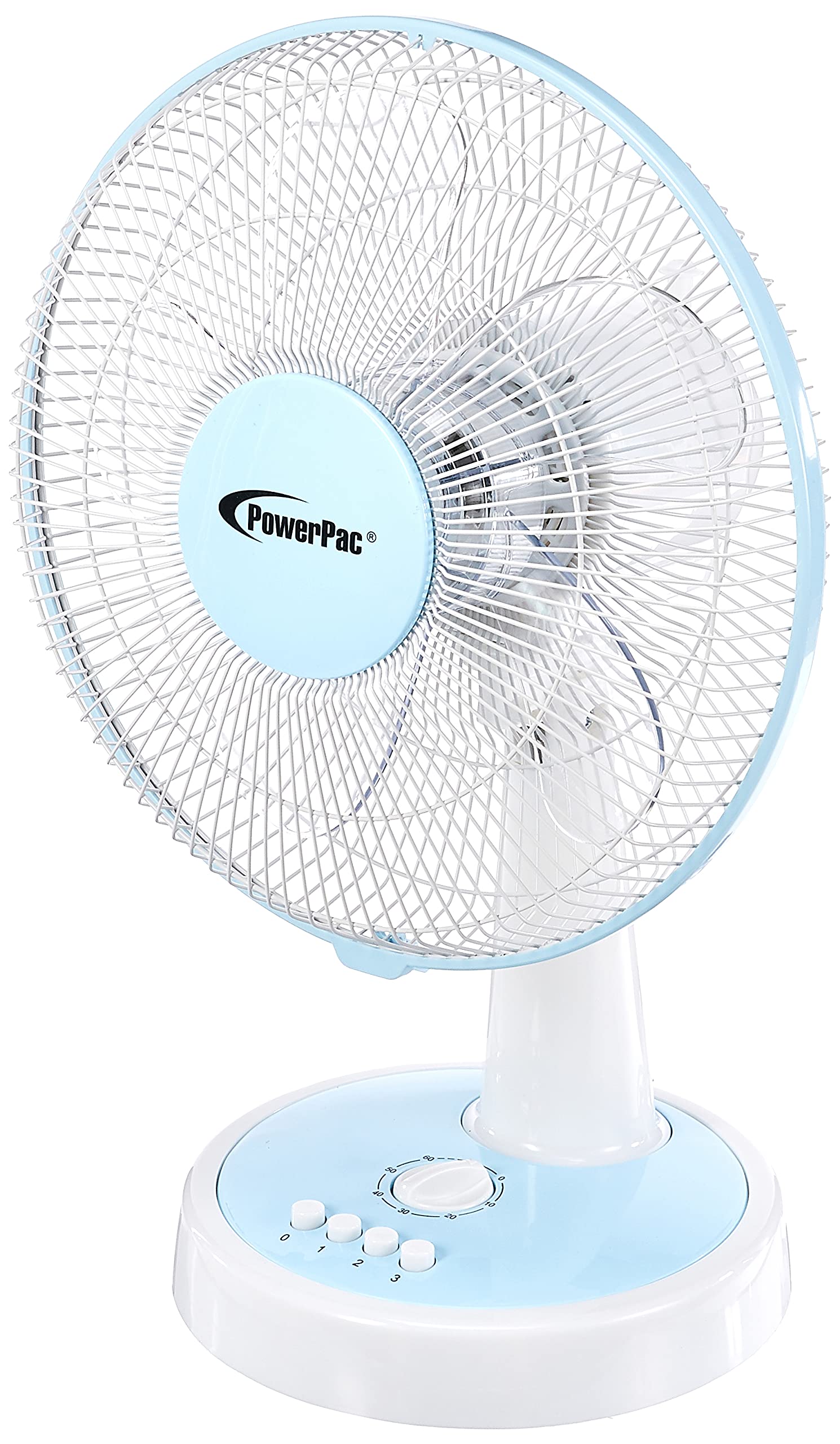
Figuur 1: Voorkant view of the PowerPac 12-Inch Table Fan PPTF303.
Kenmerke
- 3 Spoedinstellings: Choose from low, medium, or high airflow.
- Built-in Thermal Protection: Skakel outomaties af om oorverhitting te voorkom.
- High Velocity Motor: Designed for maximum air circulation.
- ossillasie: Provides wide-area cooling.
- Timer funksie: Allows for timed operation.
Opstelling
The PowerPac 12-Inch Table Fan PPTF303 typically comes pre-assembled. Follow these steps for initial setup:
- Pak uit: Carefully remove the fan from its packaging. Retain packaging for storage or return if necessary.
- Plasing: Place the fan on a firm, level surface where it will not be easily knocked over. Ensure there is adequate space around the fan for proper air circulation and oscillation.
- Kragverbinding: Insert the power plug into a suitable electrical outlet. Ensure the outlet voltage matches the fan's requirements.
Bedryfsinstruksies
Your PowerPac Table Fan features a touch control method for easy operation.
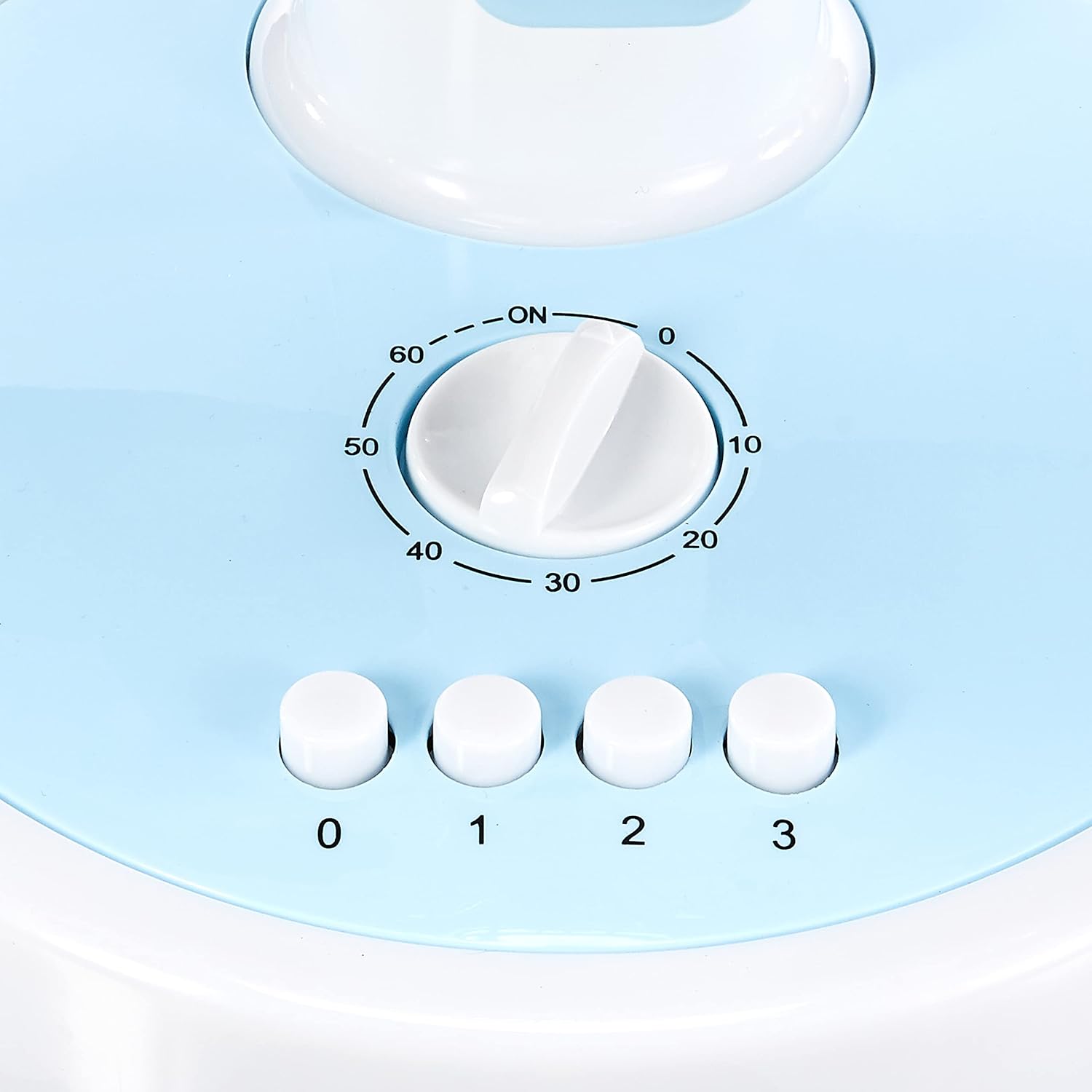
Figure 2: Close-up of the control panel with speed and timer settings.
- Krag aan/af: Press the '0' button to turn the fan off. To turn it on, select a speed setting (1, 2, or 3).
- Aanpassing van waaierspoed:
- Press '1' for Low speed.
- Press '2' for Medium speed.
- Press '3' for High speed.
- ossillasie: To activate the oscillation feature, press the button located on the top of the motor housing. Press it again to stop oscillation.
- Timer funksie: The fan includes a timer dial, typically marked from 0 to 60 minutes. Turn the dial clockwise to set the desired operating time. The fan will automatically switch off once the set time has elapsed.
Onderhoud
Gereelde onderhoud verseker optimale werkverrigting en lang lewensduur van jou waaier.
- Skoonmaak:
- Ontkoppel altyd die waaier voordat dit skoongemaak word.
- Gebruik 'n sagte, damp lap om die buite-oppervlaktes af te vee. Moenie skuurmiddels of oplosmiddels gebruik nie.
- To clean the fan blades, carefully remove the front grille (refer to specific instructions if provided with your model for grille removal). Wipe the blades with a damp cloth. Ensure all parts are dry before reassembling and operating.
- Berging: Wanneer dit nie vir lang tye gebruik word nie, bêre die waaier in sy oorspronklike verpakking of op 'n skoon, droë plek.
Probleemoplossing
Indien u enige probleme met u waaier ondervind, verwys asseblief na die volgende algemene probleme en oplossings:
| Probleem | Moontlike oorsaak | Oplossing |
|---|---|---|
| Die waaier skakel nie aan nie. | No power supply; fan unplugged; thermal protection activated. | Check power cord connection; ensure outlet is functional; unplug and allow fan to cool for 30 minutes before restarting. |
| Swak lugvloei. | Fan speed set too low; dirty blades/grille. | Increase fan speed; clean blades and grilles as per maintenance instructions. |
| Die waaier maak ongewone geluid. | Loose parts; obstruction in blades. | Unplug and check for any loose parts or obstructions. If noise persists, contact customer support. |
If the problem persists after attempting these solutions, please contact PowerPac customer support.
Spesifikasies
Key technical specifications for the PowerPac 12-Inch Table Fan PPTF303:
| Spesifikasie | Detail |
|---|---|
| Handelsmerk | PowerPac |
| Model Naam | PPTF303 |
| Elektriese waaierontwerp | Tafelwaaier |
| Grootte | 12 duim |
| Aantal snelhede | 3 |
| Kragbron | Elektries met koord |
| Wattage | 70 watt |
| Beheer metode | Raak |
| Spesiale kenmerke | Timer, Oscillation, Thermal Protection |
| Materiaal | Plastiek |
| Land van oorsprong | China |

Figure 3: Approximate dimensions of the PowerPac 12-Inch Table Fan PPTF303.
Waarborg en Ondersteuning
The PowerPac 12-Inch Table Fan PPTF303 comes with a 1 Jaar Plaaslike (Singapoer) VervaardigerwaarborgBewaar asseblief u bewys van aankoop vir waarborgeise.
For technical support, service, or warranty inquiries, please contact PowerPac customer service through their official webwebwerf of die kleinhandelaar waar die produk gekoop is.