
1. Inleiding
The Aligator T100 is a GSM mobile phone designed in a classic desk phone style, offering convenient operation with large buttons and essential mobile phone functions. It serves as an excellent replacement for a fixed-line phone, providing the independence and flexibility of a mobile device. Its high-performance antenna ensures reliable reception even in areas with weak GSM signals.
2. Veiligheidsinligting
- Batterywaarskuwing: Use only the original battery provided with the device. Using non-original batteries may cause damage to the phone or lead to battery explosion.
- Hou die toestel weg van water en vog.
- Do not attempt to disassemble or repair the phone yourself. Refer to qualified service personnel for any repairs.
- Vermy die blootstelling van die foon aan uiterste temperature.
3. Pakketinhoud
Verifieer dat alle items in die pakket teenwoordig is:
- Aligator T100 GSM Mobile Phone unit
- Handset met opgerolde koord
- High-performance external antenna
- Hooflaaier
- Li-ion 800 mAh battery
- User manual (English, German, Czech, Slovak)

Figure 3.1: Contents of the Aligator T100 package.
4. Produk verbyview
The Aligator T100 features a robust design with a clear monochrome graphic display and a user-friendly keypad. Key components include the main unit, handset, and an external antenna for enhanced signal reception.

Figuur 4.1: Voorkant view of the Aligator T100.
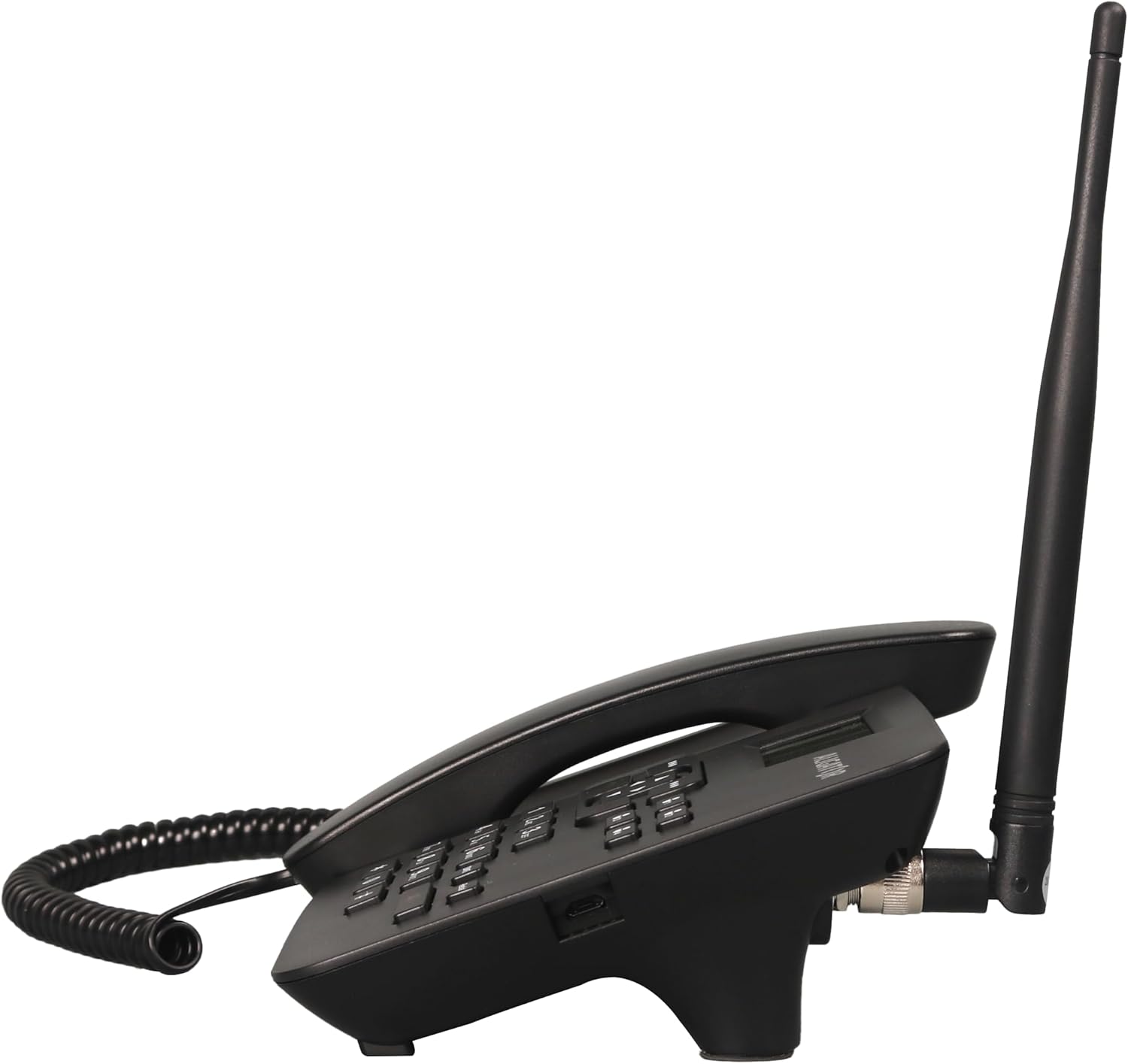
Figuur 4.2: Kant view showing the antenna connection.

Figuur 4.3: Terug view of the Aligator T100.
4.1 Toetsenbord en skerm
The keypad features large, easy-to-read buttons. The monochrome graphic display (128 x 64 points, 53 x 25 mm) has a green background illumination for clear visibility.

Figure 4.4: Close-up of the display and keypad.
5. Opstelling
5.1 Battery installasie
- Remove the battery compartment cover on the back of the phone.
- Insert the provided Li-ion 800 mAh battery, ensuring the contacts align correctly.
- Plaas die deksel van die batterykompartement terug.
5.2 Simkaart installasie
- Soek die SIM-kaartgleuf nadat die battery verwyder is.
- Insert your GSM SIM card into the designated slot, ensuring proper orientation as indicated by the diagram near the slot.
- Plaas die battery en batterydeksel terug.
5.3 Antenna-aanhegting
- Locate the TNC-Female connector on the side/back of the phone unit.
- Screw the high-performance external antenna onto this connector until it is securely fastened.
5.4 Aanvanklike laai en aanskakeling
- Connect the mains charger to the phone's charging port and plug it into a power outlet.
- Allow the phone to charge fully before first use. The display will indicate charging status.
- To power on, press and hold the power button (if available) or simply ensure the battery is inserted and the phone is connected to power.
6. Bedryfsinstruksies
6.1 Maak en ontvang oproepe
- Maak 'n oproep: Lift the handset. You will hear a classic dial tone. Dial the phone number using the keypad. The call will be initiated automatically after a short delay or upon pressing the call button.
- Ontvang 'n oproep: When the phone rings, simply lift the handset to answer the call.
- Beëindig 'n oproep: Place the handset back onto the cradle to end the call.
6.2 Using the Keypad and Navigation
The keypad includes standard numeric keys (0-9, *, #) and dedicated function buttons. Use the navigation buttons (up, down, left, right) to navigate through menus on the display.

Figure 6.1: Display and navigation controls.
6.3 Speed Dial / Quick Dial
The Aligator T100 features four quick dial buttons (labeled 1-4) for frequently called numbers. You can program these buttons to dial a contact directly.
- Programming Quick Dial: Refer to the phone's menu for
Ask a question about this manual
Ask about setup, troubleshooting, compatibility, parts, safety, or missing instructions. Manuals+ will review the question and use this page’s manual context to help answer it.