
Inleiding
Dankie vir die aankoopasing the MAJORITY Histon Portable DAB/DAB+ Digital Radio. This manual provides essential information for setting up, operating, and maintaining your radio. Please read it thoroughly before use to ensure optimal performance and longevity of your device.
Wat is in die boks
- MAJORITY Histon Radio
- Hoofkragkabel
- Eienaar se handleiding (hierdie dokument)

Image: The contents of the product packaging, including the Histon radio, its mains power cable, and the user manual.
Produk verbyview
The MAJORITY Histon radio is designed for portable and mains-powered listening, offering both DAB/DAB+ and FM radio reception. It features a clear LED display, dual alarm functionality, and a sleep timer.
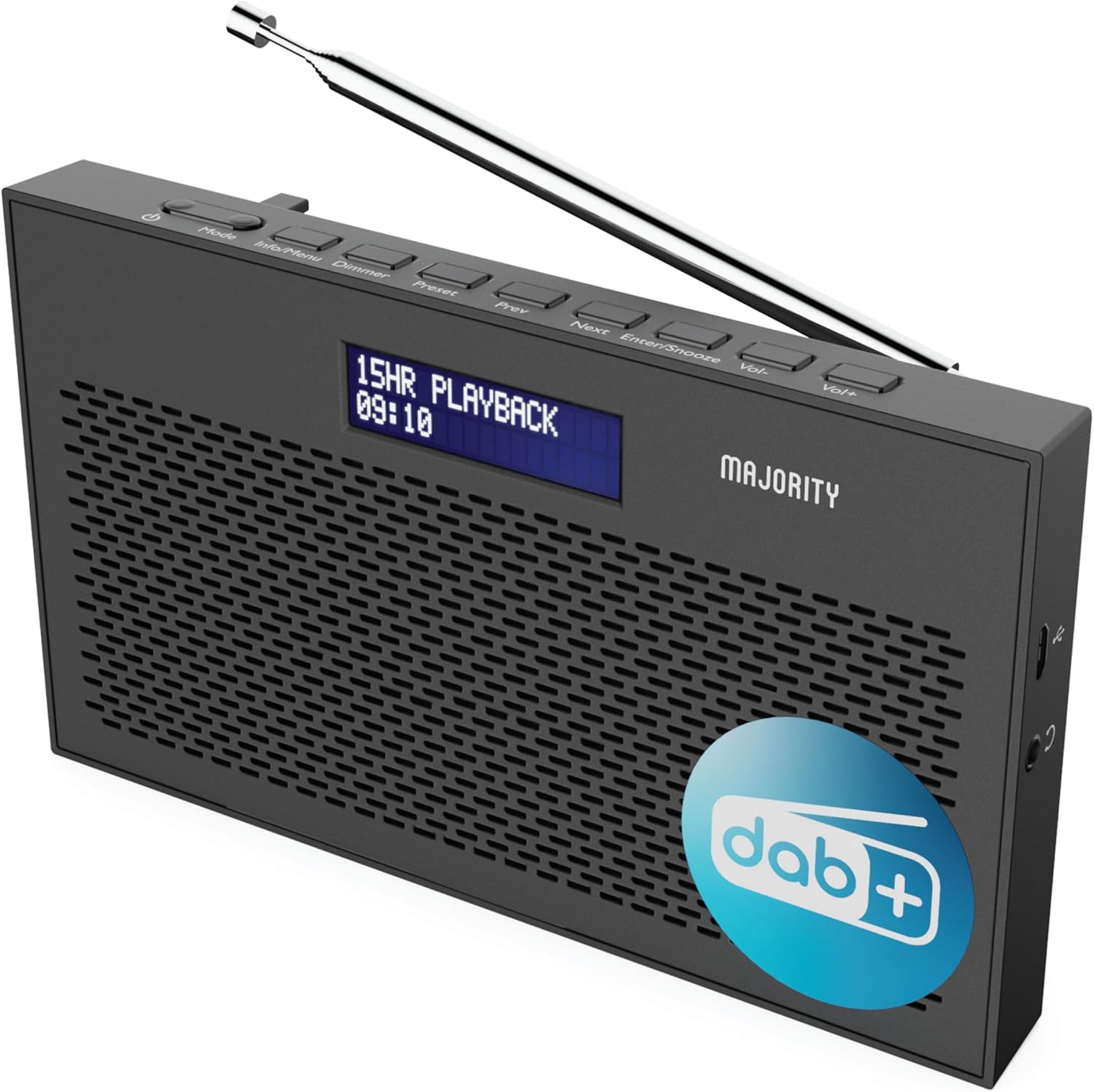
Beeld: 'n Gedetailleerde view of the Majority Histon radio, highlighting its compact design and front speaker.
Beheer en vertoning
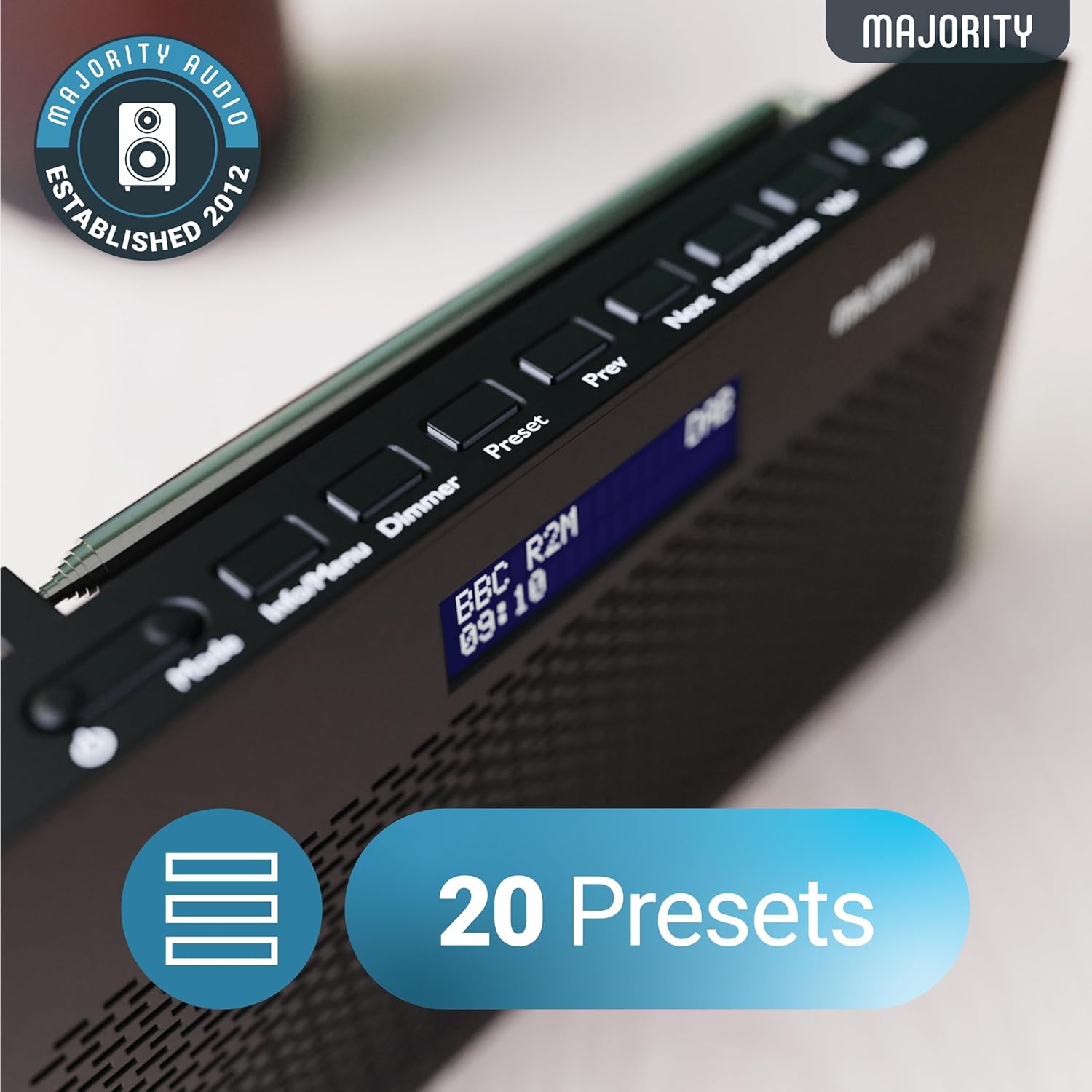
Image: A close-up of the radio's top panel, illustrating the various control buttons and the LED display showing station information.
- Modus: Switches between DAB, FM, and other modes.
- Inligting/Spyskaart: Displays station information or accesses menu settings.
- Dowwer: Pas die helderheid van die skerm aan.
- Vooraf ingesteld: Accesses or saves preset stations.
- Vorige/Volgende: Navigeer deur stasies of kieslysopsies.
- Enter/Snooze: Confirms selections or activates snooze during an alarm.
- Vol-/Vol+: Pas volume aan.
Poorte en verbindings
- DC IN-poort: For connecting the mains power cable.
- 3.5 mm koptelefoonaansluiting: Vir privaat luister.
- Battery kompartement: Located on the rear for 4 AA batteries (not included).
- Teleskopiese antenna: Extendable for optimal signal reception.
Opstelling
Skakel aan
The Histon radio can be powered by either the included mains power cable or 4 x AA batteries (not supplied).
- Hoofkrag: Connect the mains power cable to the DC IN port on the radio and plug the adapter into a wall socket.
- Batterykrag: Open the battery compartment on the rear of the radio and insert 4 x AA batteries, ensuring correct polarity.

Image: The radio in a portable setting, emphasizing its 15-hour battery life capability.
Antenna verstelling
Extend the telescopic antenna fully for the best possible signal reception, especially for DAB/DAB+ and FM broadcasts.
Aanvanklike skandering (DAB/DAB+)
Upon first power-on, the radio will automatically perform a full scan for DAB/DAB+ stations. This process may take a few minutes. Once complete, the radio will tune to the first available station.
- If no stations are found, ensure the antenna is fully extended and reposition the radio, then perform a manual scan (see Operating Instructions).
Bedryfsinstruksies
DAB/DAB+ Radio werking
- Selecting DAB Mode: Druk die Modus button until "DAB" is displayed.
- Stasiekeuse: Gebruik die Vorige or Volgende buttons to scroll through available DAB stations. Press Voer in om 'n stasie te kies.
- Volledige skandering: To perform a full scan for new stations, press and hold the Inligting/spyskaart button to enter the menu, then navigate to "Full Scan" and press Voer in.
- Vooraf ingestelde stasies:
- Stoor 'n voorafinstelling: While listening to a station, press and hold the Vooraf ingesteld knoppie. Gebruik Vorige/Volgende om 'n voorafbepaalde nommer (1-20) te kies, druk dan Voer in te red.
- Herroeping van 'n voorafinstelling: Druk kortliks die Vooraf ingesteld knoppie. Gebruik Vorige/Volgende to scroll through saved presets, then press Voer in to tune.
Image: The radio's control panel, highlighting the capability to store up to 20 preset radio stations.
FM-radio werking
- Selecting FM Mode: Druk die Modus knoppie totdat "FM" vertoon word.
- Outo -skandering: Druk en hou Voer in to automatically scan for the next available FM station.
- Handmatige instelling: Druk kortliks Vorige or Volgende to fine-tune the frequency in 0.05 MHz steps.
- Vooraf ingestelde stasies: Saving and recalling FM presets follows the same procedure as DAB presets.
Stel alarms
The Histon radio features a dual alarm function.

Image: The radio displaying "DUAL ALARM" on its screen, illustrating its dual alarm capability.
- Druk en hou Inligting/spyskaart om die spyskaart te betree.
- Gebruik Vorige/Volgende to navigate to "System Settings" and press Voer in.
- Navigate to "Alarm" and press Voer in.
- Select "Alarm 1" or "Alarm 2" and press Voer in.
- Configure the alarm time, duration, source (Buzzer, DAB, FM), frequency (Daily, Once, Weekends, Weekdays), and volume using Vorige/Volgende en Voer in.
- To activate/deactivate an alarm, select "On" or "Off" for the chosen alarm.
- Wanneer 'n alarm afgaan, druk Gaan in/Sluimer to snooze for 9 minutes, or press the Krag knoppie om die alarm af te skakel.
Slaap Timer
Die slaaptimer laat die radio toe om outomaties af te skakel na 'n vasgestelde tydperk.
- Druk en hou Inligting/spyskaart om die spyskaart te betree.
- Navigate to "System Settings" and press Voer in.
- Navigate to "Sleep" and press Voer in.
- Gebruik Vorige/Volgende to select the desired sleep duration (e.g., 15, 30, 45, 60, 90, 120 minutes) or "Off". Press Voer in te bevestig.
Vertoon helderheid
Pas die helderheid van die LED-skerm aan.
- Druk kortliks die Dimmer button to cycle through brightness levels.
Oorfoongebruik
For private listening, connect standard 3.5mm headphones to the headphone jack on the side of the radio. The internal speaker will automatically mute when headphones are connected.
Probleemoplossing
| Probleem | Moontlike oorsaak/oplossing |
|---|---|
| Geen krag / Radio skakel nie aan nie. |
|
| Poor DAB/FM reception or no stations found. |
|
| Klank is verwring of onderbroke. |
|
| Die alarm lui nie. |
|
| Die skerm is leeg of onleesbaar. |
|
Spesifikasies
- Model: Histon 2
- Produk afmetings: 18 x 4.5 x 11 cm (L x B x H)
- Gewig: 249 gram
- Kragbron: Mains (via included adapter) or 4 x AA Batteries (not included)
- Radiobande ondersteun: DAB/DAB+, FM
- presets: 20 (DAB) / 20 (FM)
- Verbinding: 3.5mm Headphone Jack, DC IN Port
- Spesiale kenmerke: Portable, Lightweight, Automatic and Manual Tuning, Dual Alarm Clock, Sleep Timer, LED Display, Mono/Auto Switching in FM Mode

Image: A visual representation of the radio's dimensions for reference.
Onderhoud
- Skoonmaak: Gebruik 'n sagte, droë lap om die radio se oppervlak skoon te maak. Moenie skuurmiddels of oplosmiddels gebruik nie.
- Berging: Indien die radio vir 'n lang tydperk gestoor word, verwyder die batterye om lekkasie te voorkom. Bêre op 'n koel, droë plek.
- Waterblootstelling: This radio is not waterproof. Avoid exposure to water or high humidity.
- Antenna sorg: Hanteer die teleskopiese antenna versigtig om te verhoed dat dit buig of breek.
Waarborg en Ondersteuning
The MAJORITY Histon radio comes with a 3 jaar waarborg. To activate your warranty and for further support, please refer to the registration instructions provided with your purchase or visit the official MAJORITY webwebwerf.
For technical assistance or warranty claims, please contact MAJORITY customer support through their official channels. Keep your proof of purchase for warranty validation.

Image: A graphic highlighting the 3-year warranty provided with Majority audio products.


