
1. Inleiding
Thank you for choosing the Vandlion V8 Keychain Voice Recorder. This compact and versatile device is designed for high-quality audio recording in various environments, offering ease of use and portability. It also functions as an MP3 player and a USB storage device. Please read this manual thoroughly to understand the features and proper operation of your new device.
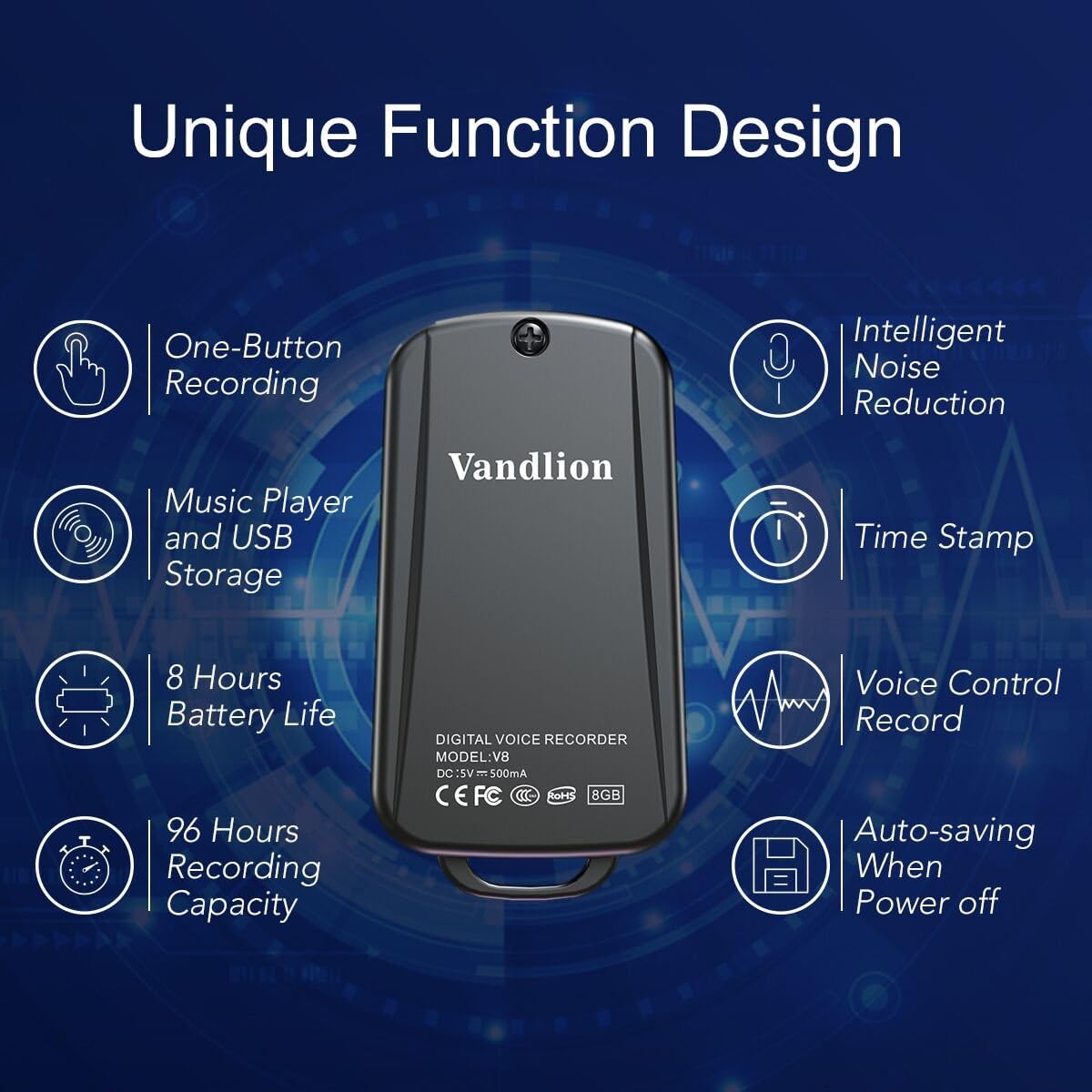
Image 1: Vandlion V8 Keychain Voice Recorder highlighting features like one-button recording, intelligent noise reduction, time stamp, voice control record, auto-saving, music player, USB storage, 8 hours battery life, and 96 hours recording capacity.
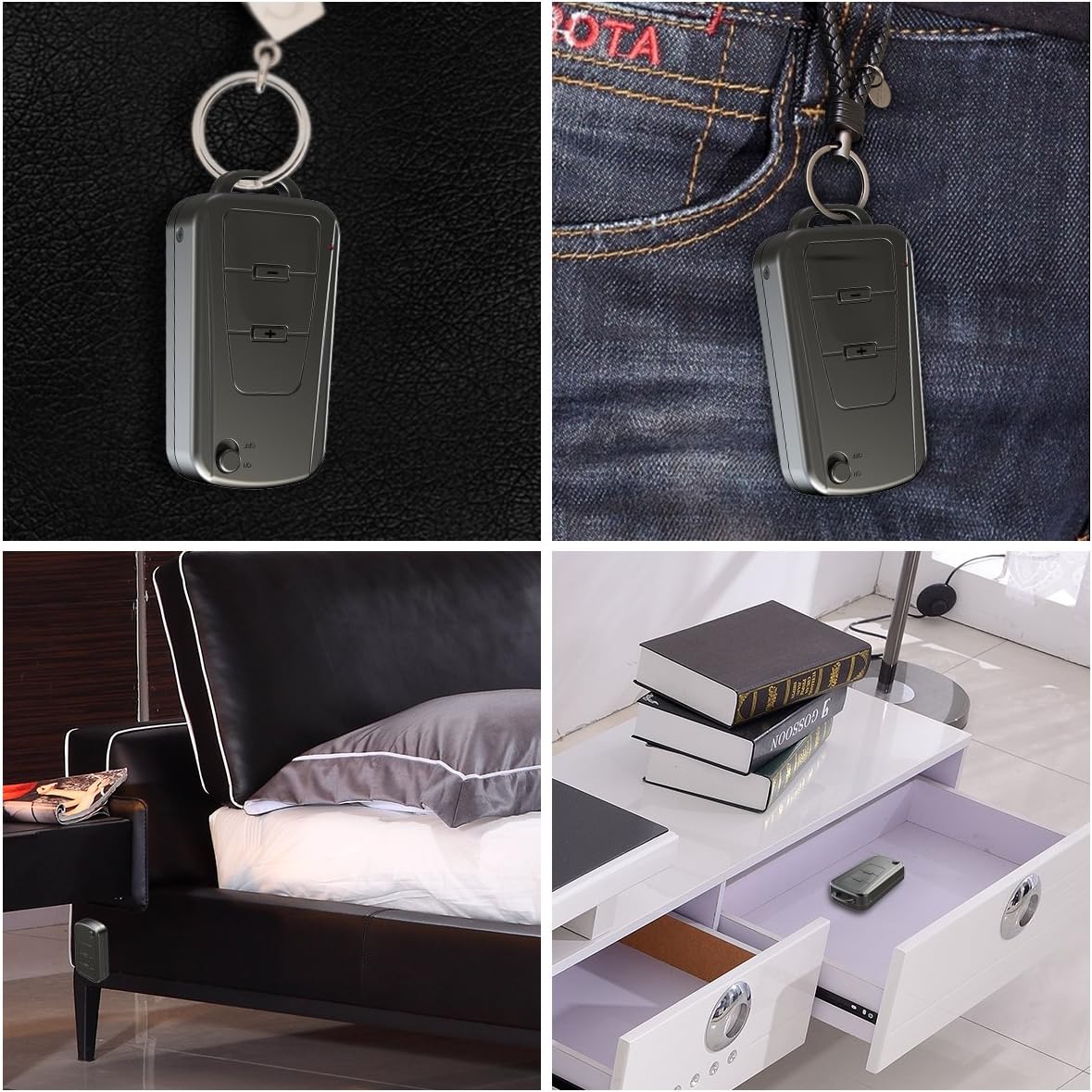
Image 2: The Vandlion V8 recorder shown in various discreet usage scenarios, including attached to a keychain, clipped to trousers, placed beside a bed, and hidden in a drawer.

Image 3: The Vandlion V8 recorder depicted in various application scenarios such as classes, meetings, speeches, concerts, interviews, and for forensic purposes.
2. Pakketinhoud
- 1 x Vandlion V8 Voice Recorder
- 1 x USB-kabel
- 1 x Gebruikershandleiding (hierdie dokument)
3. Toestel oorview
Familiarize yourself with the physical components of your voice recorder.
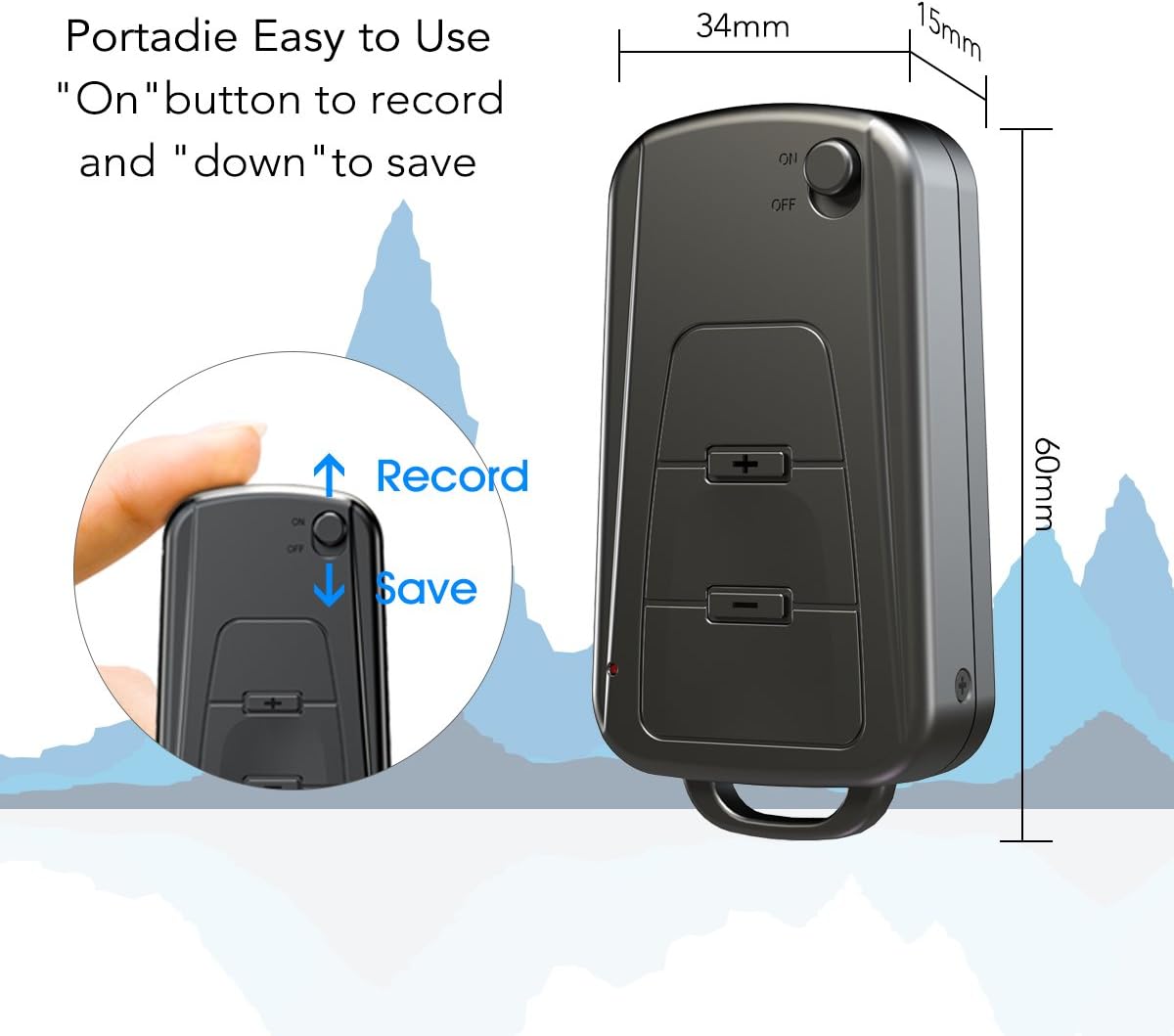
Beeld 4: Sykant view of the Vandlion V8 recorder, illustrating the ON/OFF switch for recording and saving, along with volume control buttons. Dimensions are also shown: 60mm length, 34mm width, 15mm thickness.
- AAN/UIT -skakelaar: Used to start and stop recording, and to power the device.
- USB-poort: Vir laai en koppeling aan 'n rekenaar.
- Koptelefoonaansluiting: Vir klankterugspeel.
- Mikrofoon: Integrated for audio capture.
- Aanwyserlig: Provides status feedback (e.g., recording, charging).
4. Opstelling
4.1. Laai die toestel
Before first use, fully charge the voice recorder. Connect the device to a computer's USB port or a USB wall adapter using the provided USB cable. The indicator light will typically show a specific color (e.g., red) during charging and change (e.g., blue or off) when fully charged. A full charge provides approximately 20 hours of operation.
4.2. Aanvanklike aanskakeling
Slide the ON/OFF switch to the "ON" position to power on the device. The indicator light will briefly illuminate.
5. Bedryfsinstruksies
5.1. One-Button Recording
- To start recording, slide the ON/OFF switch to the "ON" position. The device will automatically begin recording. The indicator light will not flicker during recording to ensure discreet operation.
- To save the recording, slide the ON/OFF switch to the "OFF" position. The device will save the current recording and power off.
Image 5: Close-up of the Vandlion V8 recorder demonstrating the simple "ON" to record and "OFF" to save operation.
5.2. Voice Activated Recording (VOR)
The device features a smart voice-activated system. When enabled, the recorder will only record when sound is detected, conserving storage space and battery life. Refer to the full user guide (if available from manufacturer) for detailed instructions on enabling/disabling VOR, as this feature may require specific button presses or software settings not covered by the basic one-button operation.
5.3. Opnames terugspeel
- Connect headphones to the headphone jack on the device.
- Power on the device by sliding the ON/OFF switch to "ON".
- Use the volume buttons (if present) to navigate through recordings and adjust playback volume.
Alternatively, connect the device to a computer to play back recordings.
5.4. Oordrag Files na 'n rekenaar
- Maak seker dat die opnemer afgeskakel is.
- Connect the recorder to your computer using the supplied USB cable. The device will be recognized as a removable storage drive.
- Open the drive, locate the recording files (typically in WAV format), and drag them to your computer.
- Note for Mac users: You may need to use VLC Media Player or similar software to play WAV files recorded by this device.
5.5. Using as an MP3 Player
The device supports WAV, WMA, and MP3 audio formats. You can transfer music files to the device's storage via USB connection, similar to transferring recordings. Once music files are on the device, connect headphones and power on the device to listen to your music.
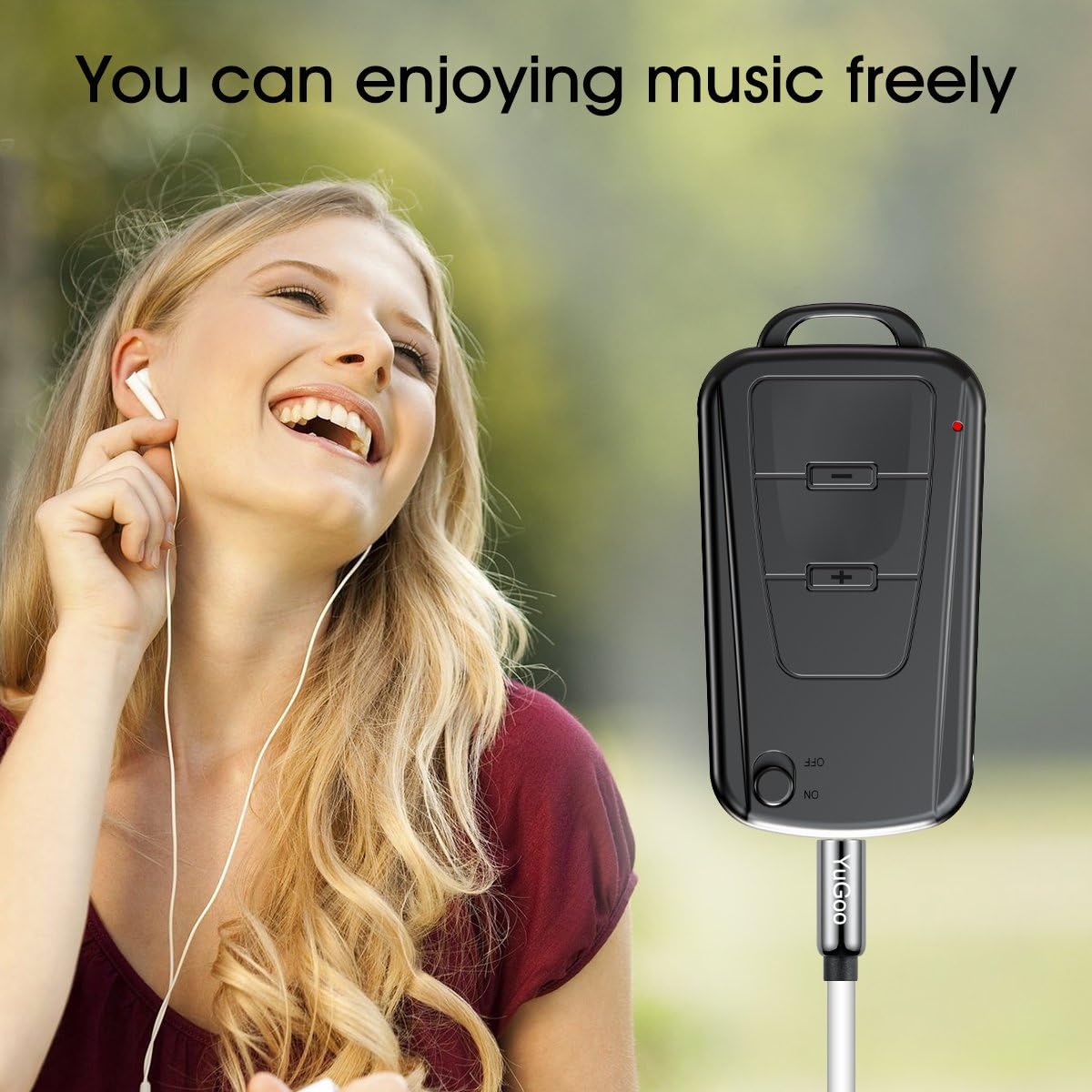
Image 6: The Vandlion V8 recorder connected to earphones, demonstrating its capability as an MP3 player for enjoying music.
6. Onderhoud
- Hou die toestel droog. Vermy blootstelling aan vog of vloeistowwe.
- Maak die toestel skoon met 'n sagte, droë lap. Moenie harde chemikalieë of skuurmiddels gebruik nie.
- Bêre die toestel op 'n koel, droë plek weg van direkte sonlig en uiterste temperature.
- Laai die battery gereeld, selfs al word dit nie gebruik nie, om die battery se gesondheid te handhaaf. Vermy dit om die battery vir lang tye heeltemal te ontlaai.
7. Probleemoplossing
- Toestel skakel nie aan nie:
- Maak seker dat die battery gelaai is. Koppel aan 'n kragbron en probeer weer.
- Kan nie opneem nie:
- Check if the device has sufficient storage space. Ensure the ON/OFF switch is in the "ON" position.
- Swak opnamekwaliteit:
- Ensure the microphone is not obstructed. Record in a quiet environment. The device features DSP noise reduction for clear audio.
- Toestel word nie deur rekenaar herken nie:
- Try a different USB port or cable. Ensure the device is powered off before connecting. Restart your computer.
- Kan nie speel nie files on Mac:
- Mac users are advised to use VLC Media Player for optimal playback of recorded WAV files.
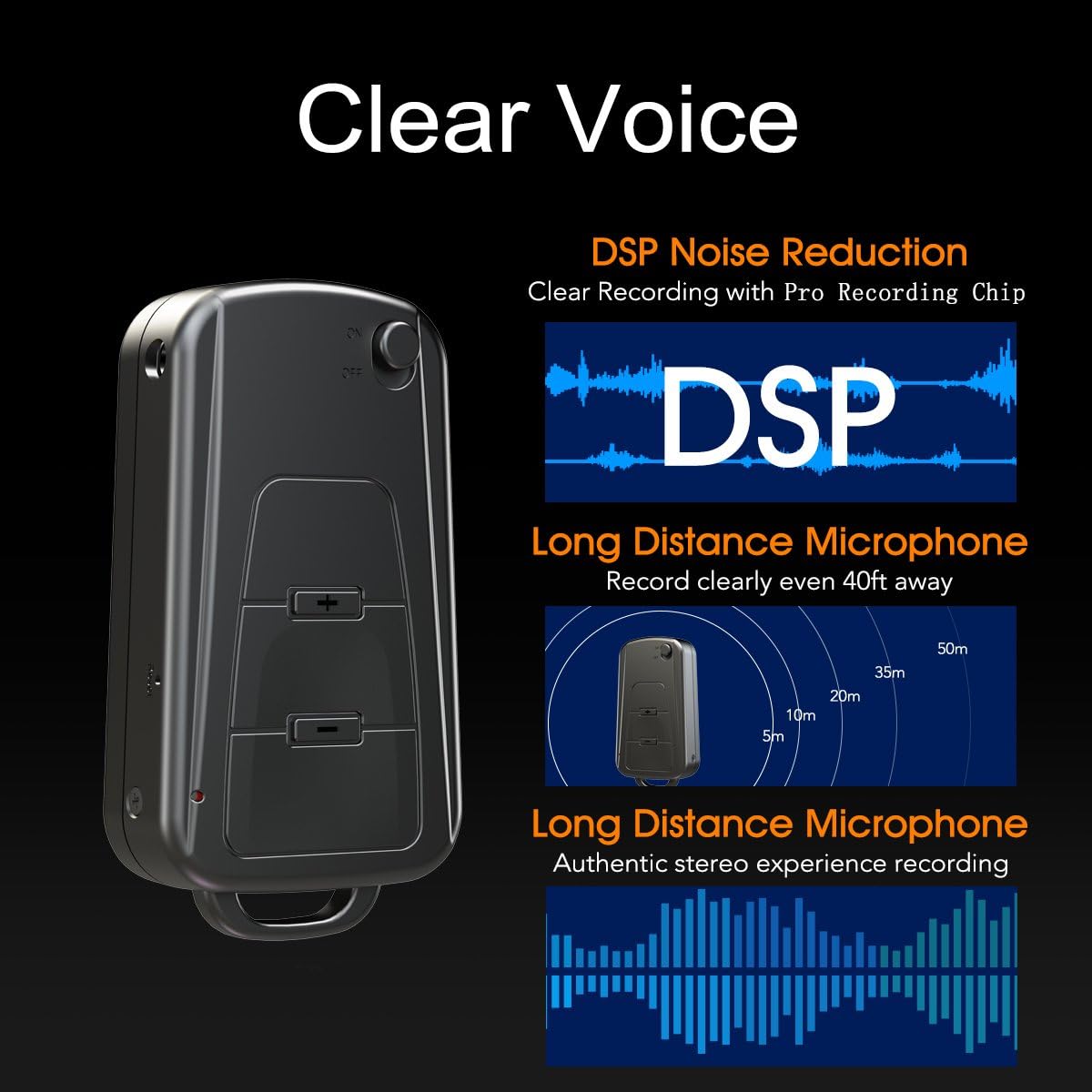
Image 7: Diagram illustrating the Vandlion V8's DSP noise reduction technology for clear recording and its long-distance microphone, capable of capturing sound clearly from up to 40 feet away, providing an authentic stereo experience.
8. Spesifikasies
| Kenmerk | Spesifikasie |
|---|---|
| Model | V8 |
| Berging kapasiteit | 8GB (approx. 96 hours recording capacity) |
| Batterylewe (opname) | Ongeveer. 20 uur |
| Opname-formaat | WAV |
| Musiek Formaat | WAV, WMA, MP3 |
| Sampling Koers | 192Kbps |
| Afmetings | 60 x 34 x 15 mm (2.36 x 1.33 x 0.59 duim) |
| Gewig | 27 g (1.46 onse) |
| Koppelvlak | USB |
| Versoenbare toestelle | MP3-speler, persoonlike rekenaar |
| Mikrofoon-werkingsmodus | Stereo |
9. Waarborg en Ondersteuning
9.1. Vervaardiger se waarborg
This Vandlion V8 Keychain Voice Recorder comes with a Six Months Manufacturer's Warranty vanaf die aankoopdatum. Hierdie waarborg dek defekte in materiale en vakmanskap onder normale gebruik. Dit dek nie skade wat veroorsaak word deur misbruik, ongelukke, ongemagtigde wysigings of normale slytasie nie.
9.2. Kliëntediens
For further assistance, technical support, or warranty claims, please contact Vandlion customer service through the retailer where the product was purchased or refer to the official Vandlion website for contact information. Additional resources, such as a PDF version of the user manual and updated user guides, may be available for download from the manufacturer's support page.
10. Belangrike veiligheidsinligting
- Moenie probeer om die toestel uitmekaar te haal of te verander nie.
- Hou buite bereik van kinders.
- Gooi die toestel en sy battery verantwoordelik weg volgens plaaslike regulasies.
- Vermy uiterste temperature en direkte sonlig.