
1. Produk verbyview
This Atlanta radio-controlled alarm clock (Model 1856-19) is designed for precise timekeeping and quiet operation. It features automatic time synchronization, a silent "No Tick" function, luminous hands for visibility in the dark, and a convenient snooze function.
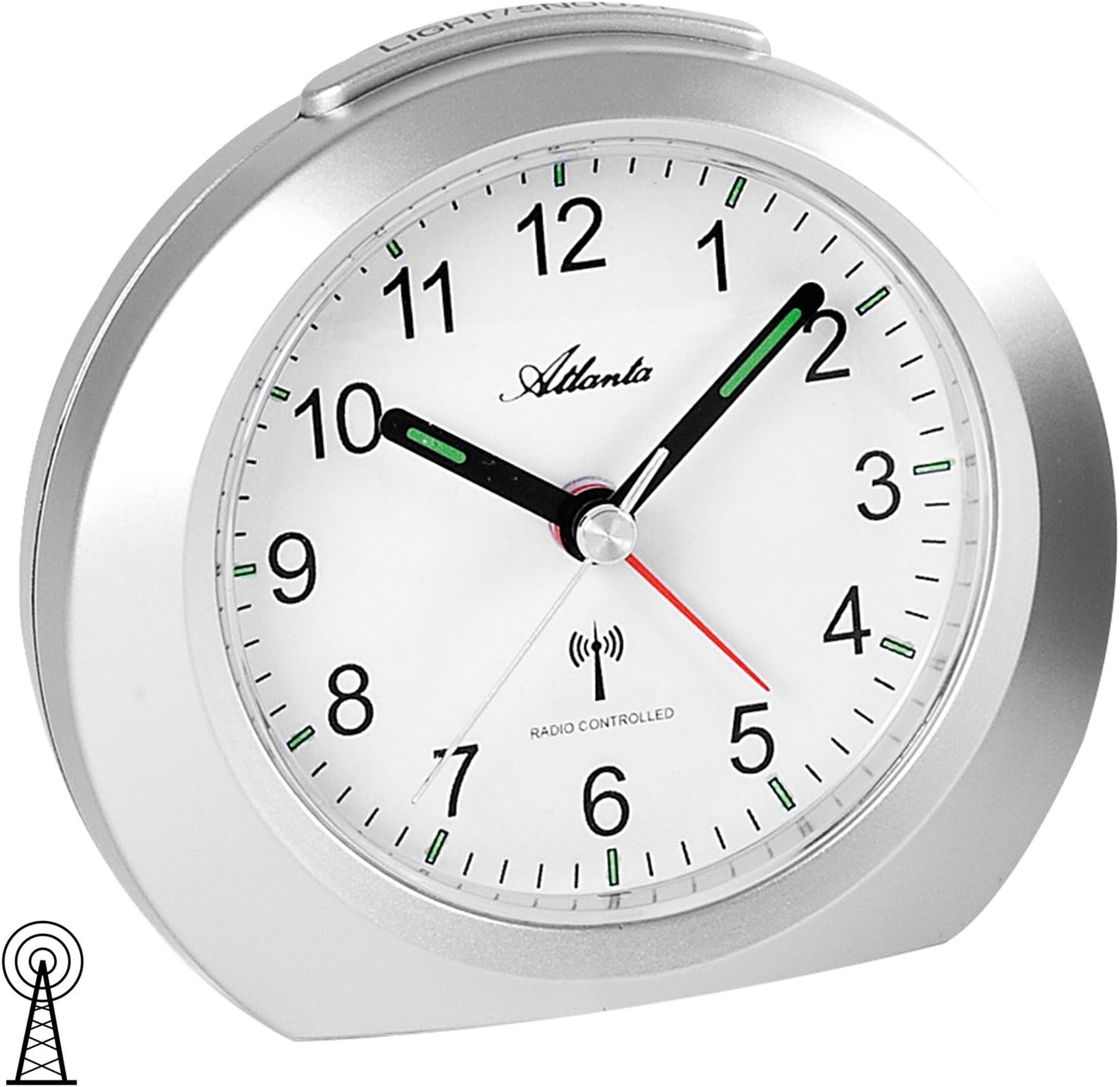
Figuur 1: Voorkant view of the Atlanta Radio-Controlled Alarm Clock, Model 1856-19, in silver finish.
Sleutel kenmerke:
- No Tick Function: The second hand stops at the '12' position when the alarm is activated, ensuring silent operation at night.
- Outomatiese tydinstelling: Synchronizes automatically with the DCF-77 radio signal for accurate time and automatic Daylight Saving Time (DST) adjustments.
- Luminous Hands & Dial Illumination: Features luminous hands and a dial illumination button for easy readability in low light conditions.
- Sluimer-funksie: Pauses the alarm for approximately 5 minutes.
- Crescendo-alarm: The alarm sound starts quietly and gradually increases in volume and intensity.
- Stabiele ontwerp: Equipped with a stable base for secure placement.
- Battery aangedryf: Requires 1 AA / LR6 battery (not included).
2. Opstelling en aanvanklike werking
2.1 Battery installasie
- Vind die batteryklep aan die agterkant van die wekker.
- Verwyder die deksel.
- Insert one (1) AA / LR6 battery, ensuring the correct polarity (+/-) as indicated inside the compartment.
- Plaas die batterykompartement se deksel veilig terug.
2.2 Outomatiese tydsinstelling
Upon battery insertion, the alarm clock will automatically begin the time synchronization process.
- The clock hands will first perform a full rotation and then stop precisely at the '12' position.
- The alarm clock will then enter reception mode to synchronize with the DCF-77 time signal.
- Belangrik: This initial synchronization can take up to 20 minutes. During this period, the hands may not move. Do not interrupt this process, as it will restart if disturbed. Patience is required for successful initial setup.
- Once synchronized, the hands will automatically move to display the correct time.
3. Bedryfsinstruksies
3.1 Stel die alarm in
- Vind die alarminstellingsknop aan die agterkant van die horlosie.
- Rotate the knob to set the desired alarm time.
- To activate the alarm, slide the alarm switch (located on the right side of the casing) to the "ON" position.
- When the alarm is activated, the second hand will move to the '12' position after approximately 2 minutes and stop, enabling the "No Tick" silent function.
3.2 Snooze -funksie
When the alarm sounds, press the large button located on the top of the alarm clock. This will pause the alarm for approximately 5 minutes. The alarm will sound again after this period.
3.3 Dial Illumination
To temporarily illuminate the dial, press the same large button on the top of the alarm clock. Release the button to turn off the illumination.
3.4 Automatic Daylight Saving Time (DST) Adjustment
The alarm clock automatically adjusts for Daylight Saving Time (summer/winter time) changes. This adjustment occurs unnoticed overnight between 2 AM and 3 AM.
4. Sorg en Onderhoud
- Clean the alarm clock with a soft, dry cloth. Do not use abrasive cleaners or solvents.
- Vermy die blootstelling van die horlosie aan uiterste temperature, direkte sonlig of hoë humiditeit.
- Replace the battery annually or when the clock's functions (e.g., alarm, illumination) become weak. Always use a fresh AA / LR6 battery.
- Do not attempt to disassemble the alarm clock, as this may void any potential warranty and cause damage.
5. Probleemoplossing
| Probleem | Moontlike oorsaak | Oplossing |
|---|---|---|
| Clock hands do not move after battery insertion. | Initial radio signal reception in progress. | Allow up to 20 minutes for the clock to receive the DCF-77 signal and set the time automatically. Ensure the clock is placed away from electronic interference. |
| Clock displays incorrect time. | Poor radio signal reception or interference. | Move the alarm clock to a different location, preferably near a window, and away from electronic devices (TVs, computers, mobile phones). Remove and reinsert the battery to initiate a new synchronization attempt. |
| Alarm is too quiet or does not sound. | Low battery or alarm not activated. | Replace the battery with a fresh AA / LR6 battery. Ensure the alarm switch is in the "ON" position. |
| Snooze or light function not working. | Lae battery. | Replace the battery with a fresh AA / LR6 battery. |
6. Spesifikasies
- Handelsmerk: Atlanta
- Modelnommer: 1856-19
- Kleur: Silwer
- Materiaal: Plastiek
- Vertoon tipe: Analoog
- Kragbron: Battery Powered (1 x AA / LR6, not included)
- Spesiale kenmerke: Crescendo Alarm, Snooze Function (5 minutes), Radio-Controlled Time Setting, Silent Operation (No Tick), Luminous Hands, Dial Illumination
- Afmetings (L x B x H): 11 x 10 x 6 cm (ongeveer 4.3 x 3.9 x 2.4 duim)
- Item gewig: 155 g (approximately 5.5 oz)
- Binne/buite gebruik: Binneshuise