
1. Produk verbyview
Thank you for choosing the LuxPower Bike Light Set. This set includes a powerful 300-lumen LED headlight and a bright LED taillight, designed to enhance your visibility and safety during cycling. Both lights are rechargeable and water-resistant, making them ideal for various riding conditions.

Image 1.1: The LuxPower Bike Light Set, featuring the main headlight unit and the compact taillight unit.
2. Pakketinhoud
Verifieer asseblief dat al die items wat hieronder gelys word, in u pakket ingesluit is:
- 1 x LuxPower LED Headlight (300 Lumens)
- 1 x LuxPower LED Taillight
- 2 x USB-laaikabels
- 1 x Headlight Mounting Bracket
- 1 x Taillight Mounting Strap
- 1 x Gebruikershandleiding
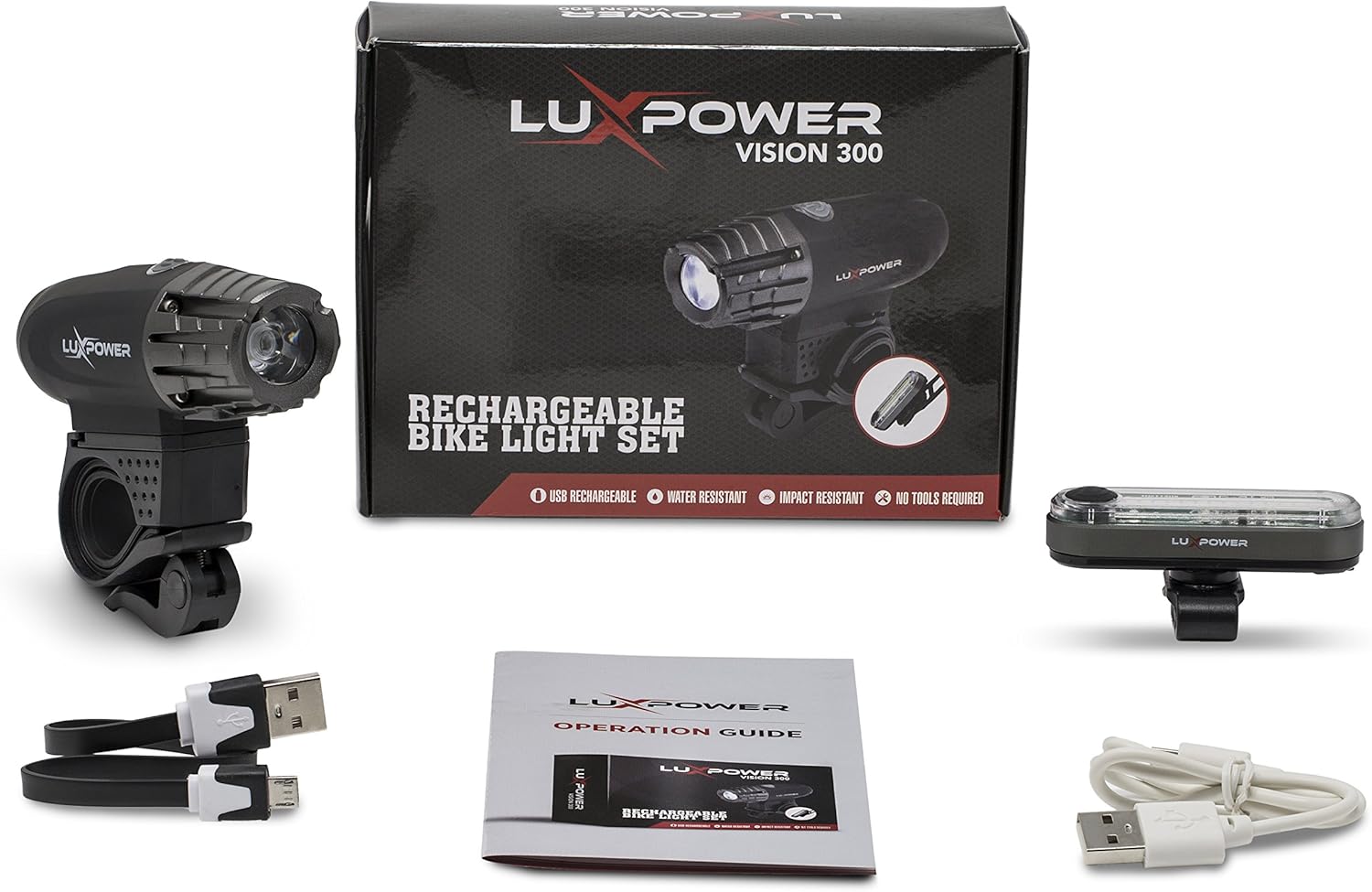
Image 2.1: All components included in the LuxPower Bike Light Set package.
3. Opstelling en installering
3.1 Koplampinstallasie
- Attach the headlight mounting bracket to your bicycle's handlebar. Ensure it is securely fastened and positioned centrally.
- Slide the LuxPower headlight onto the bracket until it clicks into place.
- Adjust the angle of the headlight to illuminate the path ahead without blinding oncoming traffic.

Image 3.1: The LuxPower headlight securely installed on a bicycle handlebar.
3.2 Taillight Installation
- Wrap the taillight mounting strap around your bicycle's seat post.
- Secure the strap firmly, ensuring the taillight is facing directly backward.
- Adjust the position to ensure maximum visibility from the rear.

Image 3.2: The LuxPower taillight installed on a bicycle seat post.
4. Bedryfsinstruksies
4.1 Krag aan/af
- To turn on the light, press and hold the power button located on the top of the light unit for 2 seconds.
- To turn off the light, press and hold the power button again for 2 seconds.
4.2 Moduskeuse
Once the light is on, short press the power button to cycle through the available lighting modes:
- Hoog: Maximum brightness for optimal visibility.
- Medium: Gebalanseerde helderheid vir algemene gebruik.
- Laag: Reduced brightness for extended battery life.
- Flash/Strobe: Flashing pattern for increased daytime visibility or emergency signaling.
4.3 Charging the Lights
Both the headlight and taillight are USB rechargeable. Use the provided USB cables for charging.
- Locate the USB charging port on each light unit. It is typically covered by a rubber flap to protect against water.
- Gently open the rubber flap.
- Connect one end of the USB charging cable to the light's port and the other end to a USB power source (e.g., computer, wall adapter, power bank).
- The indicator light will show the charging status (e.g., red for charging, green or blue for fully charged).
- Once fully charged, disconnect the cable and firmly close the rubber flap to maintain water resistance.

Image 4.1: Both the headlight and taillight are USB rechargeable.

Image 4.2: The LuxPower headlight connected to a USB power source for charging.

Image 4.3: The LuxPower taillight connected to a USB power source for charging.
5. Onderhoud
- Skoonmaak: Wipe the light units with a soft, damp lap. Moenie skuur skoonmaakmiddels of oplosmiddels gebruik nie.
- Batterysorg: To prolong battery life, avoid fully discharging the lights frequently. Recharge them regularly, especially if they will be stored for an extended period.
- Berging: Store the lights in a cool, dry place away from direct sunlight and extreme temperatures.
- Waterweerstand: Ensure the USB port rubber flap is always securely closed when not charging to maintain water resistance.
6. Probleemoplossing
| Probleem | Moontlike oorsaak | Oplossing |
|---|---|---|
| Lig skakel nie aan nie. | Battery is leeg. | Laai die lig met die meegeleverde USB-kabel. |
| Lig laai nie. | Probleem met USB-kabel of kragbron. | Try a different USB cable or a different USB power source. Ensure the cable is fully inserted. |
| Lig flikker of dof onverwags. | Lae battery. | Herlaai die lig. |
| Die monteerbeugel voel los. | Bracket not tightened sufficiently. | Ensure the bracket is securely tightened to the handlebar/seat post. |
7. Spesifikasies
| Kenmerk | Spesifikasie |
|---|---|
| Handelsmerk | LuxPower |
| Modelnommer | LP-BL300 |
| Helderheid | 300 Lumens (Headlight) |
| Aantal instellings | 4 (High, Medium, Low, Flash/Strobe) |
| Materiaal | Vlekvrye staal |
| Waterweerstandvlak | Waterbestand (IPX6) |
| Montage tipe | Handlebar Mount (Headlight), Seat Post Mount (Taillight) |
| UPC | 755702029490 |
8. Waarborg en Ondersteuning
LuxPower products are manufactured to high-quality standards. For information regarding warranty coverage, returns, or technical support, please refer to the contact information provided on the product packaging or visit the official LuxPower webwebwerf.
Bewaar asseblief u aankoopbewys vir enige waarborgaansprake.


